















10 Best Email Blast Services For Your Business [2026]
Published By Marilia Dimitriou
August 1, 2024

01/08/24
Imagine delivering a single message to your entire email list, while spending less time on email creation. To do that, you need a reliable email blast service with excellent email deliverability to get your campaigns into inboxes.
But you shouldn’t treat email blasting as an “emergency,” one-off tactic for giving your conversions a temporary boost. When done right, it’s an effective way to run personalized email campaigns at scale and stay connected with your audience.
If you want to build long-lasting relationships, you need a tool that lets you send bulk emails and laser-focused campaigns without stretching your budget. So, let’s explore the best email blast services and what you can do with them.
Want premium email marketing at a fraction of the price?
Get advanced features from $9/month.
Switch to MoosendWhat Is an Email Blast Service?
An email blast service is a platform that lets you send mass emails to your entire list or large audience segments. It helps you deliver timely, one-to-many messages that reach all the selected subscribers simultaneously.
A trustworthy email blast platform provides the infrastructure to reach a wider audience while reducing the risk of mailbox providers flagging your campaigns as spam.
On top of that, these tools offer features like lead generation, list management and segmentation, and automation so you can balance maximum reach with better targeting and relevant content.
When Should You Send Email Blasts?
Email blasts are useful when you have to deliver the same important message to a large number of subscribers fast.
More specifically, you can use them for:
- Time-sensitive promotions, such as flash sales and limited-time offers to create urgency and drive quick conversions.
- Email newsletters to share company news and curated content on a regular basis so subscribers stay engaged.
- Important announcements, including product or feature launches, policy updates, or supply chain interruptions to keep your audience informed.
- Event promotions for webinars, conferences, or local events, and reminders to stay in touch even after the event is over.
- Internal communications for announcements like leadership changes to ensure all employees are aligned with important organizational updates.
How To Choose the Best Blast Email Service for Your Business
Most email marketing software tools like Moosend, Mailchimp, or Omnisend offer various email marketing features, including email blasts and automation for sending targeted emails.
If you’re interested solely in getting an email blast service, here’s what to look for:
- Ease of use with straightforward features and a clean interface
- Mobile-responsive premade email templates
- Intuitive drag-and-drop email editor
- High email deliverability
- Analytics and reporting tools
- A/B and spam testing capabilities
- Integrations with third-party apps, such as CRM platforms
However, if you want to combine blast emails with personalization and automation tactics or more eCommerce-friendly capabilities, you should consider these additional features:
- Audience segmentation to target specific audience groups effectively
- Email marketing automation for triggered workflows like lead nurturing sequences
- Transactional emails for order and shipping confirmations or subscription renewals
Also, it’s important to check the platform’s email sending limits since exceeding them may increase costs quickly. Make sure the plan you choose allows you to send the volume of emails required without unexpected overage fees. That way, you’ll make the most of mass emailing while staying within budget.
You might think that the best solution to save costs is to choose a free email blast service. However, keep in mind that free options usually come with limitations. These may include restricted email sending limits, fewer ready-made templates, lack of advanced features, and poor deliverability.
This is why you’d better opt for a budget-friendly email blast service instead, so you can send large email volumes and use features like personalization and reporting without risking low inbox placement or high costs.
Top Email Blast Solutions Compared
Below, we’ve listed some of the best email marketing platforms in the market to help you power up your email marketing strategy with personalized campaigns and list segmentation.
| Price/Month | Free Plan | Unique Feature | |
| Moosend | $9/month | 30-day free trial | Email designer |
| HubSpot | $20/month | Yes (limited) | CRM tool |
| Constant Contact | $12/month | 14-day trial | In-depth reporting |
| Mailchimp | $13/month | Yes (limited) | Send time optimization |
| ActiveCampaign | $19/month | 14-day trial | Powerful automation workflows |
| GetResponse | $19/month | Yes | Conversion funnels |
| MailerLite | $10/month | Yes | Smart sending |
| Kit | $39/month | Yes | Automated email funnels |
| Campaign Monitor | $12/month | 30-day free trial | Advanced email analytics |
| Sender | $10/month | Yes | Automated SMS campaigns |
1. Moosend
Pricing: Paid plans start at $9/month, 30-day free trial (Sign up here)
Best for: SMBs, eCommerce, Startups, Enterprises
Best feature: User-friendly drag-and-drop email designer
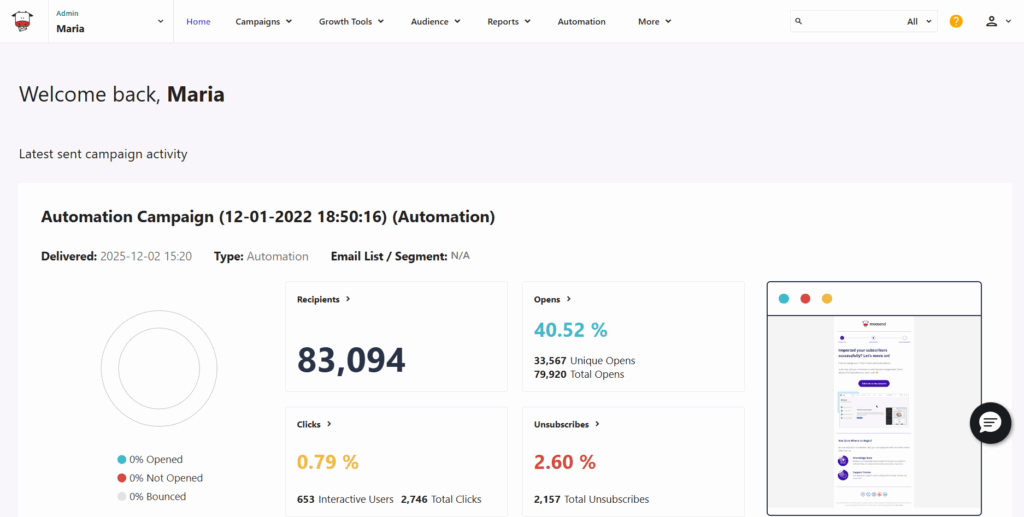
Moosend is an intuitive email marketing platform that lets you deliver your mass email campaigns to your audience. Also, its powerful functionality and easy-to-implement segmentation and automation features allow you to do much more than that.
Regarding email creation, you can easily craft beautiful campaigns with Moosend’s user-friendly email editor and various advanced features like an AI-powered writing assistant. Pre-built, customizable, and responsive email templates help you save time as they serve as a starting point for your next design.
Moreover, the platform’s email list management tools are perfect for managing and keeping your contacts organized. You can group subscribers based on similar interests and characteristics using Moosend’s segmentation features.
Among them, you’ll find Audience Discovery, a helpful tool that automatically creates segments based on your audience’s interactions.
If you want to expand your audience, this email service also offers you a landing page builder and subscription forms, plus built-in templates to get started.
Apart from that, Moosend lets you send transactional emails and has many certificates and strict compliance policies, such as GDPR, CSA, and Anti-spam, to align with international standards.
Pros
- Ease of use
- Flexible and affordable pricing
- Advanced automation capabilities
- High email deliverability (98%)
- Unlimited emails on all plans
Cons
- Limited signup forms
- No free plan
Best Features
- Advanced drag-and-drop email builder
- Transactional emails
- AI writer
- Easy-to-implement automated workflows
- Real-time reporting and analytics
- Signup forms and landing pages
- Spam and A/B testing
- Integrations with CRMs, eCommerce tools, etc.
Pricing
Moosend has a 30-day free trial to try the essential features. Then, you can choose between three paid plans and a credit model for seasonal email sending. The Pro starts at $9/month for 500 subscribers and unlimited email sends. Moosend+ and the Enterprise plan offer more functionality and dedicated IPs.
2. HubSpot
Pricing: Paid plans start at $20/month, free plan
Best for: Enterprises, Startups, eCommerce businesses
Unique feature: CRM tool
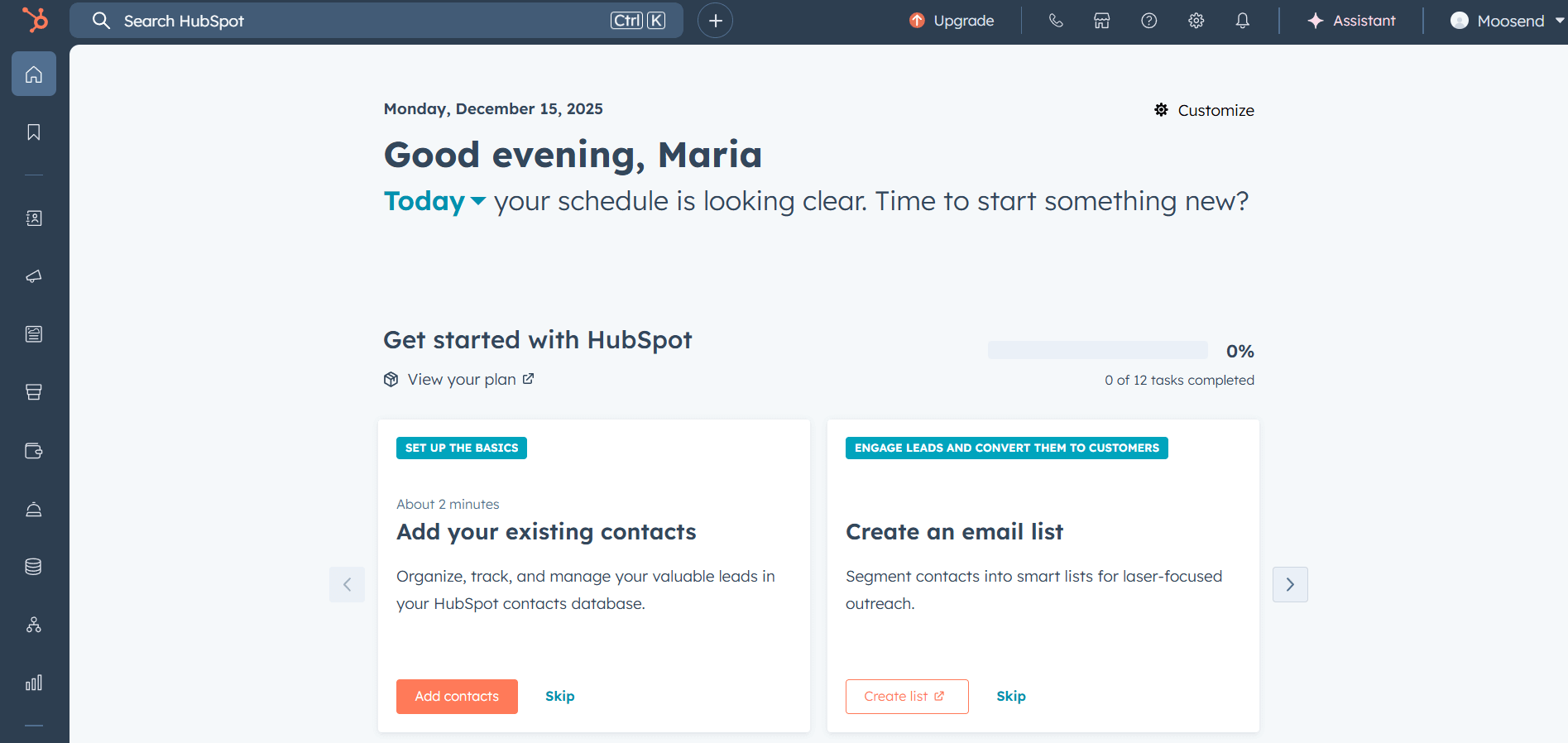
HubSpot is a powerful email marketing solution that equips users with several tools to create and send your mass email campaigns to your subscribers. This tool has numerous products to choose from. Here, we’ll look at those offered in the Marketing Hub.
Starting with the drag-and-drop editor, you can design eye-catching emails in just a few clicks. The pre-made email templates and modules further simplify email creation and customization. You can also save sections and templates and have them ready to use for future campaigns.
Regarding lead generation, HubSpot provides you with signup forms and landing pages to expand your email list and then target your new contacts with converting messages. Moreover, you can benefit from the marketing automation features, allowing you to automate your campaigns and lead scoring.
Lastly, this software offers transactional email functionality to send receipts, welcome emails, and account updates automatically. You can also use advanced reporting to monitor your email metrics (open rates, click-through rates, etc.) and then use optimization tools to improve your email marketing strategy.
Pros
- Built-in CRM solution
- Large suite of free tools to try out
- User-friendly editor
- In-depth reporting, including current and past sender reputation analytics
Cons
- Expensive platform, especially for users in need of a simple email blast service
- Steep learning curve for certain features
Best Features
- Drag-and-drop editor
- Ready-made email templates
- Straightforward customer relationship management
- Email automation workflows & autoresponders
- Advanced segmentation and lead scoring
- Cross-channel targeting (e.g., email, SMS, WhatsApp)
- Facebook Ads
Pricing
HubSpot’s paid plans are based on the number of subscribers you have, starting at $20/month for the Starter plan allowing for 1,000 contacts. There’s also a free plan for 2,000 emails/month and essential email marketing features. Free users only get one automated action, so if you need more, you’ll have to pick a paid plan.
HubSpot may be among the best email marketing services you can find out there, but its pricing is steep. If you want affordability and scalability, check some of the most affordable HubSpot competitors instead.
3. Constant Contact
Pricing: Paid plans start at $12/month, 14-day free trial
Best for: eCommerce, Startups, Bloggers, Non-profits
Unique Feature: In-depth reporting
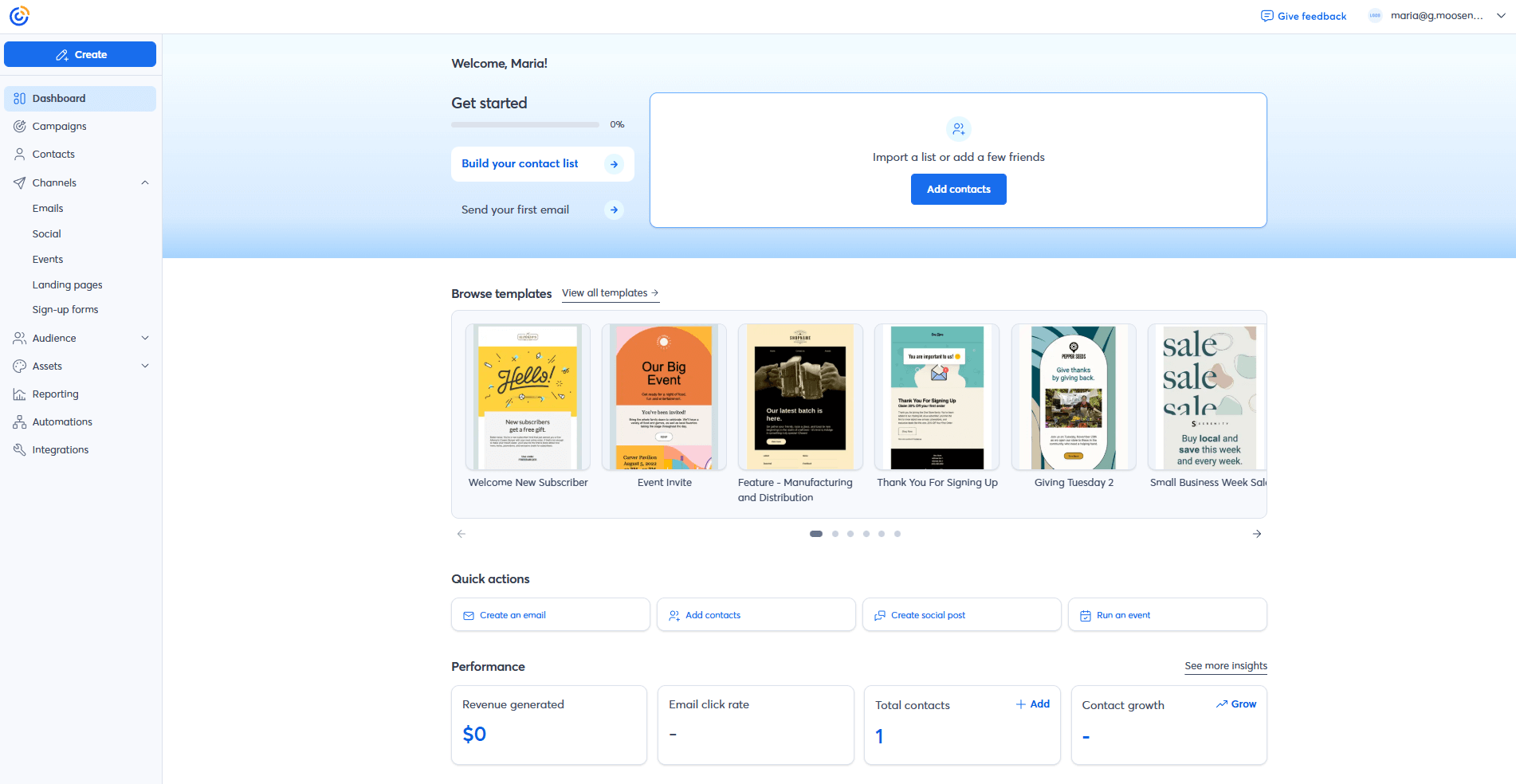
Next on our best email blast service list is Constant Contact, a tool known for its email marketing and event promotion capabilities, helping users manage virtual and in-person events and use them to grow their email list.
When it comes to email creation, this tool offers an intuitive drag-and-drop email builder and an extensive library of pre-made newsletter templates to simplify the process. Its personalization features helps you craft messages tailored to your subscribers’ needs.
Moreover, you can benefit from the platform’s straightforward list segmentation to keep your subscriber lists organized. You can easily upload your lists from Excel, Outlook, or apps like Salesforce and Eventbrite to manage them through Constant Contact’s CRM system.
Unlike other tools on this list, this solution offers only subject line A/B Testing. So, if you want to enhance your email content, you should consider a Constant Contact alternative to test more elements like visuals, CTAs, email copy, and more.
Pros
- Event marketing capabilities
- High deliverability rates
- User-friendly email editor
- Detailed analytics, including visual heatmaps and comparative reports
Cons
- Limited automation features
- Advanced segmentation available on high-tier plans
Best Features
- Email template designer
- AI content creation for emails, social media posts, and text messages
- Drip campaigns
- Lead magnet feature for list growth
- Social media tools
- Subject line A/B testing
- Integrations with apps like Shopify, WooCommerce, etc.
Pricing
Constant Contact’s subscription plans are based on the number of contacts you have, starting at $12/month. The lowest tier includes essential features like email templates and audience management. For more, you need to get the Standard plan for $35/month with additional functionality like advanced segmentation and A/B testing.
While there’s no free plan, you can use the 14-day free trial to try the software before you get a subscription.
4. Mailchimp
Pricing: Paid plans start at $13/month, limited free plan
Best for: SMBs, eCommerce, Agencies
Unique Feature: Send time optimization
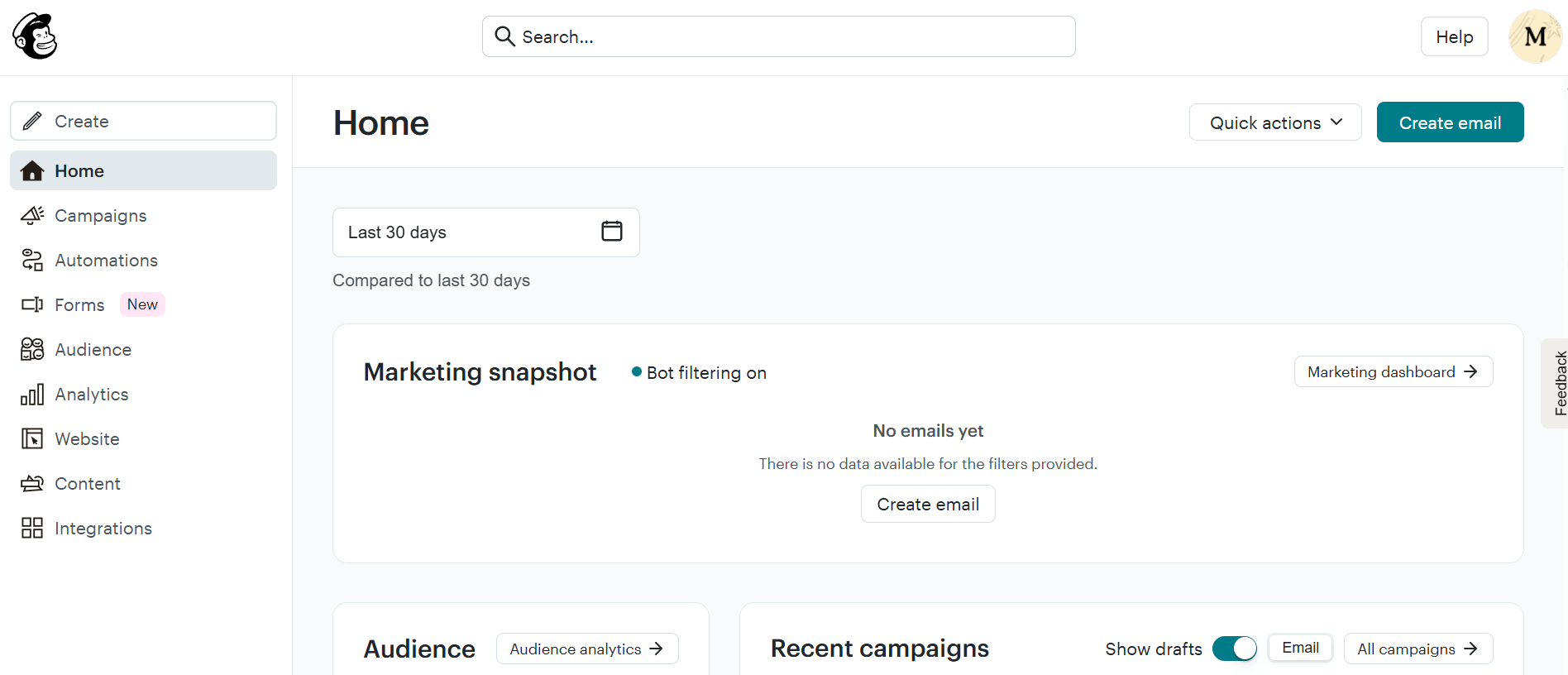
Mailchimp is among the best email blast service solutions to create email marketing campaigns, set up automated workflows to streamline your efforts, and expand your audience with landing pages and signup forms.
This platform has two builders (New and Legacy) that allow you to create the messages you need using elements like images and videos and more advanced ones like survey and product blocks.
Moreover, you can use the software’s Content Optimizer offering optimization suggestions and detecting issues to help you enhance subscriber engagement.
Regarding marketing automation, Mailchimp stands out for its Customer Journeys. You can use this feature to set up automated workflows, like welcome emails and abandoned cart campaigns, and reach your audience with timely offers and resources.
Users can create custom journeys or select one of the available pre-made automation templates to build personalized customer paths for different scenarios.
Lastly, you can benefit from the send time optimization and A/B testing options to improve your targeting, while the platform also provides Premium users with multivariate testing to check how different elements interact with each other.
Pros
- Comprehensive digital marketing suite
- Ease of use
- Polished email template design
- AI-powered tools
Cons
- Unfavorable pricing that charges for unsubscribed or duplicate contacts
- Insufficient customer support on the free plan
Best Features
- User-friendly email builders
- Content Optimizer to improve email content
- Multi-step automated workflows
- Multivariate testing
- Advanced segmentation
- Extended list of integrations
Pricing
Mailchimp’s pricing for the Essentials plan is $13/month with some basic features for up to 5K emails and 500 subscribers. The Standard plan costs $20/month allowing you to send 6K and use more advanced features like dynamic content and custom reports.
A free plan is also available for 500 monthly email sends and 250 contacts only.
While Mailchimp is a popular email blast service, it has a steep pricing model with many features locked behind high-priced plans. To get an equally powerful yet cost-effective tool, check out these Mailchimp alternatives.
5. ActiveCampaign
Pricing: Paid plans start at $19/month, 14-day trial
Best for: Publishers, Agencies, eCommerce, Small Businesses
Unique Feature: Powerful automated workflows

ActiveCampaign is a mass email marketing platform that combines advanced features and high email deliverability. This software equips businesses with various marketing tools for efficient mass email sending, starting with a user-friendly email builder and pre-built newsletter templates to save time.
One of ActiveCampaign’s top features is its marketing automation that lets you create simpler and complex workflows using its impressive template library and drag-and-drop automation builder. If you want to go beyond email, the platform offers options to incorporate SMS and social media in your automated campaigns.
To easily monitor and improve engagement, you can use tags, custom fields, and performance reporting. ActiveCampaign also comes with sophisticated segmentation, including AI-powered segment recommendations and lead scoring.
This bulk email service has a plethora of integrations with multiple apps, including eCommerce platforms like Shopify and Woocommerce, CRM tools like Salesforce, social networks like Facebook, and more.
While this tool is powerful, it may not be suitable for beginners since some of its features feel overwhelming. If you want something less complicated yet effective, check out these ActiveCampaign competitors.
Pros
- High deliverability rate
- Clean and modern interface
- SMS and WhatsApp campaigns
- Hundreds of pre-designed automation recipes
Cons
- Pricey for simple mass emailing
- Steep learning curve
Best Features
- Professional email templates
- Advanced automated workflows
- Transactional emails
- AI-powered predictive sending
- Integrations with popular apps
- Sales CRM
Pricing
ActiveCampaign’s pricing starts with the Starter plan at $19/month for 1,000 subscribers. For additional features like unlimited automation actions and A/B testing, you can get the Plus at $59/month (1,000 subscribers) .
To try this email blast service, you can sign up for the 14-day trial.
Read full ActiveCampaign review
6. GetResponse
Pricing: Paid plans start at $19/month, free plan
Best for: eCommerce, Enterprises, Creators
Unique feature: Conversion funnels
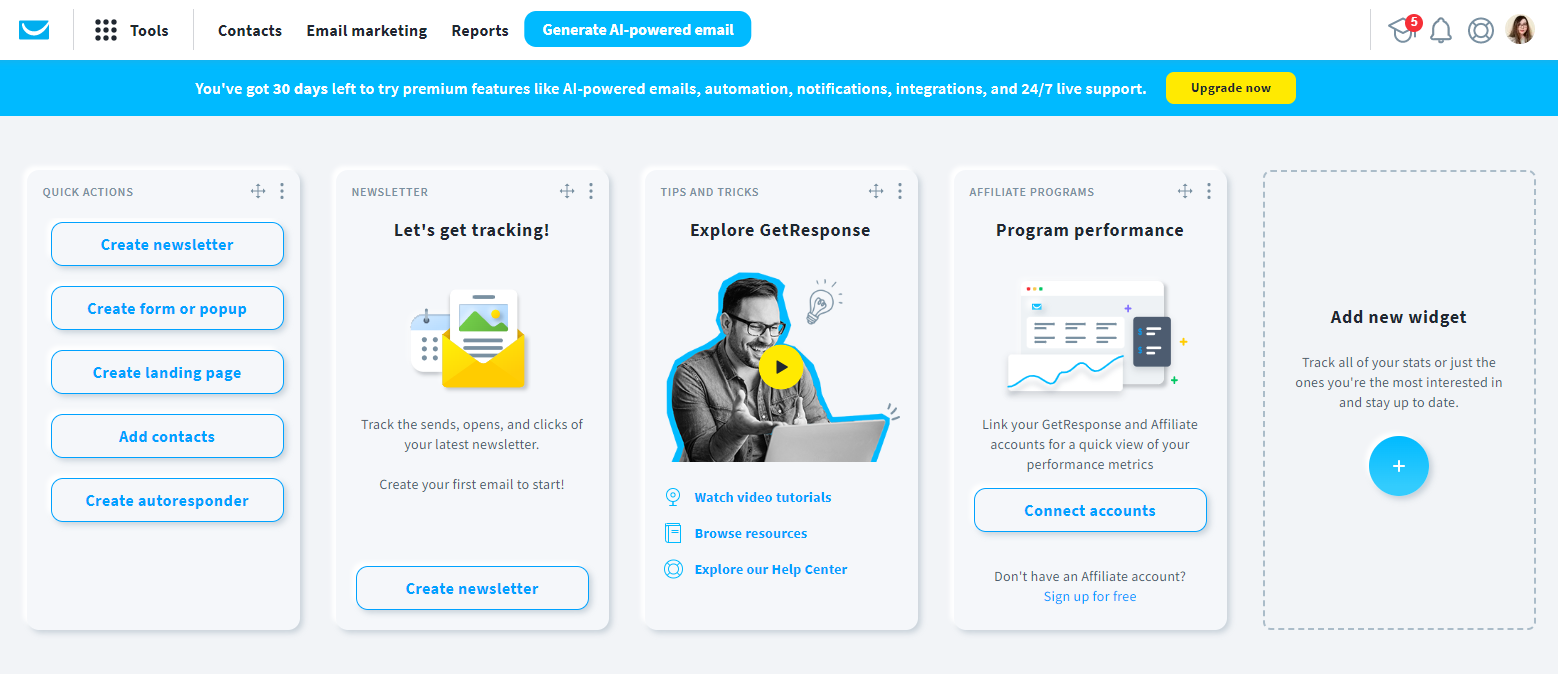
Next, we have GetResponse, another bulk email service to not only power up your mass emailing but also expand your email list, create personalized campaigns, and even build a website.
This solution provides inbound marketing tools to run your eCommerce business, focusing on generating leads, communicating with your audience on multiple channels, and promoting your products.
You can start creating your messages with the handy email creator and use the software’s ready-made templates as your campaign foundation.
Regarding email automation, with GetResponse you can set up simple autoresponders for your subscribers and powerful workflows to recommend products, recover lost sales, and more. However, automation options are limited in the lower-tier.
So, if you’re serious about email automation, you should consider GetResponse alternatives that also come at a lower price tag.
Besides email engagement, you can track web events, send bulk SMS campaigns, and bring visitors back to your website with push notifications. For lead capturing, the platform offers options like popups, landing pages, forms. You also get paid ads to attract new audiences and win back lost visitors.
Businesses can also benefit from the software’s email list segmentation to organize contacts and use the data to personalize their marketing campaigns.
Lastly, GetResponse is a permission-based email marketing platform with numerous certifications, including anti-spam policies to prevent spammers from reaching audiences.
Pros
- Scalable email blast service
- User-friendly dashboard
- Unlimited sends on every plan
- Content monetization options for creators (e.g., paid newsletters)
Cons
- Advanced features available only in high-tier plans
- Website and landing page builders need improvement
Best Features
- Simple email builder with built-in photo editor
- Customizable email templates
- Multi-channel automation
- Conversion funnels
- Email list management and segmentation
- Extensive list of marketing tools (e.g., website builder and course creator)
Pricing
GetResponse offers three different paid subscriptions, including the Starter plan starting at $19/month, the Marketer at $59/month, and the Creator plan at $69/month for up to 1,000 subscribers. The company also offers an Enterprise option called GetResponse MAX with more advanced marketing tools.
7. MailerLite
Pricing: Paid plans start at $10/month, free plan
Best for: Small businesses, eCommerce, Bloggers
Unique feature: Smart sending

MailerLite is a bulk email solution investing in simplicity, which makes it ideal for beginners who need to create beautiful and responsive email marketing campaigns.
This platform offers three different email builders, drag-and-drop, rich-text, and custom HTML editor, to craft messages depending on your needs.
Moreover, you have ready-made newsletter templates and more than 70 content blocks to enrich your design. There’s also a free image library to import and organize visuals without leaving the editor.
Regarding email automation, MailerLite offers a visual workflow builder with numerous triggers and actions to deliver the right message at the right time to each recipient instead of sending generic offers.
You also get a smart sending feature that predicts the best time to deliver your emails based on your subscribers’ interactions.
Lastly, you have subscriber management tools to filter and organize contacts using groups and segments. To make things even easier, you may also leverage ready-made segments and custom fields. Lastly, MailerLite provides GDPR functionality to keep your contacts’ personal information protected.
Pros
- User-friendly and rich email editor
- Good email deliverability rates
- Affordability
- No sending limits on paid plans
Cons
- Basic reporting capabilities
- Automation features seem basic compared to other services
Best Features
- Three email campaign builders
- Variety of content blocks, including surveys and image carousels
- Intuitive automation builder
- Transactional emails (different pricing)
- Unsubscribe page builder
- Subscriber management
- A/B and multivariate testing
Pricing
Mailerlite’s pricing begins at $10 per month for 500 contacts and unlimited emails with the Growing Business plan. For more features like smart sending and the AI writing assistant, you need to upgrade to the Advanced plan starting at $20/month.
A free plan for 500 subscribers and 12K monthly campaigns is also available, although it lacks must-have tools like dynamic content and unlimited templates.
8. Kit
Pricing: Paid plans start at $39/month, free plan
Best for: Bloggers, Content creators
Unique feature: Automated email funnels
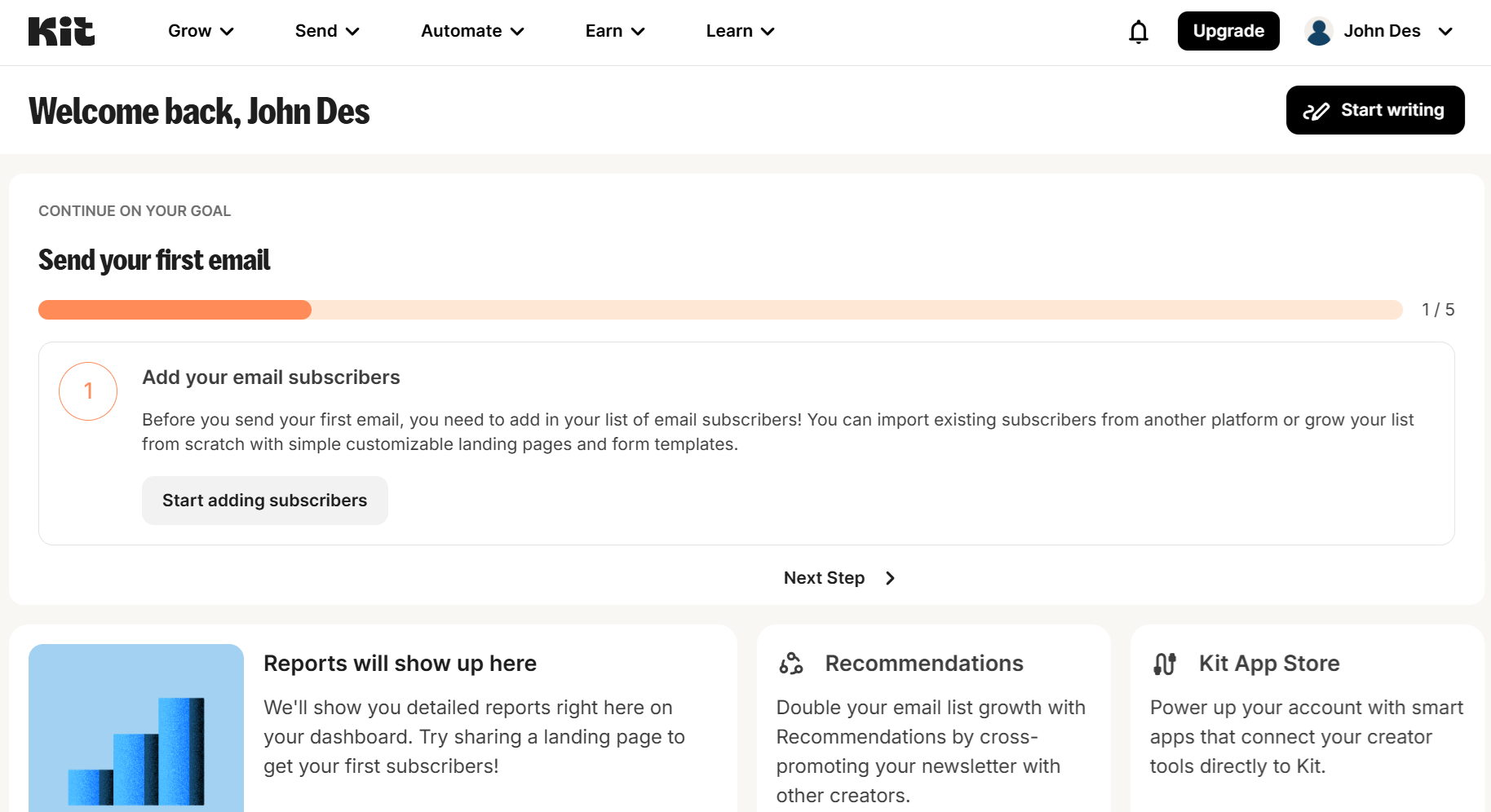
Kit is a creator-oriented email marketing platform you can use to connect with your audience and streamline your efforts with automated email funnels.
You can start creating simple and beautiful campaigns through the email designer or grab one of the pre-built templates it offers. Moreover, you can easily add videos, products, music, or countdown timers and use custom fields and tags to personalize the experience for every subscriber.
A landing page builder and form creator are also available to craft unlimited pages and signup forms, including popups, to expand your email list. There’s also a dedicated Creator Network to easily connect with other creators and reach new audiences through cross-promotions.
Then, you can use Kit’s subscriber-centric features to organize your contacts through segmentation.
Lastly, Kit has a good email deliverability rate and an excellent reputation with email providers to ensure your messages land in subscribers’ inboxes.
Pros
- Generous free plan
- User-friendly interface
- Perfect for sending lead magnets
- High deliverability rates
Cons
- Lack of scalability in the pricing structure, making it costly for smaller creators
- Limited email templates and customization options
Best Features
- Pre-built email templates and content blocks
- Email segmentation
- Landing pages and signup forms
- Automated email funnels
- Smart recommendations to automatically grow your audience
- A/B testing tool
Pricing
Kit offers two paid plans, the Creator at $39/month for 1,000 contacts and unlimited email sequences. To get more like deliverability reports and advanced A/B testing, the Pro plan starts at $79/month.
The platform also offers a free plan with limited features for up to 10,000 subscribers.
9. Campaign Monitor
Pricing: Paid plans start at $12/month, 30-day free trial
Best for: Agencies, Publishers, Nonprofits
Unique feature: Advanced email analytics
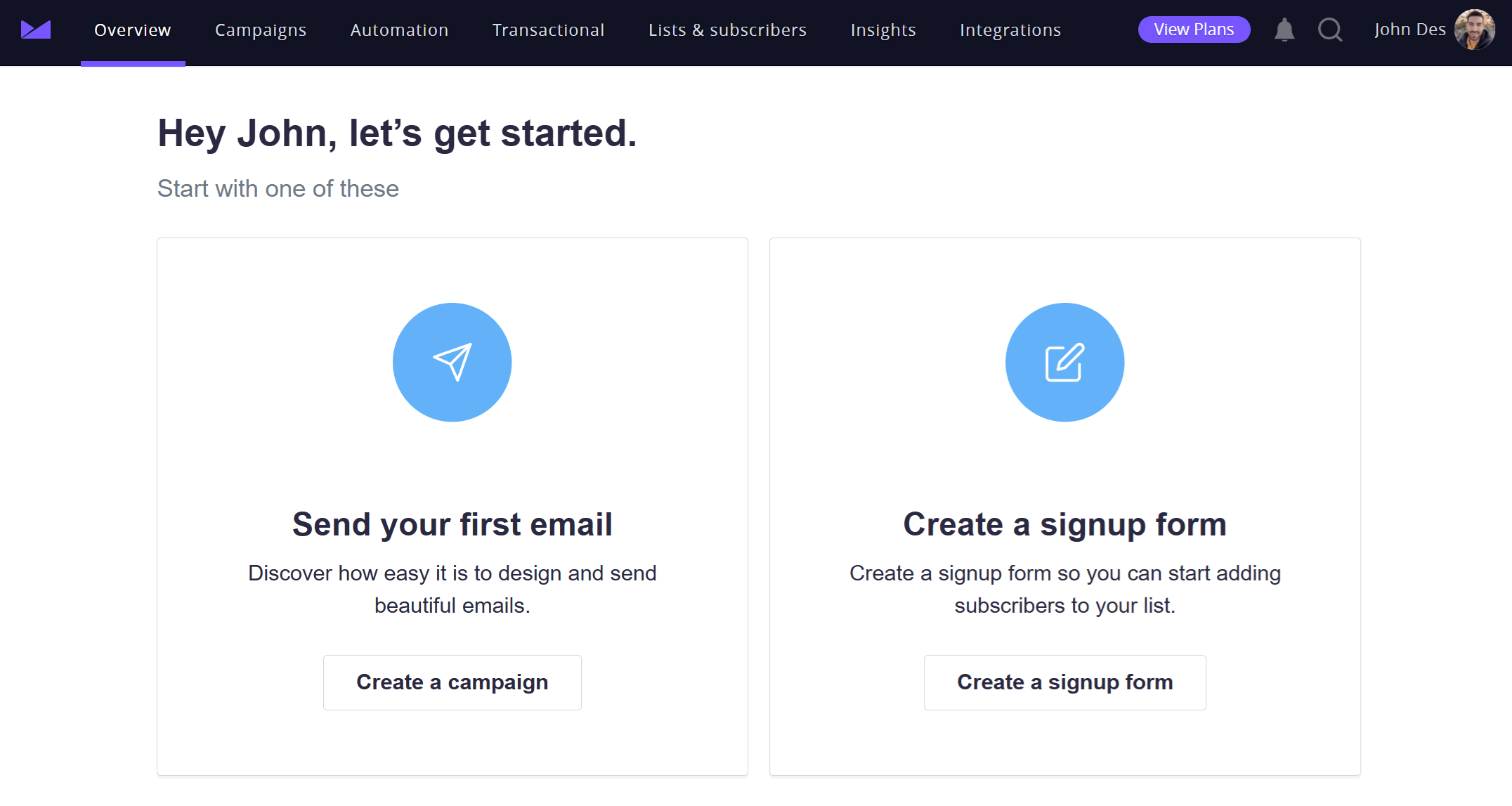
Campaign Monitor is a robust marketing solution for blast emailing that’s popular with beginners due to its clean interface and ease of use.
Its drag-and-drop email editor and premade templates speed up email creation. To make things simpler, the platform lets you add your website URL so you can get a custom template. You can even lock certain template sections for consistent email design across campaigns.
When it comes to automation, this email blast software offers a visual automation builder to create tailored customer journeys. However, it falls behind reputable Campaign Monitor alternatives when it comes to automation complexity and flexibility.
To organize your email list, you can use the platform’s granular segmentation options. Among them, you’ll find custom fields and preference centers to give subscribers control over their communications. You also get options to expand your database using signup forms and landing pages.
Moreover, Campaign Monitor excels in email reporting, offering detailed campaign insights and clean dashboards to stay on top of your campaign performance. Plus, you get simple, tailored recommendations on how to achieve better results.
Pros
- User-friendly interface
- SMS campaigns (add-on)
- Unlimited user roles and permissions on all plans
- Robust reporting
Cons
- Crucial features saved for pricier plans
- Lack of automation triggers variety
Best Features
- Drag-and-drop email template builder
- List management
- Transactional email service
- AI-powered writer
- Time-zone sending feature
- Spam testing
Pricing
Campaign Monitor’s Lite plan starts at $12/month for 500 contacts and some core features like the email builder and segmentation tools. For more, the Essentials plan costs $29/month, offering tools like in-depth reporting and send time optimization, plus unlimited emails.
The platform also offers a 30-day free trial to test the waters and send up to 500 emails/month.
Read our Campaign Monitor review
10. Sender
Pricing: Paid plans start at $10/month, free plan
Best for: eCommerce, SMBs, Startups
Unique feature: Automated SMS campaigns
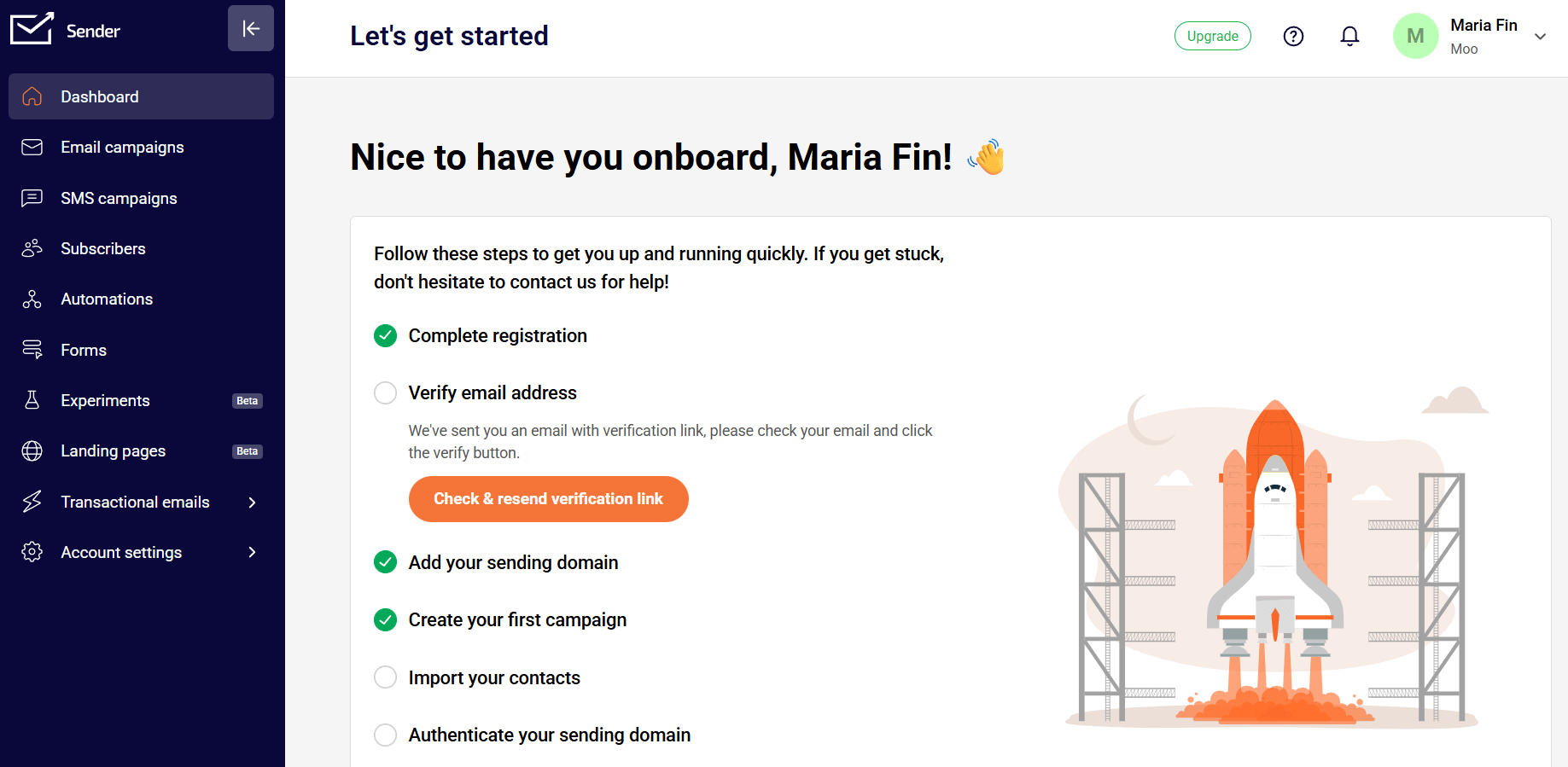
Sender is another blast email service that combines cost-effectiveness and usability. Its easy-to-use email editor allows you to drag and drop pre-made layout blocks like videos and timers so you can design the perfect campaign.
The platform also lets you access pre-built email templates that are responsive and customizable. To save time, there’s an image library to easily incorporate the ideal visual into your layout.
Regarding list segmentation, you can group your audience based on their behavior, interests, and demographics and personalize both your emails and text messages according to these insights. To collect more leads, this email solution offers options to create converting forms and landing pages.
Sender also stands out as an SMS marketing tool. With it, you can combine mass emailing with bulk text messaging to increase the chances of engagement. For your SMS campaigns, the platform offers real-time reporting, time zone optimization, and TCPA compliance, among others.
Pros
- Ease of use
- Generous free plan
- Excellent customer support based on reviews
- Extended SMS marketing toolkit
Cons
- Limited template selection and basic design customization
- Lack of deep segmentation and automation
Best Features
- Drag-and-drop email builder
- Drip campaigns
- Lead generation features
- Real-time email analytics, including heatmaps
- A/B testing
- Ready-made SMS automation templates
Pricing
Sender’s pricing offers a Standard plan at $10/month for 1,000 subscribers, plus unlimited email, popup, and landing page templates. To get advanced reporting and automation or full access to the email editor’s tools, you’ll pay $20/month for 1,000 contacts on the Professional plan.
You can also use the platform’s free plan that includes some essential features and lets you send up to 15K monthly emails to 2,5K subscribers.
How We Selected The Tools
All of the tools in this list have been tested by our team to provide an unbiased description of their features and capabilities.
We spent hours setting up new accounts and trying each software to provide an accurate experience and show users exactly what they will come across when they sign up. Find more information about our software selection methodology on how we choose tools to feature on the Moosend Blog.
The Best Bulk Email Services To Choose From
Sending bulk emails to your subscribers will give your KPIs and conversions a boost. But email marketing is one of the most profitable tools out there. This is why you shouldn’t miss out on leveraging its full potential to grow your business.
To do so, consider getting a tool that helps you deliver personalized messages, create unique customer experiences, and automate your efforts.
Above, we explored some of the best email services you can use to do just that. So what’s the next step?
Register for the free plans or trials to see whether they’re a good fit for your business needs. You can start with Moosend by signing up for a free trial and trying all the features today.
Frequently Asked Questions
Check out these email blast service FAQs that will answer your urgent questions:
1. Can you send email blasts from a Gmail or Outlook account?
While it’s technically possible, sending email blasts from a Gmail or Outlook account isn’t recommended. These providers aren’t designed for mass emailing, which may lead to limited reach, poor deliverability, and a higher risk of spam complaints.
2. How much does it cost to send an email blast?
It depends on the email platform you choose. If you have a relatively small contact base and simple mass email marketing goals, you can start with tools that offer free plans such as GetResponse. However, free versions may restrict you in terms of sending limits and features, so it’s better to switch to an affordable tool like Moosend as your email list and sending demands grow.
3. Is sending email blasts legal?
Yes, but you first need to get a subscriber’s opt-in and consent to email them and comply with certain laws, such as GDPR for European Union and the CAN-SPAM Act for the United States.
4. What are the best practices for sending an effective email blast?
You need a compelling email subject line and well-designed email content to yield high open and click-through rates. Personalize your message whenever possible and keep your email copy clear and focused. Finally, make sure to add an action-oriented call-to-action button at a prominent place to boost conversions.
5. What features should I look for in an email blast service?
A great bulk email service should include a user-friendly editor with ready-made templates, a high deliverability rate, advanced reporting and analytics tools, and integrations with other platforms to create a powerful marketing engine.
Similar Posts
 Published by

Create, send and optimize your email marketing campaigns