















13 Best Email Newsletter Software For 2026 [Free & Paid]
Published By Marilia Dimitriou
March 27, 2023

27/03/23
Sure, your Gmail or Outlook account may work, but it’s not the best you can do for your business and subscribers. To send engaging email newsletters to your audience, you need great ideas, helpful content, and the right tools for the job.
So, you’d better invest in robust email software that offers features like segmentation, personalization, automation, and reporting. Finding the perfect fit for you isn’t as complicated as you may think; not if you know where to look.
This is why we compiled a list of the best email newsletter software out there. We’ll focus on key features, pros, cons, and pricing, plus factors to consider before making the final choice.
Disclaimer: The information below is accurate as of December 2025.
Start email marketing with confidence
Get a modern email editor and ready-made templates for campaigns that click
Try MoosendEmail Newsletter Software: Comparison Overview
Here’s our comparison table with the best email newsletter services to give you a quick synopsis of what’s coming up.
| Free Plan/Trial | Pricing | Best Feature | |
| Moosend | Yes (30-day trial) | $9/month | User-friendly drag-and-drop email newsletter editor |
| HubSpot | Yes | $20/month | Native integration with HubSpot CRM |
| Constant Contact | Yes (14-day trial) | $12/month | Event management tool |
| Omnisend | Yes | $16/month | Unified email, SMS, and push automation in one platform |
| Mailchimp | Yes | $13/month | Ready-to-use email campaigns |
| Campaign Monitor | Yes (30-day trial) | $11/month | Time zone newsletter sending |
| AWeber | Yes | $15/month | Advanced reporting tools |
| GetResponse | Yes | $16/month | Spam check tool |
| Mailjet | Yes | $17/month | Email newsletter collaboration tool |
| Kit | Yes | $39/month | Creator Network |
| SendX | Yes (14-day free trial) | $9.99/month | Proprietary deliverability engine |
| Mailercloud | Yes | $10/month | Advanced automation with AMP |
| beehiiv | Yes | $49/month | List growth tools |
What To Look For In An Email Newsletter Platform
No matter which email marketing software you choose to use, the best newsletter tools should provide you with:
- Intuitive drag-and-drop email newsletter editor: Create email newsletters in a few clicks, just by adjusting and adding components, even without coding experience.
- Advanced features at a reasonable price: Search for services that offer powerful functionality while remaining affordable, especially if your business is on a tighter budget.
- Email deliverability and scalability: Crucial if you don’t want your email marketing efforts to go to waste (i.e., the spam folder) and put a strain on your budget when your business grows.
- Lead generation tools: Built-in signup forms and landing pages help cut down on extra costs since you collect contacts and send emails with one tool.
- Unlimited emails: This ensures you can send all kinds of campaigns (welcome, abandoned cart, teaser, promotional, etc.) to as many contacts as you like without restrictions.
- AI features: They help you create email subject lines, engaging copy, and product recommendations with simple prompts, making email creation faster and less stressful.
- Reliable customer support: Email and live chat support regardless of the plan is the gold standard to resolve issues effectively.
With these in mind, it’s time to discover the best email newsletter tools to deliver converting marketing messages that will wow your subscribers.
1. Moosend – Best Email Newsletter Software With Affordable Pricing
Pricing: Paid plans start at $9/month, 30-day trial (sign up here)
Best for: SMBs, eCommerce, SaaS, Agencies, Bloggers, Publishers
Best feature: User-friendly drag-and-drop email newsletter editor
Pros
- Easy-to-use with a clean interface
- Modern email editor with various customization options to design unique campaigns
- Ready-made email newsletter templates for several use cases and industries
- Powerful yet easy-to-implement marketing automation
Cons
- Form builder could offer more customization options
- No free plan (only 30-day free trial)
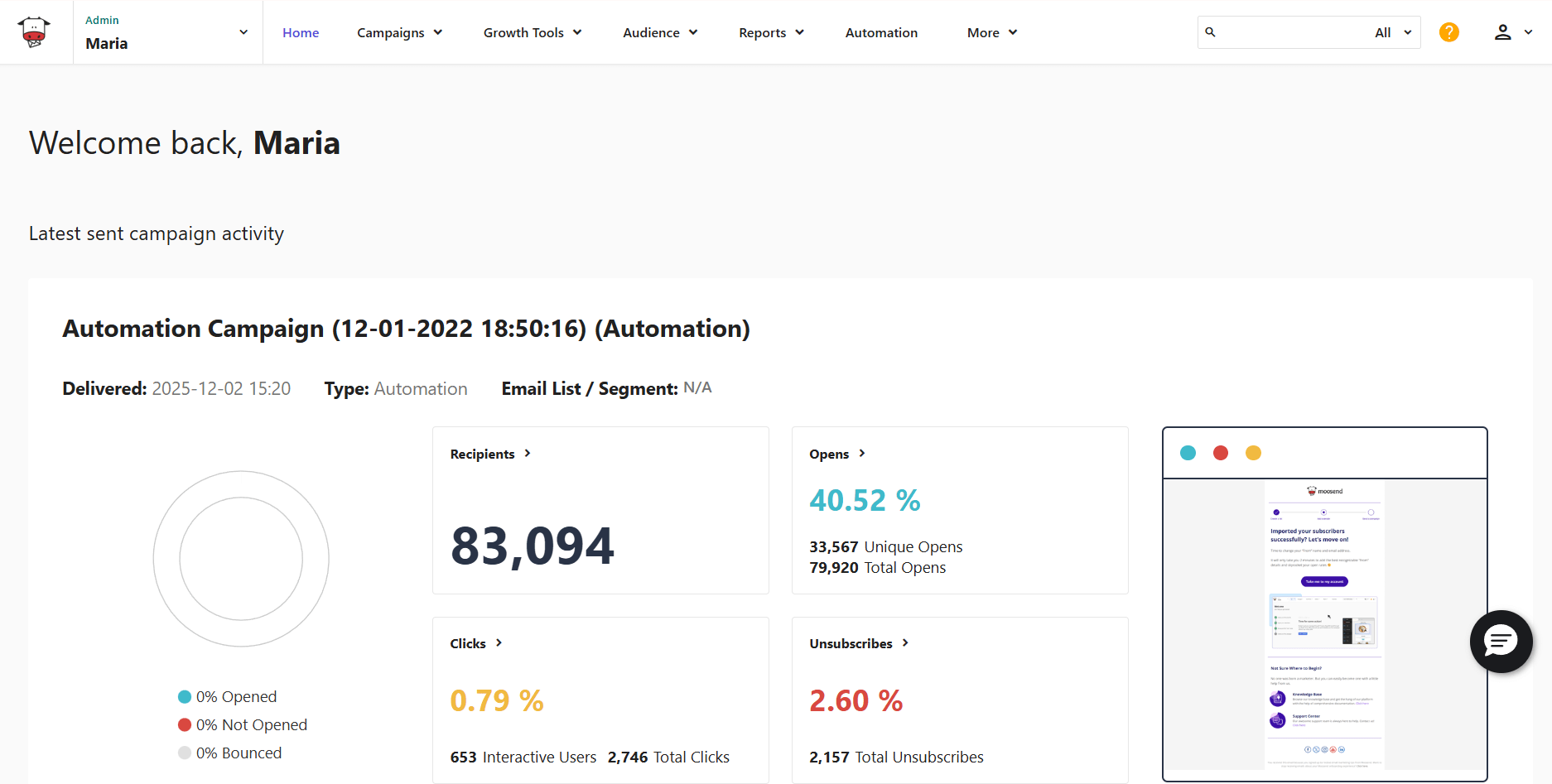
Moosend is among the best email newsletter tools for creating a professional-looking email campaign. Featuring a user-friendly interface and a drag-and-drop editor, this newsletter software not only helps you design your email campaigns but also target subscribers with tailored content.
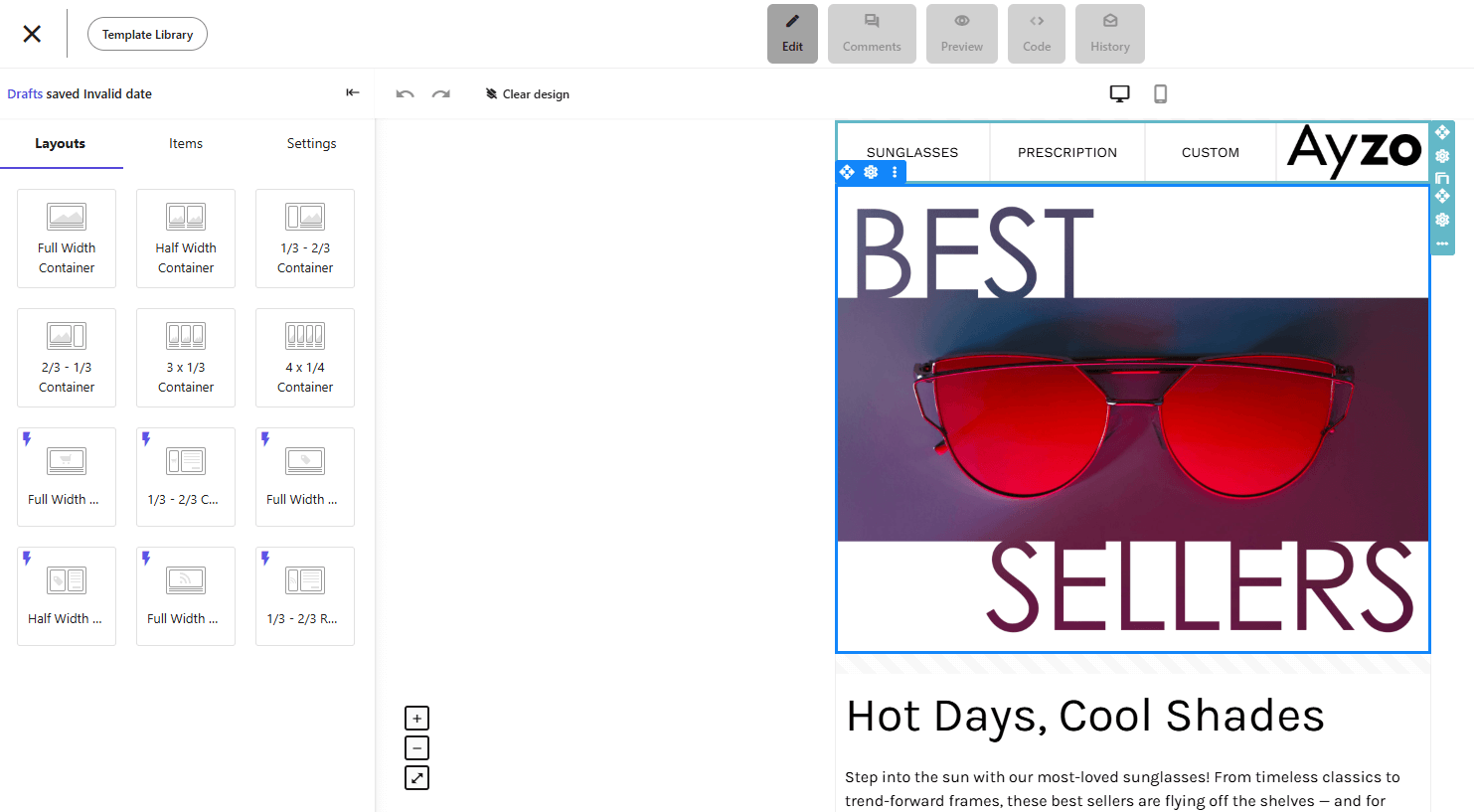
More specifically, its responsive email templates and customization options make Moosend a great email newsletter solution for marketers who aim to create converting newsletters. It comes with robust automation tools, including built-in workflows to use as a starting point and run emails on autopilot.
Besides newsletters, the platform supports transactional emails, allowing businesses to automatically send order or shipping confirmations, payment receipts, and more through API.
Moosend also lets you access segmentation and personalization features, such as AI-engine product recommendations to offer unique content and solutions based on subscriber behavior and interests.
Additionally, you get real-time reporting and analytics tools to track valuable email metrics like your open rate, click-throughs, and conversions. Add to that the A/B testing features, and you get everything you need to better understand your audience and refine future messages.
Lastly, Moosend’s email software provides users with lead-generation tools to grow their lists and an AI-powered subject line tester to improve newsletter performance.
Overall, Moosend is one of the best newsletter software with an intuitive email editor, responsive templates, straightforward automation, built-in blocks like videos and countdown timers, and an excellent sender score of 98%.
Moosend Features
- Email newsletter templates: responsive and fully customizable to suit every need
- Intuitive drag-and-drop editor: create your campaigns in a few minutes
- Email marketing automation: deliver tailored content to convince and convert
- AI features: get copy ideas, optimization suggestions, personalized recommendations, and audience insights
- Email segmentation: divide your email lists into groups with shared traits to deliver tailored content
- Landing page builder: capture your visitors with beautiful landing pages
- Newsletter signup forms: effectively grow and expand your mailing list
- Reporting and analytics: monitor key email metrics and optimize your strategy
- Integrations: exchange data between your favorite apps like your CRM and eCommerce platform
You can easily test Moosend’s email newsletter editor and other features through the 30-day free trial – no credit card required.
Pricing
Paid plans start at $9/month, giving you access to essential features like the newsletter editor, pre-made templates, automation tools, and reporting. You also get unlimited emails in every plan.
Unlimited email sends are even available to free trial users, who can also use most of the platform’s tools for 30 days.
2. HubSpot Email Marketing – Best Email Newsletter Builder With Built-In CRM
Pricing: Paid plans start at $20/month, free plan
Best for: Growing companies, Start-ups, SMEs
Best feature: Native integration with HubSpot CRM
Pros
- Easy-to-use email newsletter builder
- CRM for better targeting
- Social media marketing features
- Free tools and resources
Cons
- Confusing and expensive pricing structure
- Overkill if you need a simple email marketing solution
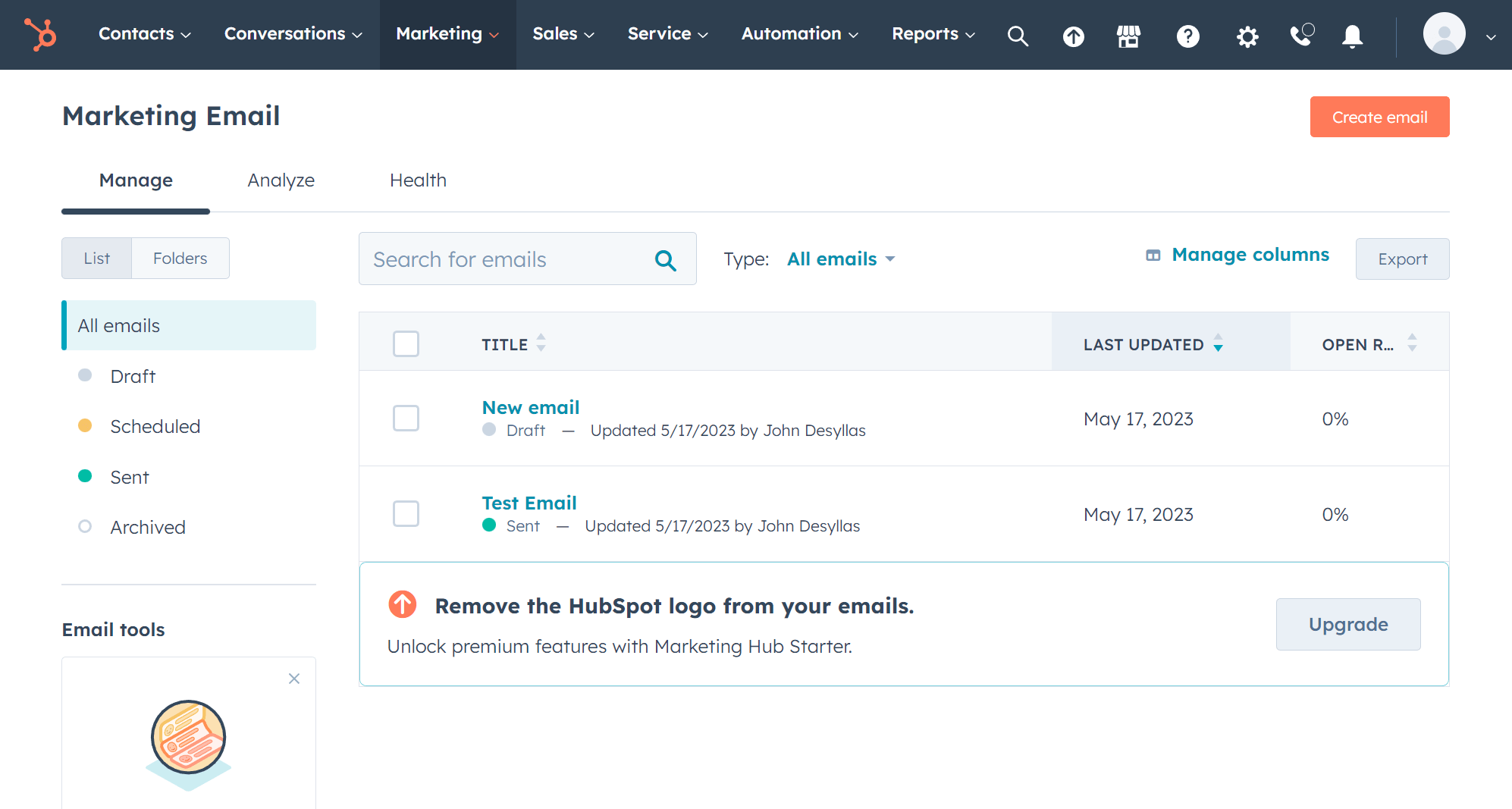
HubSpot Email Marketing is a fully-featured email marketing tool that helps businesses of any size create and deliver beautifully designed newsletters. The tool comes with a drag-and-drop newsletter builder that’s smooth to work with and a library of templates to get started right away.
What sets HubSpot apart is that when you sign up for the Marketing Hub, you also gain access to a suite of free products, including a CRM, a form builder, live chat, ads management, and more.
When you combine CRM with automation features, you have more data to build granular segments based on contacts’ profiles, property values, activities, and other characteristics. Once you do, creating deeply personalized emails to nurture your contact list becomes a breeze.
Towards that direction, you also gain access to a range of free resources like in-depth reports, ebooks, and marketing kits.
All in all, HubSpot is an excellent service for startups, small businesses, or anyone who wants to try the tool before adding it to their stack. For growing businesses, the paid tiers unlock more features.
If you want the advanced functionality without the additional tools and cost, you could explore top HubSpot alternatives.
HubSpot Features
- Visual drag-and-drop email editor
- Ready-made, goal-based templates
- Smart A/B testing
- Personalized emails based on several audience attributes, including CRM data
- AI email generator to speed up and refine email copywriting
- Advanced marketing automation
- Retargeting ads to re-engage audience groups
Pricing
HubSpot’s free plan offers marketing tools like email marketing automation, forms, a CRM, and more. The free tier limits users on the number of emails they can send (2,000 emails/month) rather than the number of contacts.
Paid plans start at $20/month with the Starter plan with premium templates, but basic reporting and automation.
3. Constant Contact – Best Email Newsletter Platform for Event Organizers
Pricing: Paid plans start at $12/month, 14-day trial
Best for: PR agencies, Online event organizers, Nonprofits
Best feature: Event invitation management tool
Pros
- Niche event promotion tools
- Social media marketing options
- Wide variety of email newsletter templates
- Excellent email deliverability
Cons
- Some email templates look outdated
- Limited automation in low-tier plans
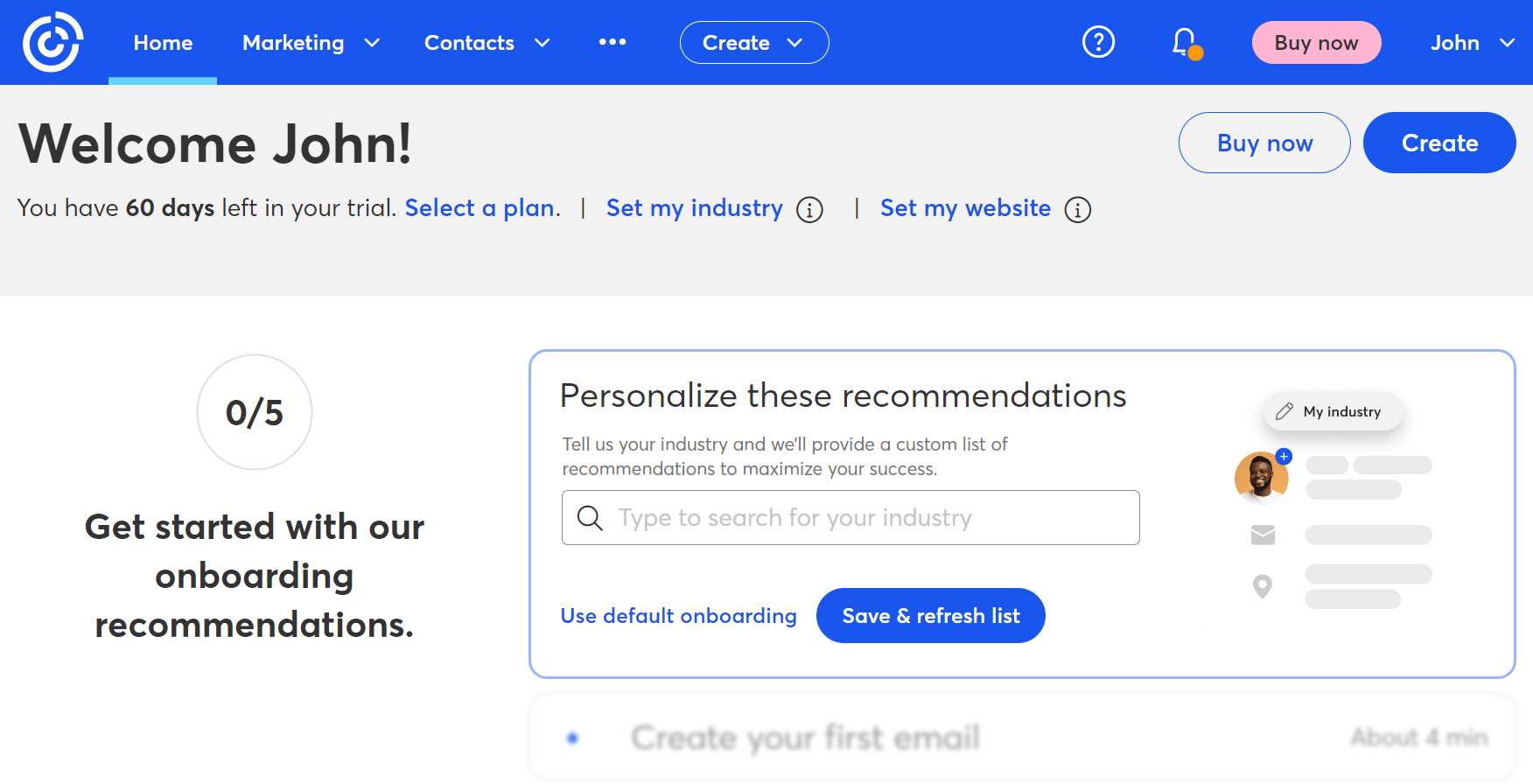
Constant Contact is another great email newsletter software, especially if you are a frequent event organizer. It sports a simple email builder that’s great for marketing beginners. However, it can be pretty slow at times. The newsletter software features a collection of more than 200 ready-to-use newsletter templates.
If you want a branded email, you can design it from scratch using the software’s email builder. To save time, the platform lets you pull in your branded elements for a consistent look and feel.
Furthermore, this email marketing software lets you track your campaign performance, showing your open rates, clicks, and unsubscribes in comprehensive reports. The software’s event invitation management is also a unique feature to help event organizers get the most out of their webinars or online conferences.
When it comes to email marketing automation, Constant Contact may not be the best email newsletter service for the job. While the tool offers autoresponders and easy-to-grasp list segmentation, the lack of flexibility in combining multiple triggers and conditions can be a deal-breaker.
Constant Contact Features
- BrandKit tool to easily create branded newsletters
- Blocks like surveys and RSVP buttons to enrich your email design
- Event invitation management to nail your events
- Online form builder tool to capture new leads
- Automated “Resend to Non-Openers” option
- Huge knowledge base with product tutorials and podcasts
- Integration with social media, CRM, and eCommerce platforms
Pricing
Constant Contact isn’t a free newsletter software tool, but it offers a 14-day free trial (up to 100 emails only) you can check out. After the trial, paid plans start at $12/month based on your subscriber count, offering access to all the templates, phone and chat support, and event marketing options.
4. Omnisend – Best Email Solution for B2C
Pricing: Paid plans start at $16/month, free plan
Best for: Small to mid-sized eCommerce businesses
Unique feature: Unified email, SMS, and push automation in one platform
Pros
- Advanced automation with customizable workflows and behavior-based splits
- Pre-built automation templates
- 24/7 email and live chat support for all users (even on free)
Cons
- Less detailed analytics than other competitors
- SMS credits are only included in higher-tier plans, increasing the cost
- Harder to grasp and set up compared to other tools
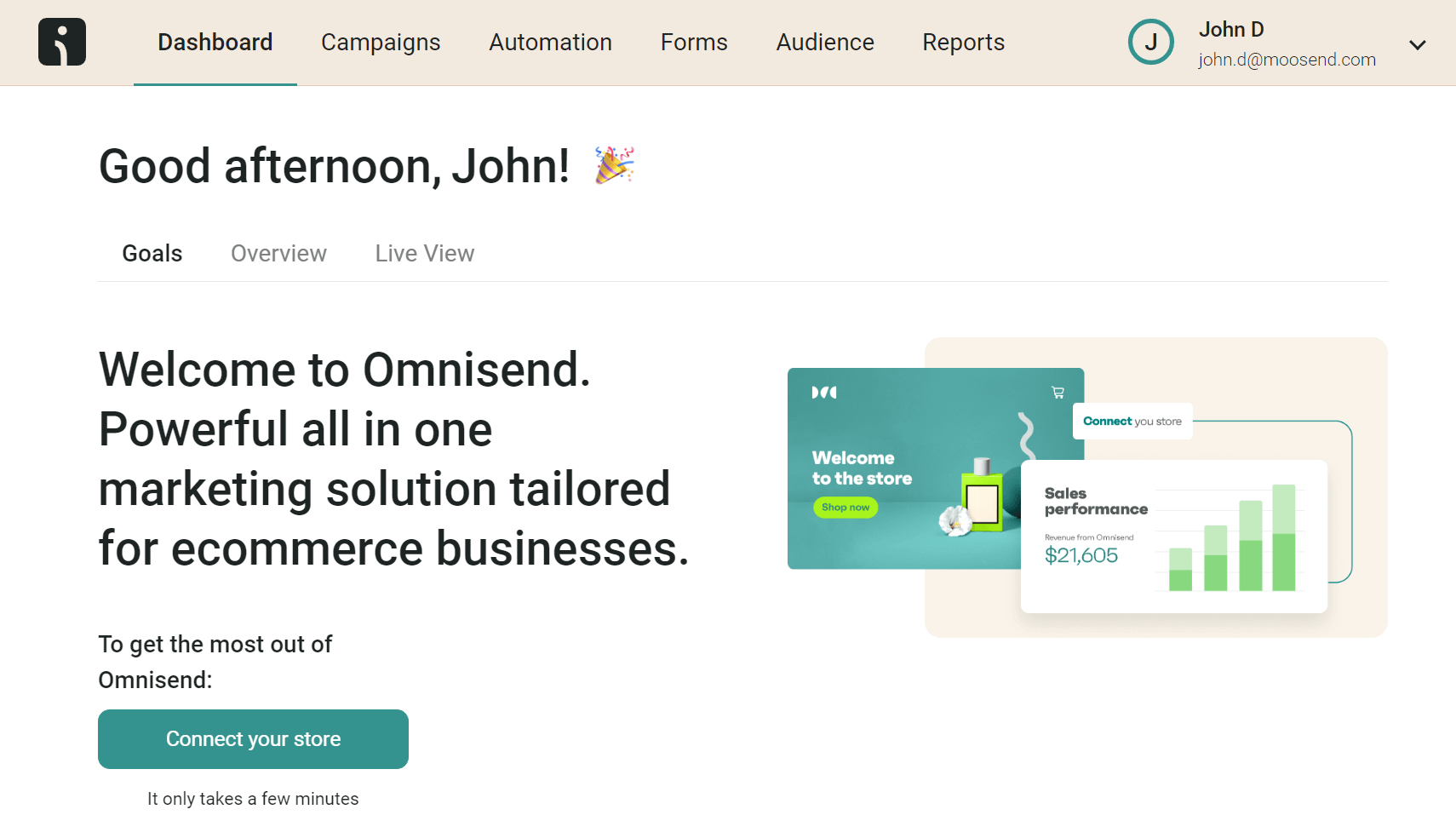
Omnisend is a powerful marketing automation platform designed specifically for eCommerce brands aiming to scale without overcomplicating their stack.
It combines email, SMS, and web push notifications into a single platform, enabling brands to deliver personalized, timely messages across multiple channels.
Looking to get your email newsletter content in front of more audiences? This email newsletter software has ready-made form templates, including Wheels of Fortune to bring some fun to it.
Automation is where Omnisend shines, with ready-to-launch workflows like welcome series, cart abandonment, and post-purchase follow-ups. Its conditional split functionality lets you customize automation paths based on customer responses or characteristics for maximum impact.
However, Omnisend’s eCommerce focus might make it a wrong fit for other industries like B2B. For more versatile newsletter software, make sure to check these Omnisend alternatives.
Omnisend Features
- Sophisticated marketing automation
- Variety of eCommerce-specific email templates
- SMS and web push messaging
- Automation splits
- AI-based segment generation
- List cleaning tool
- Robust integrations with major eCommerce platforms like Shopify and WooCommerce
Pricing
This platform offers a free plan for 500 monthly emails. Paid plans start at $16/month for 500 contacts and include all features, plus unlimited push notifications (not advanced reporting, though).
5. Mailchimp – Best Newsletter Service for Ready-Made Email Templates
Pricing: Paid plans start at $13/month, limited free plan
Best for: eCommerce, Agencies, SMBs
Best feature: Ready-to-use email campaigns
Pros
- Pre-built automation journeys for various purposes
- Creative Assistant feature that “grabs” branded assets from your website
- CRM functionality
Cons
- Expensive solution (also charges for duplicate contacts)
- No pre-built email templates in the free plan
- Transactional emails only offered as an add-on
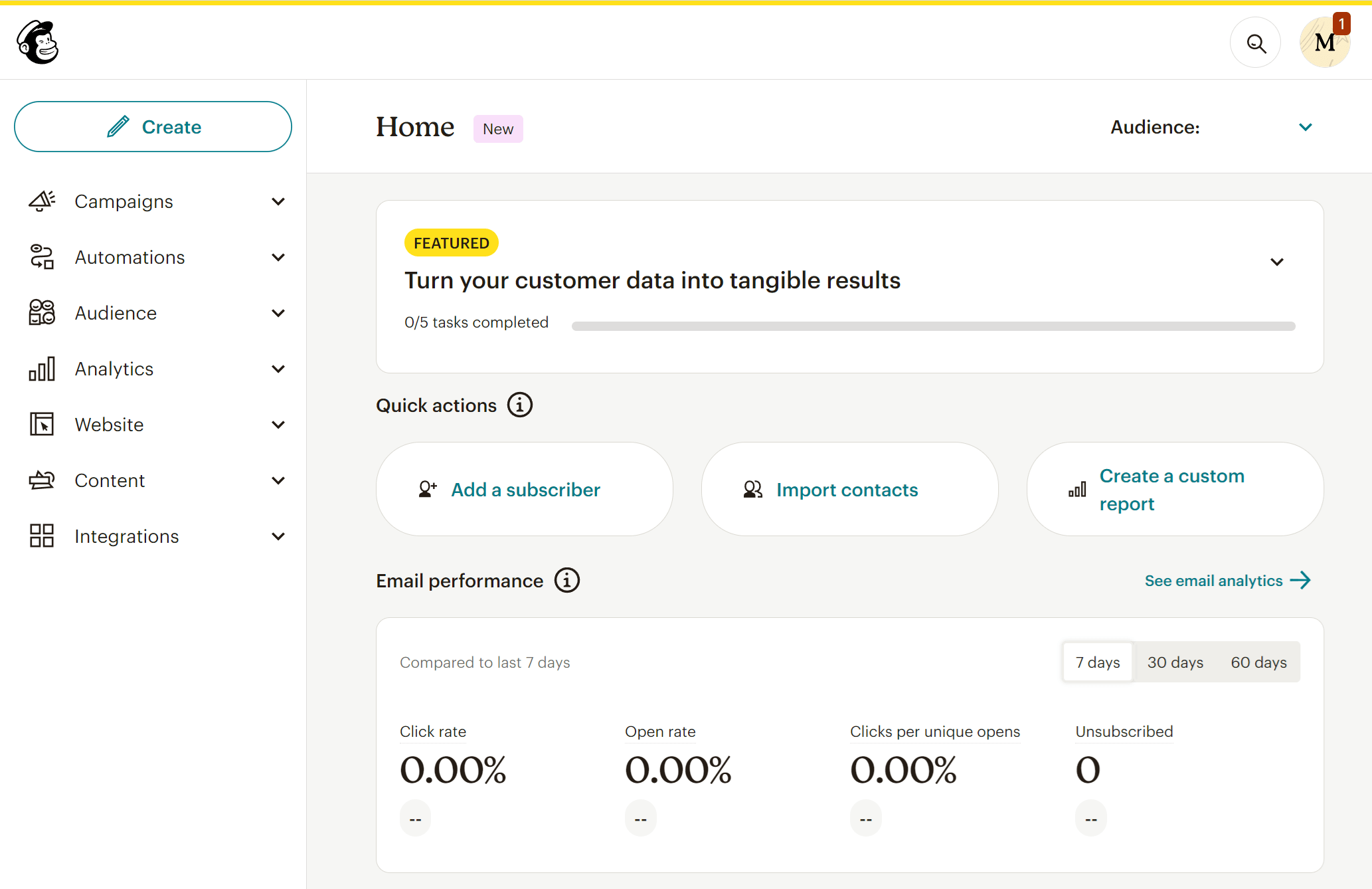
Next in our best email newsletter software tools list is Mailchimp, a popular choice among eCommerce businesses and agencies. This email solution has a great email builder to customize templates or create one from scratch. If you’re familiar with coding, you can use the platform’s legacy builder to create a coded template.
Visual-oriented marketers who want to create stunning email campaigns can also benefit from the software’s creative assistant, a helpful tool for creating on-brand designs. Moreover, Mailchimp’s Content Studio is another great email feature to create a library of visuals to reuse in your next emails.
Regarding performance, the service offers A/B testing to find the email version that best resonates with your audience. There’s also multivariate testing, but it’s saved for Standard and Premium users.
Moreover, eCommerce store owners can leverage Mailchimp’s multi-step workflows to create campaigns for several use cases, such as cart abandonment and lead nurturing.
Mailchimp is a great email marketing platform that helps you create stunning newsletters. Nevertheless, the software comes at a high price tag and can be overwhelming for beginners, unlike other Mailchimp alternatives.
Mailchimp Features
- Simple drag-and-drop email editor
- Pre-designed newsletter templates to get started
- Behavioral targeting for more relevant email content
- Email list management
- Comprehensive reporting
- Integrations with popular apps, including eCommerce platforms
Pricing
While Mailchimp offers a free plan, unfortunately, you get a very limited version of its features and marketing tools. For instance, you don’t have access to ready-made email templates or automation workflows. Pricing starts at $13/month with options like custom branding, A/B testing, and more for 500 subscribers.
6. Campaign Monitor – Best Newsletter Platform for Handling Multiple Clients’ Needs
Pricing: Paid plans start at $11/month, 30-day free trial
Best for: Nonprofits, Publishers, Agencies
Best feature: Time zone newsletter sending
Pros
- Good range of email templates
- Marketing and transactional emails in the same platform
- Extended resource library with webinars, FAQs, infographics, and more
Cons
- Signup form builder feels basic
- Lack of scalability in pricing
- Overwhelming feature set for businesses with basic needs
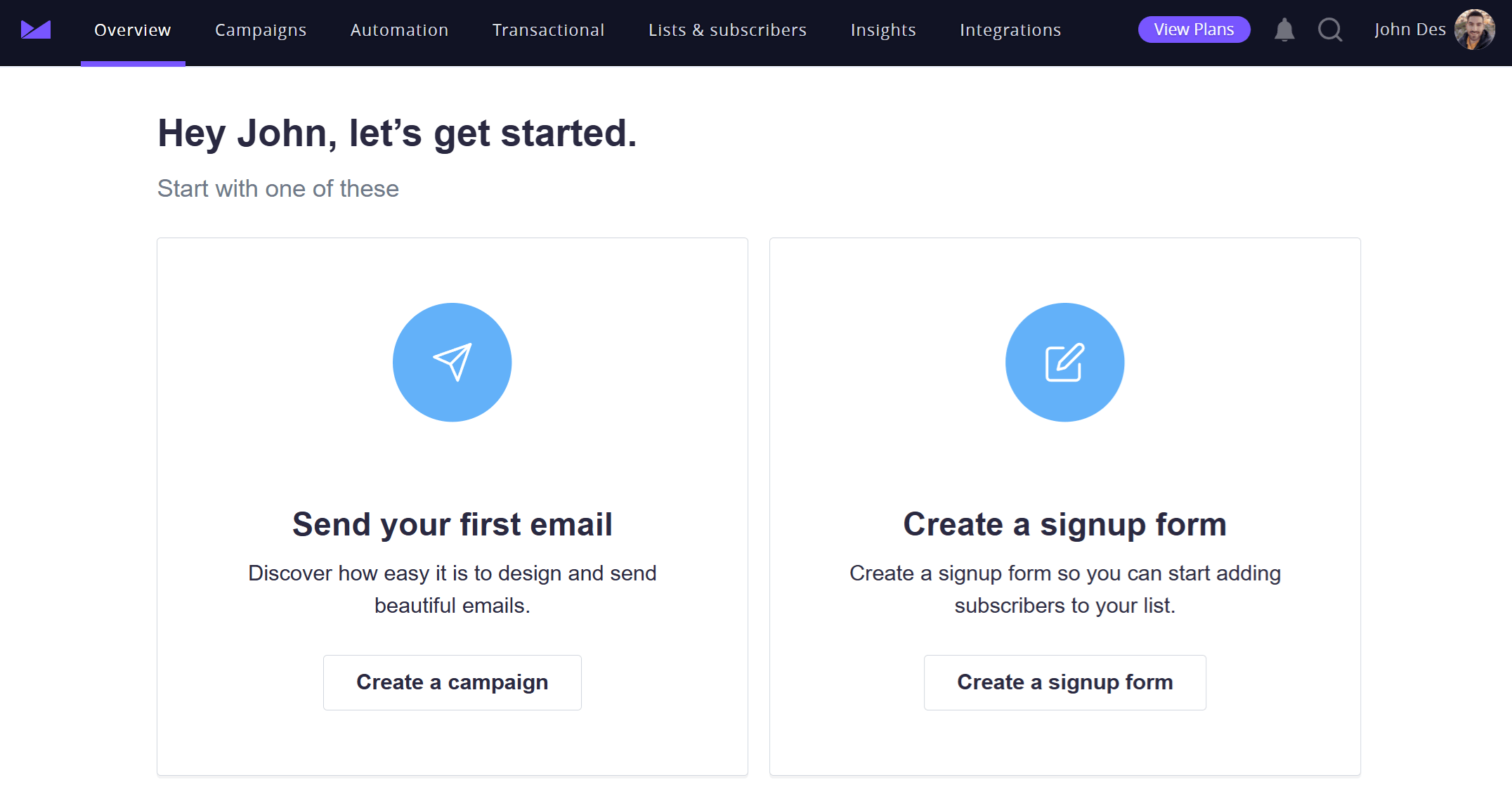
Campaign Monitor is one of the best email newsletter software tools for publishers and agencies who want all core email marketing features and insights to deliver beautiful and converting newsletters.
The software has a straightforward interface, a variety of email templates, and an easy-to-use email editor to get started with newsletter creation. The service also offers newsletter automation features that allow you to create drip campaign emails. However, the trigger variety feels a bit limited.
Its best feature is its ability to increase your open rate by delivering newsletters based on your contact list’s time zone. Besides newsletter automation features, Campaign Monitor offers signup forms and a form builder to increase your lead generation efforts.
Regarding email performance tracking, this email newsletter platforms provides users with all the standard metrics (e.g., clicks, opens), plus a Campaign Score with personalized suggestions on what to improve.
Campaign Monitor is a solid email newsletter option for agencies in need of multi-client account management or businesses looking to send bulk emails. Nevertheless, if you want advanced styling and HTML functionality, Campaign Monitor may not be the best newsletter software for the job.
Campaign Monitor Features
- Email sending based on email list time zones (only for Essentials and Premier users)
- Spam testing to ensure deliverability
- Link Review tool to detect issues before sending your campaign
- Customizable signup forms to grow your email list
- Pre-built engagement segments
- Insight analytics suite
- SMS marketing options
Pricing
Campaign Monitor allows you to test the waters through a 30-day free trial, which you can use to send 500 emails. The software’s pricing starts at $11/month for 500 contacts and 2,5K emails, giving you access to additional features like audience segmentation and pre-built automated journeys.
7. AWeber – Best Newsletter Software for Advanced Reporting
Pricing: Paid plans start at $15/month, very limited free plan
Best for: Online Media, Marketers & Advertisers, Small Businesses
Best feature: Advanced reporting tools
Pros
- Ease of use
- AMP email functionality
- Mobile editor to create newsletters on the go
Cons
- Outdated email templates
- Limited automation on the low-priced plans
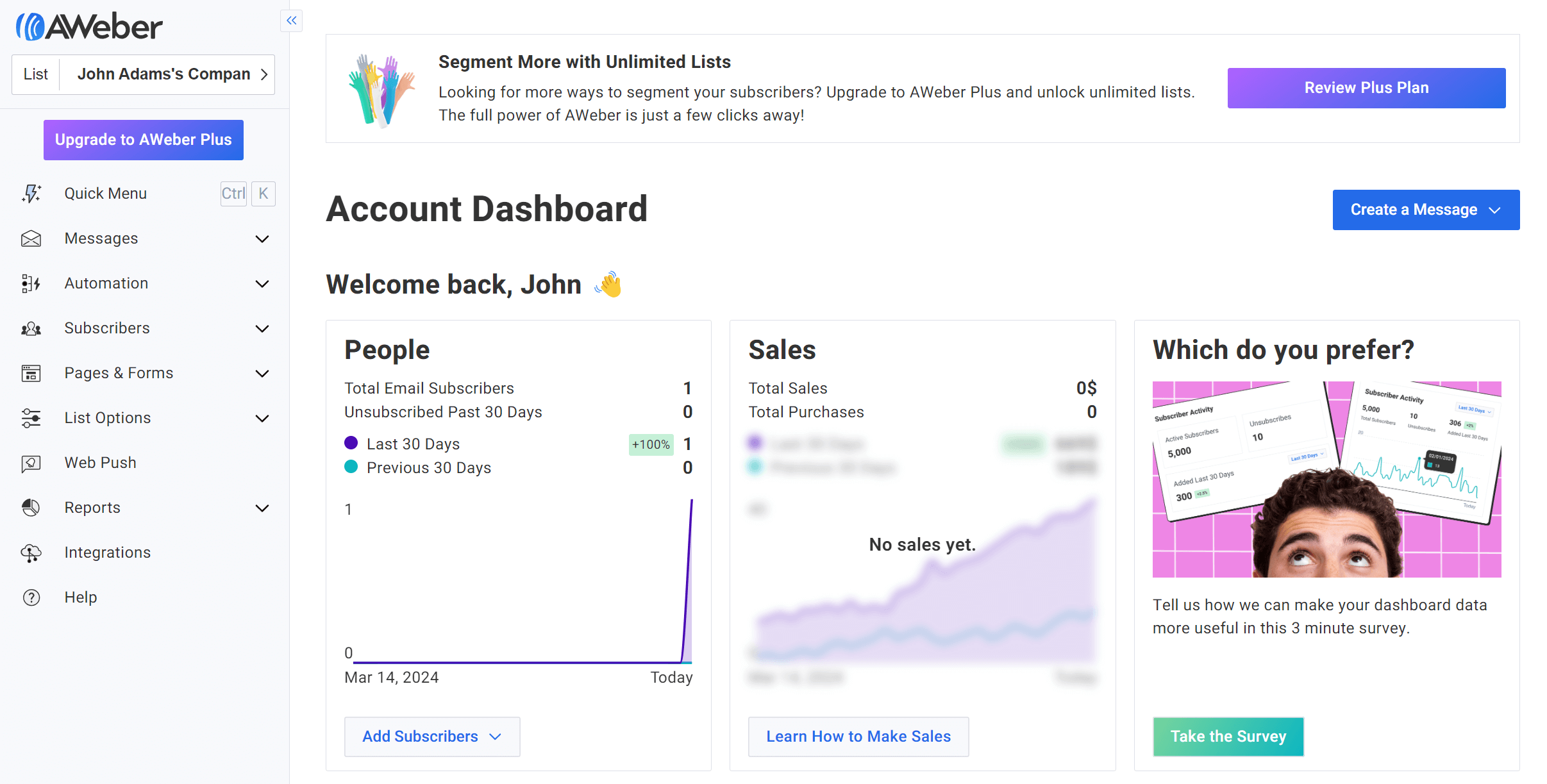
AWeber is another email newsletter software that’s easy to use. As a tool that’s been out there for about two decades, AWeber’s editor might feel a little outdated compared to newer email software like Moosend or Mailjet.
Despite its look, the builder allows you to fully customize a design, for example by inserting image carousels or coupon codes in your e-newsletters to draw attention to your offer.
Regarding ready-made email templates, you get more than 700 responsive designs to tailor as you please. You can also use the platform’s Smart Designer to create a customizable template just by adding your website URL.
When we look at the tool’s newsletter automation, AWeber is a good choice for beginners who want to create triggered emails based on simple actions like subscribing to a list or abandoning a cart. However, its automation features seem more limited compared to other solutions based on reviews.
Users can also benefit from its email list management and personalization features. For example, you can group recipients based on their interest or location to deliver relevant product recommendations.
This solution also gives you access to advanced email and website tracking, plus list health insights for a unified picture of the customer journey.
Overall, AWeber is a more traditional email newsletter service suitable for beginners and smaller businesses with simpler needs. If you need more, consider user-friendly yet powerful AWeber alternatives.
AWeber Features
- Simple drag-and-drop editor
- Option to use Canva directly in the email editor and landing page builder
- Smart Designer to auto-generate branded emails
- Form builder to create pop-ups and more
- List management and segmentation options
- Extended list of integrations to boost productivity
- Email, live chat, and phone support for all users
Pricing
AWeber has a free plan for 500 subscribers and 3K emails per month. This newsletter service has a subscription-based paid plan model starting at $15/month for 500 subscribers and more options like landing pages and automations, though limited in number (up to three).
8. GetResponse – Best Newsletter Platform for Consistent Email Deliverability
Pricing: Paid plans start at $16/month, free plan
Best for: Publishers, eCommerce, Creators
Best feature: Spam check tool
Pros
- Flexible email builder
- Large selection of templates for emails, forms, landing pages, and websites
- Unlimited emails on all plans
Cons
- Some features seem confusing to users
- Only one automation workflow in the cheapest plan
- SMS marketing is only available on Enterprise
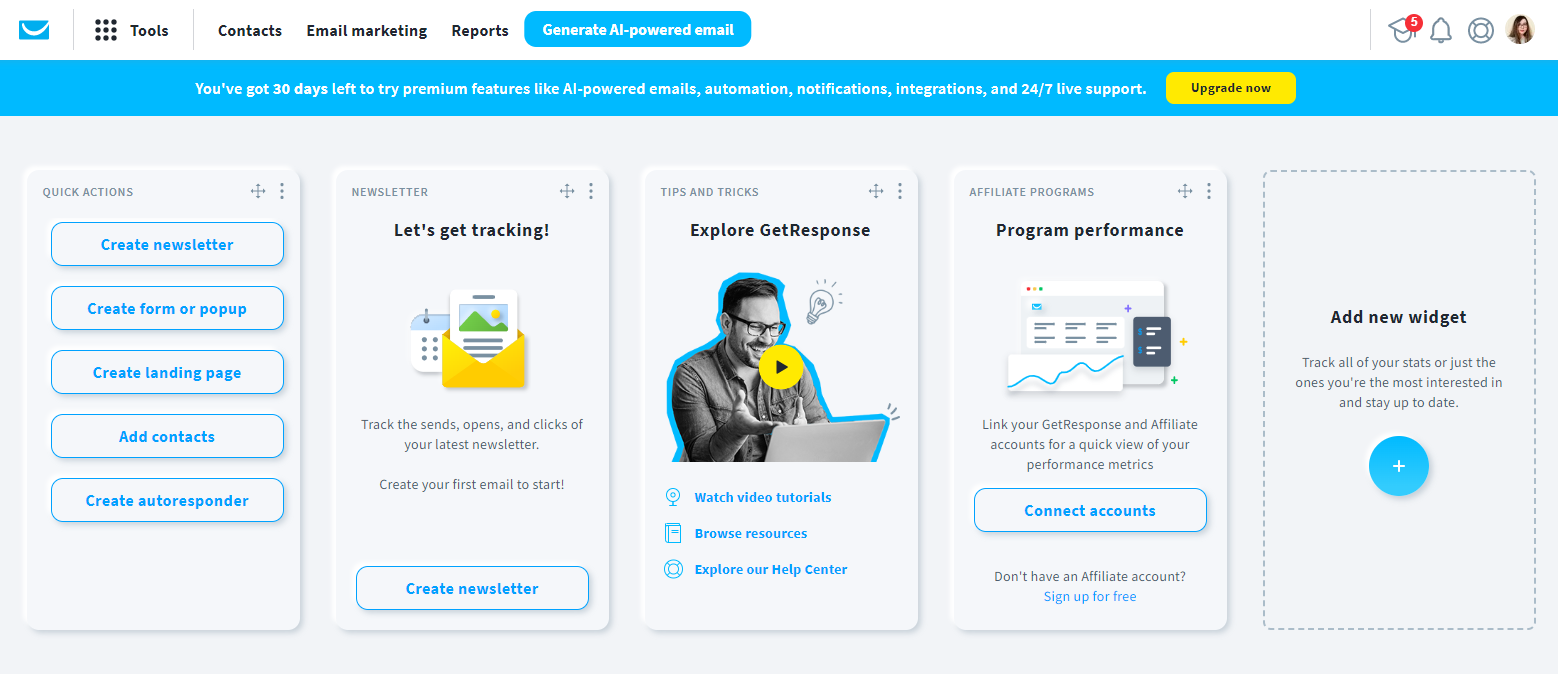
GetResponse is among the oldest email newsletter software tools in the market. The service’s features and optimization tools have made it an easy option for eCommerce businesses, publishers, and creators.
It offers an easy-to-use email editor and template variety. On top of that, the AI Email Generator helps marketers create converting emails fast based on industry and audience data.
Furthermore, the tool offers a flexible email automation builder to build automated workflows and autoresponders in a breeze. However, most of them are reserved for the most expensive plans.
One of the best features, though, is GetResponse’s email list management capabilities, allowing you to segment your audience based on lead scores, plus email and website activity.
GetResponse also gets points for its sophisticated reporting tools that let you compare campaign performance and display metrics like desktop and mobile opens, average subscription rates, and list growth insights.
Overall, the software offers a lot of flexibility and optimization options. Nevertheless, it has a lower deliverability score than the other tools in our list.
Also, some users report that the interface and features come with a learning curve. So, if you’re looking for more straightforward solutions, you might want to check effective GetResponse alternatives.
GetResponse Features
- Autoresponder tool that helps you focus on your tasks
- Transactional emails using API or SMTP
- Spam email tools to review content and avoid the spam folder
- Social media ads, including Facebook Ads
- Conversion funnels
- AI-powered website builder
- Content monetization tools like an online course creator
Pricing
GetResponse has a free plan you can use to send 2,5K emails to 500 subscribers, while you can try some premium features like conversion funnels (only for 14 days). To get more, the newsletter software offers paid plans starting at $16/month for up to 1,000 subscribers and unlimited emails.
9. Mailjet – Best Newsletter Tool For Email Design Collaboration
Pricing: Paid plans start at $17/month, free plan
Best for: SMEs, eCommerce, Agencies
Unique feature: Email newsletter collaboration tool
Pros
- Real-time collaboration on templates to streamline campaign creation
- Email list validation tool
- Unlimited contacts on all paid plans
Cons
- Key features only available on higher-tiers (e.g., automation and A/B testing)
- Limited template customization options
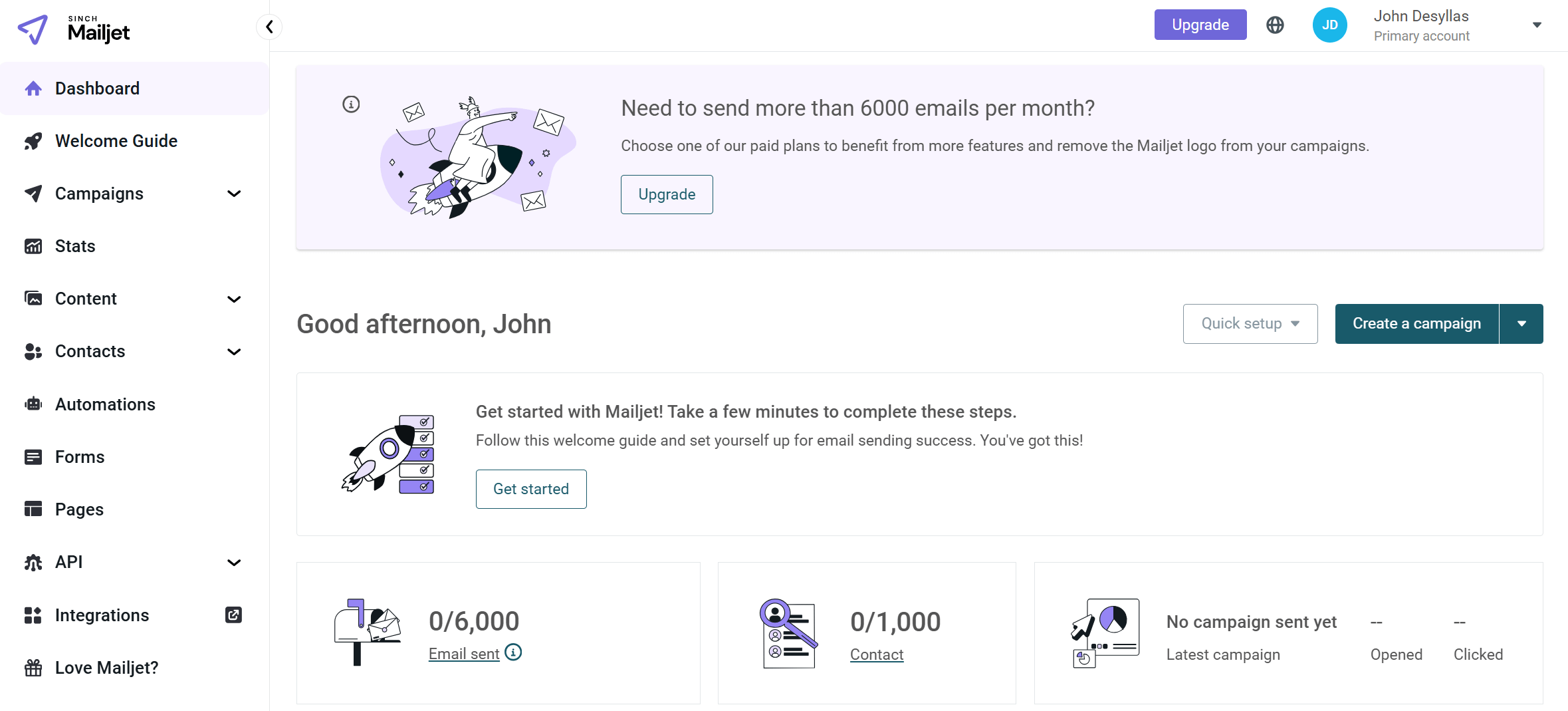
When it comes to email creation capabilities, Mailjet is a solid email newsletter tool with a flexible email editor. On top of that, it lets you collaborate on emails with other team members. This comes in handy if you want to review edits or changes in the editor and create polished newsletters faster.
You’ll also find a Linked Sections feature to instantly update specific parts of your design across all your templates.
Apart from newsletter creation, Mailjet comes with email automation features, which, unfortunately, aren’t as helpful or user-friendly as its email editor tools.
List segmentation is also on the basic side, letting you create segments based on simple criteria. However, their email preference center feature is useful to stay up to date with subscribers’ changing needs.
Lastly, the email newsletter service has great reporting tools, including comparative campaign reports and click heatmaps, plus various integrations to streamline your business efforts.
Overall, Mailjet is an effective email newsletter software tool if you want to create the perfect digital newsletter with the help of your teammates. It’s also a good fit for agencies that want to manage several sub-accounts (up to 20 for Premium users) through a single dashboard.
Mailjet Features
- Email newsletter collaboration tool
- Email preview to check how your emails render across devices and email clients
- Transactional and marketing email sending
- Reporting and advanced email stats
- Integrations with CMS and CRM tools and eCommerce solutions
- SMTP relay service to improve inbox placement
Pricing
Mailjet has a free forever version that gives you 1K contacts but you can only send up to 200 emails/day or 6K/month. For extra features like segmentation or AI content creation, you need to purchase one of the paid plans starting at $17/month.
10. Kit – Best Newsletter Tool For Content Promotion
Pricing: Paid plans start at $39/month, free plan
Best for: Creators, Bloggers, Coaches
Unique feature: Creator Network
Pros
- Great automation options for content creators (e.g., podcasters, bloggers)
- Digital product creation and selling tools (also available in the free plan)
- Unlimited automation workflows and sequences in paid plans
Cons
- Rather basic email design and lack of a drag-and-drop editor
- Pricing is on the expensive side
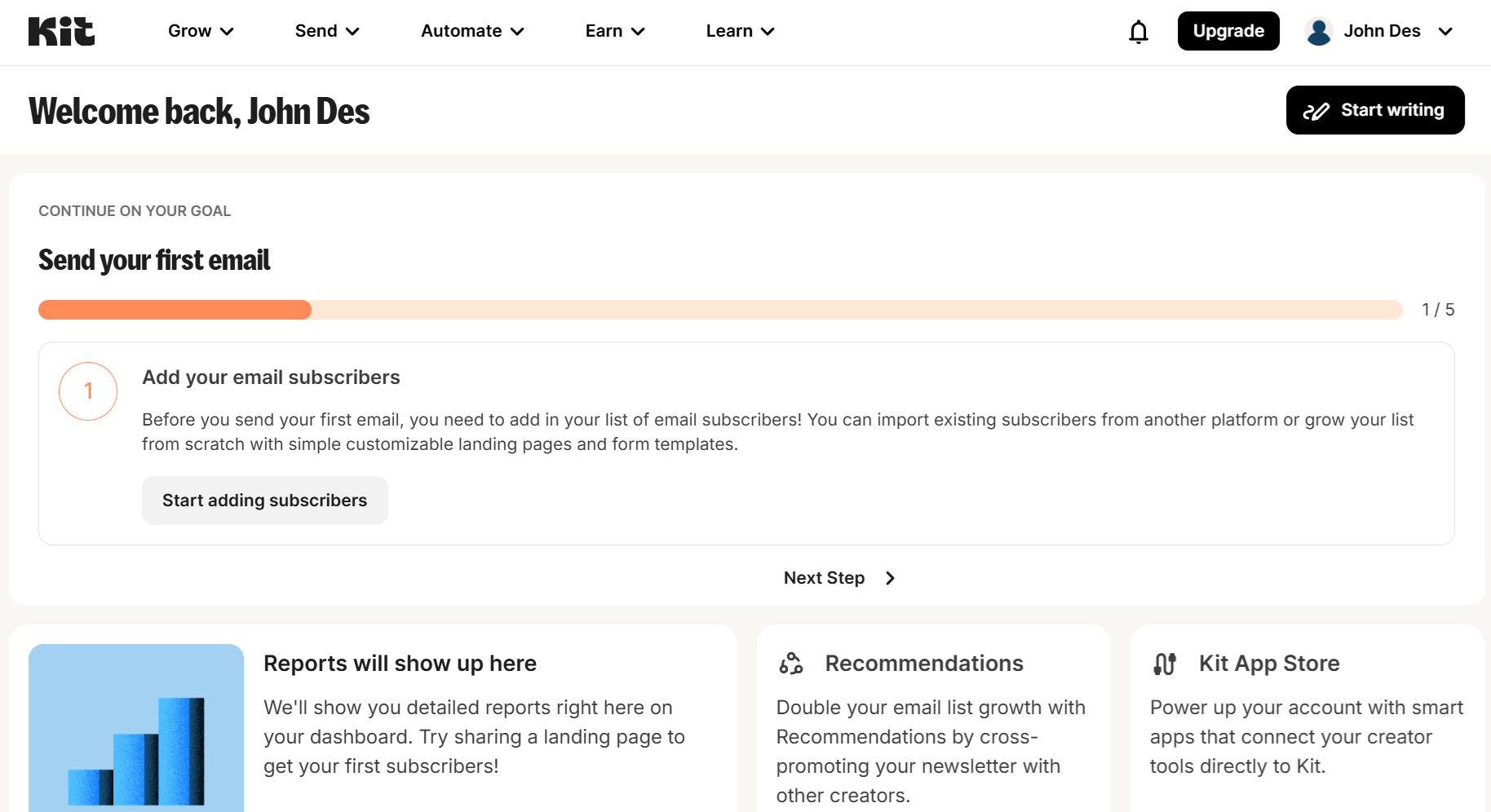
Kit is a creator-oriented newsletter platform that enables bloggers, coaches, musicians, and other creators to design and send beautiful email campaigns to promote their brands and products.
Regarding email creation, we found the newsletter designer very simple. You can modify the email design using pre-built content blocks like videos, music, and products into their campaigns to boost engagement. Moreover, you can add countdown timers, an essential eCommerce feature to increase urgency and get more clicks.
Creators can use segmentation and personalization to tailor their content to their email lists. To ensure list quality, Kit even offers a ready-made automation template to clean out new subscribers who haven’t engaged with your messages for a while.
And if you want to save time, this newsletter software also comes with some aesthetically pleasing templates for emails and automations.
Basically, Kit’s features are more on the basic side of things, aiming to minimize friction for creators who need to monetize their content and grow their subscriber base without the need for extra tools.
Kit Features
- Creator Network for collaborations and cross-promotions
- Visual automation builder
- Flexible audience tagging and segmentation
- Sell digital products & subscriptions
- Landing page and forms to expand your reach to more audiences
- Subscriber scoring for Creator Pro users
Pricing
Kit offers two paid plans, the Creator at $39/month and the Creator Pro at $79/month for up to 1K subscribers. The free version (Newsletters) lets you add 10K subscribers, but comes with limitations like only one automated email sequence.
11. SendX- Best Newsletter Platform for Sending High Volume Newsletters
Pricing: Paid plans start at $9.99/month, 14-day free trial
Best for: eCommerce, SaaS, High-volume senders
Best feature: Proprietary deliverability engine
Pros
- No restrictions for industries like crypto or i-gaming
- Great customer support according to users
- Unlimited emails
Cons
- Lack of variety in email templates
- Limited direct integrations (requires Zapier for many third-party tools)
- Confusing pricing model
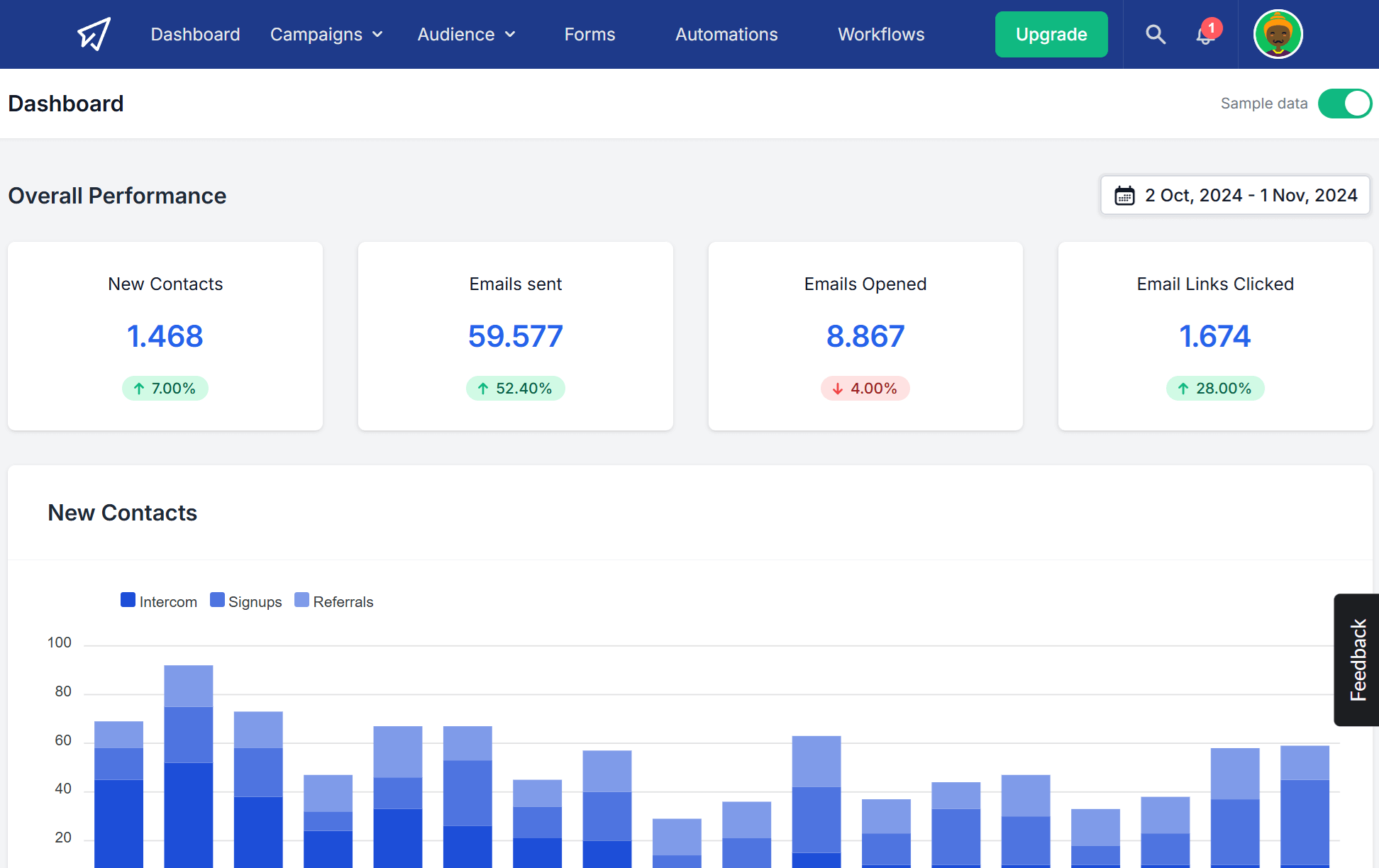
SendX is a comprehensive email marketing platform focusing on deliverability and user-friendly automation. The platform features an AI and an intuitive drag-and-drop editor to choose from.
Also, you can use hundreds of mobile-friendly, professional templates for every occasion (including transactional ones) to use as the foundation of your campaign.
What makes SendX unique is its proprietary deliverability engine, which helps maximize inbox placement and keep emails out of the spam folder. Also, the platform offers real-time IP reputation monitoring, instantly notifying you about blacklist status to quickly take action and ensure deliverability.
To improve engagement metrics, the platform’s smart sending capabilities allow you to deliver emails based on geographic location and optimal timing. You can even match specific senders to each subscriber to enhance personalization and relationship-building.
And let’s not forget subscriber tagging, custom fields, and dynamic content for effective list segmentation and personalization.
For businesses looking to save time, SendX offers ready-made email automation templates that let you create tailored customer journeys. The drag-and-drop editor makes it simple to build complex sequences without technical knowledge.
SendX Features
- Proprietary deliverability engine to maximize inbox placement
- Geo-optimized sending capabilities
- One-click resend functionality for unopened emails
- Personalized deliverability guidance
- Advanced segmentation based on subscriber behavior
- Visual drag-and-drop automation workflow editor
- Lead generation tools including popups and landing pages
Pricing
SendX offers a 14-day free trial for new users with full access to all their tools. After the trial period, pricing is based on the number of subscribers, with all features and unlimited email sends included in every plan. It starts at $9.99/month for 1,000 subscribers.
12. Mailercloud – Best Newsletter Software for Deliverability and Design Flexibility
Pricing: Paid plans start at $10/month, free plan
Best for: Startups, SMEs, Agencies
Best feature: Advanced automation with AMP capabilities
Pros
- Prebuilt automation templates for faster workflows
- AMP email support for interactive newsletters
- Excellent deliverability and SMTP options
Cons
- No unlimited automation even in the most expensive plan
- Landing pages are available only on higher-tier plans
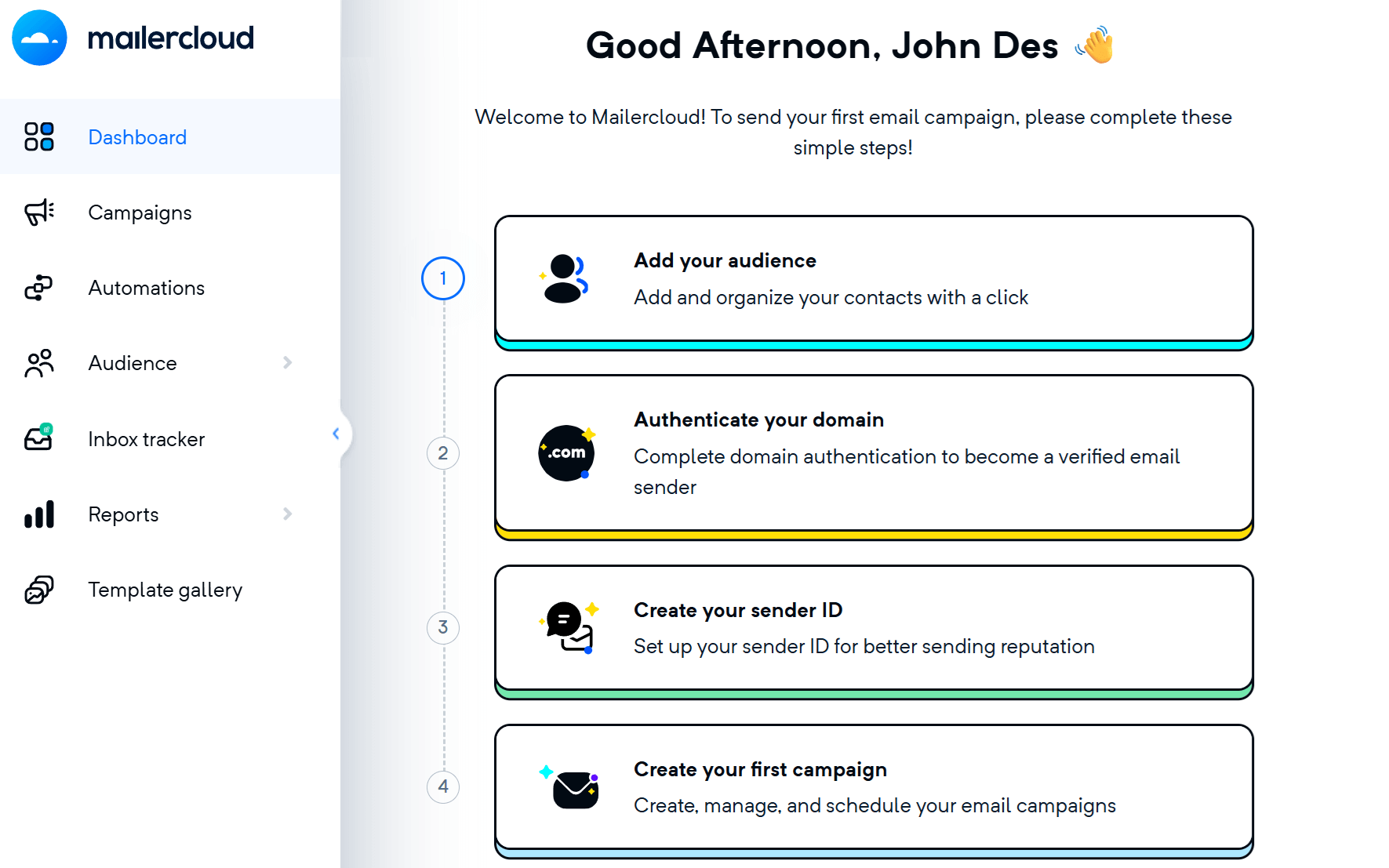
Mailercloud earns its spot on our best email newsletter software list thanks to its powerful drag-and-drop editor, AMP capabilities, and easy to set up automation flows.
With these tools, businesses are able to send dynamic and personalized emails to stand out in crowded inboxes. In terms of email types, Mailercloud covers everything from simple newsletters to advanced customer journeys, including autoresponders, transactional emails, and AMP-powered interactive campaigns.
Prebuilt flows for SaaS, eCommerce, webinars, and re-engagement campaigns help marketers increase productivity. To nail your timing and increase responses, this email newsletter software offers location-based email delivery.
Its clean UI, in-depth analytics, and conditional content display also make it a great tool for audience segmentation and conversion-focused campaigns. Plus, the built-in preview and testing tools help ensure every email looks perfect before you hit send.
Mailercloud Features
- Drag-and-drop email editor with AMP support
- Prebuilt automation flows (SaaS, eCommerce, webinar, etc.)
- Dedicated IP offered as an add-on
- List segmentation and behavioral targeting
- Blacklist monitoring tool
- Over 400 integrations
- Webform builder & landing page options
Pricing
Mailercloud offers a free tier with 1,000 contacts and 12,000 emails/month, plus access to key features (not the AMP functionality, though). Paid plans start at $10/month for 1K subscribers and unlimited emails.
13. beehiiv – Best Newsletter Software For All-In-One Newsletter Monetization
Pricing: Paid plans start at $49/month, free plan
Best for: Creators, Startups, Publishers
Best feature: List growth tools
Pros
- Multiple monetization options (paid subscriptions, referrals, ads)
- Easy setup and intuitive interface
- Extended resource library, such as case studies and API documentation
Cons
- High cost and lack of pricing scalability
- Less email design customization tools than other options
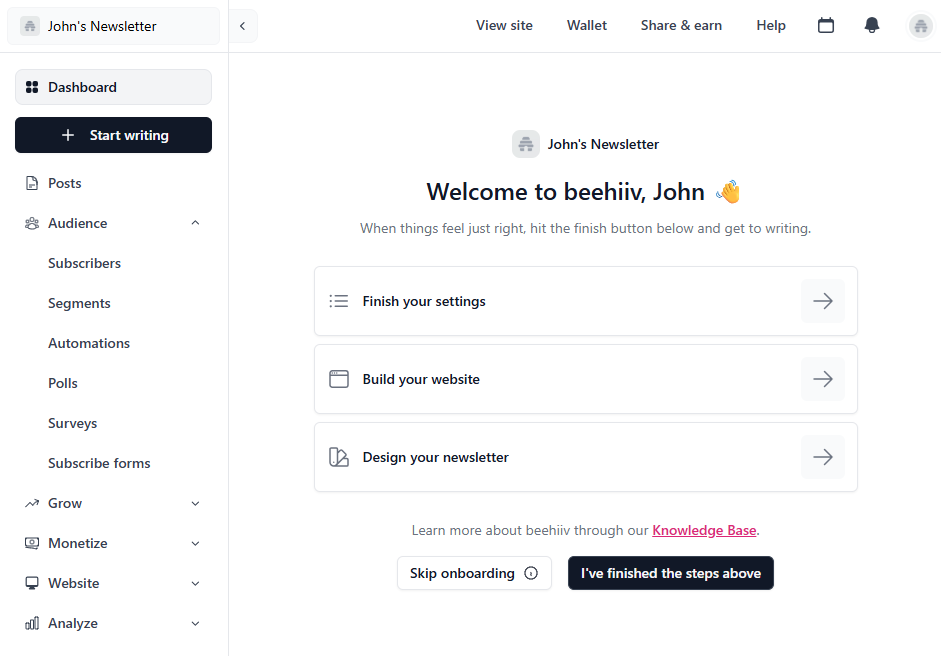
beehiiv is another email newsletter solution designed for creators looking to make money online with their content.
Starting with email newsletters, this platform has an intuitive editor to create a design from scratch. Alternatively, you can choose one of the pre-designed templates and tweak its colors and fonts to match your branding style.
Users also get AI tools that help them speed up email newsletter creation, adjust the tone, proofread messages, or even translate them into several languages.
But beehiiv goes beyond paid newsletters, providing online creators with additional tools to promote their content and grow their audience. For example, you can use the software’s built-in Ad Network to expand your reach to similar audiences.
This newsletter software also offers a referral program to turn engaged subscribers into brand ambassadors. Besides these unique options, you always have the classic lead generation tools, meaning pop-ups and signup forms.
Overall, beehiiv is a decent option for creators who need to promote their content and reach more people. But it gets pricey and lacks the sophisticated tools that you may find in popular beehiiv alternatives.
beehiiv Features
- Clean email editor
- Option to incorporate polls in your newsletters to gather audience feedback
- Text-to-speech feature to boost email accessibility
- Newsletter recommendations to tap into other publishers’ audiences
- Email preview tool
- Dynamic content to display tailored products, ads, and resources to each recipient
- Website builder
Pricing
beehiiv’s free plan is quite generous since it allows for 2,5K contacts and unlimited emails. But the same doesn’t go for features like automations and digital products. For those (and more), you’ll need to upgrade to a paid plan, starting at $49/month for 1K subscribers.
How We Selected The Tools
All of the tools in this list have been tested by our team to provide an unbiased description of its features and capabilities.
We spent hours setting up new accounts and trying each software to provide an accurate experience and show users exactly what they will come across when they sign up. Find more information about our software selection methodology on how we choose tools to feature on the Moosend Blog.
Looking For The Best Email Newsletter Tool To Cover Your Needs?
Creating beautiful and converting messages requires one of the best newsletter platforms available.
To be on the winning side, make sure to choose the one that fits your business goals and needs. All of the above tools are more or less easy to master, and you won’t need to spend hours in their respective knowledge base.
So, take advantage of any available free plans or trials and make a data-driven decision to nail your email marketing strategy without breaking the bank.
And if you feel that Moosend hits all the right notes, sign up for an account and see how it can help you become a newsletter hero.
FAQs
Here are some insightful answers to email newsletter software common questions:
1. What is newsletter software, and why do I need it?
Newsletter software allows you to create, send, and manage email newsletters to communicate with your subscribers. Businesses, bloggers, and organizations can use this software to stay in touch with their target audience, share helpful updates, and promote relevant products or offers.
2. How much does newsletter software cost?
Cost can vary significantly for each tool based on the number of subscribers or emails sent. Premium plans with more advanced features may cost more. For example, HubSpot’s pricing can increase dramatically from $20 to $880 based on your chosen plan and features. So, check each platform’s pricing structure to ensure it fits your budget, plus current and future needs.
3. Which newsletter software is the most user-friendly?
User-friendliness depends on your experience as an email marketer. However, some popular easy-to-use options include Moosend, Mailchimp and MailerLite. It’s best to try out a few to see which suits your needs and expertise best.
4. Which newsletter software is best for small businesses or startups?
Some cost-effective options for small businesses and startups include Moosend, Mailchimp, and MailerLite. These platforms offer free plans or affordable pricing for small subscriber lists to help you kickstart your email marketing journey without hurting your budget.
5. Do I need to know how to code to use newsletter software?
No, most newsletter software offers drag-and-drop email editors so you can easily create newsletters without coding skills. You’ll also find detailed FAQs to learn how to make the most out of these tools. However, some platforms allow for custom HTML coding, so if you know how to code, you can easily use it.
6. Can I try newsletter software before committing to a paid plan?
Most newsletter software offers free trials or plans with limited features that you can test before committing. If it meets your requirements, you can easily upgrade to a paid plan.
Similar Posts


 Published by

Create, send and optimize your email marketing campaigns