The 8 Best AWeber Alternatives For 2026
Published By Alexandra Marinaki
October 25, 2021

25/10/21
Key takeaways
- Choose Moosend for its affordability and advanced automation. It's a powerful choice for beginners and top marketers with robust segmentation options.
- Pick Constant Contact if you need excellent support and event management tools. Its modern email builder is great for small businesses.
- Select HubSpot if you need an all-in-one marketing tool. Its built-in free CRM helps marketers build connections and tailor content.
Are you looking for AWeber alternatives to improve your business’s email ROI? Below, we’ve listed the best tools and why to choose them.
The return on investment for email marketing is $42 for every $1, according to recent email marketing statistics. Companies recognize the impact email marketing can have on their digital marketing efforts. And because of this value potential, finding the right software to fit your email hosting needs is more important than ever.
Read on to find free and paid AWeber alternatives to send beautiful marketing campaigns, segment your email lists, and run A/B tests (among other features!).
Disclaimer: The information below is accurate as of April 2026.
Why Are People Looking for AWeber Alternatives?
AWeber is a popular email marketing tool with over 20 years in the business. It was a pioneer in email automation since it was the first service to offer autoresponders.
However, years have passed, and there are a few reasons why AWeber may not be the best fit for your business today.
- High pricing: AWeber’s paid plans are on the higher end of the spectrum compared to alternatives, but they don’t offer more advanced functionality.
- Less intuitive interface: Compared to other email marketing services, AWeber’s interface looks outdated.
- Limited automation: The platform lacks advanced automation capabilities (e.g., if/then conditions), and you don’t get as many automation recipes as in other alternatives.
- Template quality: While AWeber provides a decent range of email templates to choose from, some of them are not as modern. This makes it more difficult for users to create eye-catching campaigns.
Alternatives to AWeber: Comparison Table
Before we dive more into each alternative, here is a brief comparison.
| Key features | Pricing | Free Plan/Trial | |
| AWeber | Built-in Canva integration | $15/month | Yes (limited) |
| Moosend | Advanced audience segmentation | $9/month | 30-day trial |
| Constant Contact | Scan-to-join QR code to add to printed materials | $12/month | 30-day trial |
| HubSpot | Free CRM | $20/month | Yes (limited) |
| Mailchimp | Ready-to-use campaign templates | $20/month | Yes (limited) |
| GetResponse | Built-in conversion funnels | $19/month | Yes (limited) |
| Mailjet | Free SMTP server | $17/month | Yes |
| Campaign Monitor | Branded emails with lockable templates for teams | $12/month | 30-day trial |
| MailerLite | Email open rate for different locations | $10/month | Yes |
Top AWeber Alternatives To Consider
- Moosend – Best email marketing service overall
- Constant Contact – Excellent support and event management tools
- HubSpot – Great if you need an all-in-one marketing tool
- Mailchimp – Solid segmentation and A/B testing options
- GetResponse – Best for A/B testing
- Mailjet – Combined with transactional SMS
- Campaign Monitor – Great for enterprises
- MailerLite – Fine-tuned email deliverability
1. Moosend
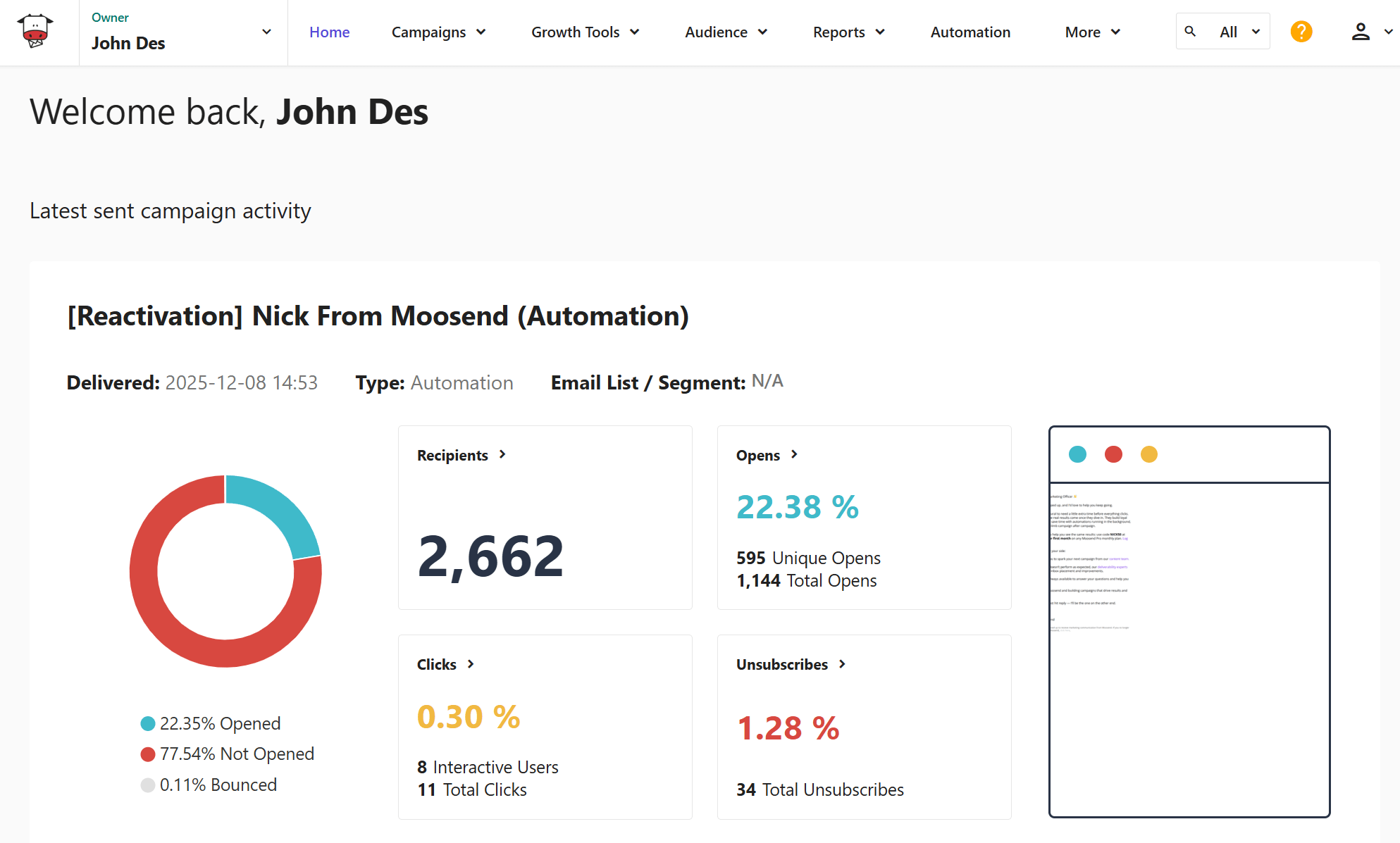
Pricing: Paid plans start at $9/month, 30-day free trial (Sign up here)
Best for: eCommerce, SaaS, publishers, bloggers, agencies
Unique feature: Advanced audience segmentation
Moosend is an affordable email marketing platform with advanced automation capabilities that can support your growth without depleting your marketing budget. It features an easy-to-use drag-and-drop email editor so you can create professional newsletters that look great on any device, even if you have no HTML experience.
You get unlimited customer segmentation as well as email campaigns across all plans, even as a free user. The platform lets you create segments based on various criteria, helping you quickly increase your open and click-through rates. Using the automation builder, you can easily set up both simple and complicated journeys, eliminating repetitive tasks and increasing lead generation on autopilot.
The best part? You get unlimited automated journeys on all plans, unlike AWeber, where you’d need to purchase an expensive plan ($30/month) to do this. What’s more, you get an easy-to-use landing page builder to generate more leads or convert your audience. Moosend’s rich analytics dashboard enables you to create comprehensive reports that inform decisions and optimize your strategy.
To sum up, Moosend is an affordable but powerful choice for beginners and top marketers, with email newsletter templates for every need, robust segmentation options, and responsive customer service.
Features
- Free email newsletter templates (fully customizable)
- Advanced marketing automation to save time
- Email list segmentation for better personalization
- Landing page builder to power up your conversions
- Subscription forms to boost lead generation
- Multiple integrations to streamline your processes, through API or Zapier
- Real-time reporting and analytics to track your success
Pros
- Unlimited emails, automations, and landing pages from the entry-level plan
- Easy to implement automation with a wide range of triggers
- Transactional emails
Cons
- Form templates could have more customization options
- No free plan available
Pricing
Moosend pricing starts at $9/month, giving you access to all core features. You can sign up for a free account to try out its capabilities, like sending unlimited emails, creating forms, and automation workflows. No credit card is required.
| AWeber | Moosend | |
| Best feature | Built-in Canva integration | Sophisticated automation with a wide range of triggers |
| Best for | Marketing and advertising | eCommerce businesses, agencies, publishers, and startups |
| Cons | Not a fully-fledged SMTP platform | Not as many integrations |
| Price | Starts at $15/month | Starts at $9/month |
| Free plan | Yes (500 subscribers – 3,000 emails) | 30-day trial (Sign up here) |
2. Constant Contact
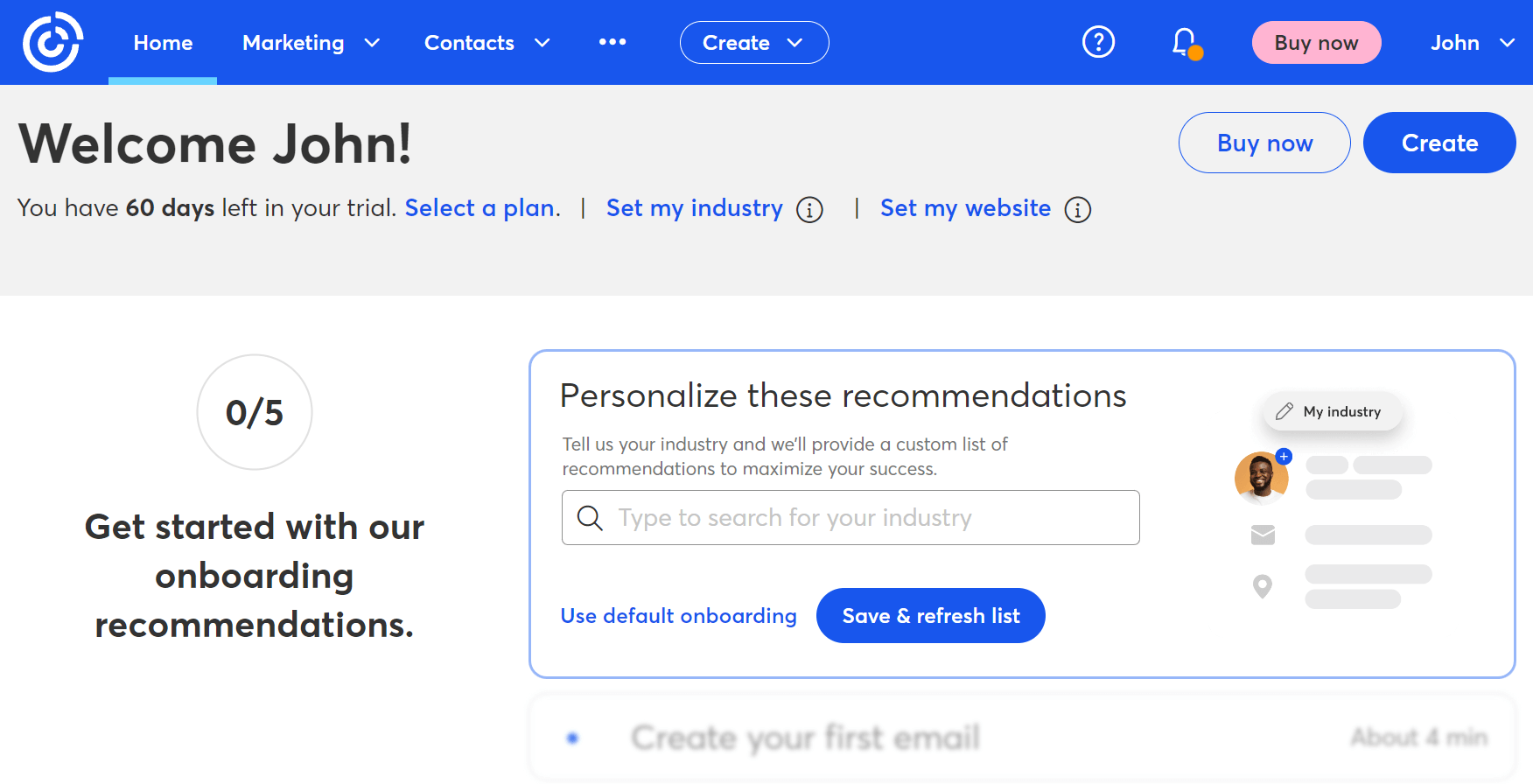
Pricing: Paid plans start at $12/month, 30-day trial
Best for: Small businesses in any industry
Unique feature: A scan-to-join QR code to add to printed materials
Constant Contact is a popular email marketing tool that features a modern, snappy email builder and a variety of newsletter templates to choose from.
The platform also offers tools to set up an online store, create a website, and use social media to drive new leads to your site. One of their best features is the ability to promote your event, collect registrations 24/7, sell items, and easily track details.
With email marketing automation, the platform helps you stay connected with your audience through simple automated journeys. For example, you get welcome series, shopping cart abandonment flows, birthday series, and thank-you series.
There is also an AI Campaign Builder that automatically creates a structured, cohesive campaign across channels such as email, SMS, and social media. You can also read a direct Constant Contact vs. AWeber.
Features
- Event management
- Dynamic segments based on contact details or engagement
- Integrates with Outlook and other industry-leading CMS
- Custom fields to store as much contact info as you want
- Automatic email list cleaning to remove duplicate contacts
Pros
- Intuitive, modern email builder
- You can easily “connect” your email marketing efforts with social media campaigns
Cons
- Limited A/B testing (only subject lines)
- Basic reporting on the entry-level Lite plan
Pricing
Constant Contact offers a 30-day free trial (60 days for the US and Canada) with full access to all features.
Paid pricing starts with the Lite plan at $12/month, with monthly email sends capped at 10x your contact allowance. With higher-tier plans, you get access to more advanced features and bigger limits.
| AWeber | Constant Contact | |
| Best feature | Built-in Canva integration | A scan-to-join QR code to add to printed materials |
| Best for | Marketing and advertising | Small businesses in any industry |
| Cons | Not a fully-fledged SMTP platform | Basic reporting on the entry-level plan |
| Price | Starts at $15/month | Starts at $12/month |
| Free plan | Yes (500 subscribers – 3,000 emails) | 30-day trial |
3. HubSpot
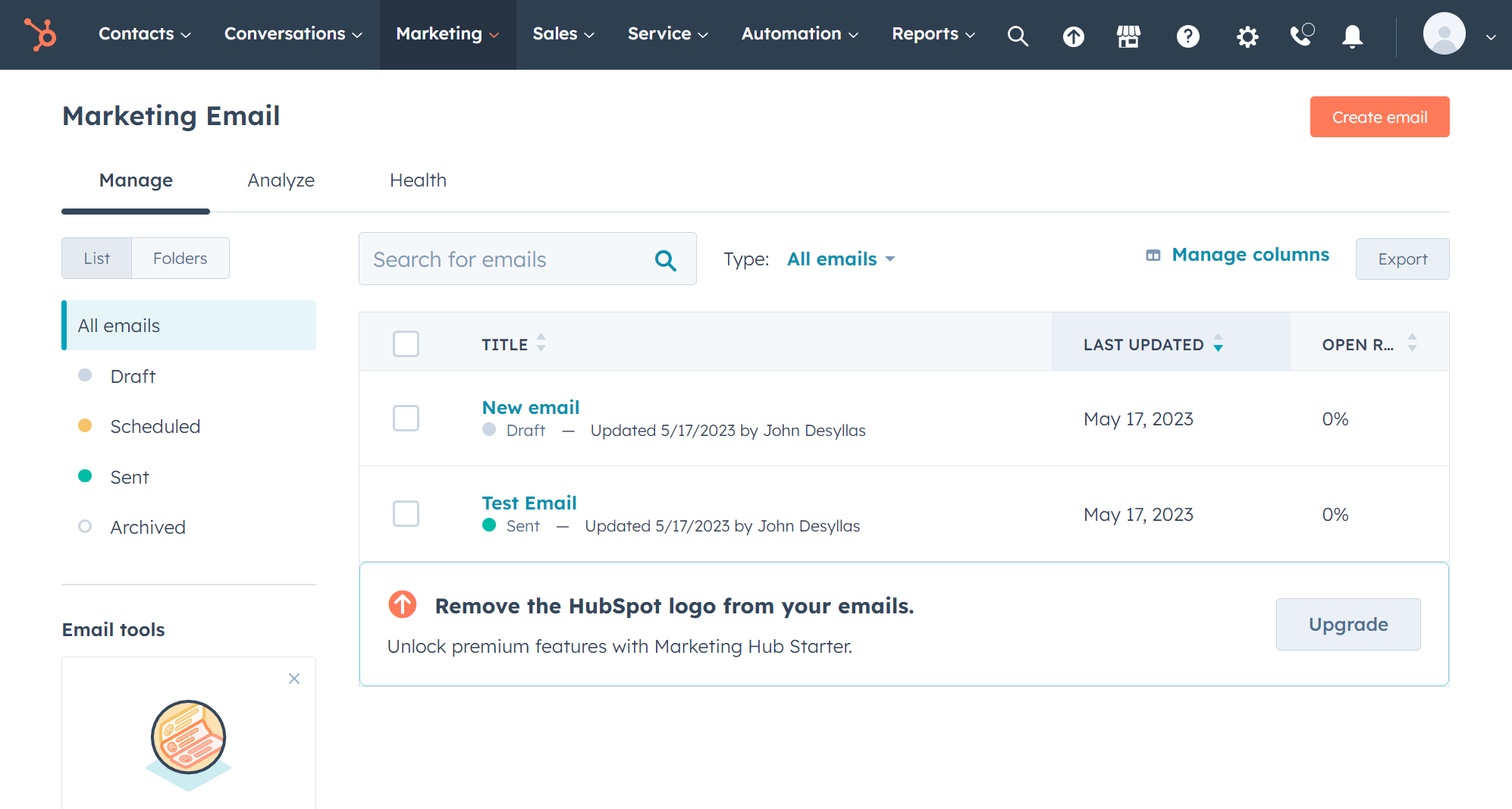
Pricing: Paid plans start at $20/month, free plan
Best for: Small and medium-sized businesses in any industry
Unique feature: Built-in free CRM
HubSpot is an all-in-one CRM platform with marketing, sales, and service capabilities. With features such as email marketing, landing pages, marketing automation, live chat, and signup forms, HubSpot goes well beyond regular email marketing software.
The real strength of HubSpot is its native CRM, which helps marketers build connections and tailor content to their audience’s needs.
With HubSpot’s email builder, you can create professional-looking email marketing campaigns that look great on all devices, including mobile. Their intuitive drag-and-drop editor lets you customize your layout, add calls to action and images, and modify your content and colors to match your brand.
Features
- Dozens of pre-designed and customizable templates
- Email campaigns with A/B testing
- Free access to signup forms, pop-ups, and the landing page builder
- Rich analytics dashboard
- Various integrations, including WooCommerce, WordPress, and Shopify
- Sales and customer support offices around the world and in multiple languages
Pros
- Great at list management
- Excellent onboarding experience
Cons
- Can be overwhelming due to its vast functionality
- Gets expensive to unlock advanced features
Pricing
You can start with a free plan that includes marketing tools such as email marketing, CRM, list segmentation, reporting dashboard, email reply tracking, and more. The free tier lets you send 2,000 emails per calendar month.
For additional features, like removing the HubSpot branding, you’ll need to upgrade to the Starter plan. This plan starts at $20 monthly for 1,000 marketing contacts and a 5x email send limit.
| AWeber | HubSpot | |
| Best feature | Built-in Canva integration | Generous free CRM |
| Best for | Marketing and advertising | Small and medium-sized businesses |
| Cons | Not a fully-fledged SMTP platform | Higher starting price |
| Price | Starts at $15/month | Starts at $20/month |
| Free plan | Yes (500 subscribers – 3,000 emails) | Yes (1,000 contacts – 2,000 emails) |
4. Mailchimp
Pricing: Paid plans start at $20/month, limited free plan
Best for: Agencies, eCommerce
Unique feature: Ready-to-use campaign templates
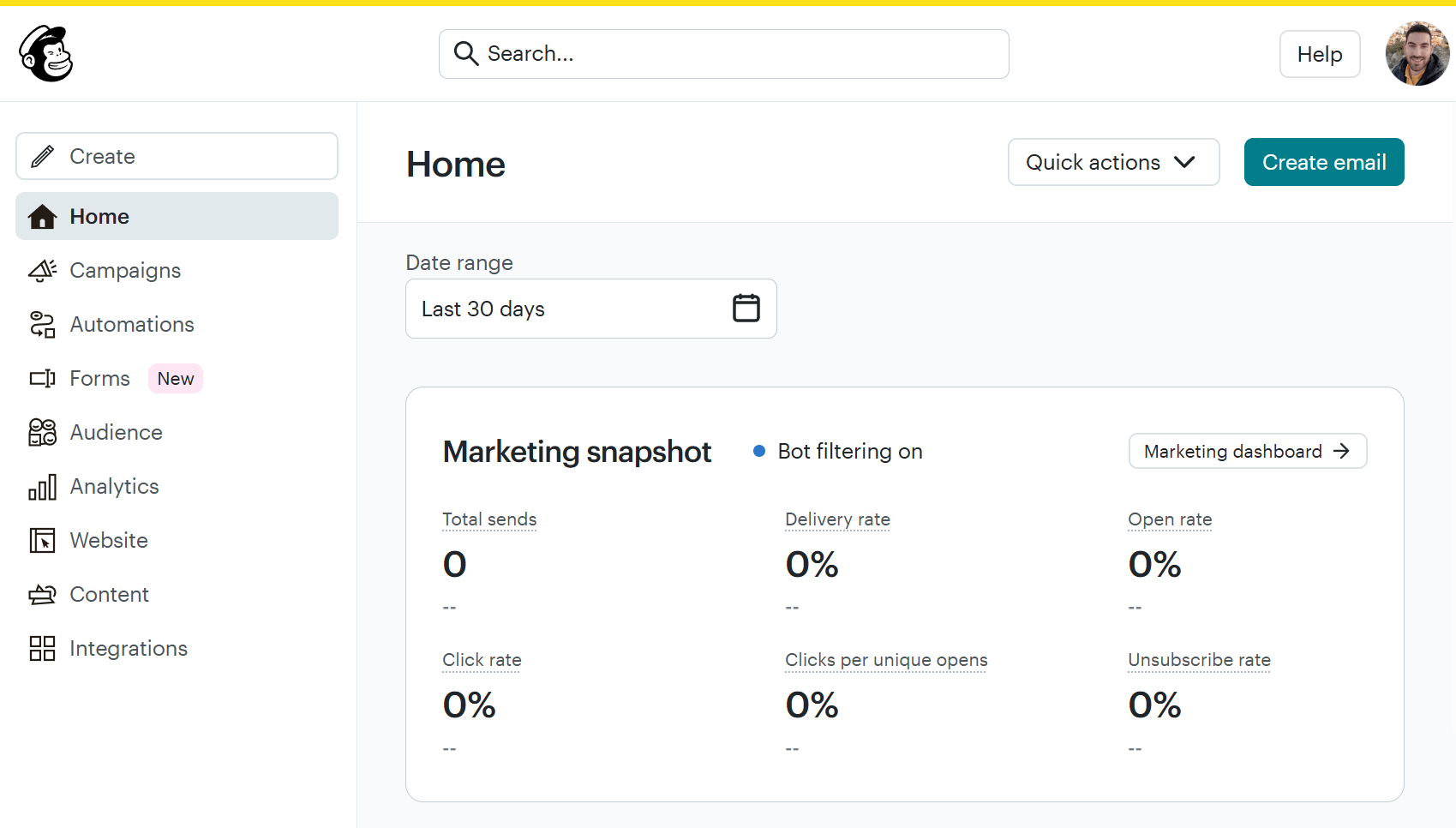
Mailchimp needs no introduction. Founded in 2001, it’s arguably one of the most well-known email marketing platforms. Mailchimp is a good starting point for beginners because it has an easy-to-use interface and an intuitive email builder with a low learning curve.
One of Mailchimp’s best features is its analytics dashboard, which combines simplicity with powerful reporting. Mailchimp, like similar tools, lets you manage your subscribers, generate custom reports, view delivery success rates, optimize for open and click rates, and track emails. It also includes pre-designed templates you can customize to fit your brand.
Features
- Marketing CRM and social media integrations
- Pre-built automations and send time optimization
- Thorough reporting and analytics to track your success
- Cross-device email testing
- A/B testing for email optimization
- Mobile app
Pros
- Robust email functionality (and SMS add-on)
- Easy-to-use customer journey builder (with pre-built journeys)
Cons
- Very limited free plan (used to be more generous)
- No automation on the free plan
- Unfavorable subscriber counting (inactive/unsubscribed users count as contacts)
Pricing
Mailchimp’s pricing starts with a free plan that allows up to 250 contacts and 500 monthly email sends.
To unlock advanced features such as custom-coded templates, Generative AI, and 24/7 support, you’ll need a paid plan, such as the Standard plan, which starts at $20/month for up to 500 contacts.
| AWeber | Mailchimp | |
| Best feature | Built-in Canva integration | Ready-to-use campaign templates |
| Best for | Marketing and advertising | Agencies, eCommerce |
| Cons | Not a fully-fledged SMTP platform | Not affiliate marketing friendly |
| Price | Starts at $15/month | Paid plans start at $20/month |
| Free plan | Yes (500 subscribers – 3,000 emails) | Yes (250 contacts – 500 emails) |
5. GetResponse
Pricing: Paid plans start at $19/month, free plan
Best for: Marketing and advertising
Unique feature: Built-in conversion funnels
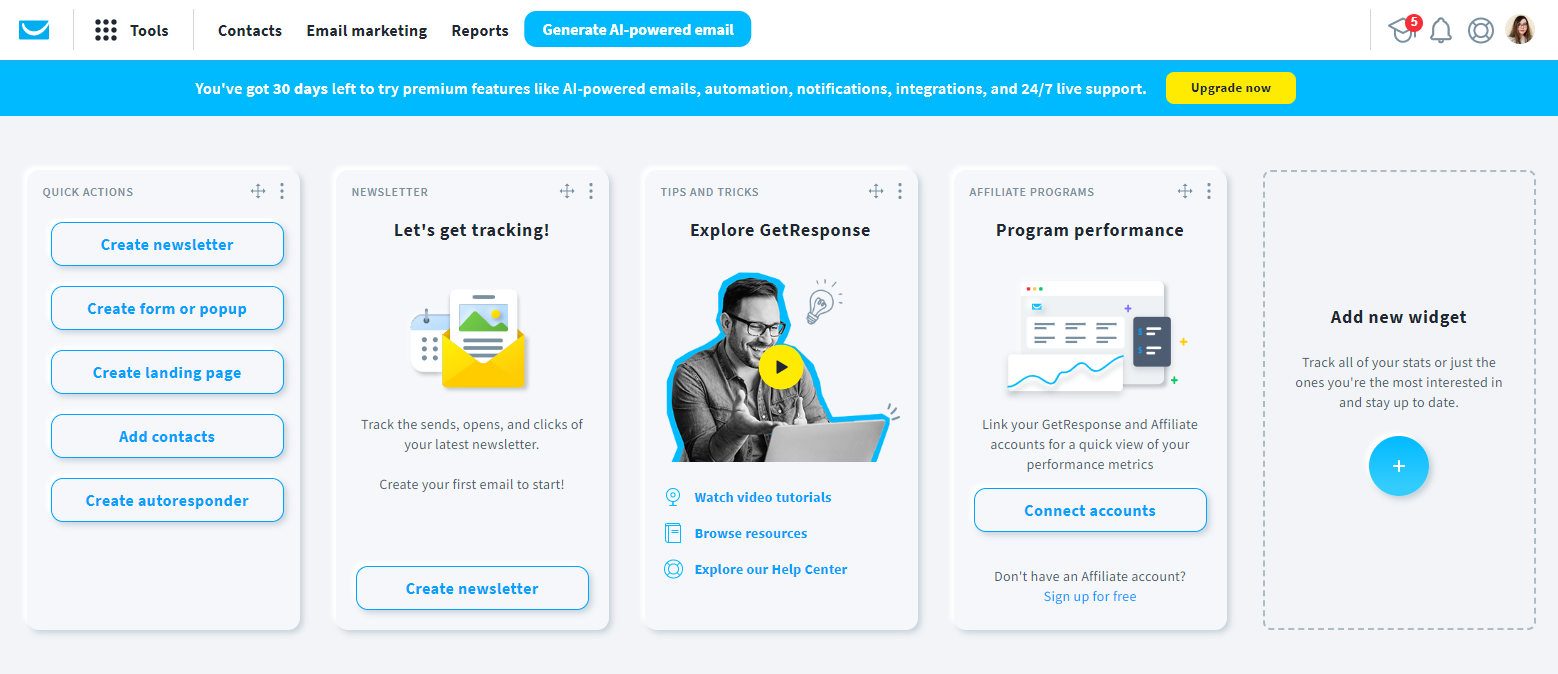
GetResponse is another great alternative to AWeber, offering key email marketing and automation features businesses need to streamline their campaigns, such as drip campaigns and retargeting.
With GetResponse, you can create beautiful and responsive emails in a straightforward way, and you can also A/B test your content to see what works better. Moreover, this email platform includes advanced segmentation features to send highly personalized campaigns.
Overall, it’s a more affordable solution than AWeber, offering robust features and a free plan for companies that start their email marketing journey. What’s great is that this tool is not limited to email; it supports several aspects of your inbound marketing strategy.
Features
- Mobile-responsive email design
- Email builder and landing page features
- ROI and SEO analytics
- Lead scoring and nurturing tools
- Email deliverability management
- Paid ads creator for Google, Facebook, and other social media
Pros
- Intuitive user interface
- You can A/B test both emails and landing pages
- Built-in sales funnels
Cons
- It gets expensive to unlock eCommerce functionality
- Multi-channel automation may feel too advanced for beginners
Pricing
If you have a list of up to 500 contacts, you can sign up for a free plan and access some basic but decent features to leverage your marketing efforts. Then, paid pricing starts at $19/month and includes tools for email marketing, lead generation, and sales.
You can also request a custom plan to access extensive support and monitor your business growth in one place.
| AWeber | GetResponse | |
| Best feature | Built-in Canva integration | Built-in conversion funnels |
| Best for | Marketing and advertising | Marketing and advertising, Mid-large companies |
| Cons | Not a fully-fledged SMTP platform | Automation is available on expensive plans |
| Price | Starts at $15/month | Starts at $19/month |
| Free plan | Yes (500 subscribers – 3,000 emails) | Yes (500 contacts – 2,500 newsletters) |
6. Mailjet
Pricing: Paid plans start at $17/month, free plan
Best for: Marketing and advertising
Unique feature: Free SMTP Server
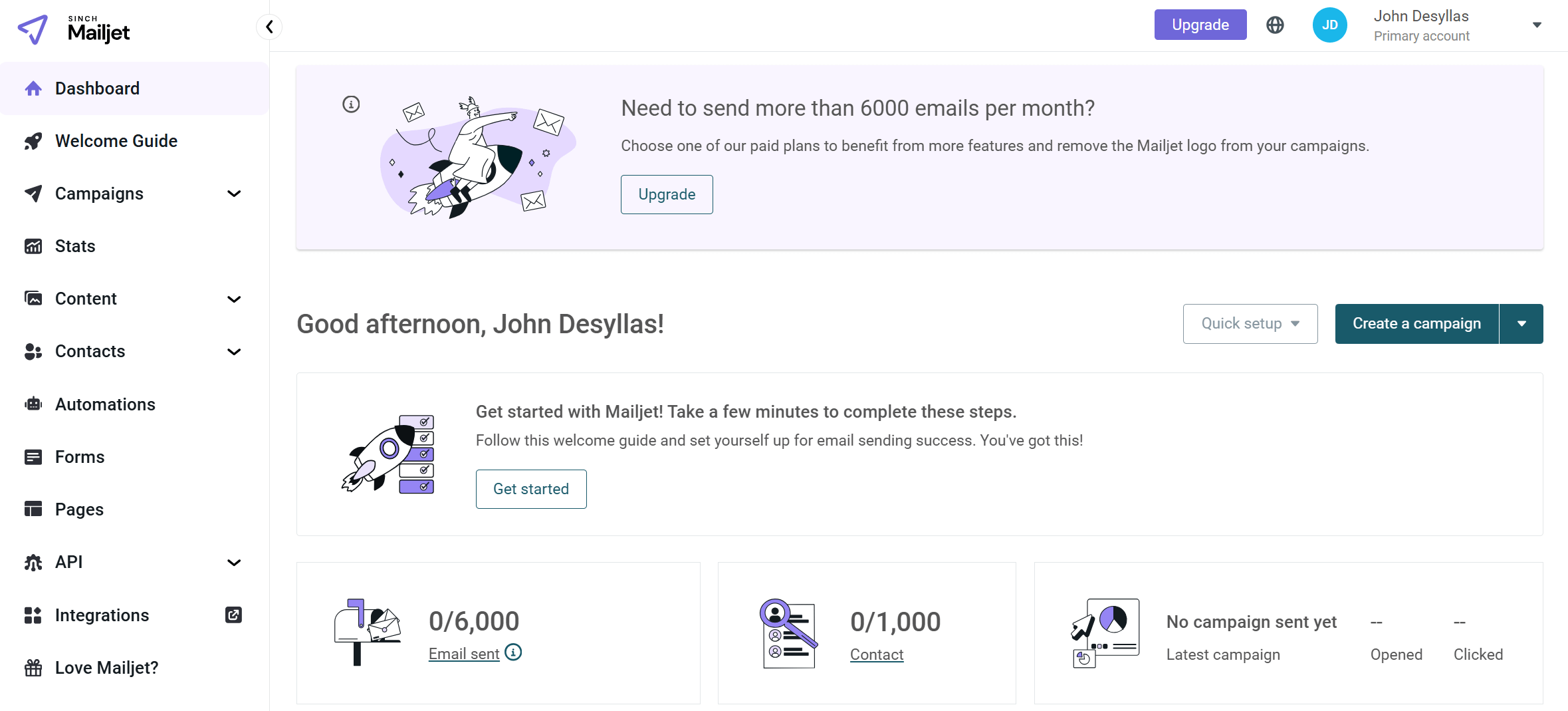
Mailjet is one of the best email marketing tools if you are on a budget but don’t want to give up on premium features. For example, it generates comprehensive email statistics, so you can see precisely how your outbound marketing emails perform.
It comes with a dedicated space for your team, which lets you invite team members and give them specific roles and permissions to control what they can access. As with other alternatives, Mailjet offers a large number of templates. The Mailjet service also has a free SMTP server to help you send unlimited marketing emails via an SMTP relay.
However, Mailjet has some limitations regarding automation. For example, you can’t set up automated workflows to send follow-up emails based on whether a person opened your email or not.
Features
- Intuitive drag-and-drop email builder
- Email template gallery and personalization
- Subscription forms to build your audience and grow your contact lists
- Team collaboration with comments and approvals
- Data about your customers and create targeted segments
- Basic automated workflows
Pros
- Real-time collaboration on emails
- Pricing is based on email volume (cost-effective for large lists)
- Great transactional email support
Cons
- Less beginner-friendly (setup and terminology are more technical)
- Basic segmentation options
Pricing
The free plan lets you store up to 1,000 contacts and send up to 6,000 emails per month (200 emails per day). This plan comes with basic functionality.
Paid plans start at $17/month and include all free plan features, plus online customer support, segmentation, and removing the Mailjet logo, among others.
| AWeber | Mailjet | |
| Best feature | Built-in Canva integration | Free SMTP server |
| Best for | Marketing and advertising | Marketing and advertising |
| Cons | Not a fully-fledged SMTP platform | Limited automation |
| Price | Starts at $15/month | Start at $17/month |
| Free plan | Yes (500 subscribers – 3,000 emails) | Yes (1,000 contacts – 6,000 emails) |
7. Campaign Monitor
Pricing: Paid plans start at $12/month, 30-day trial
Best for: Agencies and large enterprises
Unique feature: Branded emails with lockable templates for teams
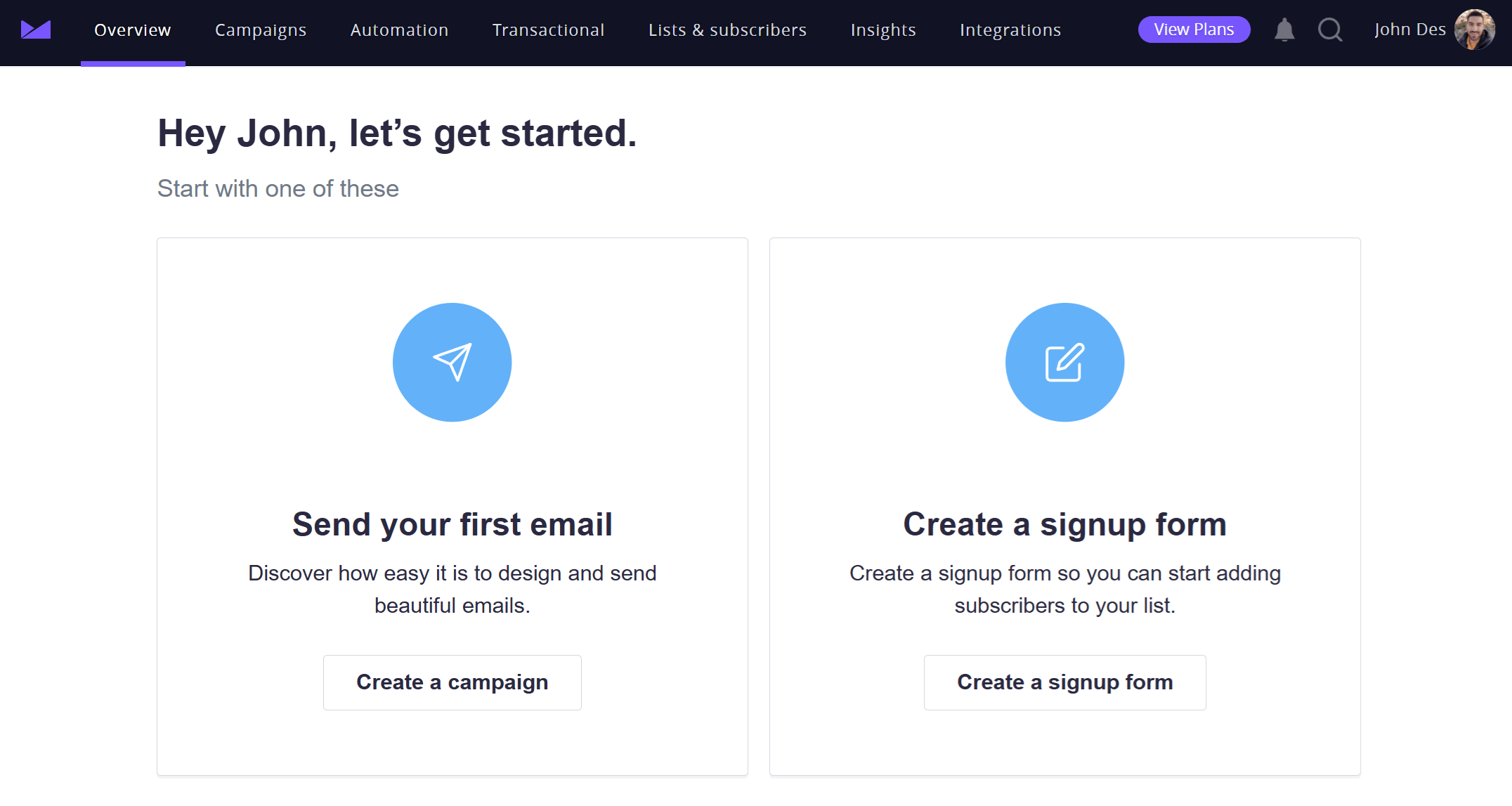
Campaign Monitor is an alternative best known for its polished email design experience and brand-focused templates (80 in number). Compared to AWeber, which prioritizes simplicity and quick setup, Campaign Monitor puts more emphasis on visual consistency, customization, and on-brand campaigns, making it a popular choice for designers, agencies, and marketing teams.
While both platforms cover core email marketing needs, such as newsletters and basic automation, Campaign Monitor is better suited for teams that prioritize layout control and presentation. That said, its pricing and depth of automation may be limiting for businesses looking to scale advanced workflows over time.
Features
- Email templates or custom-made campaigns
- Customer data to build hyper-targeted segments
- Personalized customer journeys
- Full analytics suite with actionable insights
- Integrations to connect your e-commerce platform, CRM, or website
- Trigger automatic emails based on interactions from the audience
Pros
- Advanced template customization and layout control
- It can support multiple clients and brands under one account
Cons
- Limited automation depth
- Costs increase quickly as subscriber counts grow
Pricing
Campaign Monitor offers a 30-day free trial period, during which time users can access many of the features in the paid version.
Premium plans start at $12/month with the Lite plan that includes all core email marketing features. However, this is limited to a small list of 500 subscribers. For more extensive lists, Campaign Monitor can be pricey.
| AWeber | Campaign Monitor | |
| Best feature | Built-in Canva integration | Branded emails with lockable templates for teams |
| Best for | Marketing and advertising | Agencies and large enterprises |
| Cons | Not a fully-fledged SMTP platform | Pricey for large lists |
| Price | Starts at $15/month | Starts at $12/month |
| Free plan | Yes (500 subscribers – 3,000 emails) | 30-day trial |
8. MailerLite
Pricing: Paid plans start at $10/month, free plan
Best for: Bloggers, agencies, SMBs
Unique feature: Email open rate for different locations
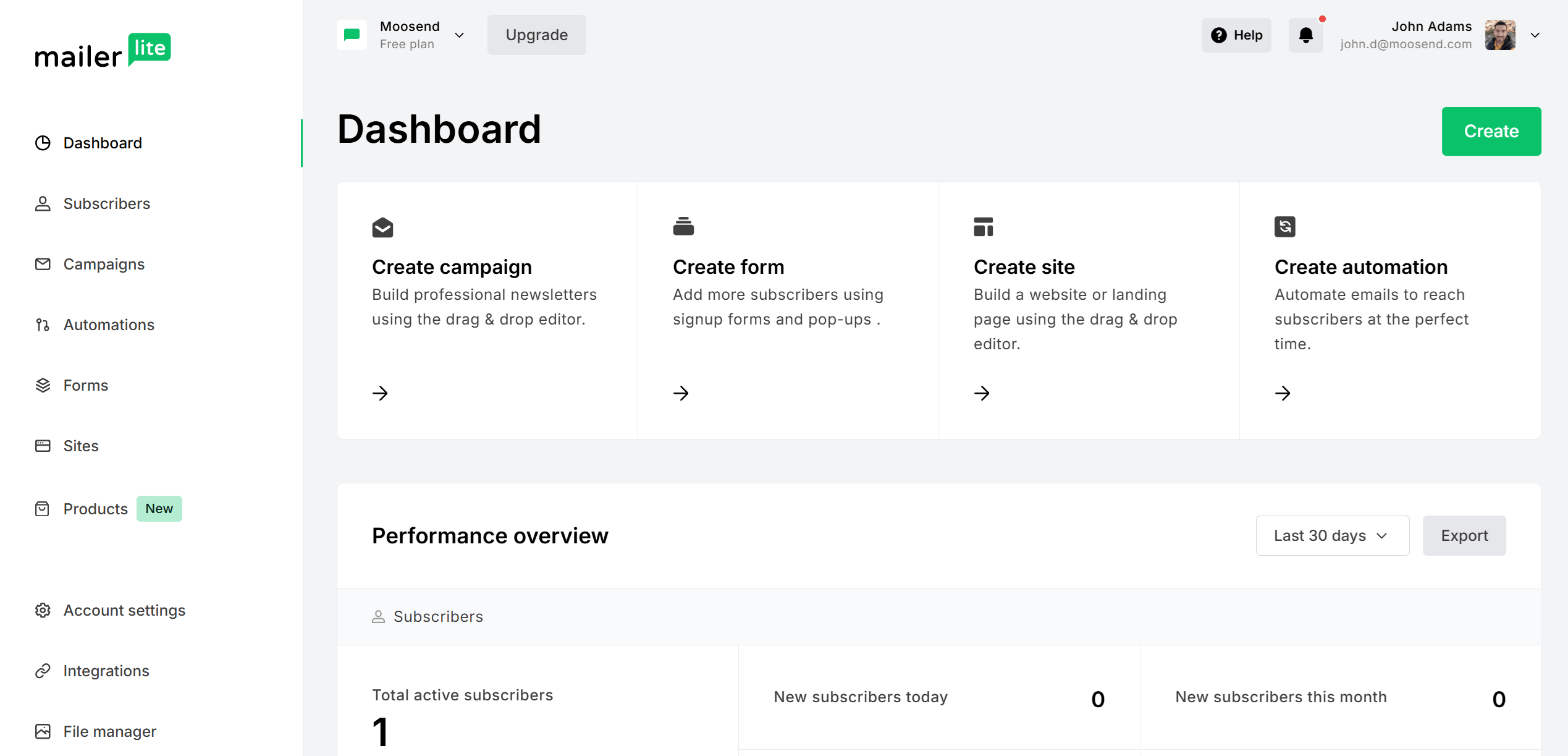
MailerLite is a handy email marketing solution, especially for small businesses. Its intuitive, user-friendly interface lets professionals from all backgrounds streamline their email marketing process with exceptional 24/7 customer support.
Moreover, it has a free plan for businesses looking for opportunities to grow without compromising quality. To access more advanced features, however, you will need to upgrade to a paid plan.
Features
- Drag-and-drop editor and pre-made templates
- A/B split testing for higher performance
- Promotion pop-ups to draw users’ attention
- Email surveys and click maps
- RSS emails to nurture your audience and save time
Pros
- Sell digital products and subscriptions
- Multivariate email testing
Cons
- No email templates on the free plan
- Live chat is locked behind the most expensive plan
Pricing
MailerLite offers a free plan for up to 500 subscribers and 12,000 emails per month. However, with this option, you can access customer support for up to 14 days.
Paid plans start at $10/month for 500 subscribers and unlimited monthly emails. To unlock sophisticated features, you need the Advanced plan at $20/month.
| AWeber | MailerLite | |
| Best feature | Built-in Canva integration | Multi-user account |
| Best for | Marketing and advertising | SMBs, Freelancers |
| Cons | Not a fully-fledged SMTP platform | No spam/design testing |
| Price | Starts at $15/month | Starts at $10 |
| Free plan | Yes (500 subscribers – 3,000 emails) | Yes (500 subscribers – 12,000 emails) |
How We Selected The Tools
All of the tools in this list have been tested by our team to provide an unbiased description of its features and capabilities.
We spent hours setting up new accounts and trying each software to provide an accurate experience and show users exactly what they will come across when they sign up. Find more information about our software selection methodology on how we choose tools to feature on the Moosend Blog.
Frequently Asked Questions
Finally, we’ll present you with some of the latest FAQs about AWeber alternatives.
1. How long is the free trial of AWeber?
With AWeber, you can start with a 14-day free trial and experiment with its features. When you’re ready, you can pay for an upgraded plan to access more sophisticated marketing solutions.
2. What is the main difference between AWeber and Mailchimp?
Overall, Mailchimp provides more complex solutions for your email marketing needs, such as send-time optimization, and it’s worth it if you have a list shorter than 2,000 subscribers. However, if your business is still in the making and you need something more straightforward, AWeber is a great option.
3. What makes a great AWeber alternative?
A great AWeber alternative should be affordable with smart email marketing features like email personalization and automation. They also offer free trials or plans for a certain number of subscribers to get you started.
Similar Posts

 Published by

 Published by

 Published by