














16 Best Landing Page Builder Tools For 2026 [Pros & Cons]
Published By Marilia Dimitriou
February 27, 2024

27/02/24
If you’re looking for the best landing page builder tools, you’ve come to the right place.
Landing pages are one of the best marketing tools to promote your products or services, attract new customers, and grow your audience.
In this blog post, we collected the top drag-and-drop landing page creators to help you select the right one for your needs.
Disclaimer: The information below is accurate as of February 2026.
Transform visitors into happy customers
Create beautiful landing pages in minutes and engage your audience.
Get started with MoosendWhat is a Landing Page?
A landing page is a standalone web page created specifically for a marketing or advertising campaign. It’s designed with a single goal, such as capturing leads via a form, encouraging purchases, or promoting a special offer.
Effective landing page designs usually include a headline, a value proposition, a contact form, and a CTA.
Landing pages shouldn’t be confused with webpages and homepages. Here are their key differences:
- Goal: Landing pages have a single purpose and a clear CTA, while webpages can serve multiple functions. The homepage is more general and includes navigation links.
- Design: Landing pages are streamlined to minimize distractions. Webpages and homepages have broader navigation options and content.
- Lead generation: Landing pages are typically the result of targeted marketing efforts, whereas webpages and homepages are often accessed via organic search or direct navigation.
What to Look for in a Landing Page Builder?
A great tool should offer all the features you need to craft the perfect landing page for various marketing needs. From ease of use to A/B testing, here are the main features to look for when searching for landing page software.
- User-friendly builder: A drag-and-drop interface that requires no coding and offers numerous customization options is a must.
- Pre-made templates: Customizable templates suitable for different industries and purposes are a plus to save time and effort.
- Responsive design: Responsiveness ensures pages look great on all devices (mobile, tablet, desktop).
- A/B testing: Tools for testing different versions of a page to see which performs better will help you find the content that resonates with your audience.
- Integrations: Compatibility with email marketing platforms, CRM systems, analytics tools, and other third-party apps will allow you to streamline your efforts.
- SEO features: Options to add meta tags, alt text for images, and other SEO-friendly features are essential to increase discoverability.
- Forms: Easy-to-create forms for lead capture, including custom fields and validation.
- Analytics and reporting: Detailed insights, including traffic sources, conversion rates, and user behavior, to monitor performance.
- Loading Speed: Optimized for fast loading times to improve user experience and SEO.
- Custom Domains: Ability to use your own domain name for branding consistency.
- Pricing: A pricing model that fits your budget, offering many landing page creations in the low-tiered plans (unlimited is preferable).
With this in mind, let’s discover your best options.
Best Landing Page Builder Solutions by Use Case
- Unbounce – Best for conversion rate optimization
- Leadpages – Best for selling Products on landing pages
- Moosend – Best for small businesses with limited budgets
- ActiveCampaign – Best for businesses in need of a marketing suite
- Instapage – Best for team collaboration
- Wix – Best for beginners
- ClickFunnels – Best for generating leads
- Swipe Pages – Best for mobile optimization
- Carrd – Best for creating free landing pages
- Elementor – Best builder plugin for WordPress
- HubSpot Marketing Hub – Best for multimedia content
- Duda – Best for digital marketing agencies
- Thrive Architect – Best for instant drag-and-drop editing
- Landingi – Best for quick landing page creation
- Kit – Best for online creators
- Woorise – Best for high-converting templates
Now let’s take a detailed look at them.
1. Unbounce
Pricing: Starts at $99/month, 14-day free trial
Best feature: A/B testing and targeting tools
Rating: 4.3/5
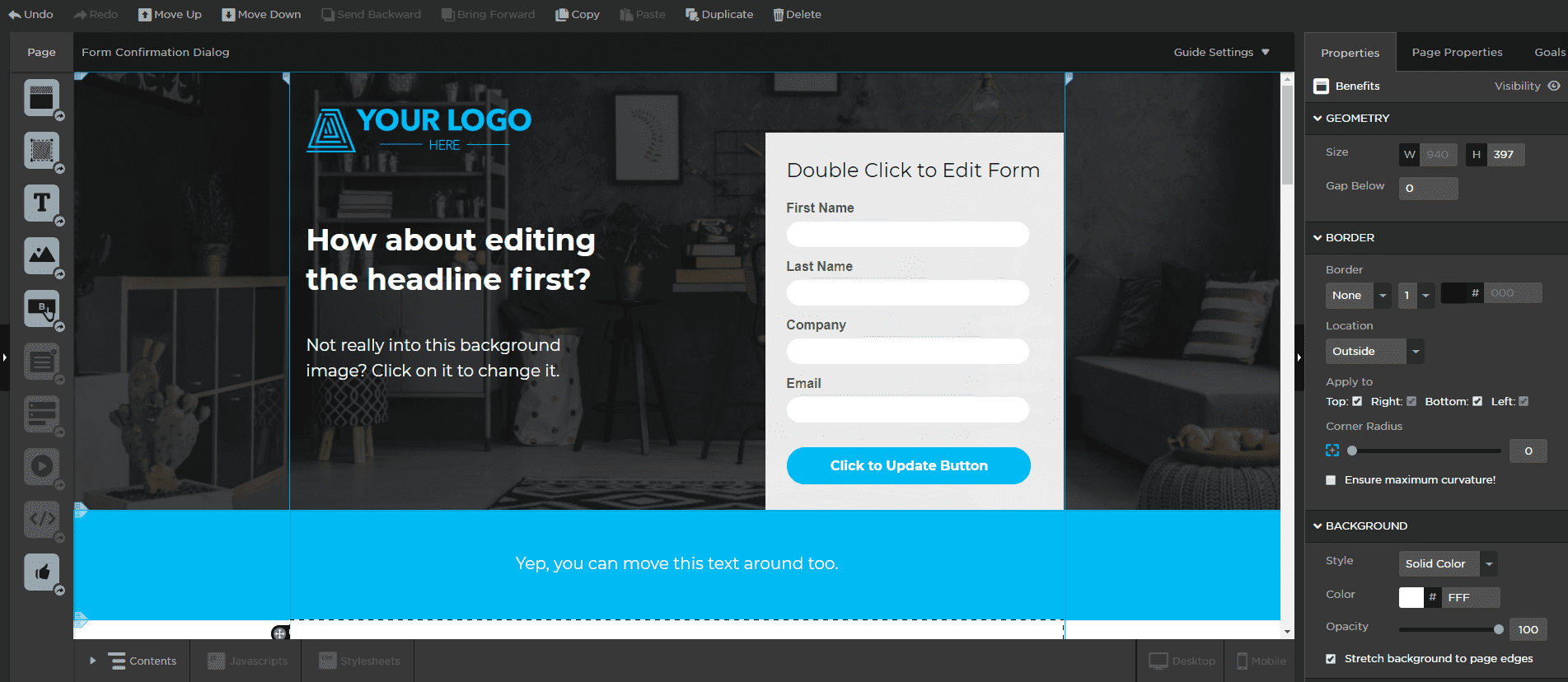
Unbounce is among the best landing page builders. It gives users the choice to build landing pages in two ways: either using the drag-and-drop Classic builder or the new AI-powered Smart Builder.
The Classic editor is fast and powerful, so you can easily pick a template, upload your content, customize things, and you’re done. On the other hand, the Smart Builder automatically builds a layout based on the answers you provide regarding what you intend to use the page for. There is also an AI-powered copy-generating feature, which surely saves time if you want to craft and deliver your landing page ultra-fast. However, you shouldn’t rely solely on that to deliver the best possible copy.
Where Unbounce shines, though, is in its A/B testing and targeting tools. You can create multiple variants of your page and test them against each other to determine which one drives the most conversions.
Finally, Unbounce integrates with various applications, such as eCommerce, CRM, and email marketing tools, to help you streamline your workflow.
Pros
- 100+ high-converting landing page templates
- Popups and sticky bars
- A/B split testing
- Dynamic text replacement for user segments from paid media
- Fast page load speed times
- Integration with hundreds of apps (Stripe, PayPal, Shopify, and more)
Cons
- Steep learning curve
- Might be chaotic for people looking for a simple landing page tool
- Expensive if you’re on a tight budget or you aren’t making money from your leads
Pricing
You can try out Unbounce for free using the 14-day trial. Pricing starts at $99/month and includes unlimited landing pages, pop-ups, and sticky bars.
2. Leadpages
Pricing: Starts at $49/month, 14-day free trial
Best feature: Built-in conversion guidance
Rating: 4.3/5
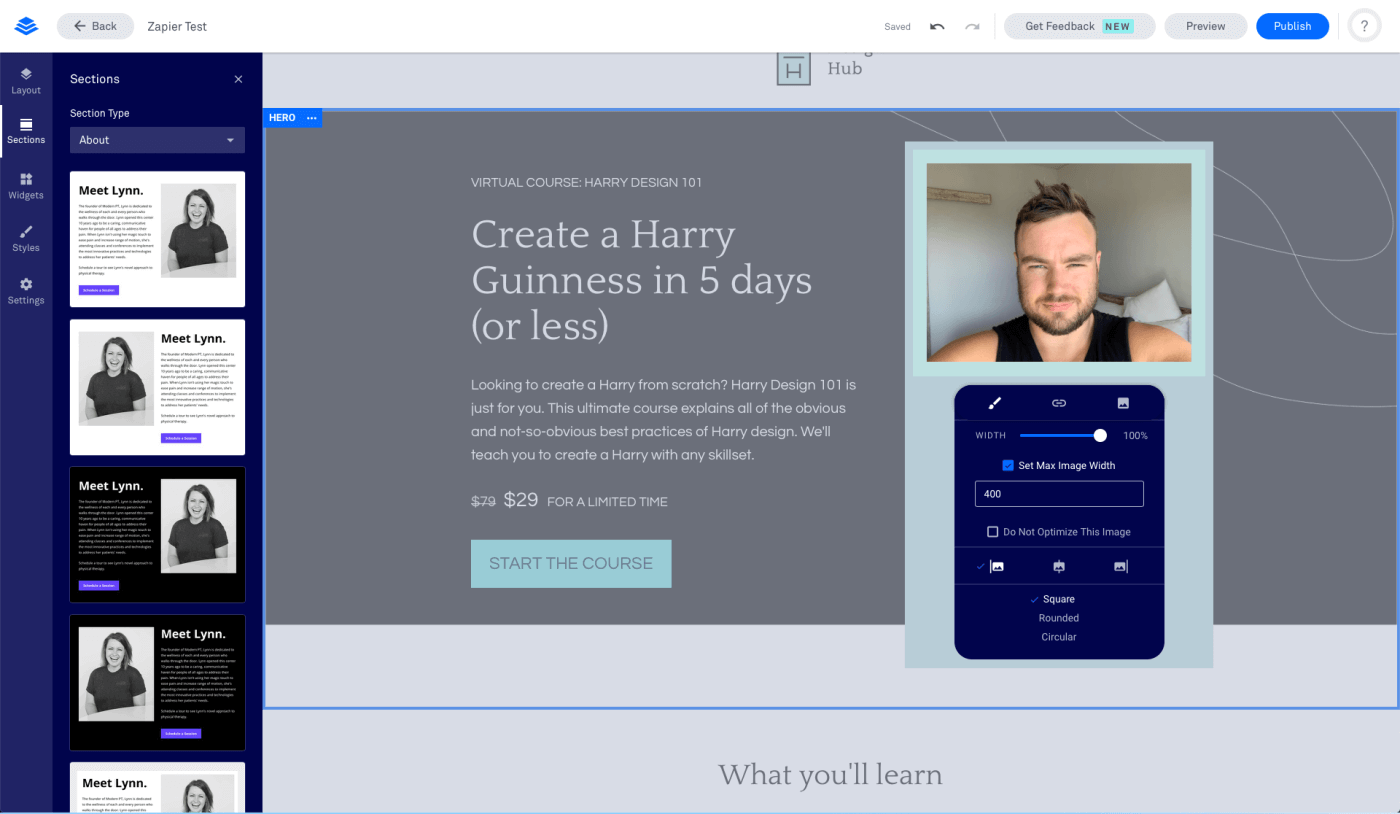
Leadpages is one of the most powerful landing page builders for growing email lists. The software offers a fantastic setup with over 200 mobile-friendly templates to choose from. Users will be able to create landing pages without hiring outside help by performing code-free drag-and-drop customizations.
Leadpages has functionality for all use cases. This means you can add images, countdown timers, a video player, a Calendly schedule, and more to make your page more appealing.
One unique feature of the service is its built-in conversion guidance. Before you even publish your landing page, you get predictions about your page’s performance, so you know what to tweak and avoid guessing.
Finally, landing pages from this service load quickly (compared to similar alternatives), helping you achieve more conversions and a higher PPC ad quality score.
Pros
- The service is powerful and versatile
- 200+ professionally designed landing page templates
- Built-in conversion guidance
- Easily sell products on your landing pages
- A/B split tests
Cons
- Support can sometimes be unresponsive, according to user reviews
- Steep pricing (especially for new users)
- Unlimited A/B testing on the highest tier plan only
Pricing
You can try Leadpages by signing up for the 14-day free trial. After that period, pricing starts at $49/month for unlimited landing pages and 1 site.
3. Moosend
Pricing: Starts at $9/month, 30-day free trial (Sign up here)
Best feature: Responsive pre-made templates
Rating: 4.7/5
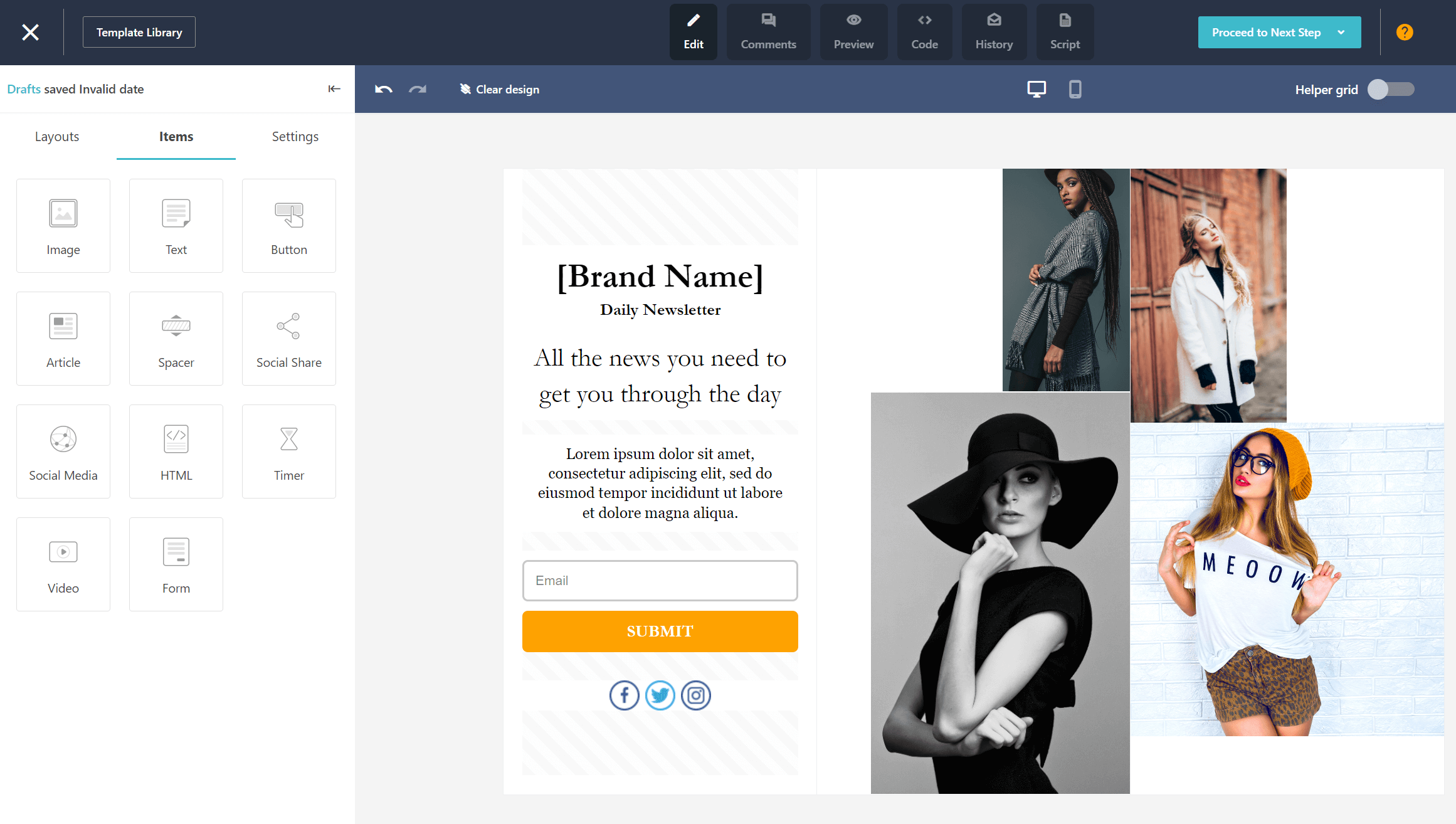
Moosend is an all-in-one email marketing and marketing automation platform with a powerful landing page creator. Since it’s very affordable, this is an ideal choice for businesses of all sizes, especially SMBs with limited budgets.
The landing page creator has drag-and-drop functionality, so even complete beginners can create professional, stylish landing pages without any coding experience. Plus, they are mobile-responsive to provide your mobile-first audience with a great experience.
The user-friendly interface makes it almost effortless to add advanced items to your design, such as countdown timers, buttons, videos, and more.
Inside the landing page template library, users will find beautiful templates for numerous occasions, including events, lead generation, and more.
Overall, Moosend is a great tool for engaging your email subscribers and redirecting them to your landing pages without additional software or extra cost. Plus, it integrates with many popular apps to help you streamline your efforts.
Pros
- Clean, modern UI with emphasis on usability
- Drag-and-drop page builder
- Template library to cover various marketing purposes
- Countdown timers to add urgency
- GDPR-compatible landing pages
- Forms and anti-bot protection
Cons
- No native A/B testing for landing pages
- Needs more customization options for available templates
Pricing
Moosend offers a 30-day free trial, allowing users to test the platform’s features. After that period, paid plans start at $9/month and give you access to all features, including unlimited landing pages, email campaigns, forms, personalization, and more.
4. ActiveCampaign
Pricing: Starts at $19/month, 14-day free trial (landing pages not included in the Starter plan)
Best feature: Supports payments via payment integrations (e.g., PayPal)
Rating: 4.5/5
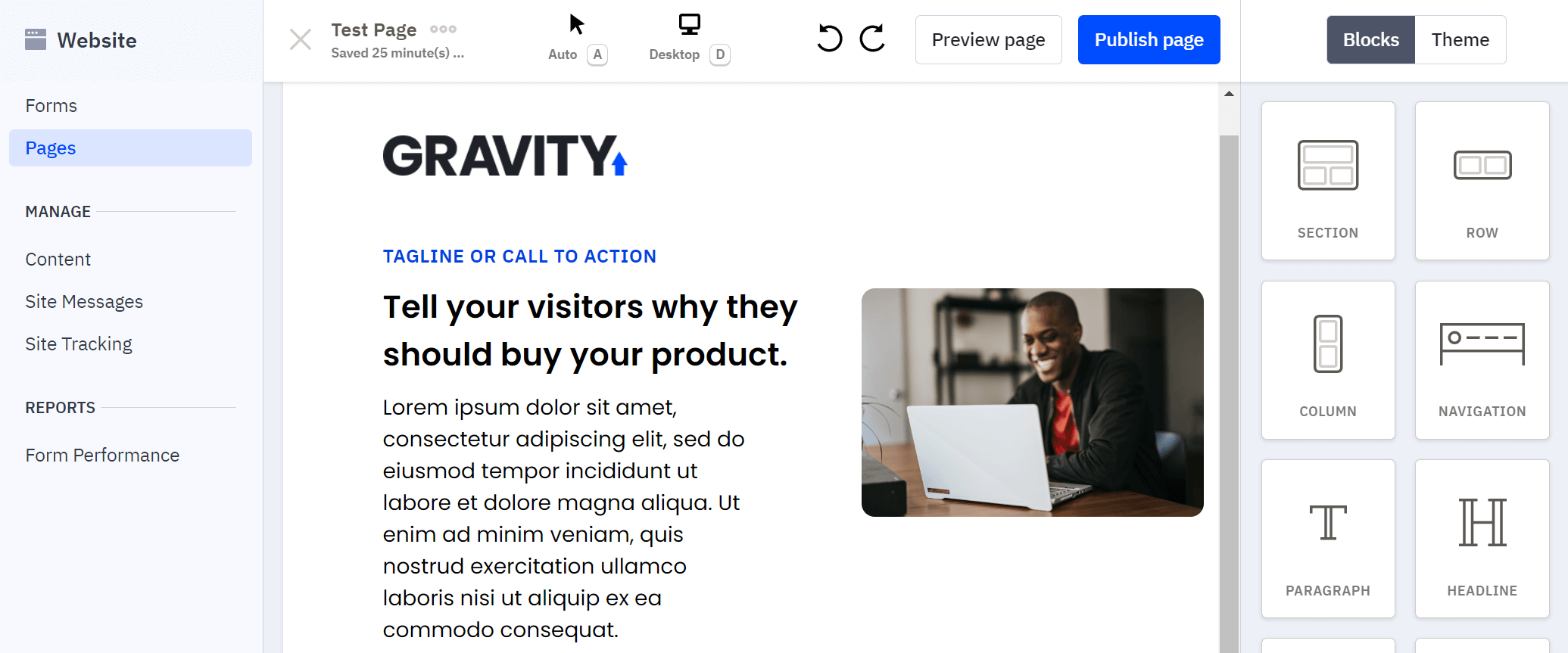
ActiveCampaign is a well-known marketing automation platform with a great landing page builder. The landing page designer offers drag-and-drop functionality and various blocks and layouts to help you format your page exactly as you want. You can design and test different buttons and CTAs to find the most clickable ones.
With ActiveCampaign’s landing page builder, you’ll be able to showcase products, embed custom sign-up forms, gather data, and promote events. We liked the ability to include a PayPal payment button, so visitors can make purchases directly from your landing pages.
To save you time, the platform has easy-to-customize landing page templates for various purposes. You can track user behavior across all pages and gain insights into your contacts and customers. Finally, you get reporting tools to understand your ROI and identify gaps across your marketing strategy.
Pros
- Drag-and-drop functionality (similar to the email editor)
- Multiple layouts and blocks
- Website and landing page tracking
- PayPal integration for purchases within the landing pages
Cons
- Expensive solution for businesses with limited budgets
- Complex tool for beginner users
Pricing
There is a free 14-day trial to test the platform’s features. Paid pricing starts at $19/month billed monthly (Starter plan), but for the landing page functionality, you’ll need the Plus plan ($59/month).
5. Instapage
Pricing: Starts at $99/month, 14-day free trial
Best feature: Built-in collaboration functionality
Rating: 4.3/5
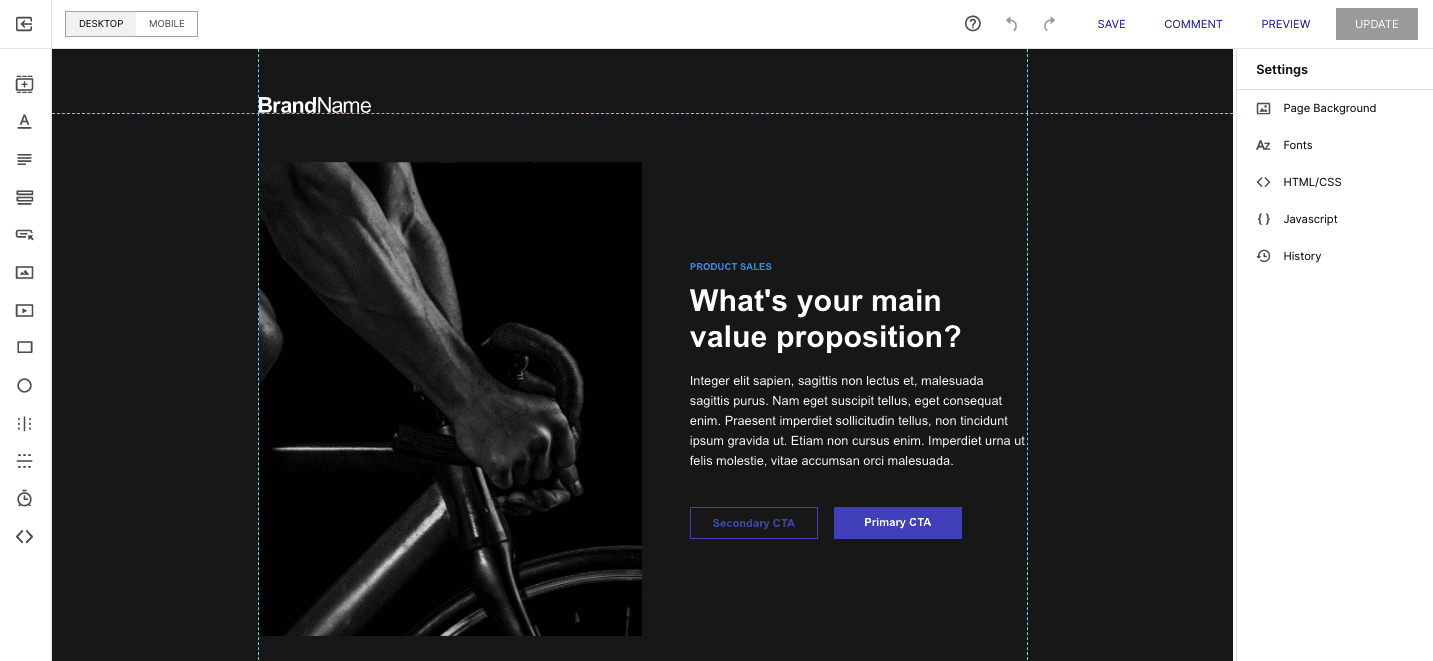
Instapage is another landing page platform you can use to cover your needs. With the simple drag-and-drop feature, you can create mobile-friendly, professional-looking landing pages in just a few minutes. You can also set up your pages in WordPress and fully customize anything within a block.
What sets Instapage apart is its excellent user experience and built-in collaboration features. Combined with the large number of layouts available, users have everything they need to ensure success.
Another handy feature is Instablocks. This enables you to reuse landing page assets and import them into other landing pages, helping you free up bandwidth.
Pros
- Over 500+ layouts for your landing pages
- Reusable pages
- Form builder and customizable widgets
- Heatmaps and A/B testing
- Real-time visual collaboration
Cons
- Too expensive for smaller businesses
- Customer service needs improvement
Pricing
There is a free 14-day trial for up to 2,500 unique visitors. After the trial ends, pricing starts at $99/month with the Create plan.
6. Wix
Pricing: Starts at $17/month, free plan
Best feature: Robust analytic tools
Rating: 4.2/5
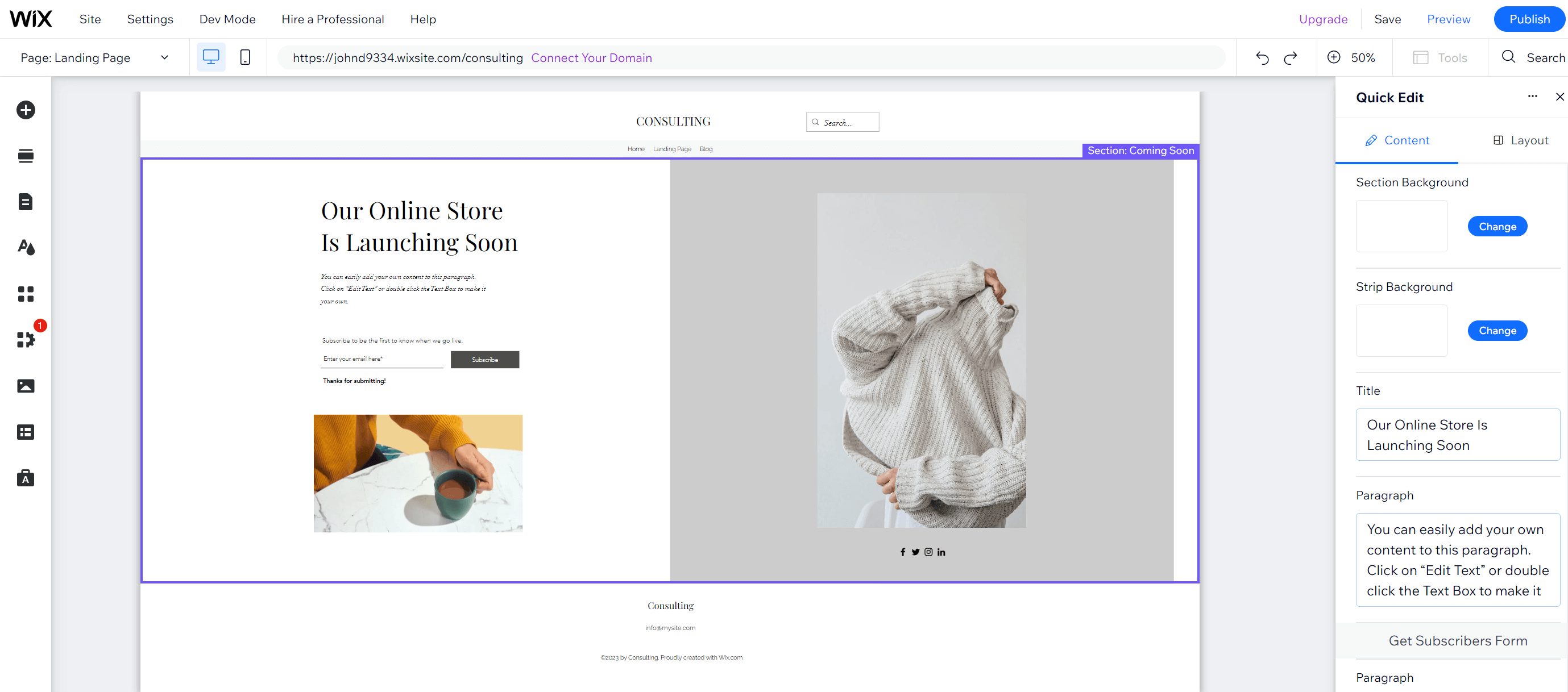
Wix is a website builder and one of the best free landing page builder tools. It is a great choice for beginners and small businesses because it is very easy to get started and offers affordable pricing.
With Wix, you can create your custom landing page or use pre-made widgets. No coding skills are required since everything is done through the drag-and-drop editor.
If you are in the eCommerce industry, Wix is now one of the top small-business eCommerce platforms. You can create eCommerce landing pages to showcase new products and promote exclusive deals to your audience. What’s more, you can build coming soon pages, webinars, and event pages.
Once your page is live, you can monitor and optimize performance using the robust analytics tools. You can connect with Google Analytics, Facebook Pixel, and other services to gain insights. Moreover, users can run A/B tests through Wix’s native “Test Site” functionality and integrate heatmaps (e.g., Microsoft Clarity), helping boost conversions.
Pros
- Beginner-friendly service
- A huge variety of 900+ aesthetic templates is available
- Built-in SEO optimization tools
- Ability to build custom web pages
- Integration with over 50 payment solutions
Cons
- Ads on the free plan and the lowest-tier premium plan
- Limited bandwidth and storage (on free and lowest-tier paid plans)
- A custom domain name is only available on premium plans
Pricing
Wix offers a free plan for creating landing pages, but it’s limited in customization and functionality. Additionally, your landing page will have Wix branding. Premium plans start at $17/month for the Light plan and reach up to $159/month for the Business Elite.
7. ClickFunnels
Pricing: Starts at $97/month, 14-day free trial
Best feature: Sales pages
Rating: 4.7/5
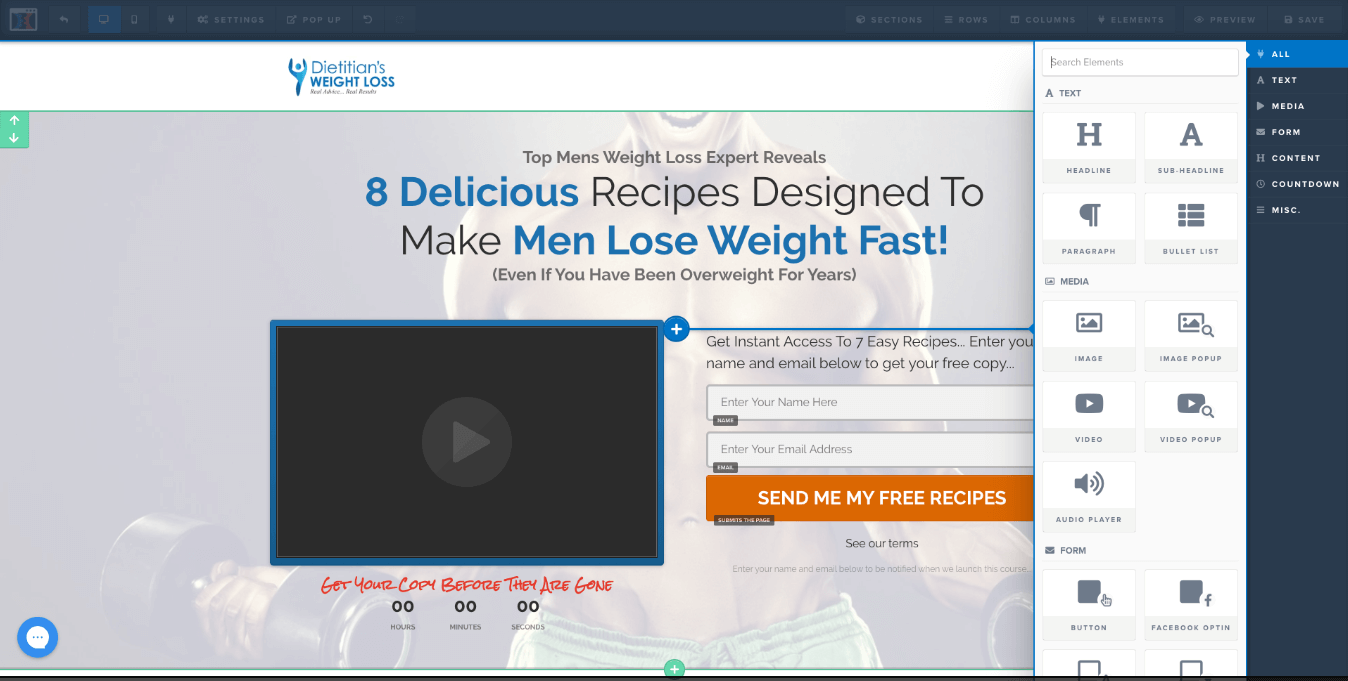
ClickFunnels is an all-in-one marketing funnel software. It focuses mostly on helping users create landing pages for upselling, cross-selling, and down-selling. You get pre-made landing page funnels and sales-oriented features that other landing page solutions lack.
Regarding creation, the tool is easy to use and versatile. You can quickly and effectively create opt-in pages, lead generation forms, and other sales pages.
The software also provides advanced analytics to view your conversion rates and analyze data. This enables you to better understand your audience and customize your follow-up campaigns accordingly.
Pros
- Webinar funnels, checkout funnels, membership funnels
- Heavily focused on generating leads, nurturing leads, and closing leads
- Sales dashboard for monitoring
- Integrations with Salesforce, Mailchimp, and other popular services
- Free and paid training events from seasoned marketers
Cons
- There are cheaper alternatives if you just want landing pages
- Customization options aren’t as rich as those of other solutions
Pricing
This landing page software offers a 14-day free trial. Premium pricing starts with the Basic plan at $147/month, allowing 1 website and unlimited landing pages, plus other useful features.
If you are looking for a more affordable solution, you can check out these ClickFunnels alternatives.
8. Swipe Pages
Pricing: Starts at $39/month, 14-day free trial
Best feature: Conversion-optimized templates
Rating: 4.8/5
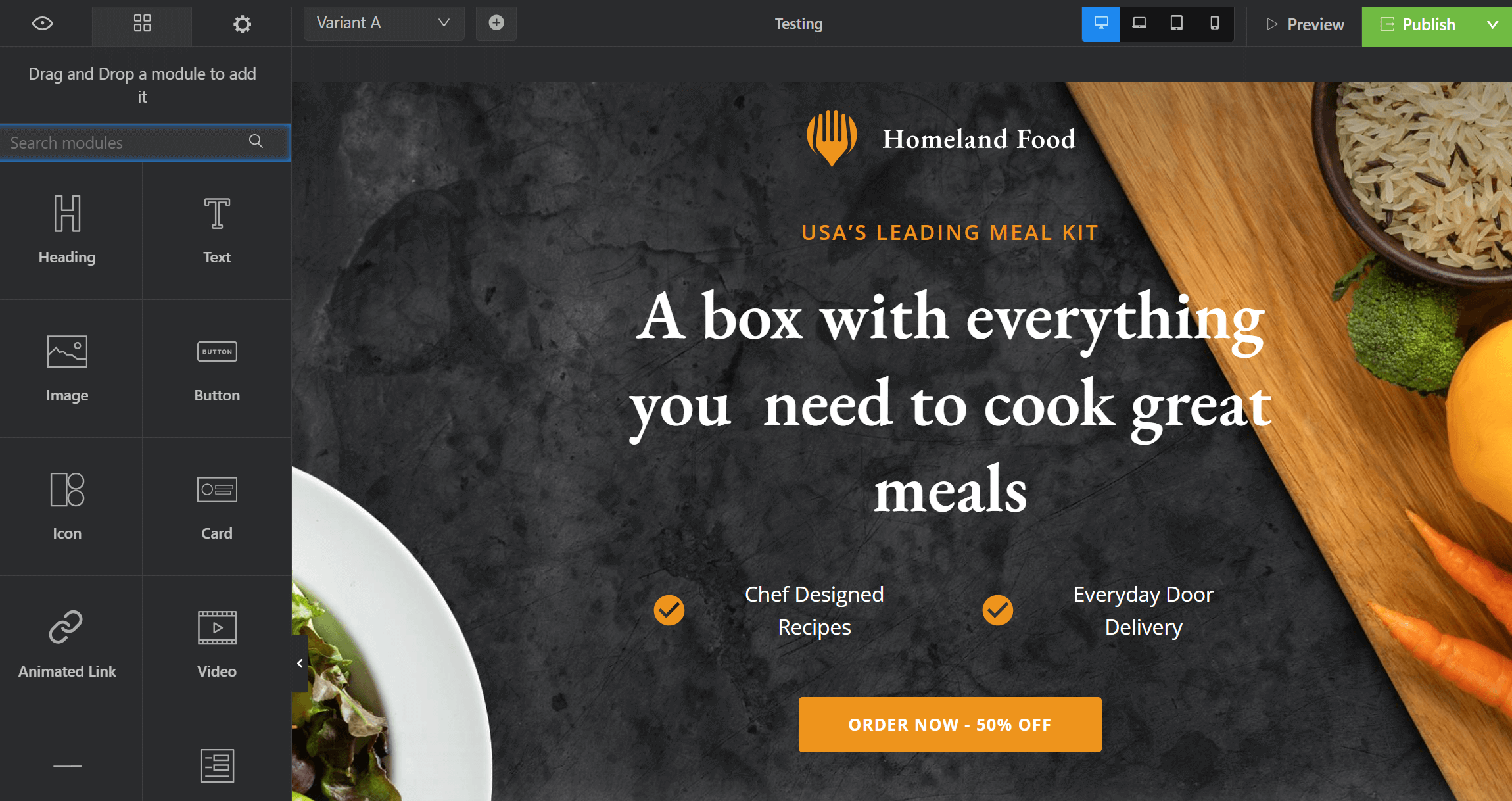
Swipe Pages is a premium yet budget-friendly landing page creator that empowers users to effortlessly convert ad clicks into leads and sales. With an intuitive interface and modern design, creators, marketers, businesses, and agencies can benefit from instant-loading landing pages.
The service offers great page speed and mobile optimization features to increase ad conversions. Also, it has an AI tool called Genie that generates a full landing page with just a few prompts.
Users can use the drag-and-drop interface to quickly create fully responsive landing pages. With 100+ conversion-optimized templates, A/B testing, and built-in analytics, Swipe Pages will allow you to drive results. You can capture leads, integrate with CRMs, and utilize direct or Zapier connections. Swipe Pages also lets you sell digital products using sales funnels and increase order value using one-click upsells.
Pros:
- Page speed and mobile optimization
- Good template collection
- Powerful A/B testing options
- Range of integrations & eCommerce functionality
- High traffic limits
Cons:
- Some features are available only in higher-tier plans
- Builder can be a bit complex for beginners
Pricing
You can get started with Swipe Pages through the 14-day free trial. After that period, pricing starts at $39/month for a plan that allows 1 custom domain and a traffic limit of 20k unique visitors per month.
9. Carrd
Pricing: Starts at $9/year, free plan
Best feature: Easy-to-use page builder
Rating: 4.5/5
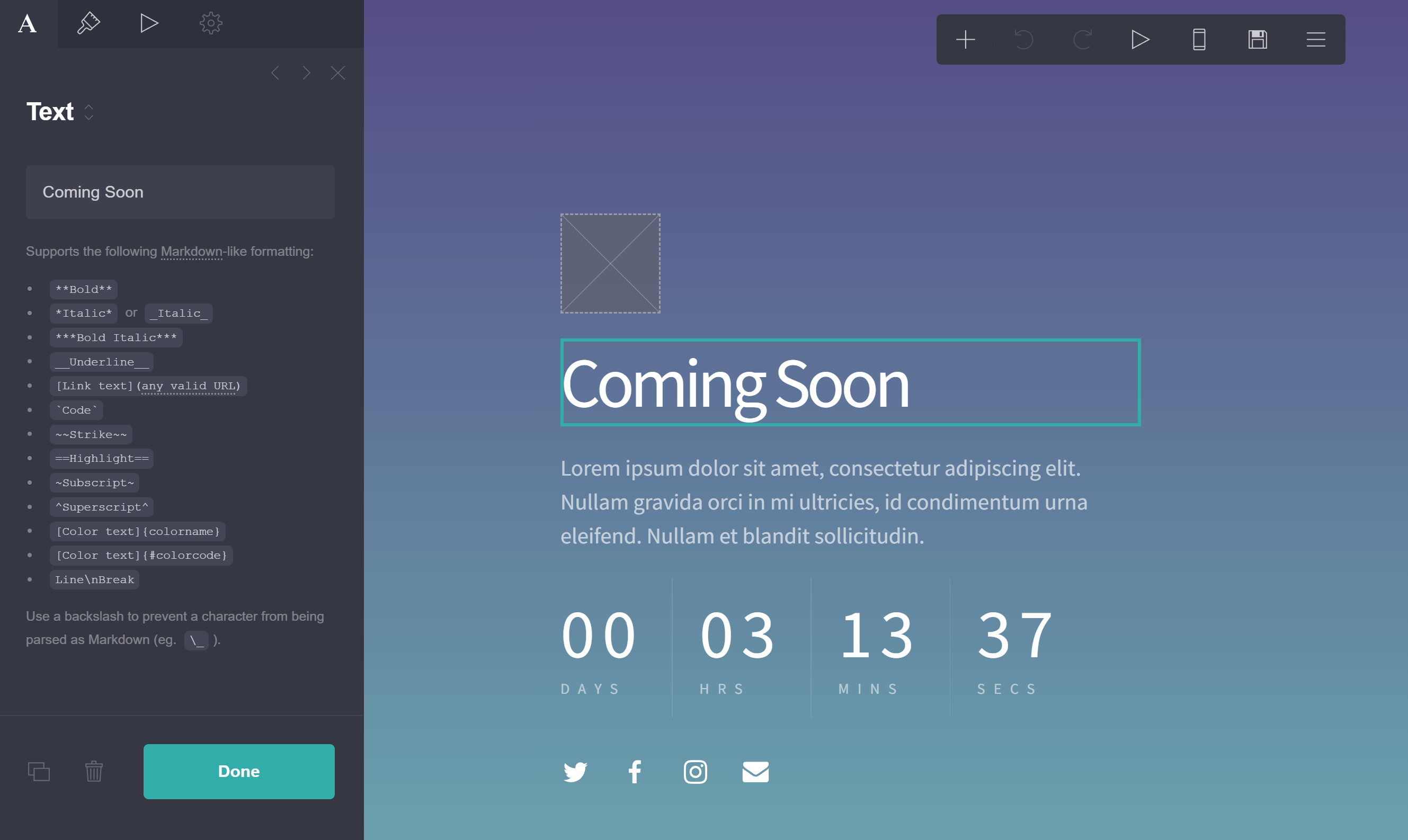
Carrd is a free landing page tool for creating pages and websites. It allows users to create single-page websites and landing pages for any purpose in just a few minutes. And best of all, you don’t even need to create an account to start building your web page.
Carrd is a solution that complete beginners will love because it’s easy to get started without any prior experience. The editor is straightforward, letting you add blocks for text, videos, images, forms, and more. Editing text can feel a bit confusing the first time, since you need to click the text, then edit it in the sidebar.
Thankfully, the size of each block is automatically adjusted for mobile devices, and there is a handy preview button that lets you switch to responsive mode.
There are also drawbacks, though. It’s worth mentioning that you cannot include a signup form on your page without paying. Additionally, your landing page design will have to stick to a certain “layout” as themes are a bit restrictive.
Pros
- Powerful editor to craft a landing page for free
- Simple and easy to get started, even for beginners
- No need to create an account to start designing
Cons
- Sometimes you may experience lags
- Limited free plan (no contact or signup forms included)
- Restrictive layouts (columned design)
Pricing
Carrd’s free plan lets you build up to 3 websites/landing pages using only core features, with up to 50 elements per site. If you want to opt for a premium plan, you can try it out for 7 days for free. Pricing starts at $9/year and unlocks more templates and features.
10. Elementor
Pricing: Starts at $4.99/month, billed annually in one payment (30-day money-back guarantee)
Best feature: Integration with popular WordPress themes
Rating: 4.6/5
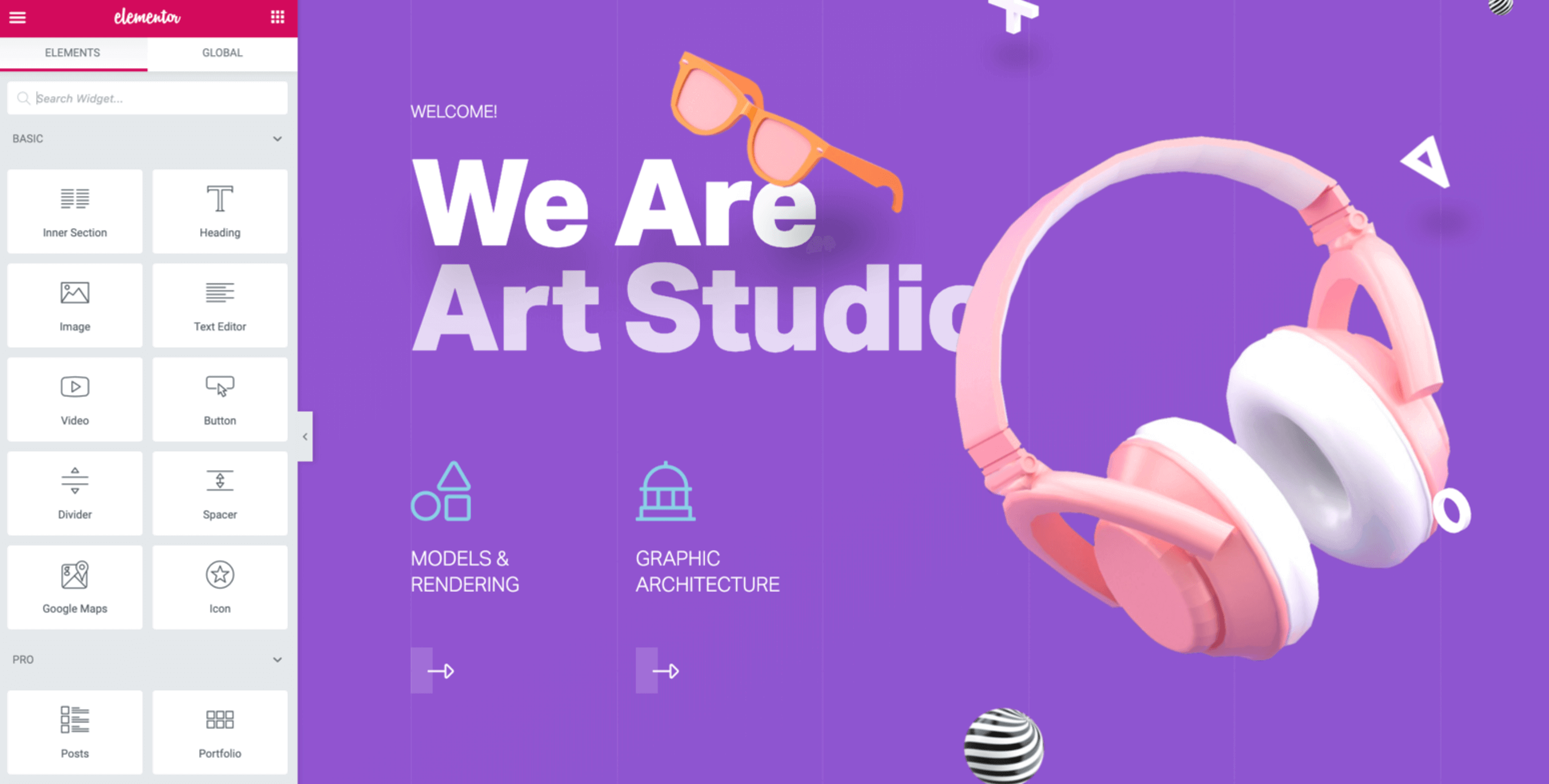
Elementor is a popular WordPress landing page builder with more than 300 free and premium templates to build your landing pages. Users can add more than 100 widgets to their landing page design. This makes Elementor a powerful tool for marketers, developers, and designers.
The interface is fast and user-friendly. Moreover, you’ll find that the most popular WordPress themes integrate with Elementor, allowing you to streamline your efforts. If you want to create a unique and original design, you can leverage the software’s “Hello” theme and start from scratch.
Finally, to track your metrics and gain insights into your visitors’ behavior, Elementor integrates with analytics and optimization tools, such as Google Analytics, Optimizely, Hotjar, and other popular services.
Pros
- Extensive library with designer-made landing page templates
- Powerful drag-and-drop editor
- Custom forms for lead generation
- Custom CSS and dynamic content
Cons
- Delays in page loading (compared to its alternatives)
- Customer support could use some improvement
- Third-party add-ons commonly cause issues
Pricing
The tool offers neither a free plan nor a trial period. However, there’s a 30-day money-back guarantee with no strings attached. Paid plans (for the plugin version) start with the Pro plan at $4.99/month, billed annually in a single $60/year payment. This covers 1 site, including the landing page builder.
11. HubSpot Marketing Hub
Pricing: Starts at $20/month, free plan
Best feature: Smart landing page rules
Rating: 4.4/5
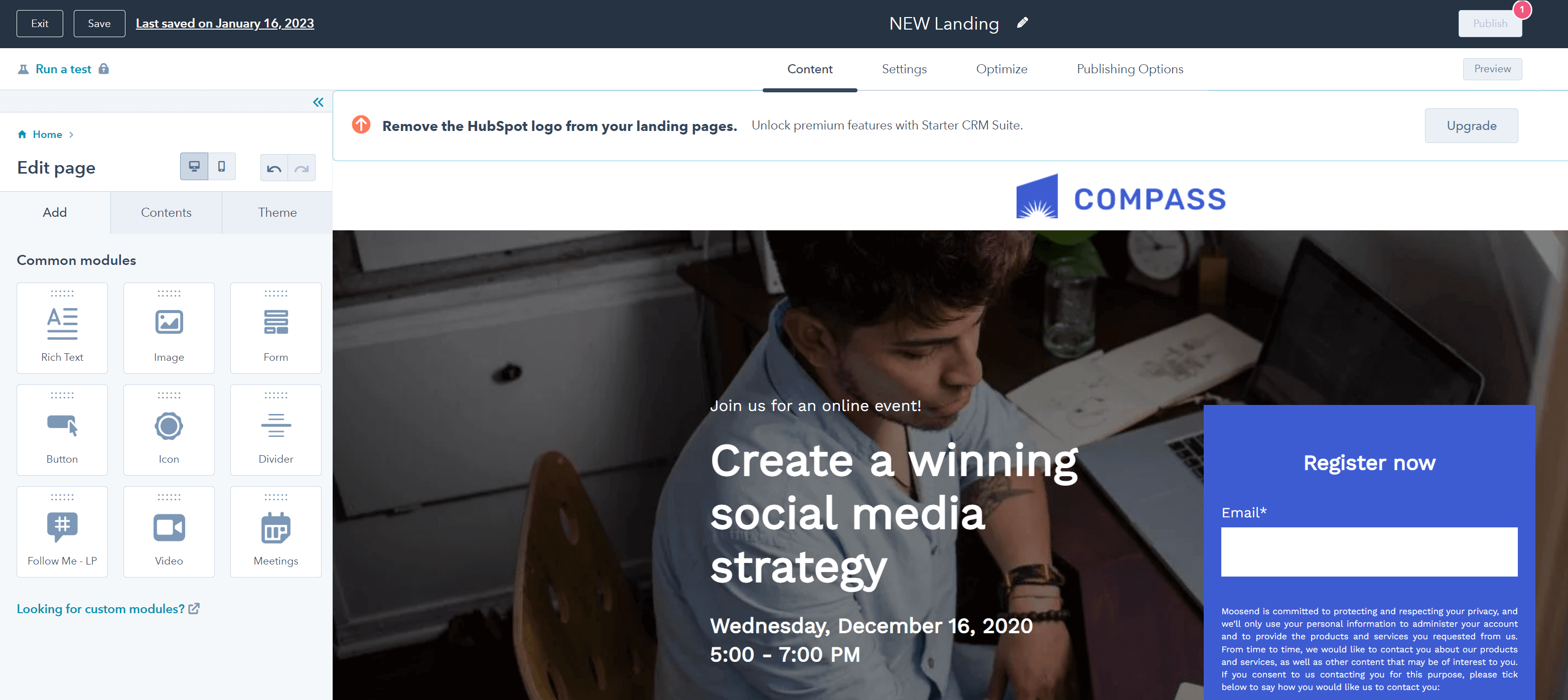
HubSpot is an all-in-one suite of inbound marketing tools with free CRM. Designing a new landing page is straightforward, thanks to the editor’s speed and responsiveness.
You can customize the beautiful landing page templates the service offers, add multimedia content, and adjust them in the editor. You can also A/B test your landing pages, but you’re limited to 5 versions at a time.
What’s more, you can add smart rules to your landing pages. This enables you to show content based on each visitor’s location, source, device, lifecycle stage, and more.
To learn how your landing pages are performing, the platform gives you a rich analytics dashboard. From how many visits, contacts, and customers each page generates to which channels your audience comes from, all essential information is included.
Pros
- Drag-and-drop editor
- Personalized landing pages enriched with data from CRM
- Helpful landing page A/B testing feature
- Simple and clean UI
- Minimal learning curve to master the platform
- Ability to add chat to your pages
Cons
- Quite pricey compared to similar services
- Simple landing page templates (in the free version)
- May take some time to fully set up the platform
- Up to 20 landing pages (in the free version)
Pricing
HubSpot’s free plan includes 20 landing pages and has only basic pre-made templates. Paid subscriptions to the software start at $20/month for 1,000 marketing contacts and lift all landing page restrictions.
As of January 2026, HubSpot is running a promotional deal offering the Starter plan at $9/month/seat. Please note that this is a limited-time offer for new customers and applies only to annual plans.
While HubSpot offers a range of tools to support your marketing efforts, its pricing is steep, ranging from $20 to $890. If you want more affordable and scalable software, check out HubSpot’s best alternatives.
12. Duda
Pricing: Starts at $25/month, 14-day trial
Best feature: Industry-specific landing page templates
Rating: 4.6/5
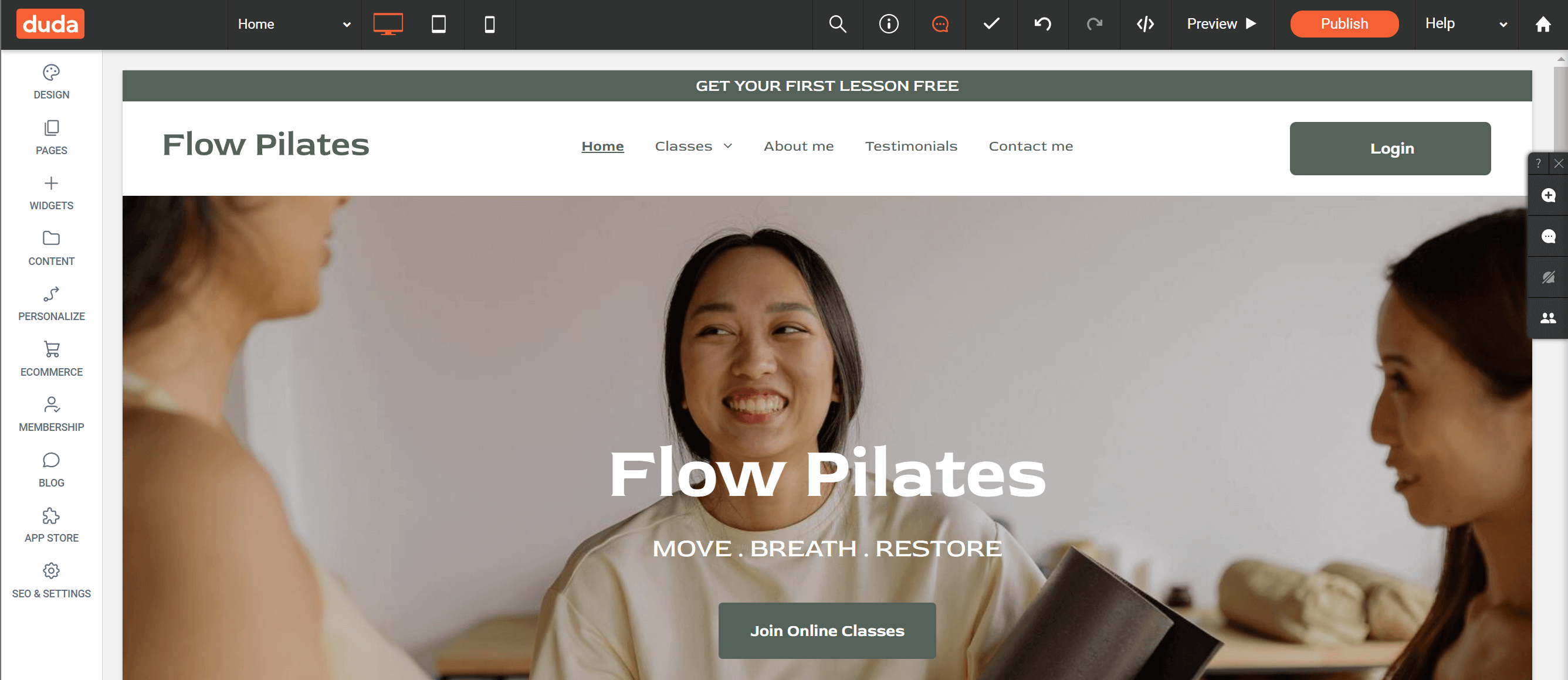
Duda is a no-code website builder designed to handle all the needs of a digital marketing agency. The software offers industry-specific landing page templates to deliver a great user experience to your audience. The drag-and-drop tools are very handy, and you can insert advanced elements for a pixel-perfect design.
While users don’t get “total” drag-and-drop freedom, they can still craft a good landing page that converts the audience. Agencies will also be able to streamline most of their processes through this tool on a single platform.
Pros
- Various industry-specific templates (online store, events, education, etc.)
- SEO tools to optimize your landing pages
- Team collaboration options
- Client Billing feature to streamline your agency’s billing operation
Cons
- Not the most flexible design-wise
- Font selection is a bit limited
Pricing
Duda offers a 14-day free trial to test out its features before committing. Paid plans start at $25/month with the Basic plan.
13. Thrive Architect
Pricing: Starts at $199/year
Best feature: Full-page customization
Rating: 4.2/5
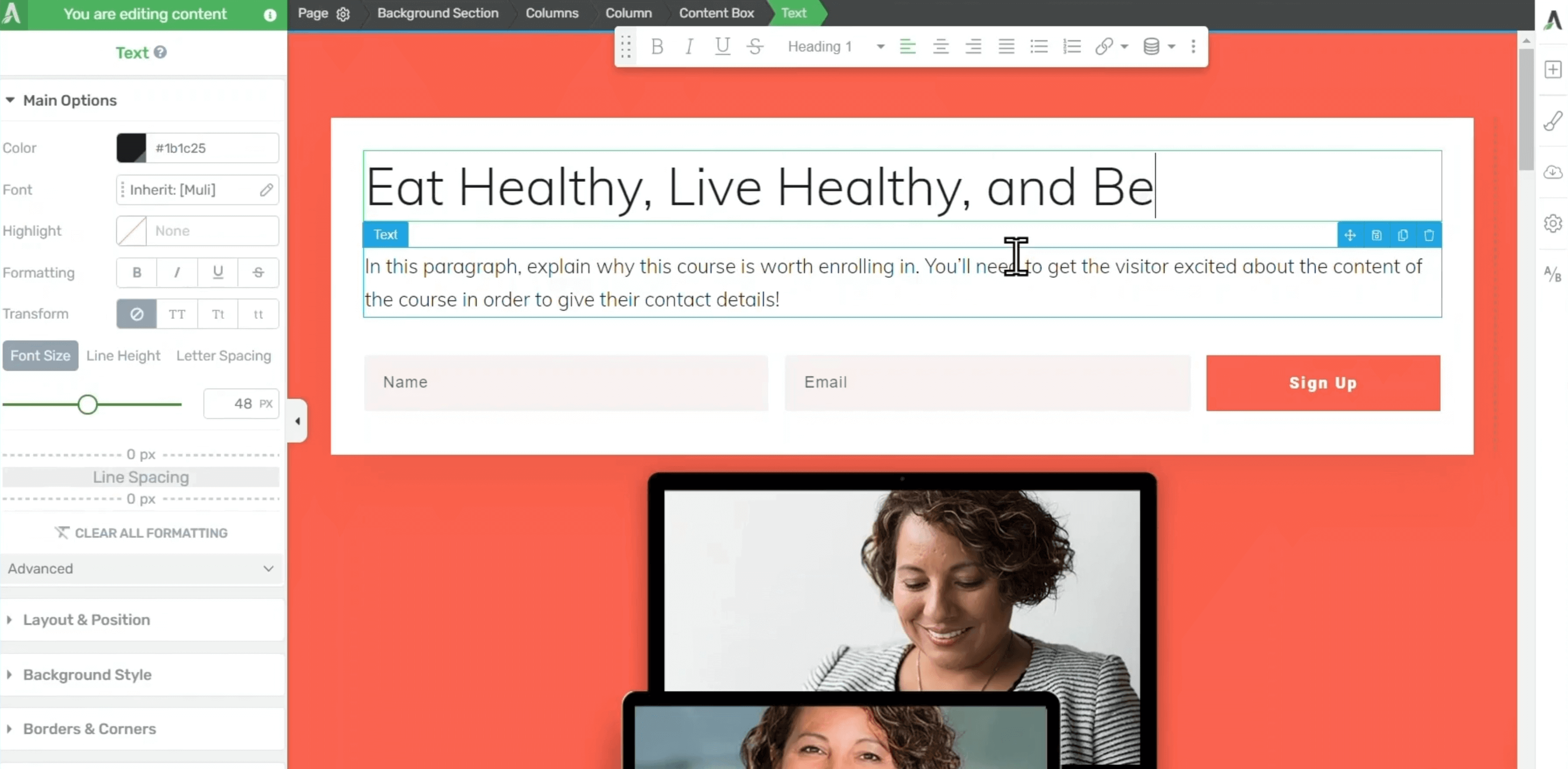
Thrive Architect is a well-known WordPress page builder with a focus on creating converting landing pages. It is arguably one of the fastest landing page builders out there. The drag-and-drop builder follows a “click-to-edit” approach, so it’s extremely easy to customize things you see on your landing page design.
The good thing about this tool is that every page you create is 100% customizable. Thrive Architect features Smart Landing Page functionality, allowing users to customize full pages with ease. This also helps save crucial time you would otherwise spend searching for individual settings.
One downside of the product, though, is that you cannot A/B test your landing pages unless you opt for Thrive Optimize, which costs a lot more.
Pros
- 250+ customizable, fill-in landing page templates
- Ultra-fast landing page editor
- Conversion-oriented landing page items/elements
- Flexible column layouts
- Lifetime updates
Cons
- No A/B testing on Thrive Architect (only on Thrive Optimize)
- Not as many elements when compared to other builders
- Some bugs still need fixing
Pricing
There is no free plan or trial for Thrive Architect. The tool costs $199 per year, while if you opt for Thrive Optimize to have A/B testing, you’ll need to pay $399/year.
14. Landingi
Pricing: Starts at $29/month, 14-day free trial
Best feature: Editor supports HTML and JavaScript
Rating: 4.5/5
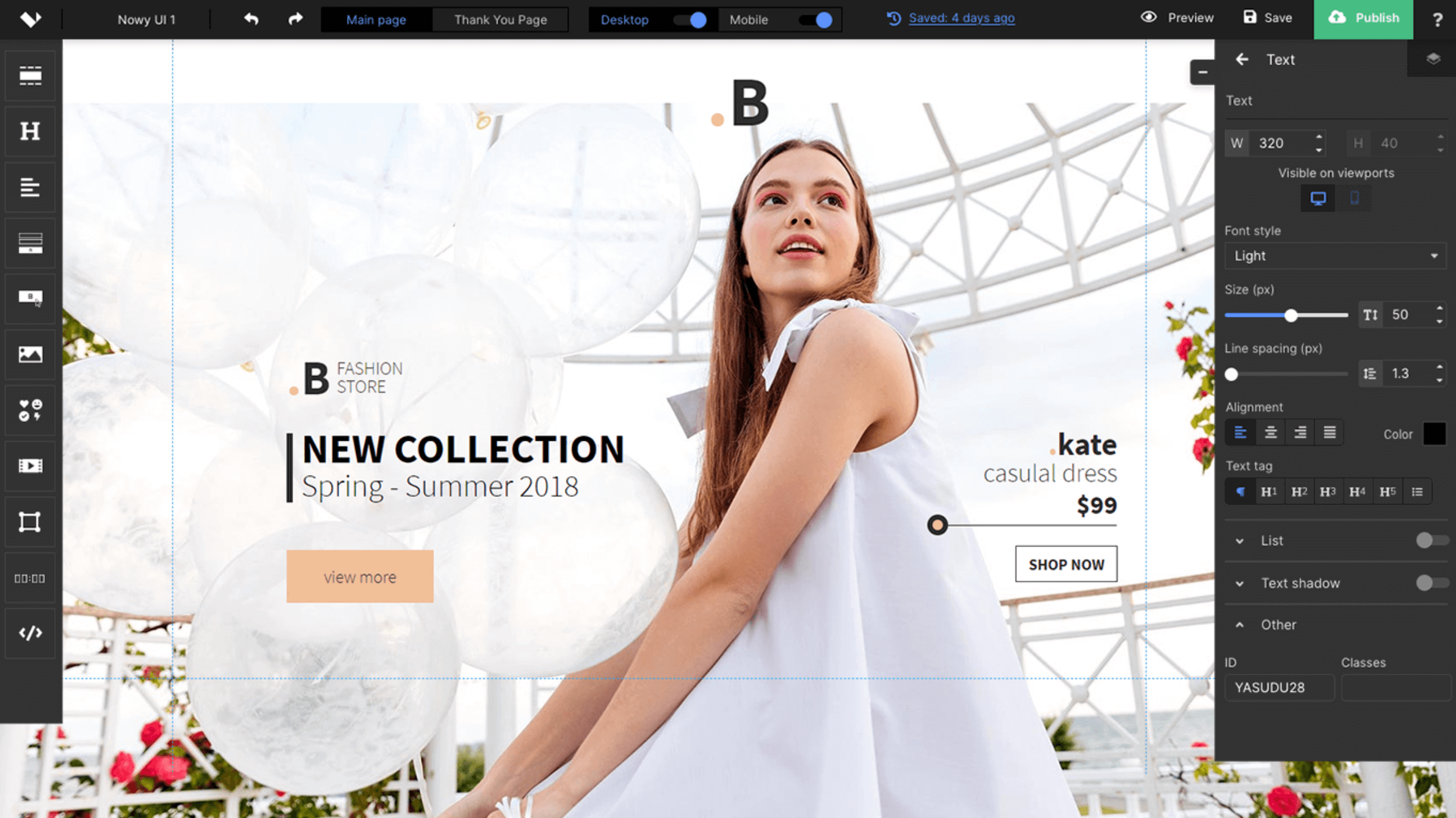
Landingi is another powerful tool that lets users build high-converting landing pages in just a few minutes. The tool comes with a fully drag-and-drop editor that’s straightforward and flexible. Additionally, there are more than 300 ready-to-use templates if you want to deliver something quickly. But you may not even need them, since the tool will help you unleash your creativity.
With Landingi, users can link landing pages together to form multi-page landing sites. You also get a form creator and a pop-up builder to skyrocket your lead generation strategy. A/B testing is supported, while the platform integrates well with CRMs, email marketing, workflow automation, analytics, and more.
Lastly, although the platform is designed for everyone, the landing page creator supports HTML and JavaScript, allowing developers to add code where needed.
Pros
- Unlimited landing pages and conversions
- More than 400 landing page templates for various industries
- Landing page funnels
- Responsive customer service
Cons
- Analytics could be richer
- Centering multiple blocks can become a bit tricky
Pricing
Landingi offers a 14-day free trial of its landing page builder. Then, paid plans start at $29/month.
15. Kit
Pricing: Starts at $39/month, limited free plan
Best feature: Built-in Unsplash integration
Rating: 4.4/5
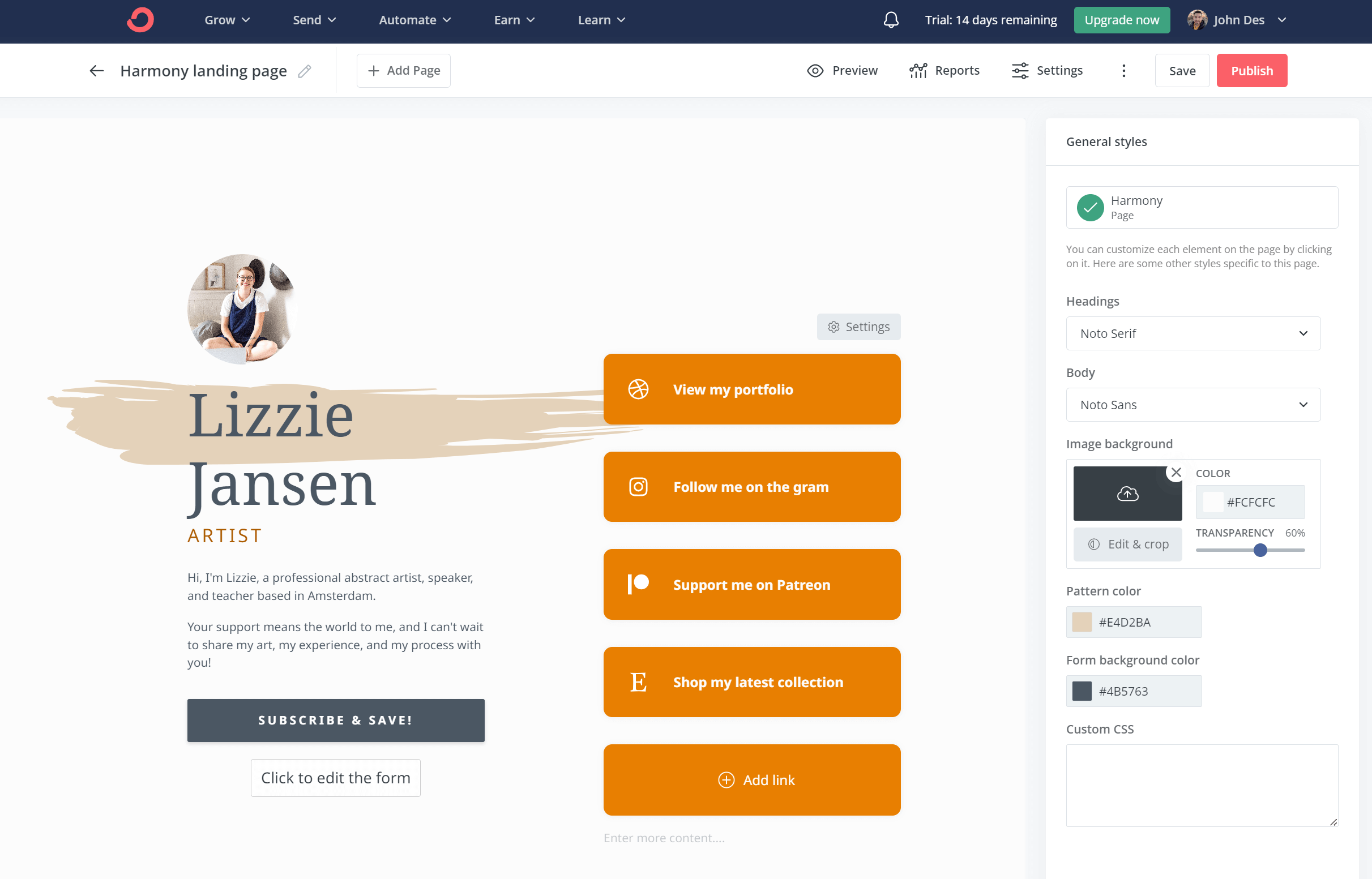
Kit is another great service for launching your first landing page and collecting email addresses to grow your business. If you are a blogger, YouTuber, author, or musician, the service will be a good match for you.
This landing page builder offers stunning templates for many use cases, including podcasts, ebooks, and videos. All of them are mobile responsive and look good on all devices. Users can also add Unsplash photos to their pages, making them more eye-catching. The editor is generally easy to use, and its modern aesthetic is a plus.
Despite that, you’ll see that some themes restrict you in terms of what you can do. But if you’re willing to overlook that, this landing page creator can do wonders.
Pros
- Great landing page builder to monetize what you do
- Dynamic forms
- Free to get started
- Thousands of images are available free of charge
- Seamless integration with third-party tools
Cons
- Some of the available themes are restrictive
- Limited A/B testing options
- Analytics could be better
Pricing
Kit offers a free plan with up to 10,000 contacts and unlimited landing pages. To unlock third-party integrations and more powerful features, paid plans start at $39/month.
16. Woorise
Pricing: Starts at $29/month, 14-day free trial
Best feature: Interactive marketing campaigns
Rating: 4.6/5
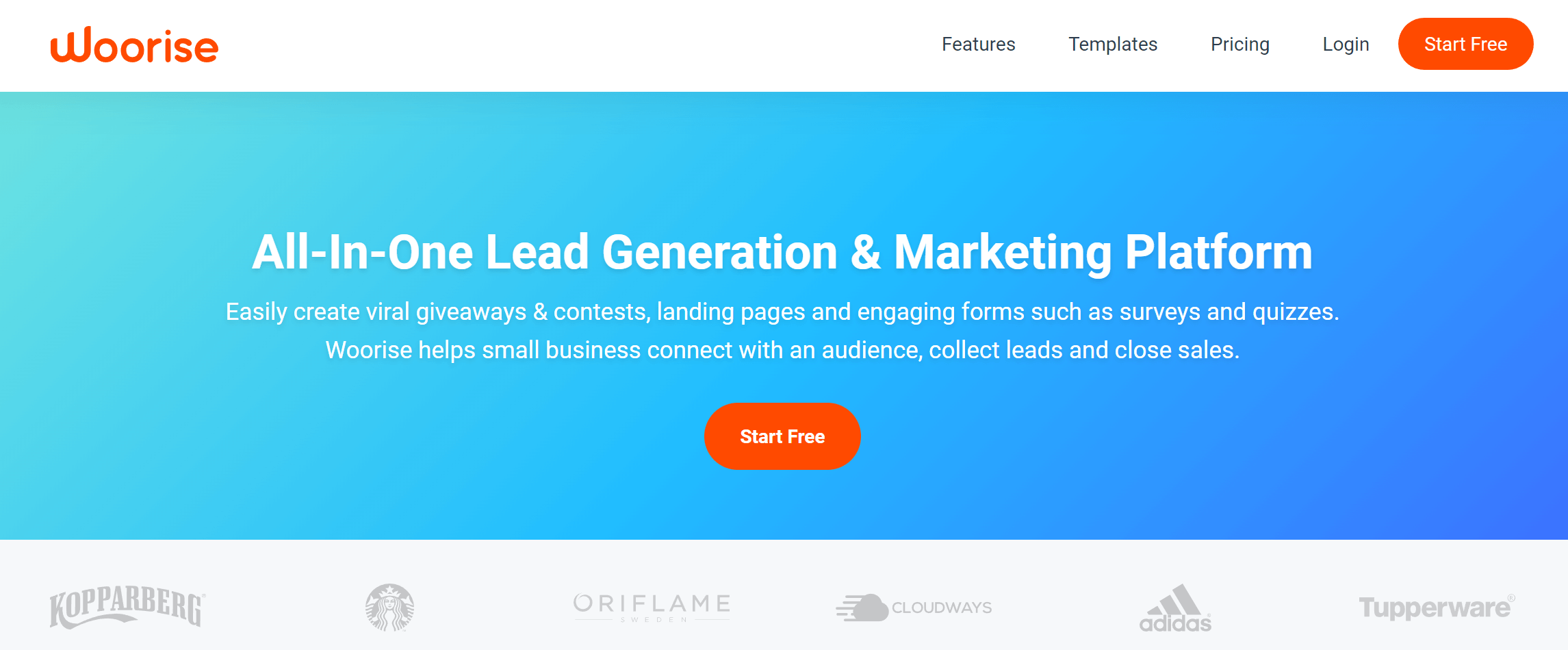
Woorise is an excellent landing page builder solution for businesses looking to create high-converting pages. With a range of customizable templates, an intuitive drag-and-drop landing page editor, a form builder, and powerful conversion optimization features, Woorise makes it easy to create landing pages that drive results.
One of its best features is the user-friendly interface. You can easily add and remove elements, adjust the layout, and customize the design to match your brand. With a range of pre-made templates to choose from, you can get started quickly and easily, even if you don’t have any design experience.
Another great feature is that it lets you create a wide range of interactive marketing campaigns, including landing pages, forms, surveys, quizzes, viral giveaways, contests, and more, all from a single platform.
Pros
- Beautiful and fast design with a powerful drag & drop landing page builder
- Create forms, promotions, quizzes, surveys, and accept payments
- 100+ customizable templates for interactive campaigns and landing pages
- Multi-language support
- Workspaces to manage all your brands or clients from a single account
Cons
- Advanced features are not available on the Free plan
- Custom domain name is found on premium plans
Pricing
Woorise offers a 14-day free trial to test the software. Premium plans start with the Basic plan at $29/month, allowing you to create unlimited landing pages and forms.
How We Selected The Tools
All of the tools in this list have been tested by our team to provide an unbiased description of its features and capabilities.
We spent hours setting up new accounts and trying each software to provide an accurate experience and show users exactly what they will come across when they sign up. Find more information about our software selection methodology on how we choose tools to feature on the Moosend Blog.
Common Landing Page Use Cases
Here are the most common landing page use cases, and what to prioritize for each one:
- Lead capture: Best for turning visitors into contacts. The page should highlight one clear benefit, request minimal information, and clearly explain what the visitor gets in return.
- Email newsletter signup: Spell out the value of subscribing, how often emails are sent, and who the content is meant for, so visitors feel comfortable signing up.
- Product launch/feature announcement: Built to generate interest around something new. Lead with the main value, support it with visuals, and guide visitors to a single action, such as joining a waitlist or requesting access.
- Webinar or event registration: Designed to help visitors decide fast and reduce no-shows. Clearly show the topic, date, time, and key takeaways so people can quickly assess relevance
- Free trial/demo request: Meant for evaluation-stage visitors. Keep the form short and make the next step obvious, whether that’s instant access or a scheduled call.
- Limited-time offer/discount page: This landing page type focuses on urgency and conversion. Surface the offer, deadline, and eligibility immediately, and remove anything that might slow down the decision.
- Checkout page (direct purchase): The final step before conversion. Strip away distractions, show what’s included alongside the price, and reinforce trust in security and payment.
- Survey/quiz/assessment: Since this use case is intended to generate leads or gather feedback, keep the first step as simple as possible. Use progress indicators and a strong “result” payoff, then capture emails right before the results or at the end.
- Waitlist/pre-launch interest page: Sell the “why” and the exclusivity. Emphasize early access or priority benefits, and minimize sign-up friction.
- App download page: Use a quick product summary, key features, and social proof, such as ratings. Make store badges prominent and ensure the page is fast and mobile-first.
Of course, whether your goal is lead generation, extending an event invitation, or promoting a new feature or product, matching the page to the visitor’s intent and making the next step feel logical and natural is the common denominator.
Common Landing Page Mistakes to Avoid
Before you commit to a landing page builder, run through this quick checklist of common mistakes that lead to wasted spend, poor conversions, or painful rebuilds.
- Choosing based on templates alone: A pretty template won’t help if the editor is restrictive, pages load slowly, or key elements like forms, tracking, or popups are plan-locked.
- Ignoring speed and mobile experience: If the builder produces pages that load too slowly, expect higher bounce rates.
- Overpaying for features you won’t use: Some tools are priced for teams and advanced experimentation. If you don’t need complex collaboration or enterprise integrations, you can often get the same results with a lighter stack.
- Missing A/B testing limitations: Many builders offer testing only on higher-tier plans, or cap the number of variants. Make sure you can test crucial landing page elements, such as your headline, CTA, and form length.
- Underestimating form and tracking requirements: Confirm you can add custom fields, validation, consent checkboxes (GDPR), and connect your tracking platform (GA4, Meta Pixel, tag manager) without complex workarounds.
- Locking yourself into a weak integration ecosystem: If it doesn’t connect cleanly to your email marketing platform, CRM, or automation workflows, you’ll end up jumping between tabs and, eventually, losing momentum.
- Publishing without a clear goal: Multiple CTAs, extra navigation, or competing offers dilute conversions. Keep one primary action per page.
- Skipping basic SEO settings: Landing pages should support titles, meta descriptions, and image alt text, especially if you plan to reuse them long-term.
Additional Resources
If you’ve followed all the steps and you’ve found the perfect builder, you can start creating your pages on the spot. Below, we compiled some resources to help you with the creation and optimization process:
- How To Create A Landing Page
- Best Types Of Landing Pages For Email Campaign Success
- Landing Page Design Examples
- Landing Page Best Practices For Higher Conversions
- Landing Page Optimization Strategies
Choosing the Best Landing Page Builder
The best solution is the one that helps users create a landing page quickly, without coding skills. It needs to be flexible, easy to use, and most of all affordable.
A solution that ticks all the boxes without any compromises is Unbounce. It will satisfy even the most demanding users, and you won’t need to spend hours to make a beautiful, high-converting design.
If you want a more comprehensive solution, consider Moosend or Kit to combine email marketing with landing pages.
Want to give Moosend’s landing pages a go? Try them by registering for a free account today!
Frequently Asked Questions (FAQ)
Here are some of the most frequently asked questions we’ve been getting from users.
1. How does a landing page differ from a homepage and a webpage?
A landing page is focused on a single goal, such as capturing leads or driving sales, with minimal distractions, a value proposition, and a clear CTA. On the other hand, a homepage provides an overview of the entire website and offers multiple navigation options, while a webpage provides specific information within the site.
2. Can I build a landing page for free?
You can use a free landing page builder to create your pages or take advantage of any free trials. Some of the most dedicated landing page builders are Unbounce, Leadpages, Instapage, and Carrd. If you want an all-in-one tool, Moosend and Kit are also great options. You won’t even need to pay for hosting, as these tools have you covered.
3. How do I create my landing page?
To create your landing page, you first need to select a robust landing page builder. Choose a template, add your unique content, and customize your copy. Then craft your CTAs and add branding elements such as your logo and brand colors. Finally, set your SEO settings and publish your landing page.
4. Do landing pages affect SEO?
Yes, landing pages can affect SEO when they are built and optimized correctly. A well-structured landing page with clear copy, relevant keywords, fast loading speed, and a good user experience can support your overall SEO efforts. It can attract organic traffic, reduce bounce rates, and help search engines understand what your page is about. However, poorly designed landing pages with thin content, duplicate copy, or heavy scripts can hurt performance rather than improve it.
5. Do landing pages rank on Google?
Search engines treat landing pages like any other web page. If a landing page offers valuable content, matches search intent, and follows SEO best practices, it can appear in search results. That said, not all landing pages are meant to rank. Campaign-specific pages built only for ads may perform better with paid traffic, while SEO-focused landing pages are designed with organic visibility in mind.
6. How do landing pages fit into your sales funnel?
Landing pages play a key role in guiding users through your sales funnel. They are designed to capture attention at a specific stage, whether that’s awareness, consideration, or conversion. Instead of sending visitors to a generic page, landing pages focus on one goal, such as collecting leads, promoting an offer, or driving sign-ups. This focus helps move users to the next step of the funnel faster, with less friction and fewer distractions.
When aligned with your funnel stages, landing pages improve conversions and make it easier to track what’s working at each step.
Similar Posts
 Published by
 Published by

Create, send and optimize your email marketing campaigns