















6 Steps To Launch A Campaign Without Starting from Scratch [2026]
Published By Tea Liarokapi
June 24, 2026

24/06/26
Most of the time, launching a campaign isn’t hard. On the contrary, it’s repetition that makes the task menial and, sometimes, uninspiring.
You’re rebuilding layouts you’ve already used, rewriting sections that barely change, and spending time on setup instead of the actual message. That’s the friction. Not the tool or the strategy.
How about, instead of optimizing how you build from scratch, you just skip that step entirely?
Reuse what already exists. Start from a template, duplicate a campaign, pull in saved sections, and only touch what actually impacts performance.
In this guide, we’ll show you how to create an email marketing campaign in Moosend without starting from zero, so you can get from idea to send-ready much faster.
Build faster with what already works
Start with premade templates to get from idea to send-ready without creating from scratch.
Try MoosendHow to Go from Setup to Send
The fastest way to launch a campaign in Moosend is to build on existing assets, whether that’s a saved layout, a previous campaign, or reusable sections. Let’s break the process down into six easy steps.
Step 1: Start with a regular campaign
To create an email marketing campaign, start with a regular campaign. That’s the type Moosend uses for newsletters, promotional emails, and product updates, so it is the right default for most recurring sends.
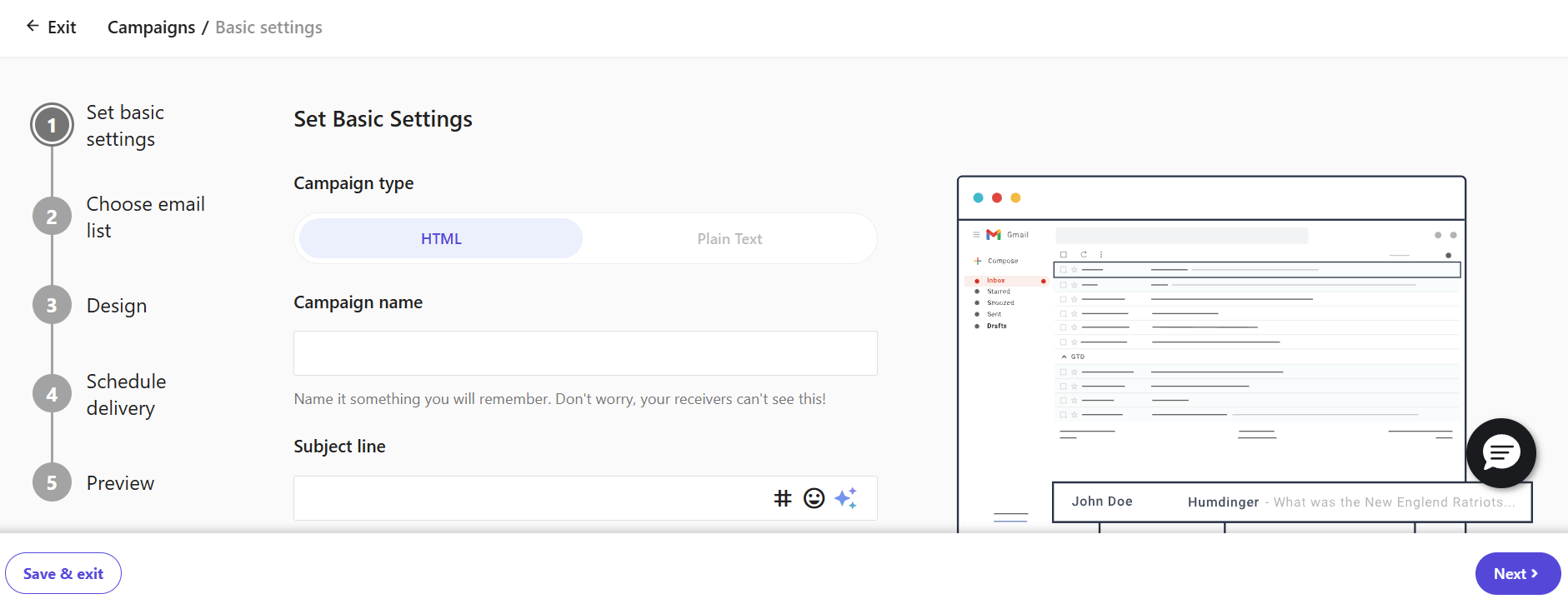
On the setup screen, focus on the fields that actually move the campaign forward: The campaign name, subject line, preview text, and from name/email:
Moosend also lets you add an unsubscribe link (which is a core element of your email marketing strategy as a whole), reply-to details, a confirmation email, and optional tracking settings at this stage:
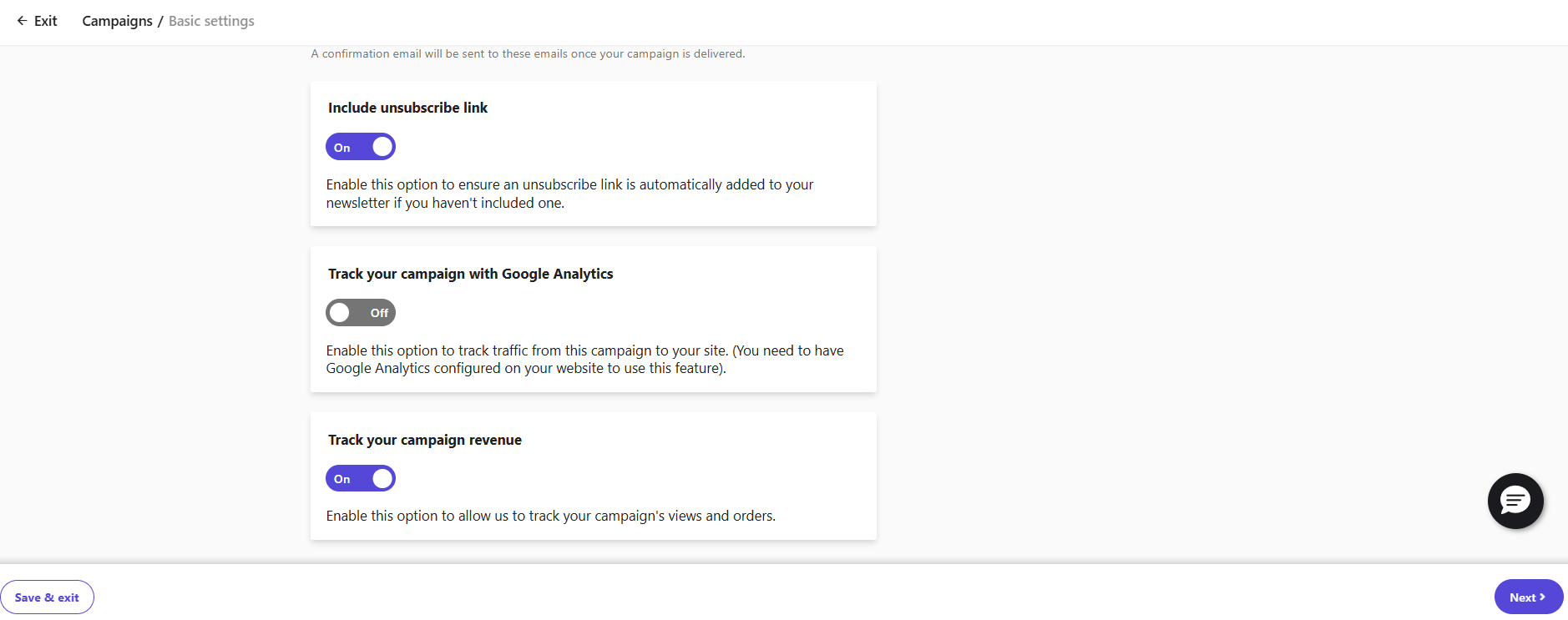
This is your basic setup, not where you should spend your creative energy, so don’t treat this step like the campaign itself. The campaign name is for internal use; the subject line can be refined later, and sender details should already be established before launch.
In other words, this step gets you through the setup cleanly. Then, you can save time and effort by choosing an existing template, duplicating a past campaign, or reusing saved sections instead of building from scratch.
Step 2: Choose your starting point
As we’ve already established, you don’t need to begin with a blank canvas. During campaign creation, you’re taken to the template library, where you can either use a prebuilt template or create your own.
If the goal is speed, the better move is to start with something that already has structure and then customize it.
Moosend also lets you duplicate an existing campaign to reuse its settings and design, or save individual items and layouts in the editor so you can pull them into future emails without saving the entire design as a template:

Let’s explain your starting points in more detail.
Option A: Start with a ready-made template
Use this when you’re creating a campaign for the first time or testing a new format. Since the layout, spacing, and content hierarchy are already in place, you can focus on the content instead of rebuilding the structure yourself.
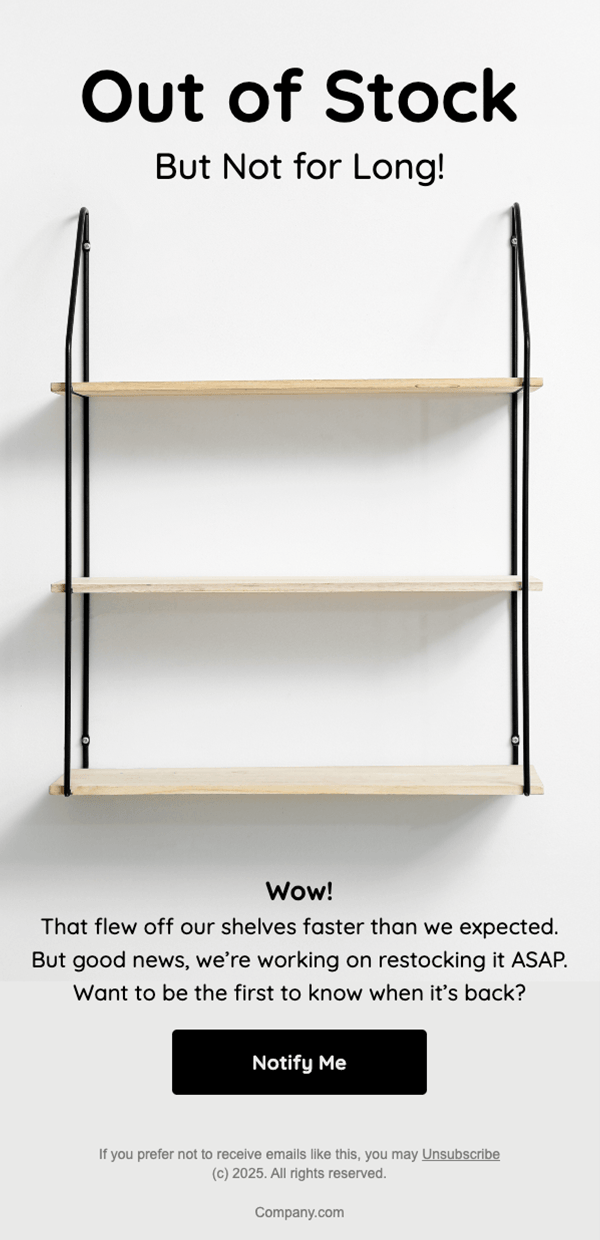
In practice, that means you only need to replace the parts that are campaign-specific, such as the copy, images, and your call-to-action copy or button (CTA). Moosend’s template library is built for this exact workflow.
Option B: Duplicate a previous campaign
Ideal for recurring sends such as newsletters, promotions, or product updates. Moosend’s duplicate option lets you reuse a campaign’s settings and design with slight variations, saving time compared to creating a new campaign from scratch.
This is the better route when the format already works and only the message changes. Instead of rebuilding, you keep the logic and update the offer, copy, and links.
Option C: Reuse saved sections
Use this when your campaigns change often, but certain components stay the same. In the campaign editor, Moosend lets you save custom items and layouts without saving the full email as a template.
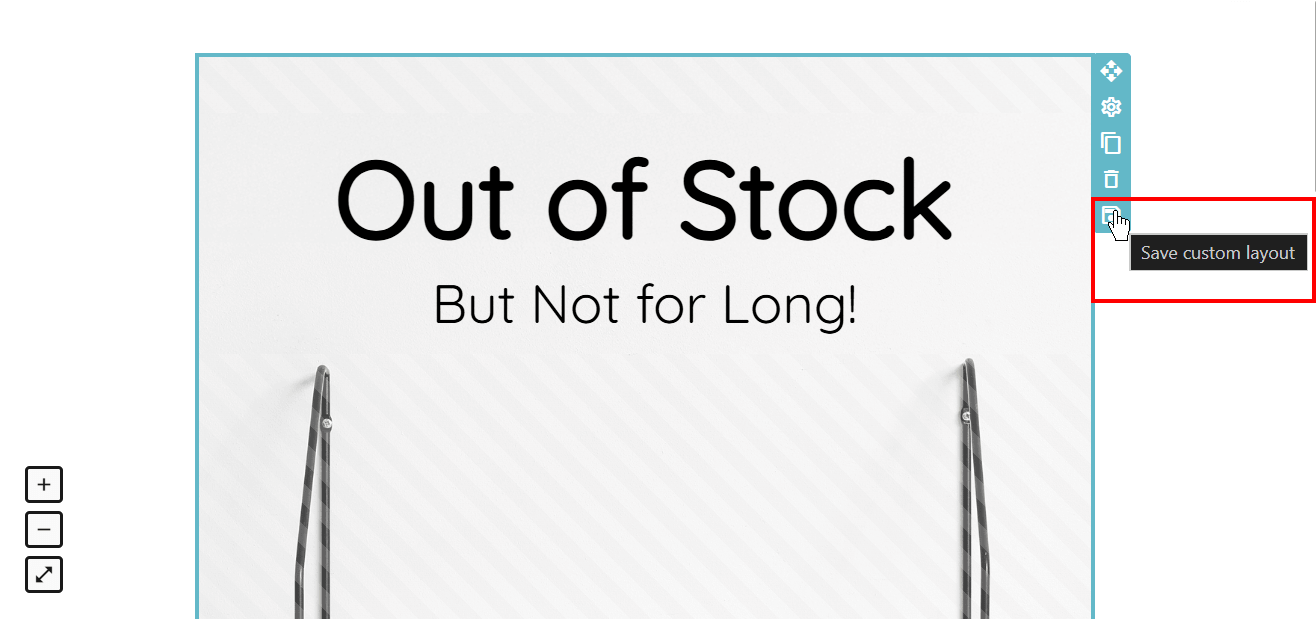
Saved items appear in the Items tab, and saved layouts appear in the Layouts tab, so you can drop reusable sections like buttons, timers, headers, or promo blocks into future campaigns as needed.
These elements help you avoid rebuilding structures that already work, allowing you to take your campaign off the ground more easily and quickly.
Step 3: Edit only what drives performance
Now the risk shifts. Since you’re not starting from zero, avoid making unnecessary changes to parts of the campaign that already perform well.
To avoid that, ask yourself whether the element you’re changing affects performance or just how the email looks.
Only focus on what impacts outcomes:
- Context: What’s different in this send (offer, timing, angle)
- Entry point: Subject line and preview text (what gets the recipient to open your email)
- Action: The CTA’s clarity and destination (what drives the click)
Everything else is already doing its job.
Moosend’s editor makes it easy to adjust individual elements like text blocks, buttons, or images, without touching the full structure. You can edit specific components, preview changes instantly, and keep the rest of the layout intact.
Step 4: Use the AI writer for faster content generation
Once the structure is in place, email copy is usually the last thing that slows the campaign down, particularly when starting from a blank field.
This is where Moosend’s AI writer is useful, as it creates a shortcut when you already know what the campaign needs to say:
- In the campaign setup, you can use the AI writer to generate subject lines and preview text directly from the basic settings screen.
- Inside the editor, you can create body copy for text blocks, using prompts plus built-in options for content type, tone, and word limit.
Moosend also lets you revise existing text rather than generating new text from scratch. You can improve writing, fix spelling and grammar, make the copy shorter or longer, summarize it, or change the tone:
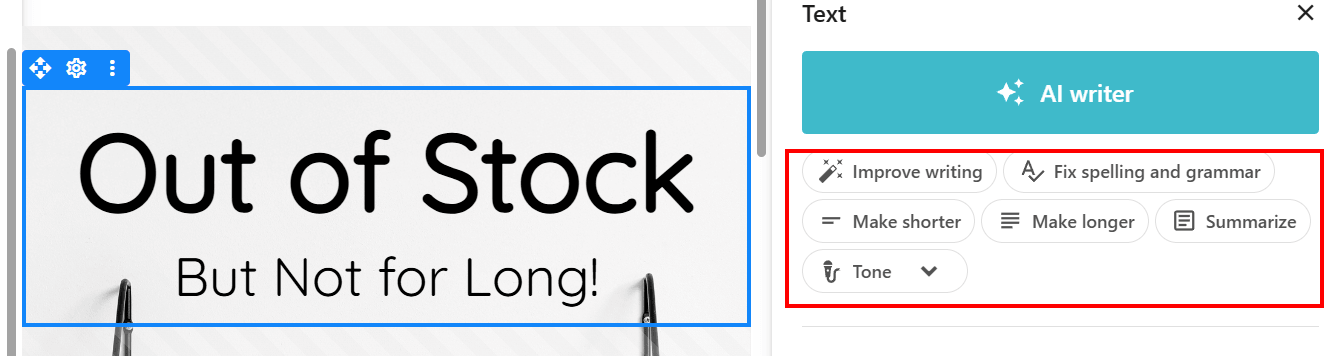
The AI Writer helps you create an email marketing campaign without treating every line as a fresh writing task. If the template, layout, and offer already exist, it’ll help you move faster through the wording by generating content, performing copy checks, or refining the messaging.
Step 5: Select an existing audience
To create an efficient email marketing campaign, you need to choose the right audience. Start with the lists you already have, then narrow the send using segments.
In Moosend, you can send a regular campaign to one or more existing email lists. If the same contact appears in multiple selected lists, the platform checks for duplicates to ensure the recipient receives the campaign only once. This way, you reduce friction and save time.
The better workflow is to use some of Moosend’s pre-made segment templates to define who should receive this version of the campaign. Moosend lets you build segments from data you already collect, including custom fields and prior campaign activity such as opens, clicks, and specific link interactions.
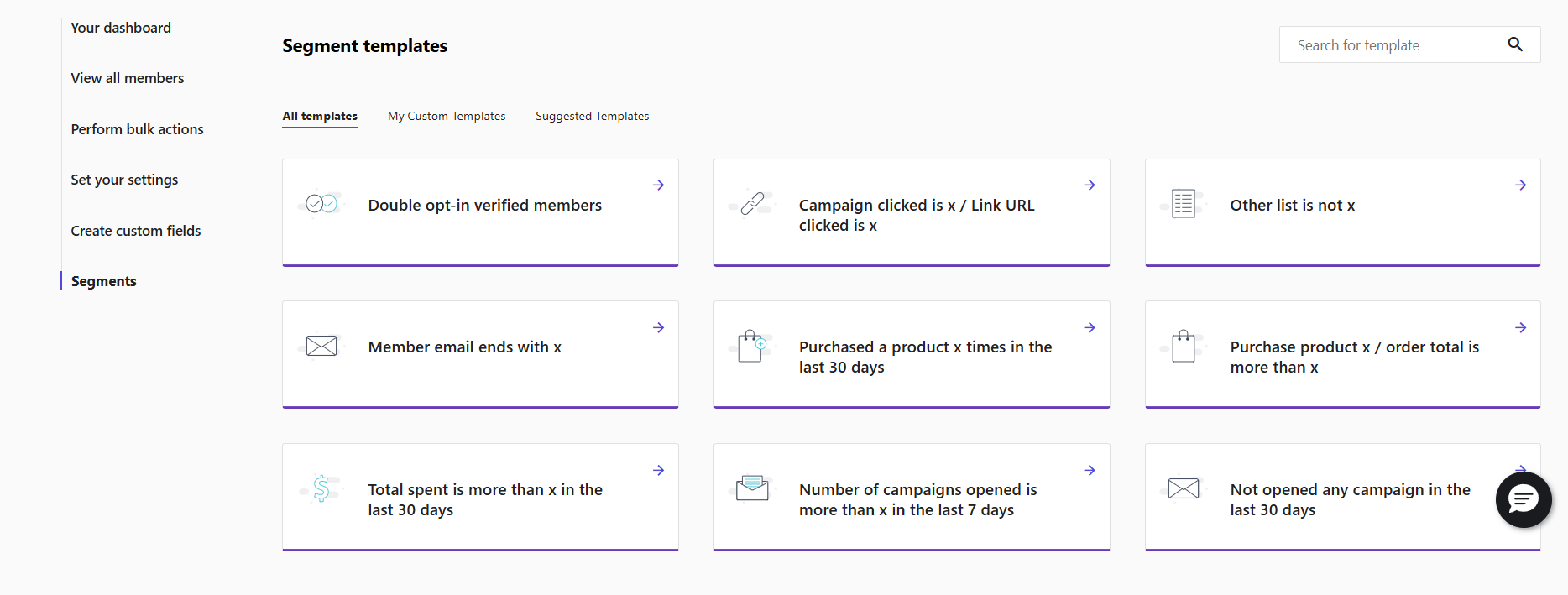
You can also layer in eCommerce and behavior-based criteria, such as viewed product, added to cart, purchased product, total spent, device type, or funnel stage, when those data points are available. In practice, that means you don’t need a brand-new audience every time the message changes. You simply create a filter.
Step 6: Run quick checks and launch
This final step validates the campaign you already built from existing assets. That way, you don’t need to revisit decisions you have already made.
Start with a test email. In Moosend, you can send a test directly from the campaign editor to up to six recipients, which is enough to check how the email renders in real inboxes before launch.
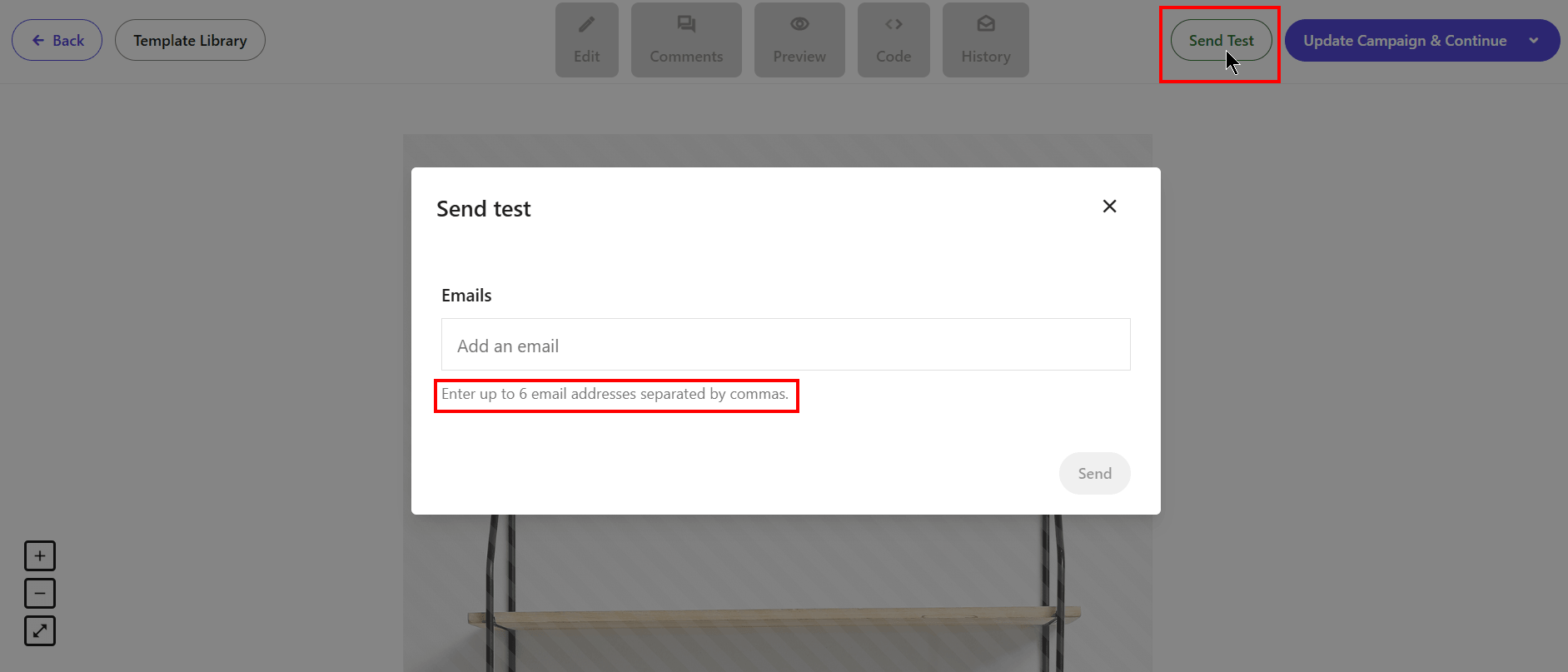
Keep in mind that personalization tags and unsubscribe links don’t work in test campaigns, and Moosend doesn’t record statistics for them, so use the test for layout and rendering, not performance review.
You can also use Preview mode to review the campaign across device types. Moosend’s visual editor lets you preview the newsletter on mobile, tablet, and desktop. It also supports a separate mobile editing mode for mobile-specific adjustments without affecting the desktop design. That makes this step useful for checking the email’s presentation without forcing a broader redesign.
Before sending, review any personalization in the live campaign settings and run a Spam Test from the campaign preview stage. Moosend includes both “Send A Test Email” and “Spam Test” on the Preview page before launch, so you can catch potential issues early and improve your email deliverability before sending:
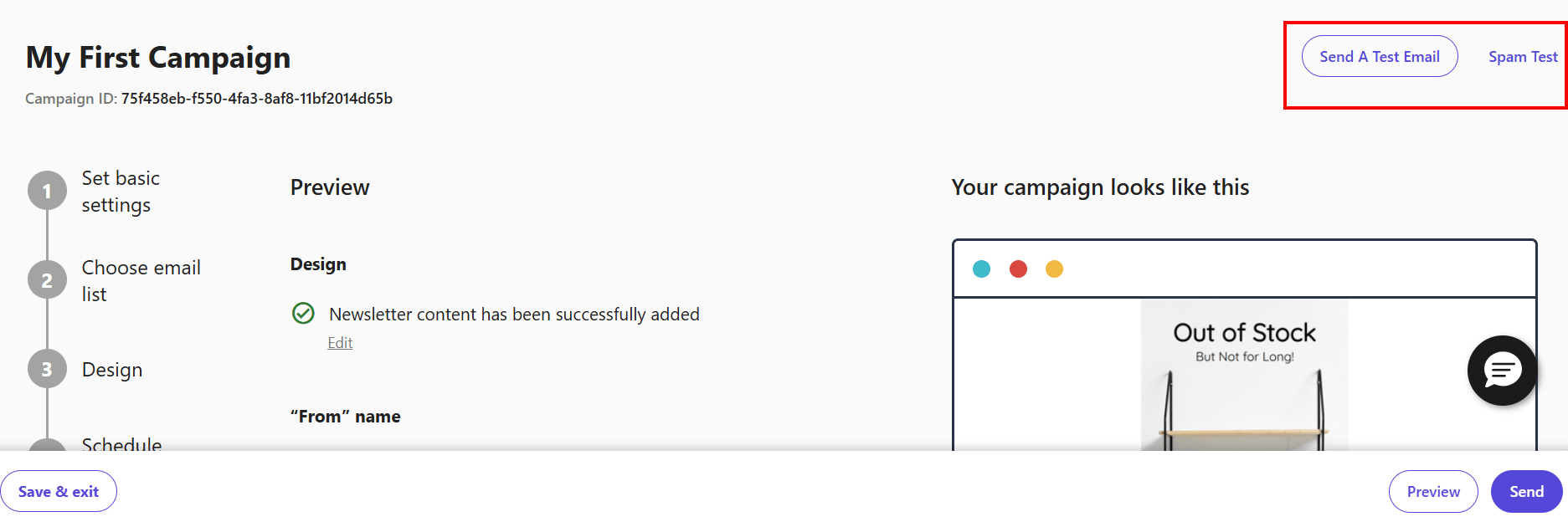
These actions ensure you’re ready to launch your campaign with zero added friction.
Businesses That Benefit from This Workflow
This workflow suits teams that want to create an email marketing campaign without having to build every part themselves.
It works best for smaller teams, eCommerce marketers, SaaS teams, and agencies that send frequently and need a faster way to turn their ideas into send-ready campaigns.
The operational advantage comes from a repeatable process that team members can follow without having to approach campaign creation differently each time. In Moosend, marketers can start from the template library to keep layouts consistent across sends, use built-in email segments instead of defining audiences from scratch, and rely on the AI Writer to speed up subject line, preview text, and copy production during high-volume periods.
That structure helps teams move faster while keeping branding, messaging, and audience targeting aligned across campaigns. It also reduces reliance on design or development support for routine sends, which can otherwise slow production down.
For teams that send frequently, this workflow also simplifies approvals and onboarding. New team members can work within existing processes and campaign patterns instead of having to figure everything out independently.
Stop Building Every Email from the Ground Up
You don’t need to produce all elements from scratch to create your first email marketing campaign. You can start with what Moosend already puts within reach and refine from there.
A regular campaign can begin with a premade template; audience targeting can be narrowed using existing segmentation templates; and copy can be generated or improved with the AI Writer rather than written from a blank field.
Inside the editor, layouts and items are modular by design, which makes campaigns easier to assemble, adjust, and launch without restarting the process each time.
The better workflow is simpler: use the existing structure, assets, and support, then focus your effort on the message that actually changes.
If you want to put this approach into practice, try creating your next campaign in Moosend by working with what’s already available inside the platform.
FAQs
Now, let’s answer some of the most common questions on campaign creation.
1. What’s the fastest way to create an email marketing campaign in Moosend?
Start with a premade template from the template library instead of a blank design. Moosend already provides structured layouts, so you can skip building the email’s foundation and focus only on updating the message, visuals, and CTA.
2. Can I create an email marketing campaign in Moosend without using a template?
Yes, Moosend lets you start with a blank design, but it’s rarely the fastest option. If your goal is to create an email marketing campaign efficiently, using a premade template or duplicating an existing campaign removes the need to define structure, layout, and spacing from scratch.
3. Do I need design or coding skills to build a campaign in Moosend?
No. Moosend’s premade templates and drag-and-drop editor handle the design structure for you. You don’t need to code or manually design layouts. Just select a template and customize the parts that are specific to your campaign.
4. What parts of a campaign can I skip when using premade assets?
You can skip most of the setup work, including layout creation, content structure, and initial copywriting. With an extensive template library, a built-in AI Writer, and ready-to-use segmentation templates, you’re starting from a prepared foundation rather than building each element from scratch.
5. What’s the fastest way to reuse a campaign in Moosend?
The quickest method is to duplicate a previous campaign. This keeps the layout, settings, and structure intact, so you only need to update the message, visuals, and links. It’s the most efficient approach for recurring campaigns like newsletters, promotions, or product updates.
Similar Posts



 Published by

Create, send and optimize your email marketing campaigns