















beehiiv vs Mailchimp: Which Newsletter Platform Delivers More Value? [2026]
Published By John Desyllas
December 10, 2025

10/12/25
Choosing the right newsletter platform can make or break your audience-building strategy. Both beehiiv and Mailchimp promise to help you grow, engage, and monetize your subscribers. Yet they take very different approaches.
In this post, we’ll compare the two head-to-head across the features that matter most to newsletter creators: ease of use, customization, automation, monetization options, and pricing.
Whether you’re an independent writer, a media brand, or a growing business looking to build a loyal readership, let’s see which platform delivers more value and why.
Looking for an alternative?
Save $$$ of your marketing budget by switching to Moosend today!
beehiiv vs Mailchimp: Feature Comparison
Let’s break down how beehiiv and Mailchimp compare feature-by-feature to help you decide which platform better fits your newsletter goals.
| beehiiv | Mailchimp | |
| Free plan | ✔️ | ✔️ |
| Pricing | $49/month | $20/month |
| Best for | Newsletter creators, bloggers, and media brands | Small businesses, ecommerce, and marketing teams |
| Ease of use | 4.5/5 | 4/5 |
| Email editor | Text editor | Drag-and-drop |
| Marketing automation | Basic automations (welcome series, audience triggers) | Advanced workflows with conditional logic and segmentation |
| Forms | ✔️ | ✔️ |
| Landing pages | Simple, newsletter-focused templates | Multiple templates with ecommerce support |
| Reporting & analytics | Audience growth, open rates, referral tracking | Detailed analytics with campaign insights |
| Monetization options | Built-in referral program, paid subscriptions, and direct sponsorships | Limited (relies on integrations) |
| Customer support | Email and community support | 24/7 chat and email |
| Website builder | ✔️ | ✔️ |
Key takeaways:
- beehiiv is purpose-built for newsletter growth. Its focus on simplicity, storytelling, and built-in monetization tools makes it ideal for independent writers, niche publishers, and media creators.
- Mailchimp, on the other hand, offers broader marketing capabilities. It’s a better fit for brands and small businesses that need multi-channel automation, ecommerce integrations, more advanced analytics, and a drag-and-drop email builder.
- For creators prioritizing audience connection and monetization, beehiiv delivers more direct value. But if you want a complete marketing suite that extends beyond newsletters, Mailchimp remains a strong all-rounder.
Setup & Ease of Use
beehiiv:
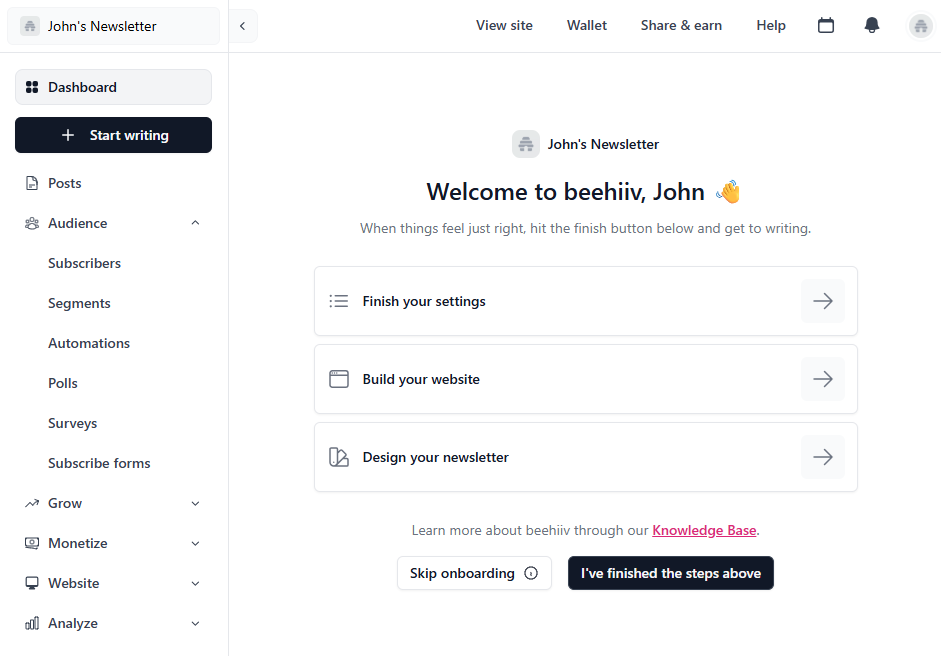
beehiiv is built with simplicity in mind. Its clean interface and straightforward setup make it easy for writers to launch a newsletter in minutes.
The onboarding flow walks you through creating your publication, customizing your theme, and connecting your domain. It feels like writing on a modern blogging platform rather than using a traditional email builder.
Overall, users can quickly become familiar with the tool and use all its features effectively.
Mailchimp:
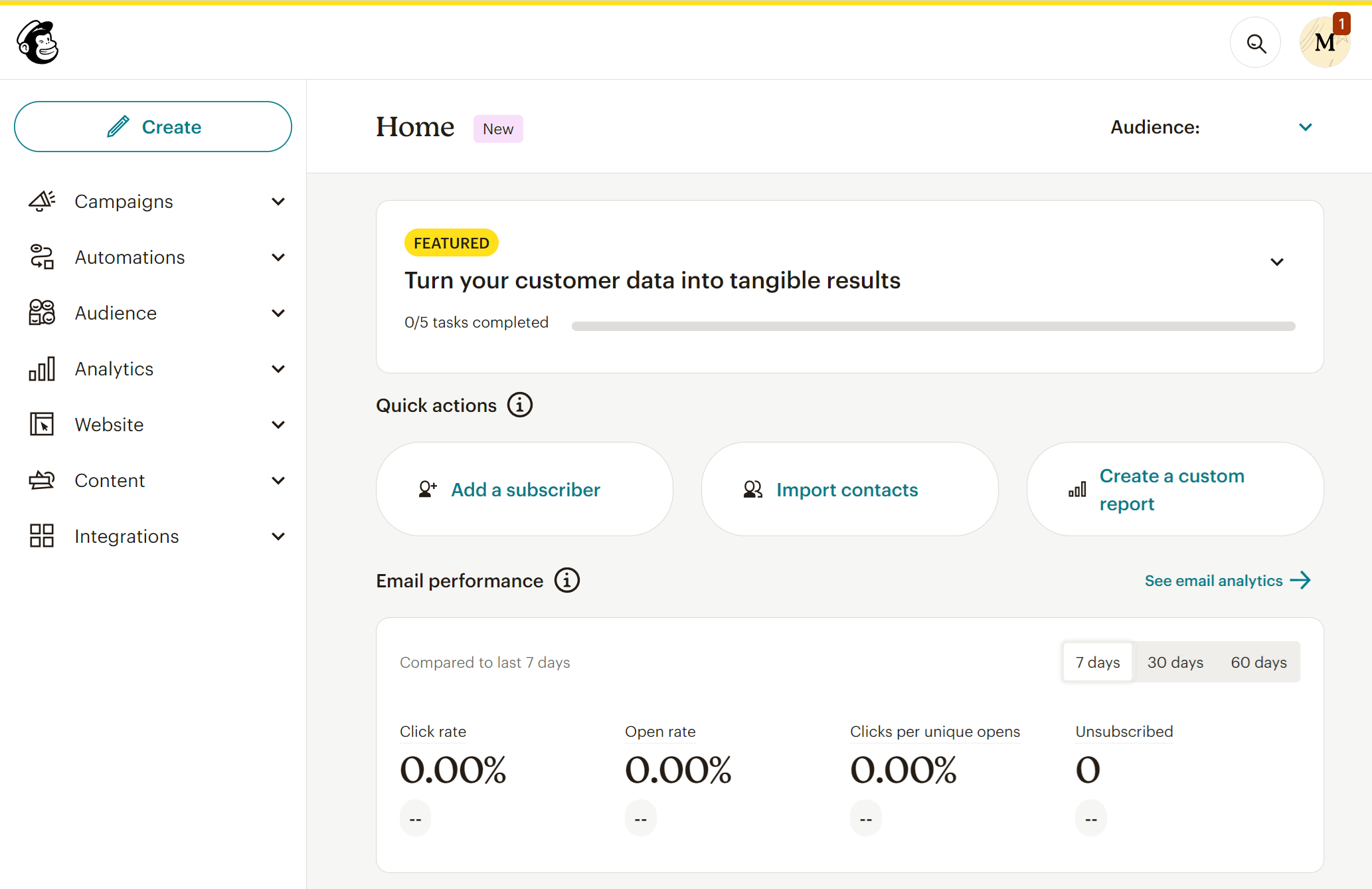
Mailchimp, on the other hand, offers a more comprehensive dashboard suited for marketers.
While its drag-and-drop editor and pre-made templates simplify design work, the platform can feel overwhelming for new users due to the number of settings and tools it offers.
However, it’s great for users who plan to run multiple campaigns beyond newsletters, such as product promotions or customer journeys.
Winner: beehiiv. It offers a smoother overall user experience.
Email Builder
beehiiv:
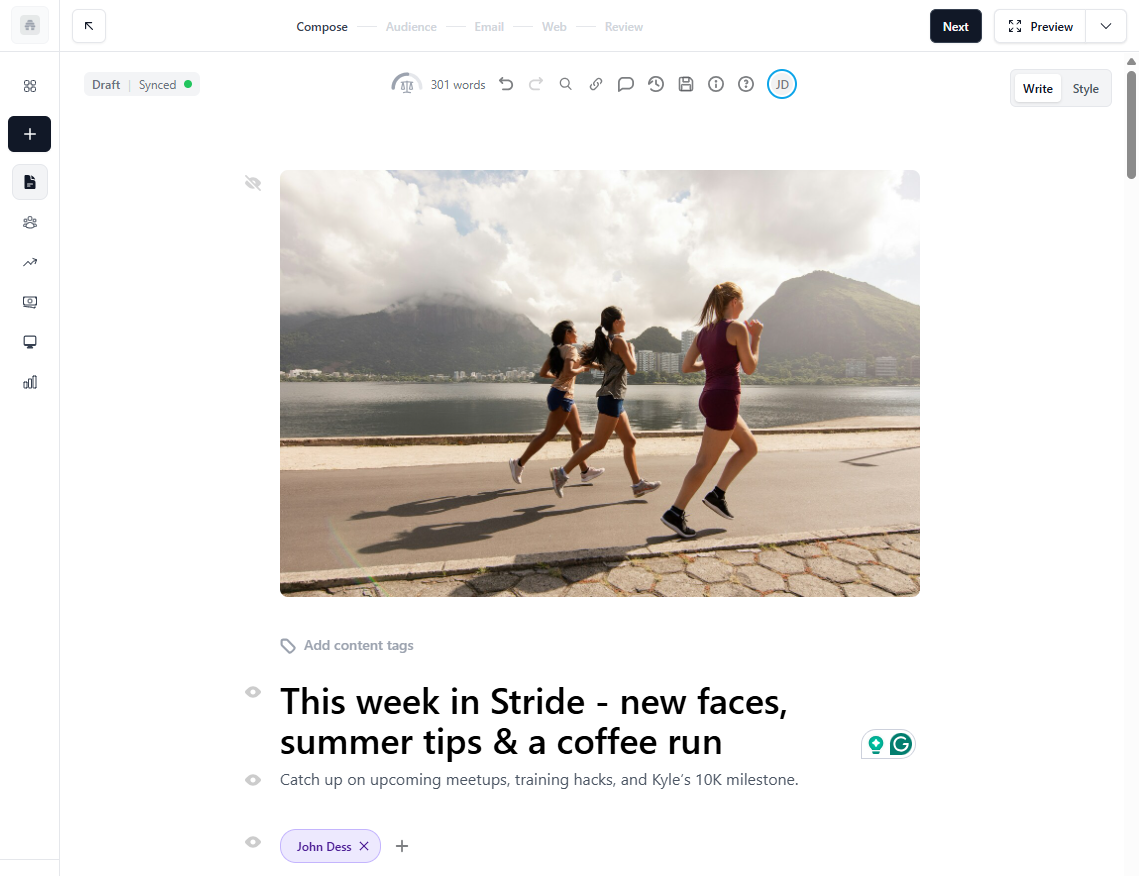
beehiiv’s email builder is simple. When you first open it, you’ll notice that it looks more like a writing platform than a traditional email tool. It’s built for creators who want to focus on words first, and then design.
The editor works much like a modern blogging interface. You can format text, insert images, add buttons, and embed links or videos without dealing with complex layouts. You won’t find drag-and-drop blocks or endless menus here. Instead, beehiiv uses a forward slash (/) command to provide quick access to a variety of formatting and dynamic content blocks.
During our review, we found that beehiiv’s biggest strength lies in its clean writing experience and automatic design consistency. Every newsletter you create automatically adapts to mobile and web views, keeping typography and spacing neat across all devices. The platform also lets you preview your campaign in both light and dark modes, a nice touch for creators who care about readability. We also liked that content creation follows a clear path (compose-audience-email-web-review).
However, there are trade-offs. beehiiv doesn’t yet support advanced design customization or HTML editing (though there is a code block). So, while it’s perfect for personal or publication-style newsletters, it may feel limiting if you need branded layouts or heavy visuals.
Mailchimp:
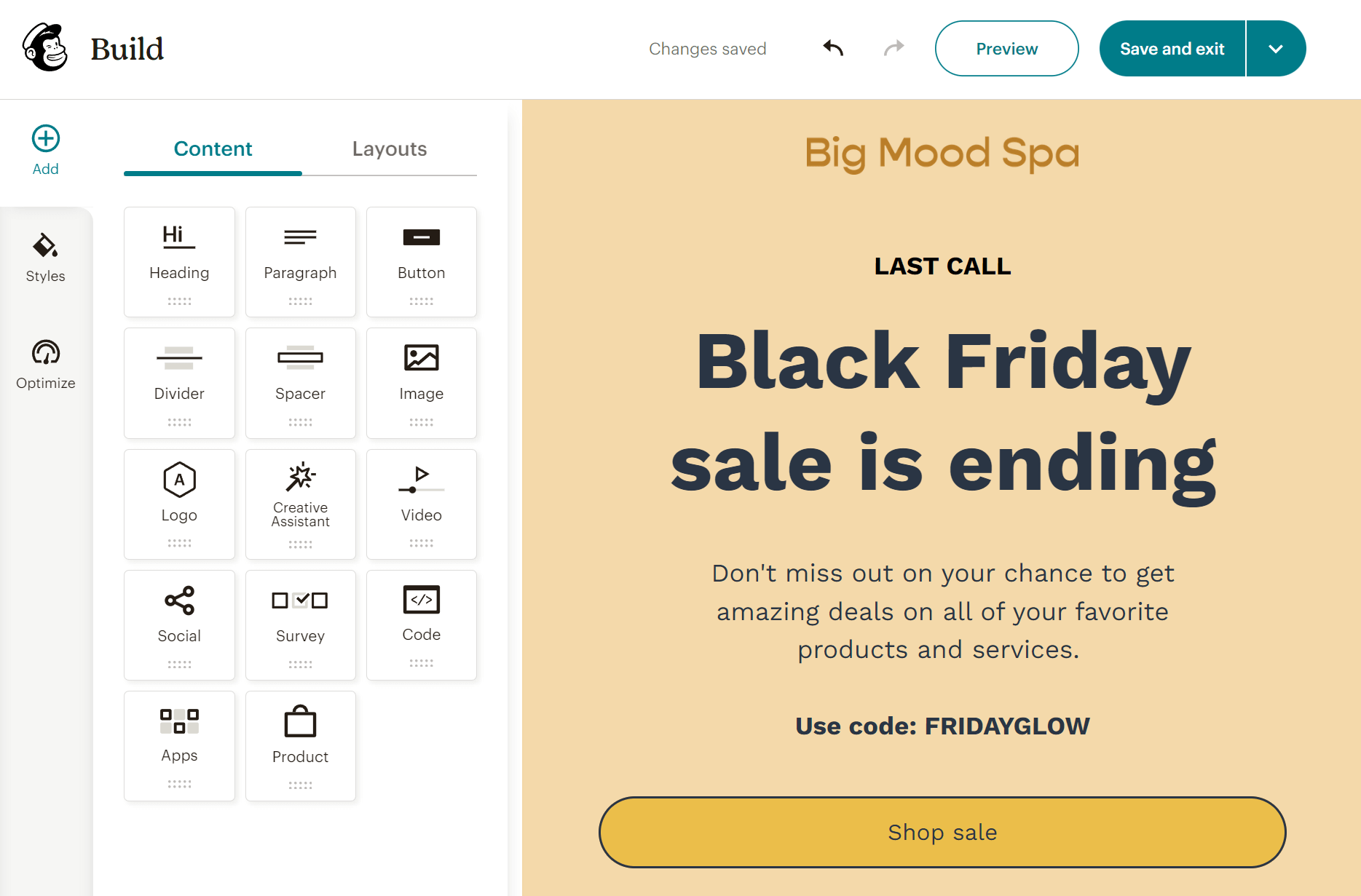
Mailchimp’s email builder takes a very different approach. It’s visual, flexible, and loaded with customization options. You get a user-friendly drag-and-drop editor with dozens of content blocks for images, buttons, social icons, product grids, surveys, and more. Each element can be edited or rearranged instantly, and the real-time preview shows exactly how your campaign will look on desktop and mobile.
Compared to beehiiv, Mailchimp feels more like a design studio. You can insert your own HTML, adjust padding and colors, and even use dynamic content blocks to tailor messages to different audience segments. During testing, we found the “Creative Assistant” especially useful. It can automatically pull your brand colors, logo, and fonts to generate on-brand templates.
Mailchimp also includes helpful productivity tools. The “Optimize” feature checks for missing links, typos, and layout issues before you hit send. Paid plans even include an AI content generator to help you write subject lines and email copy faster.
That said, Mailchimp’s flexibility comes with a learning curve. For creators who want to write and send a clean newsletter, the extra settings might feel overwhelming or overkill.
Winner: It’s a tie, since it depends on your individual needs.
Templates
beehiiv:
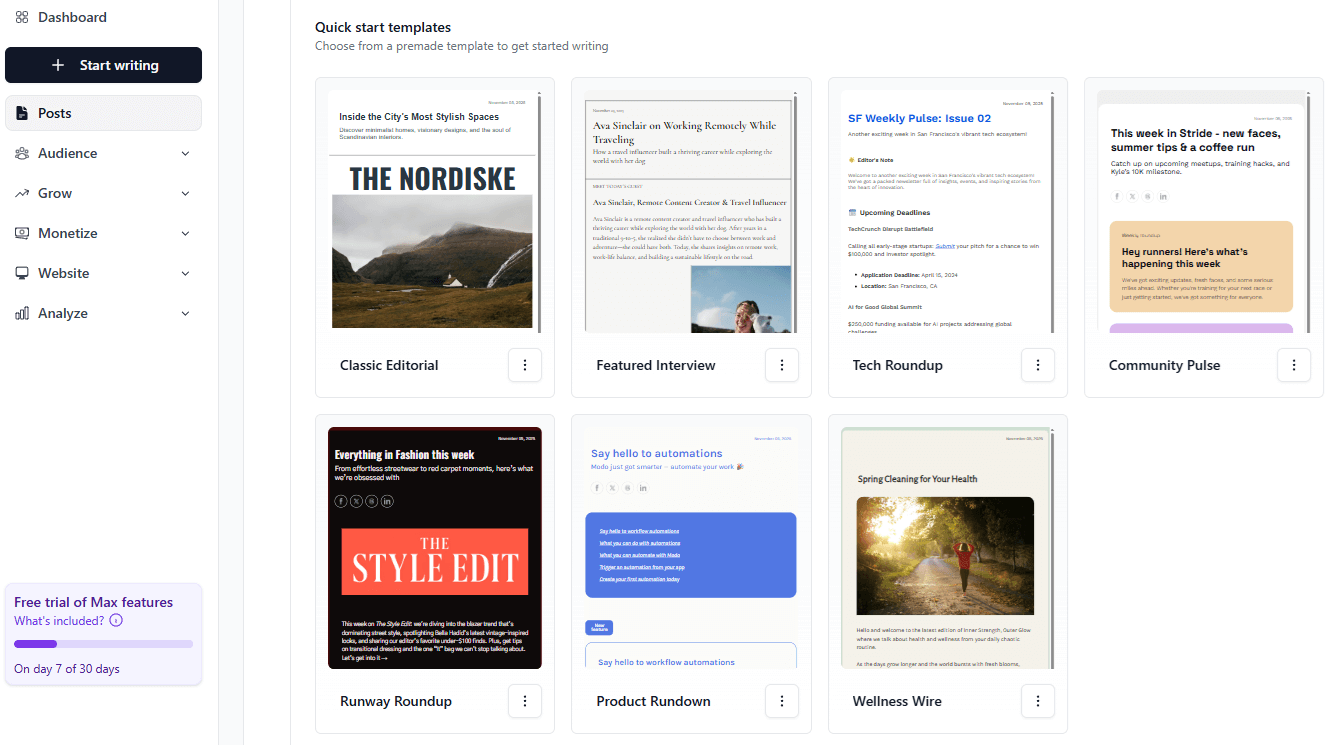
beehiiv prioritizes readability and simplicity. There aren’t dozens of email newsletter templates to choose from. Instead, it gives you 7 clean, modern layouts explicitly designed for newsletters. They are all well-designed and eye-catching, giving you a great starting point to create your newsletter.
These templates also adapt automatically to your brand colors, logo, and typography settings once you’ve configured them in your publication settings. You can tweak font styles, colors, and accent elements, but the customization options are intentionally limited to keep the focus on your writing.
We particularly liked that every beehiiv newsletter template is automatically optimized for both web and email reading, so subscribers who click “View Online” see a seamless version hosted on your beehiiv site. That integration makes it easy to maintain a consistent brand look across email and web versions of your publication.
However, if you’re looking for variety, beehiiv may feel restrictive. There’s no template marketplace or library like other tools offer.
Mailchimp:
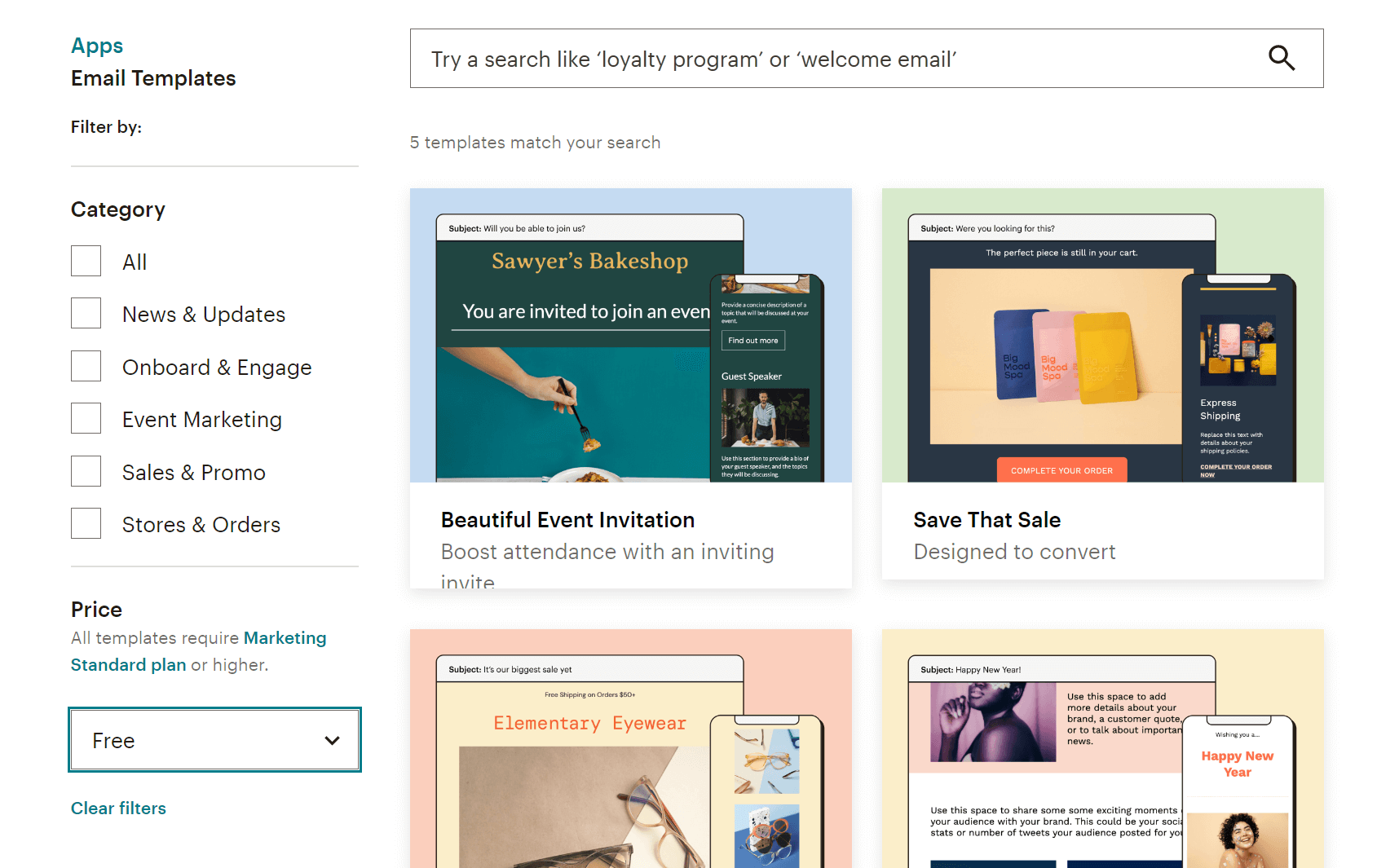
Unlike beehiiv, Mailchimp offers a broader email template library. Specifically, you get more than 130 newsletter template designs for various use cases like product announcements, event invites, and blog digests. These templates are also categorized to help users identify quickly what they’re looking for.
What’s more, each template is fully customizable through Mailchimp’s drag-and-drop editor. You can swap content blocks, adjust colors, add brand elements, or save your own layouts for future use. This flexibility makes Mailchimp ideal for marketers who need to send different types of content regularly, not just text-based newsletters.
We also liked the “Saved Templates” and “Themes” options. They let you maintain consistent branding across campaigns without having to start from scratch every time. Plus, if you’re on a higher-tier plan, you can upload your own HTML templates or import designs built in other tools.
The only downside is that customizing templates takes a bit longer compared to beehiiv’s one-click simplicity.
Winner: Mailchimp offers more pre-built designs out of the box, so it takes this win.
Marketing automation
beehiiv:

Moving on to beehiiv’s automation, we were surprised by how easy and smooth everything feels. The platform has a visual automation builder that lets you create multi-step journeys using various triggers, including subscription events (e.g., sign-up, survey submission, poll response, upgrade to a paid subscription). There are also 8 pre-built workflow templates that serve as a great starting point for your email strategy.
With beehiiv, you’ll be able to create both simple and sophisticated flows. The automation builder lets you use branching logic and set up conditional actions. You can also add time delays so your readers receive the right content at the right time.
I also liked that beehiiv’s automation integrates seamlessly with its referral and monetization tools. For example, you can automatically email subscribers when they reach referral milestones or when new paid content goes live. This functionality will be particularly appealing for writers and media creators who value simplicity and direct growth tools.
Mailchimp:
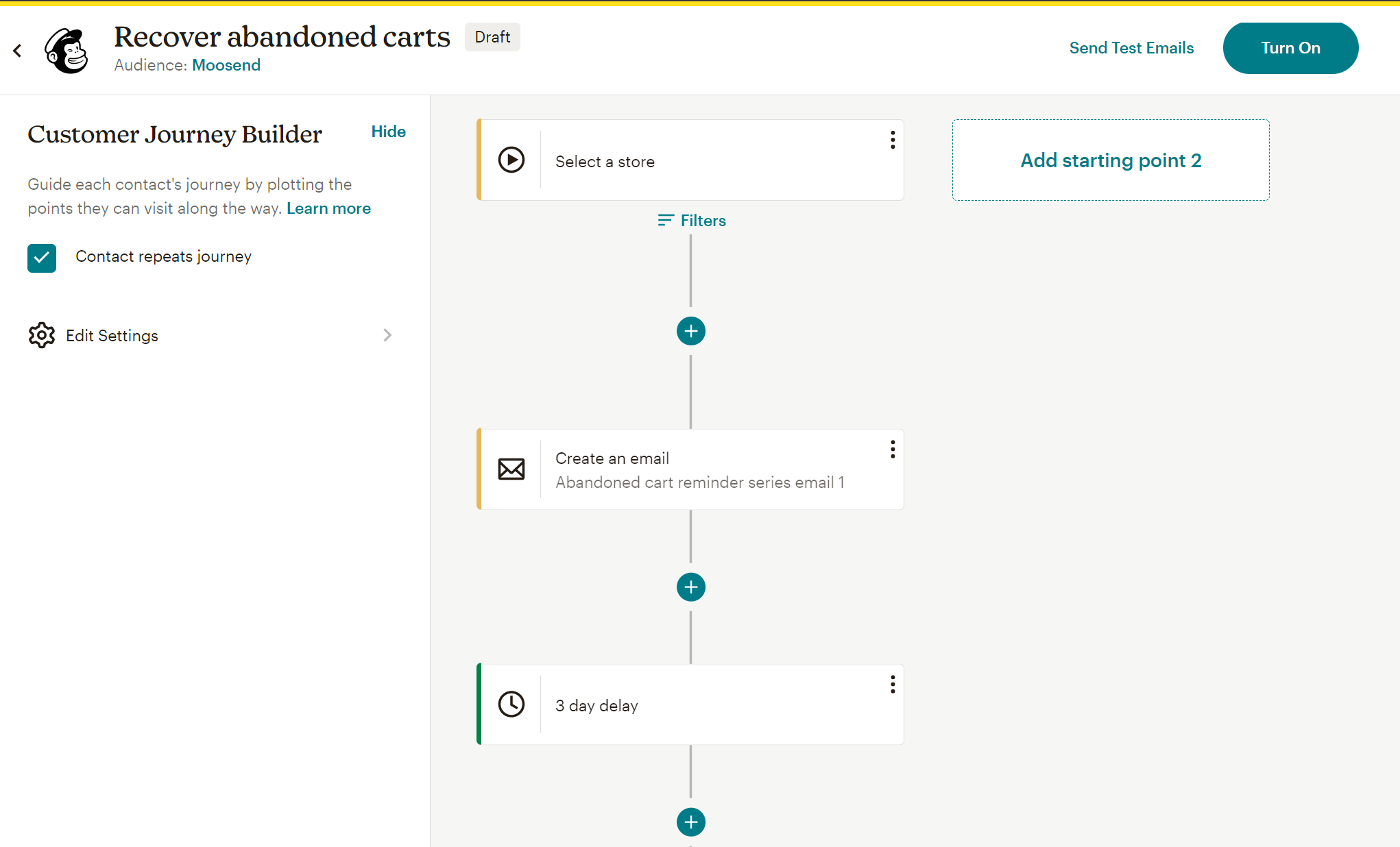
Like beehiiv, Mailchimp incorporates a powerful, visual workflow editor (Customer Journey Builder). You can create multi-step workflows and use branching logic, but these features aren’t available across all paid plans (you need at least the Standard plan). Free plan users have access only to a free preview of the feature.
Despite that, Mailchimp’s automation workflows surpass what beehiiv offers, since you can include SMS in your automations and use behavior-based triggers such as cart abandonment and product purchase.
You also get more than 100 pre-built automation templates. These include welcome series, onboarding sequences, product recommendations, birthday offers, and post-purchase follow-ups. These templates will be great for kicking off your digital marketing strategy, but they won’t be as helpful if you want to create newsletter-oriented automations or monetize your audience directly.
The main downside to Mailchimp’s automation is that the dashboard can feel cluttered at first. You’ll likely need some trial and error to fully grasp all available triggers and conditions. But once you get used to it, it’s one of the most versatile systems on the market.
Winner: Both services can get the job done, yet Mailchimp can do much more once you set it up.
List management
beehiiv:
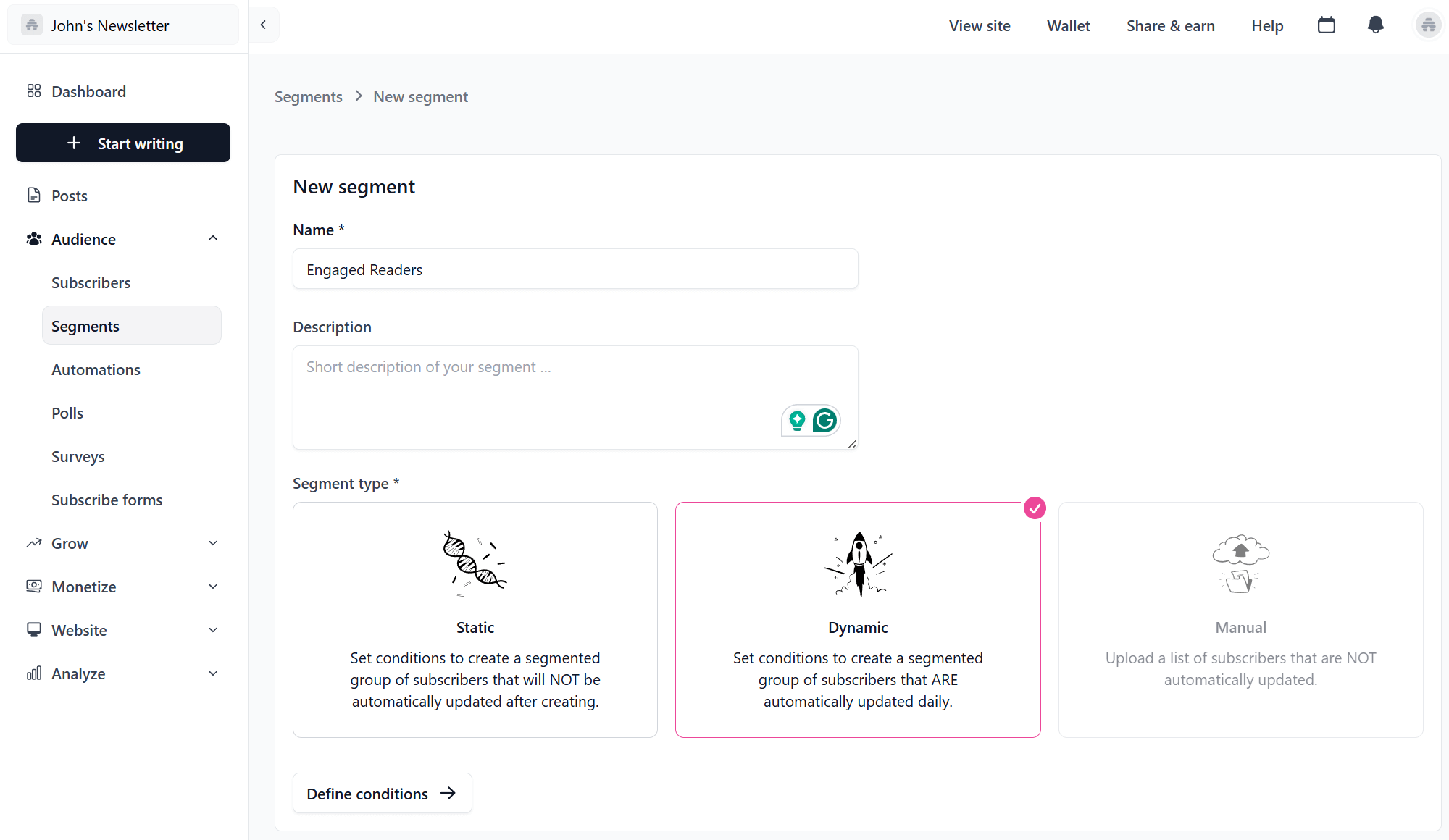
In beehiiv’s Audience dashboard, you can see all subscribers with their key metrics such as subscription type (free or paid), engagement level, and referral source. Segmentation options are fairly straightforward.
You can group subscribers by factors such as subscription status, engagement (opens or clicks), and custom fields you define. What’s more, you have the option to create static or dynamic segments. The latter are automatically updated daily based on conditions you set.
What stood out to me was the Referral Tracking feature. It automatically tags subscribers who joined via your referral program, letting you identify top advocates and reward them through automated campaigns. This function, combined with clear engagement analytics, gives creators valuable visibility into how their audience grows organically.
Mailchimp:
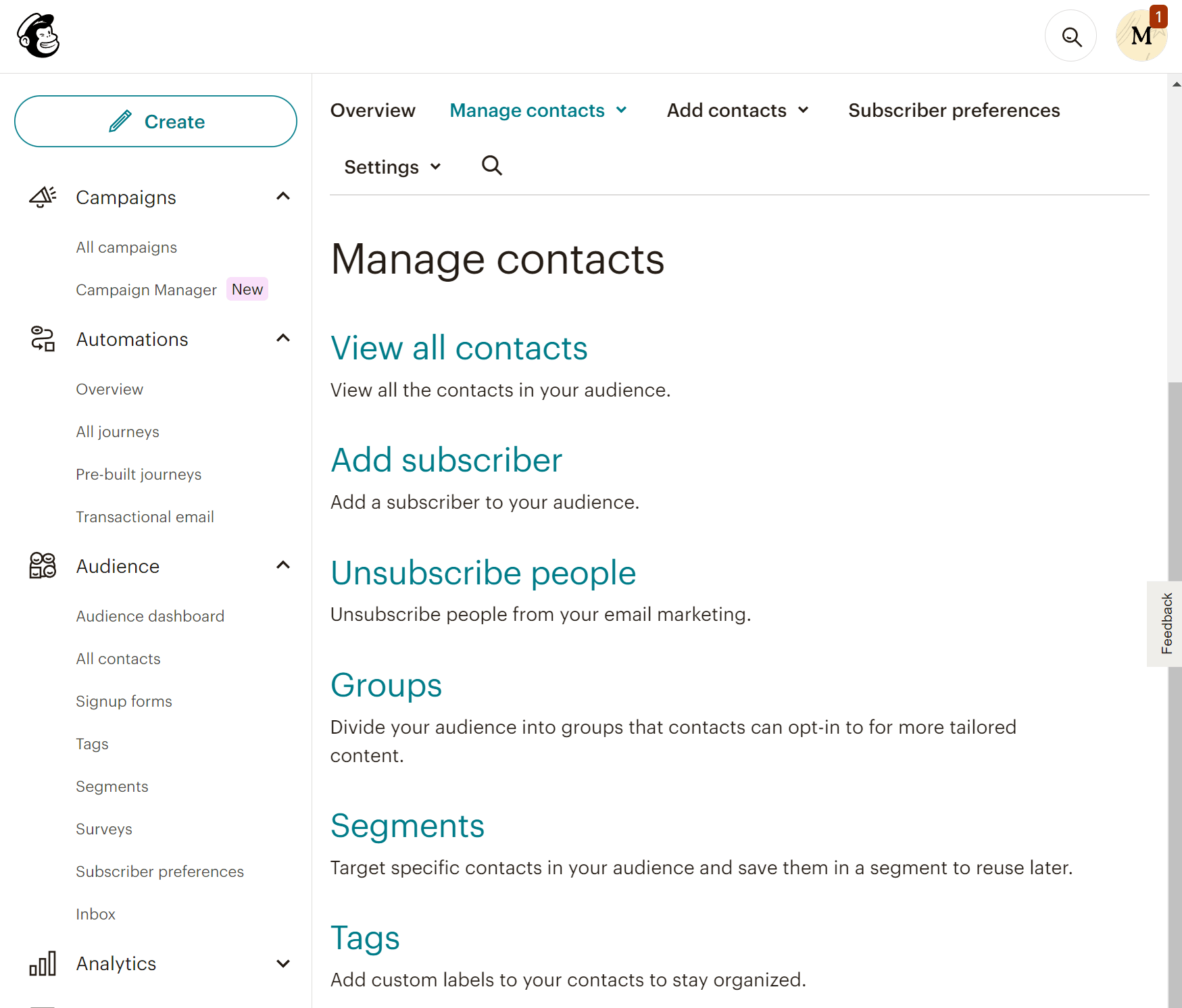
Mailchimp offers a different audience management system. You can create lists (called Audiences) that work as exclusive entities. For example, if a subscriber exists on more than one list, you’re charged for that same subscriber as many times as they appear. This can incur additional costs.
Your audience can be organized into groups based on the content they want to receive, as well as segments that update automatically based on their behavior. You also get custom labels (tags) to keep your contacts organized. For many users, this distinction can be confusing at first, so it will take some familiarization.
With Mailchimp, you can also build dynamic segments using multiple conditions, like combining engagement behavior, signup source, and purchase frequency. On more expensive plans, you can even use predicted insights to target specific groups more effectively.
Winner: beehiiv wins this one since it offers a more flexible and straightforward approach to audience management.
Reporting & Analytics
beehiiv:
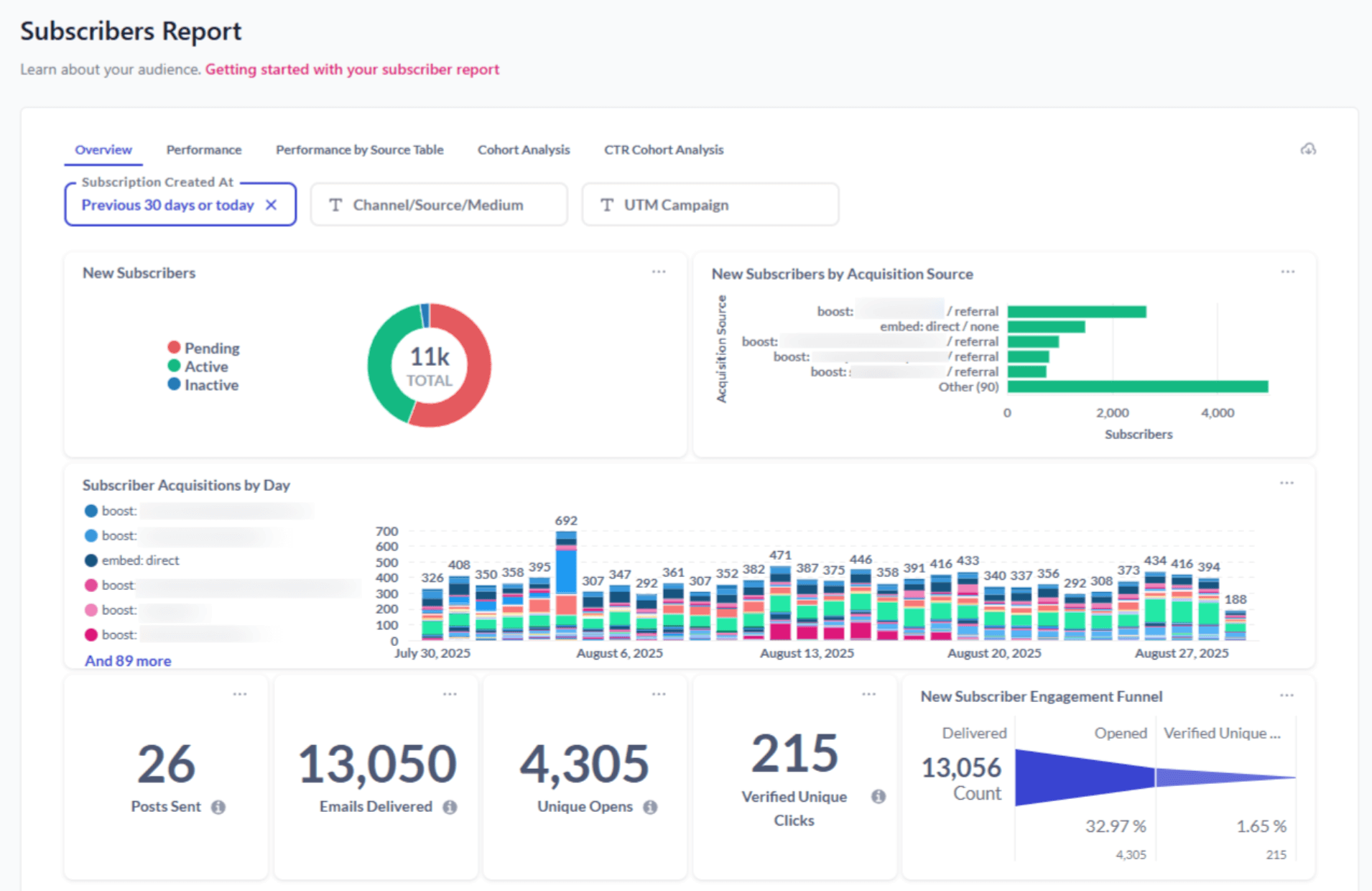
beehiiv offers a streamlined analytics dashboard that focuses on the essentials you actually need (opens, clicks, growth rate, and referral performance). Reports are organized into three categories: Subscriber reports, Post reports, and Click reports.
The platform allows you to break down your analytics by timeframe, acquisition source, and campaign, helping you uncover clearer patterns and understand what drives your performance. This makes it easy to track how each newsletter performs and identify which content resonates most with your readers.
We also found the Referral Analytics very helpful, as it shows how many subscribers came from word-of-mouth sharing or specific campaigns.
Mailchimp:
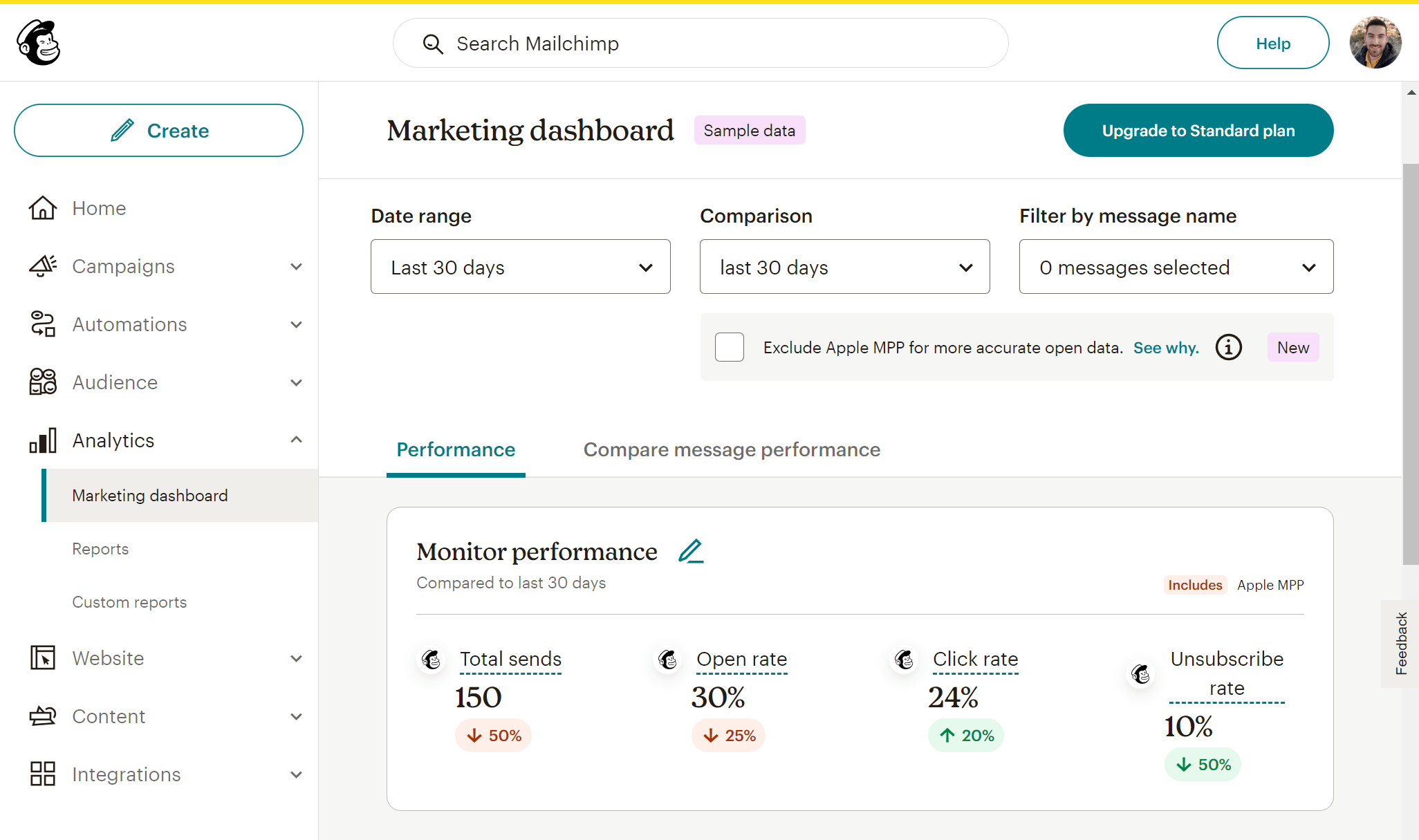
Mailchimp delivers a comprehensive analytics suite, ideal for data-driven email marketing. You can track essential metrics such as opens, clicks, unsubscribes, and engagement over time, as well as advanced ones like subscriber lifetime value, revenue attribution, and predicted demographics. On more expensive plans, you can even compare how different campaigns perform via the Comparative Report feature.
Overall, Mailchimp’s visual reports are detailed yet intuitive, and integrations with tools like Google Analytics give you a complete view of how your emails influence website traffic and sales.
Winner: Mailchimp’s platform offers a broader range of reporting tools, and its analytics capabilities surpass those of beehiiv.
Monetization Options
beehiiv:
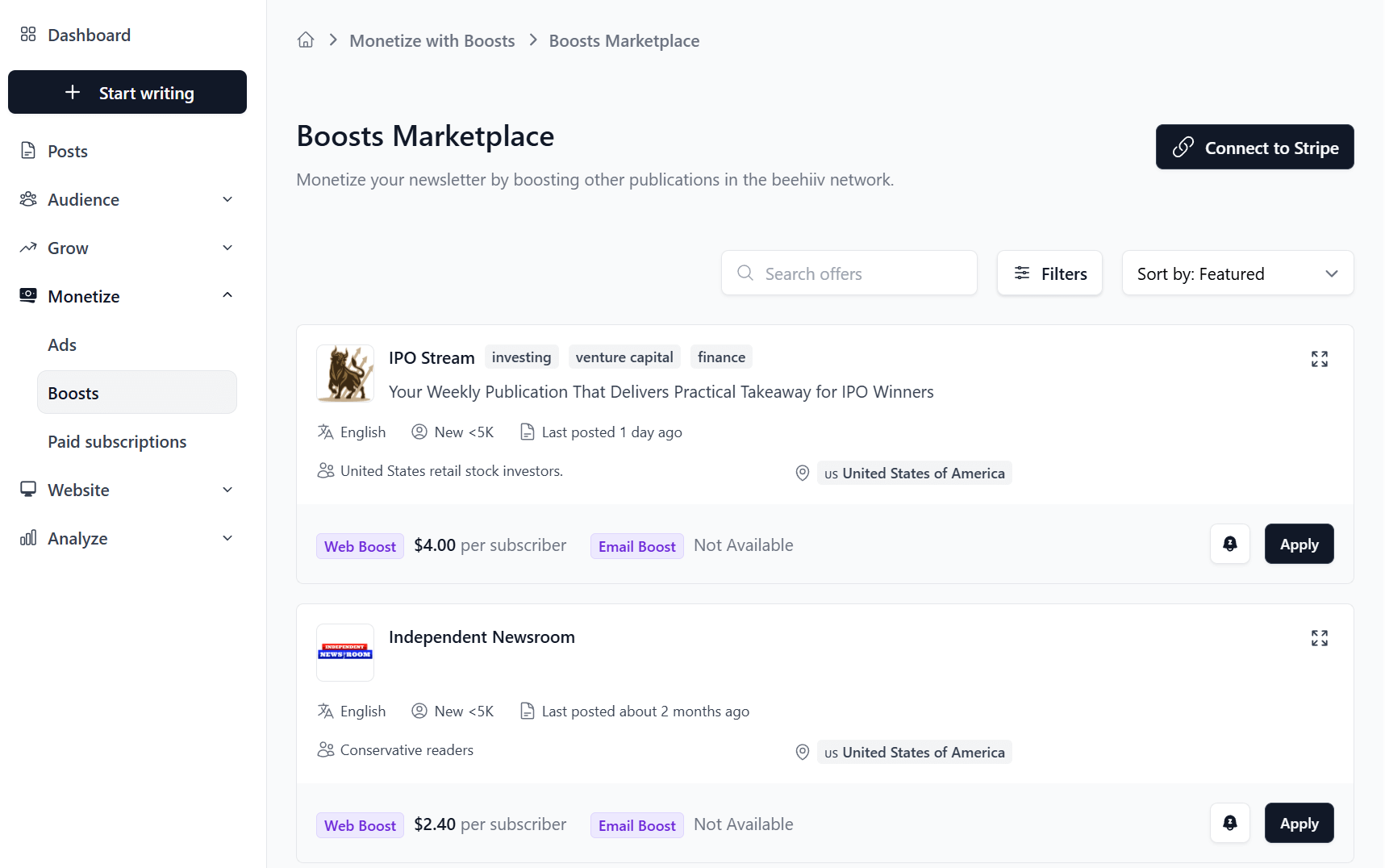
beehiiv positions itself as the one place to build newsletters and monetize your content. And rightfully so, since it is extremely easy to turn newsletters into revenue streams without relying on third-party tools.
You can set up paid subscriptions directly through beehiiv, offering premium editions to paying readers while continuing to send free content to your broader audience. Payments are processed seamlessly via Stripe, and the entire process from signup to payment management is integrated into your dashboard.
There’s also the Ad Network, where writers can access sponsored placements and brand partnerships inside their newsletters. You can opt in, approve sponsors that fit your niche, and earn revenue per send. It’s a fully native monetization option that simplifies how creators manage both subscriptions and sponsorships from one place.
Finally, the Boosts marketplace lets you get paid by other creators for sending them new subscribers.
Mailchimp:
On the other hand, Mailchimp’s platform doesn’t offer built-in monetization tools for your newsletters. You do get product recommendations and promo codes, but these features are mostly suitable for eCommerce businesses. You can also sell digital products like courses and ebooks, but you’ll still need to rely on external tools or payment processors.
For affiliate marketers, Mailchimp imposes certain policies that they must adhere to. Generally, affiliate links are allowed, but you must follow the platform’s policies on acceptable content.
Winner: beehiiv provides multiple ways to monetize your newsletters while keeping 100% of your earnings.
Integrations
beehiiv:
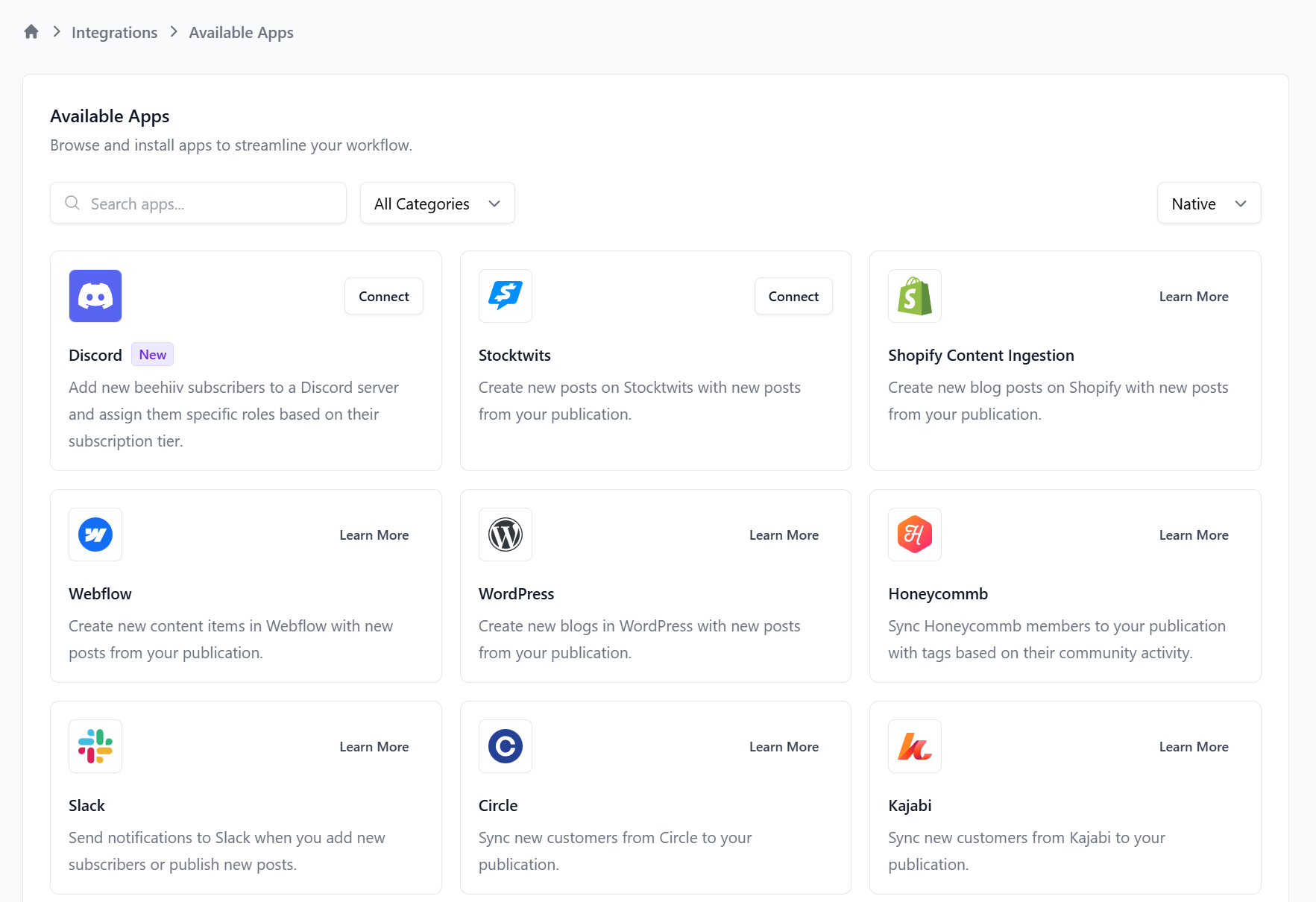
beehiiv offers a growing selection of integrations, primarily for newsletter-focused workflows. You can connect with popular tools like Zapier, Stripe, and Typeform, as well as analytics and referral systems such as Google Analytics and SparkLoop. These connections make it easy to sync subscribers, manage payments for paid newsletters, and track performance across channels.
While its native integration library isn’t as extensive as older platforms, beehiiv’s API and Zapier support fill most gaps, allowing creators to link with CRMs, ad platforms, and social tools. For independent writers and media brands, this setup covers monetization, growth tracking, and data syncing without unnecessary complexity.
Mailchimp:
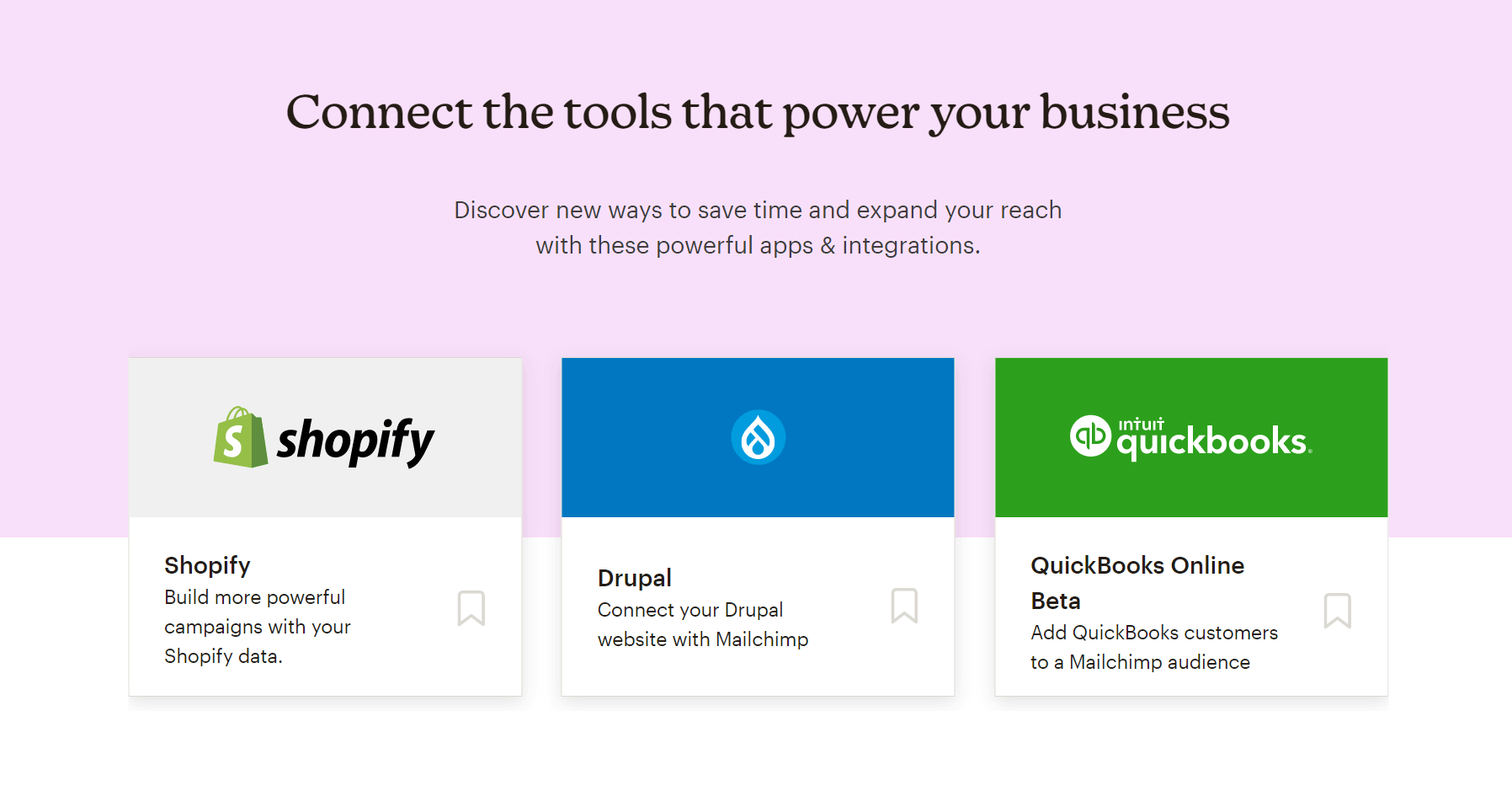
Mailchimp offers a long list of integrations, supporting hundreds of third-party tools across ecommerce, CRM, social media, and analytics. You can connect directly with Shopify, WooCommerce, Salesforce, HubSpot, and Meta Ads, making it ideal for brands managing multiple marketing channels.
For newsletter creators, integrations with design tools like Canva and content platforms like WordPress are particularly useful, streamlining workflows from content creation to distribution. However, some integrations (especially ecommerce ones) are better suited for businesses than individual writers.
Winner: It’s a tie.
Customer support
beehiiv:
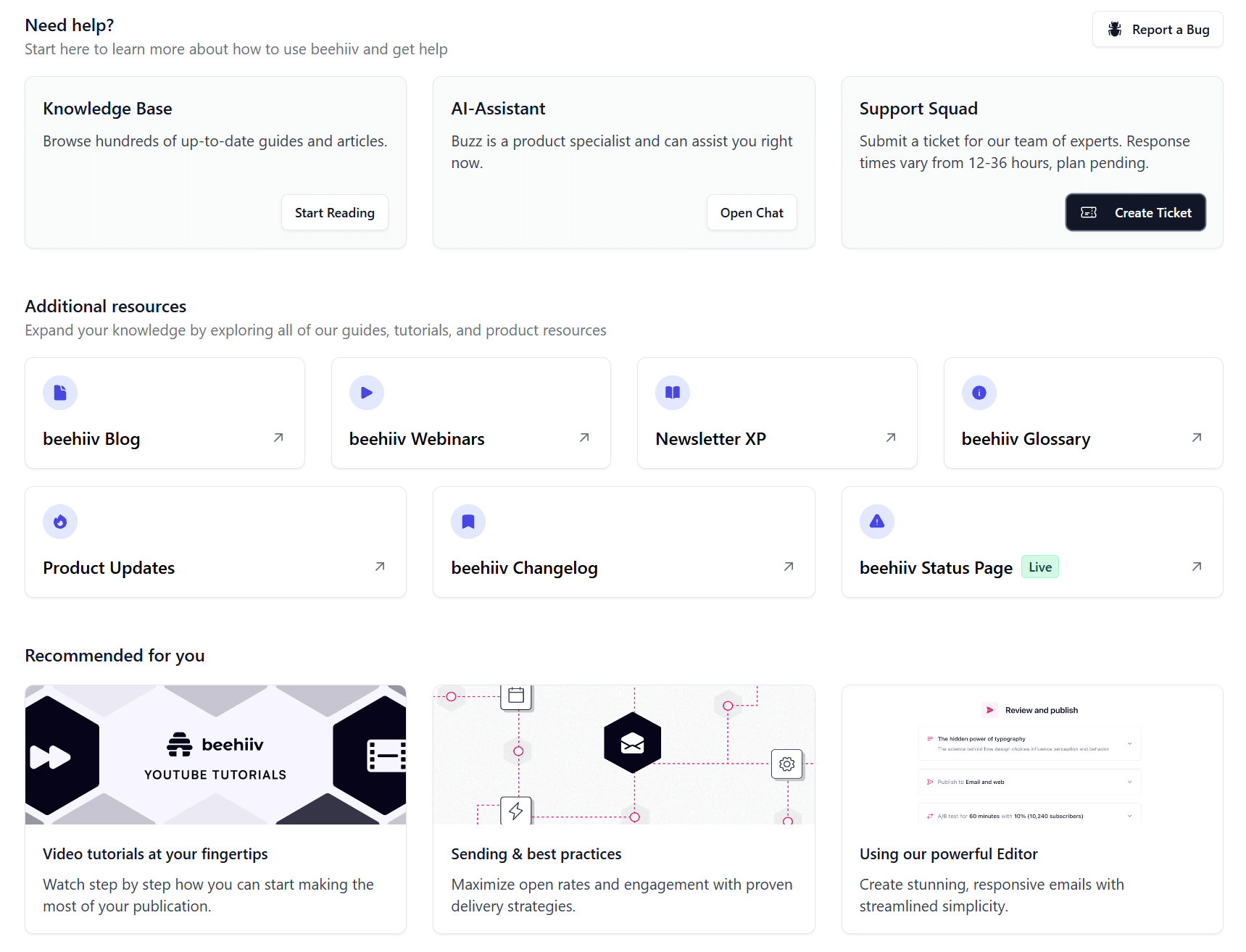
On its pricing page, beehiiv boasts “Human Support.” You can contact the Support Squad via ticket, with response times varying from 12 to 36 hours depending on your plan. There is also an AI Assistant available 24/7. Additionally, you can get help from the extensive knowledge base, which includes guides and tutorials for common issues.
Regarding support quality, G2 users report slow response times and ineffective AI chatbot assistance.
Mailchimp:
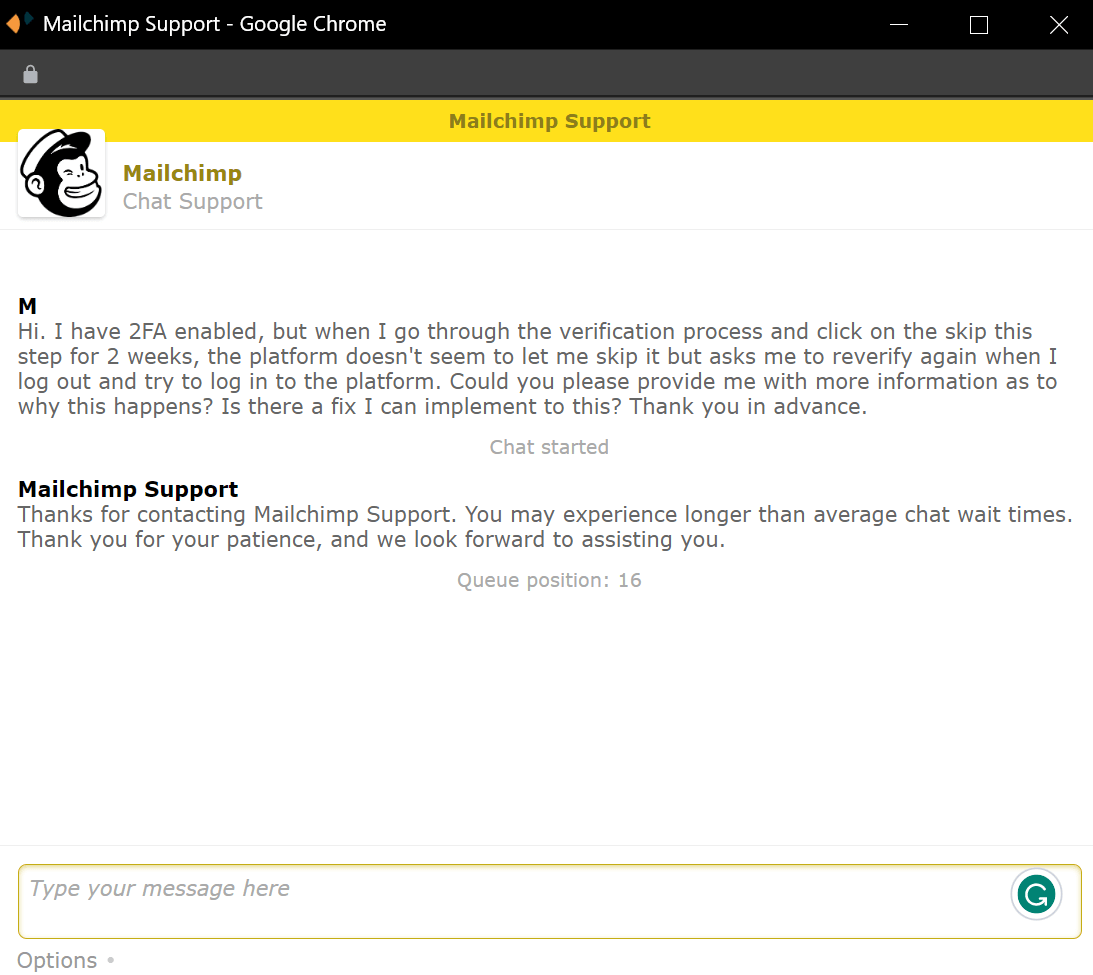
Mailchimp’s support infrastructure is more robust, since it includes 24/7 live chat, email support, and (for higher‐tier plans) phone support and dedicated account representatives. Free plan users get email support only for the first 30 days.
All these seem great. However, as with beehiiv, many Mailchimp user reviews indicate inconsistent service quality. For example, one review notes that support can be slow to respond, leading to unnecessary frustration when immediate assistance is needed.
This is a pattern we’ve been seeing lately in Mailchimp reviews regarding its customer support.
Winner: This is a tie, since both competitors have significant improvements to make in the support department.
Mailchimp vs beehiiv: Pricing
Now, let’s compare the two newsletter platforms in terms of their pricing.
beehiiv:
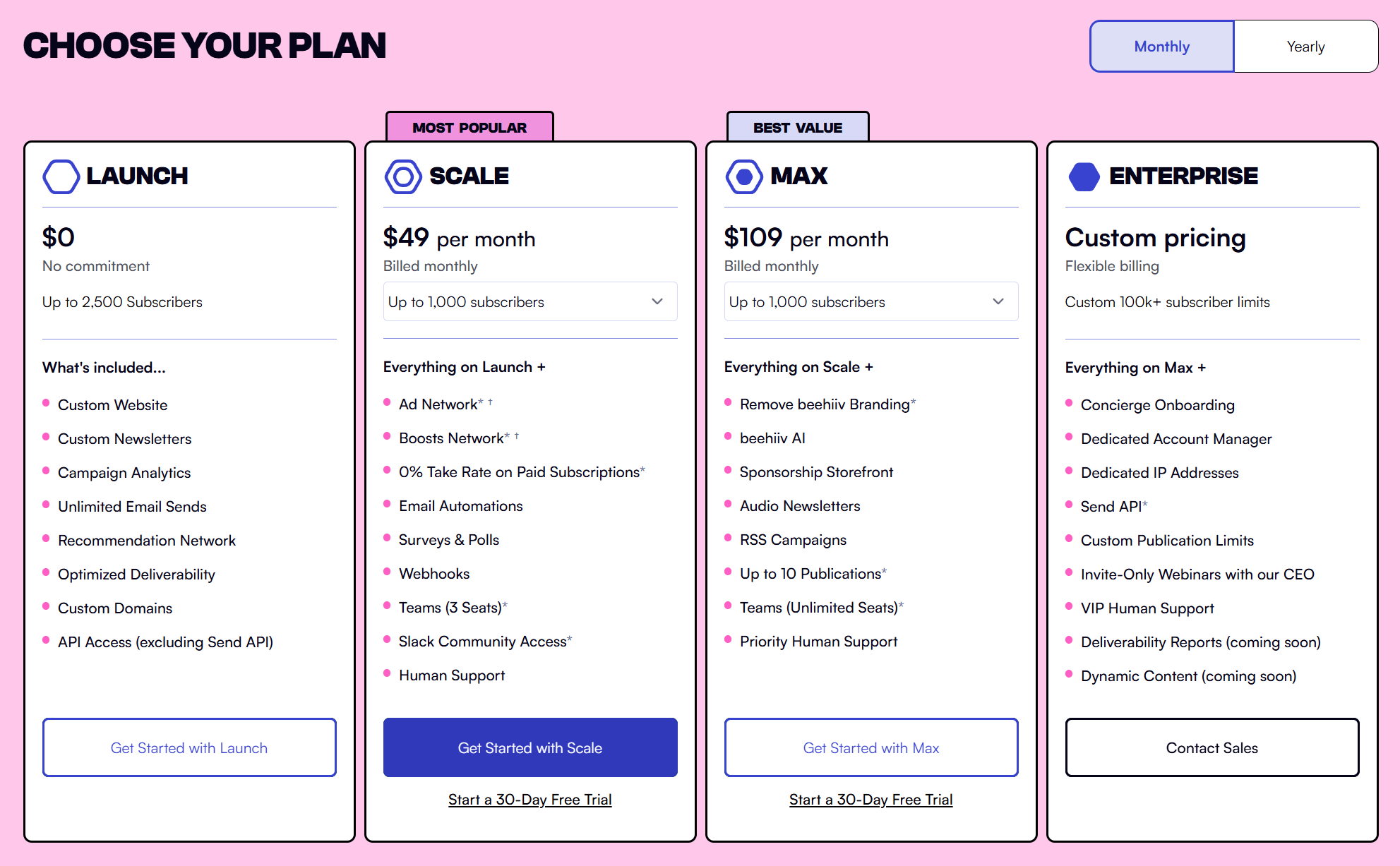
beehiiv’s pricing structure consists of a free plan and three paid options. Starting from the free tier, it’s undoubtedly generous, letting you have up to 2,500 subscribers. You can send unlimited emails and access handy features like the Recommendation Network and audience segmentation.
For more advanced features, you need a paid plan. Prices start at $49/month for 1,000 subscribers and scale with your growth. Generally, beehiiv becomes more budget-friendly the more your email list grows.
Also, beehiiv’s MAX plan is significantly more affordable than the respective Mailchimp plan (Premium), which starts at $350/month.
Mailchimp:
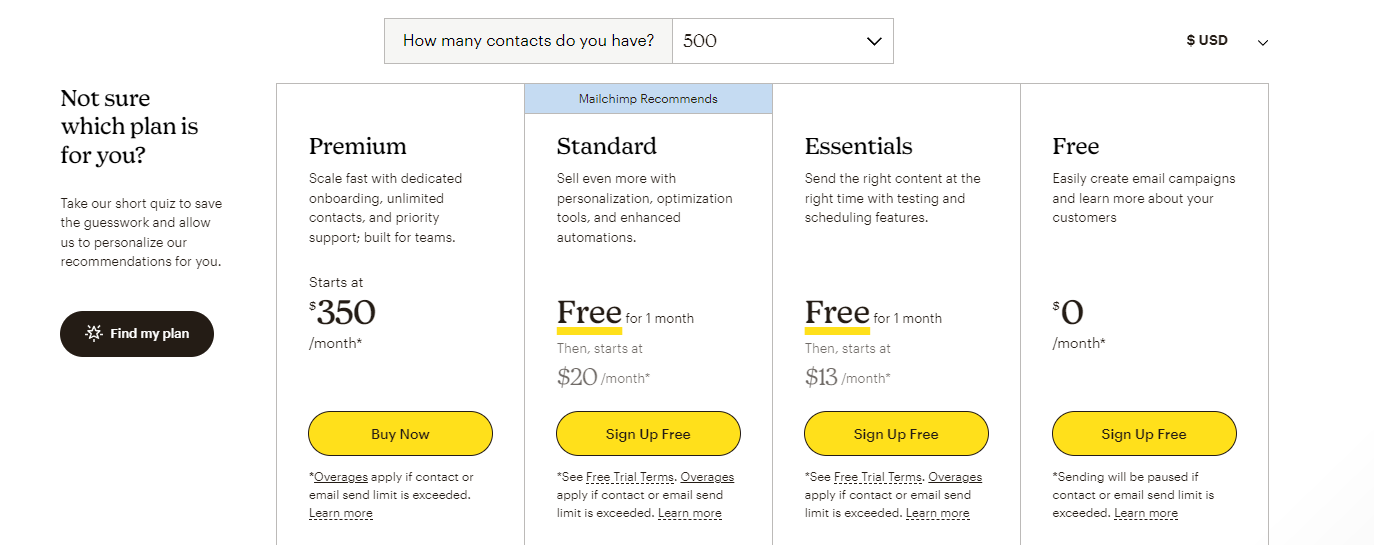
Like beehiiv, Mailchimp offers a free plan, though it’s less generous. Specifically, you can send up to 1,000 monthly emails and have up to 500 contacts.
There are three paid plans available, starting at $13/month (Essentials), but to compare Mailchimp with beehiiv better, we need to look at the Standard plan ($20/month). This option offers a wide range of powerful features suitable for both creators and marketers, while its starting price is lower than beehiiv. For more than 5,000 contacts, however, beehiiv becomes the more affordable option.
Another thing to note here is that Mailchimp has monthly email sending limits, while beehiiv allows unlimited email sends.
Winner: We believe beehiiv’s pricing is more competitive, supporting your growth.
Top beehiiv and Mailchimp Alternatives
If you’re unsure about beehiiv and Mailchimp or you want to explore more alternative options, here are the top solutions to consider.
1. Moosend

Pricing: Paid plans start at $9/month, 30-day free trial (Sign up here)
Best Feature: Advanced automation with real-time behavior triggers
Moosend is one of the most affordable yet powerful email newsletter platforms available today. Its drag-and-drop editor lets you design professional newsletters from scratch or customize one of the available premade templates. Then, the automation builder enables you to create personalized customer journeys using real-time behavior triggers such as link clicks, purchases, or website visits.
Unlike Mailchimp, Moosend offers unlimited email sends and only counts unique subscribers, which means you can create as many lists as you want without double-paying. You also get in-depth analytics and a wide range of integrations with other marketing tools. Finally, the responsive customer support team is a valuable benefit if you need assistance with newsletter creation or troubleshooting.
2. Kit
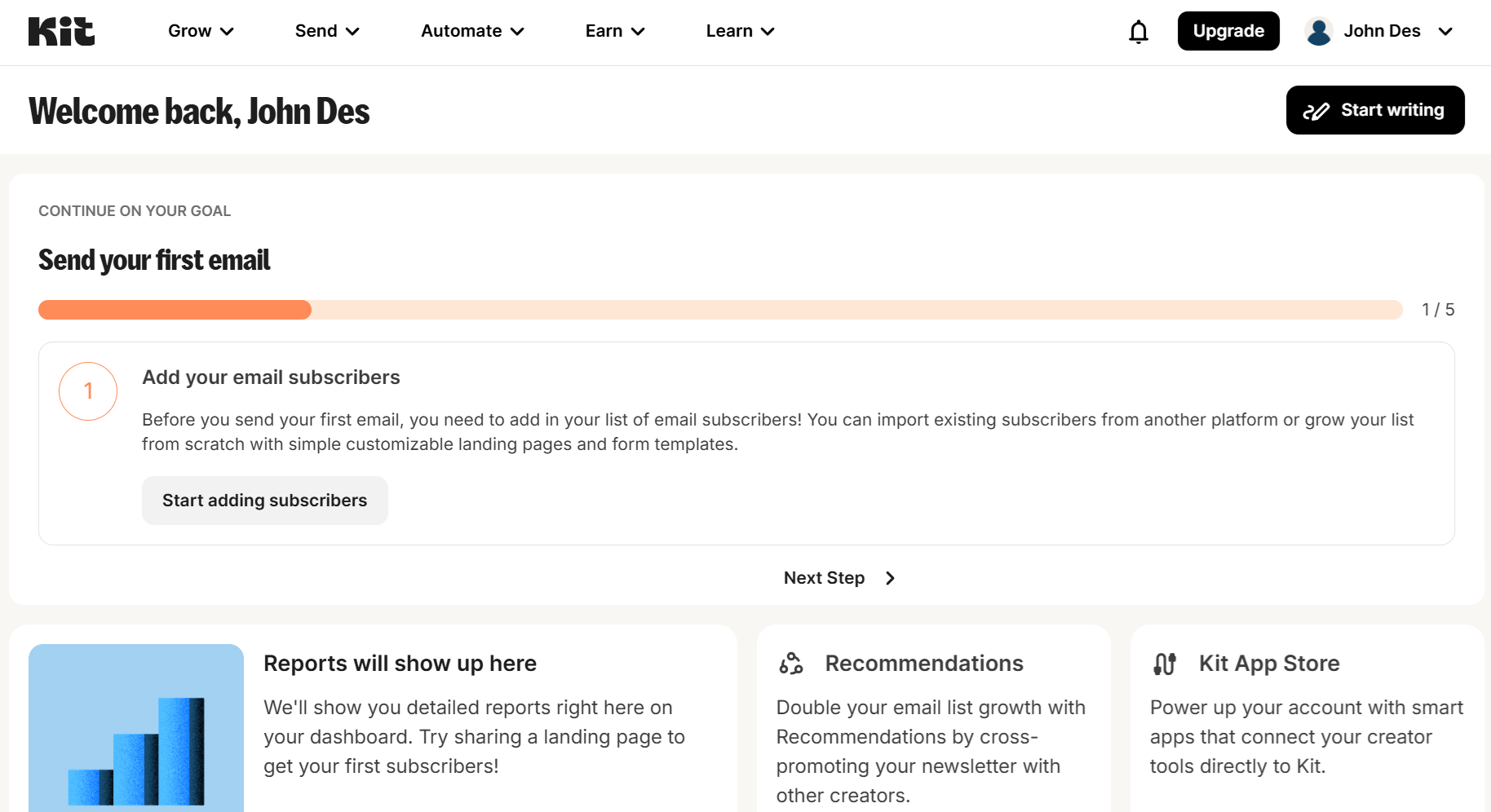
Pricing: Paid plans start at $39/month, free plan
Best Feature: AI-powered writing assistant
Kit is a newsletter platform designed for creators who want a mix of simplicity and monetization. It combines an intuitive editor with AI-assisted writing tools that help you craft engaging subject lines and email content faster. Kit incorporates detailed analytics and a monetization dashboard that lets you sell paid subscriptions, run sponsorships, or accept tips directly within the platform.
Compared to beehiiv, Kit offers a slightly more flexible layout editor while keeping the process straightforward. It’s ideal for independent writers and creators who want to grow and monetize their readership without relying on external tools or coding.
3. MailerLite
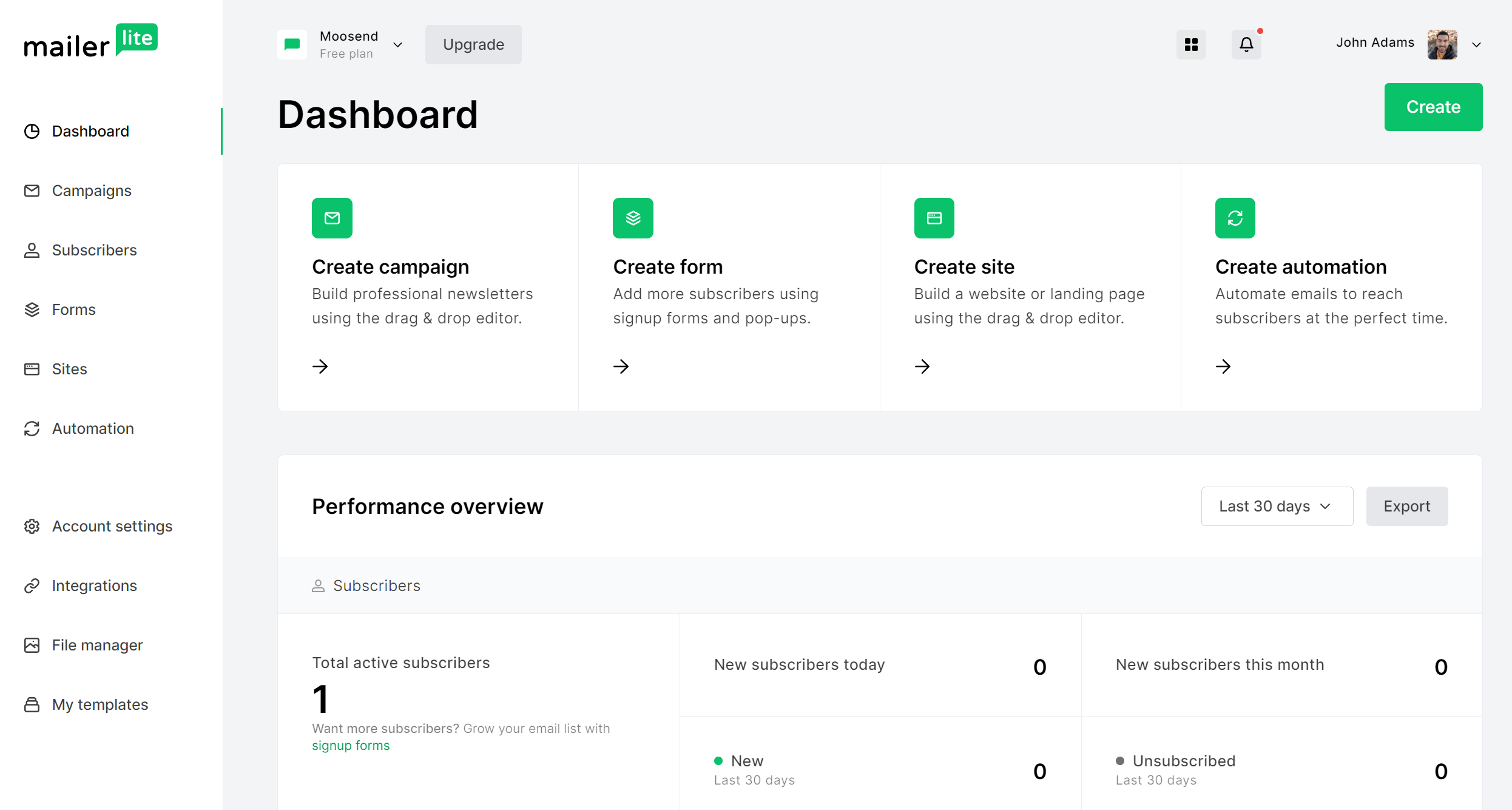
Pricing: Paid plans start at $10/month, free plan
Best Feature: Intuitive design editor and integrated website builder
MailerLite is a modern email marketing platform with a smooth email builder, enabling you to create visually appealing newsletters with drag-and-drop blocks and reusable templates. What stands out most, though, is MailerLite’s website and landing page builder, which lets you expand your newsletter into a complete online presence.
With MailerLite, you can automate email sequences and manage subscribers with advanced segmentation filters, something beehiiv still lacks. For creators and small businesses that want both beautiful newsletters and lead generation tools under one roof, MailerLite offers one of the best all-around solutions at a competitive price.
Additional Resources to Check
Here are a few resources to expand your reading:
beehiiv vs Mailchimp: The Verdict
Both Mailchimp and beehiiv offer solid tools for email marketing, but they serve distinct audiences.
beehiiv focuses on simplicity and creator-driven growth, giving writers and publishers everything they need to build, engage, and monetize their newsletters through built-in subscriptions, referrals, and ad placements.
Mailchimp, on the other hand, is designed for businesses that need more advanced marketing features such as complex automations, detailed analytics, and multi-channel integrations.
Overall, if your priority is creating and scaling a newsletter brand, beehiiv provides a streamlined, all-in-one experience tailored to that goal. But if you’re running broader marketing campaigns or need to manage customer journeys across multiple platforms, Mailchimp remains the more comprehensive choice.
Frequently Asked Questions (FAQs)
Here are some common questions and their answers.
1. Is beehiiv better than Mailchimp for newsletters?
If your main goal is to create, grow, and monetize a newsletter, beehiiv is a better fit. It offers built-in tools for paid subscriptions, referrals, and audience engagement, whereas Mailchimp focuses more on marketing automation and ecommerce campaigns.
2. Can I use Mailchimp for newsletters?
Absolutely. Mailchimp supports newsletter creation with its drag-and-drop editor, templates, and scheduling tools. However, it’s more suited to businesses and marketers running multi-channel campaigns, not independent writers or publishers.
3. Does beehiiv have a free plan?
Yes. beehiiv offers a free plan with core publishing and analytics features. Paid plans unlock advanced features, including monetization, custom domains, and automation tools, starting at $49/month.
Similar Posts

 Published by


Create, send and optimize your email marketing campaigns