















The Best Free Website Builders You’ll Ever Need in 2026 [Updated]
Published By Marilia Dimitriou
February 17, 2020

17/02/20
Today’s website builders make it possible to create a professional-looking site without coding or technical setup.
So, if you aren’t as fluent in Python as Harry Potter is, or simply want to move faster, a free website builder can help you launch without investing extra time or budget. These tools handle the technical side so you can focus on your content, design, and goals.
In this guide, you’ll discover the best free website builders available, what each one offers, and real examples of websites created with them, so you can choose the right option for your needs.
A website is just the beginning
Turn visitors into subscribers and nurture them with engaging email campaigns.
Try MoosendBest Free Website Builders to Create the Ultimate Website
Website builders are everywhere. In fact, there are so many of them that testing and choosing the best one can be pretty tiresome. If you’ve checked our landing page builder guide, then you know the struggle is real.
To help you out, we tested and found the best builders you’ll ever need to make your website dreams come true.
1. Wix
Pricing: Free plan, prices start at $17/month
Unique Feature: Wix Editor
Wix is one of the most popular free website builders, thanks to its ease of use and flexible design options. This builder can help you design a fabulous website for your business using cloud-based tools for creation and management.
However, what sets the builder apart among the best website builders is its drag-and-drop editor and mobile-friendly designs. Using it will give you access to numerous themes, which, in my opinion, aren’t at all average for a free website builder.
Whether you choose one of their templates or create your website from scratch, the builder will give you the right tools to envision, design, and publish the best site out there.
Editor Features
When I say that the editor is flexible, I mean it. What makes it stand out is that you can customize pretty much everything on your website and then preview it.
The easy-to-use interface will minimize the time you spend creating a page and give you a straightforward way to build your website. For instance, if you click on your header, you’ll get a variety of options like your logo, business name, and tagline, which you can customize on the spot.
When it comes to images, you can use the editor’s image library to find the ones that suit your needs. On top of that, Wix offers the App Market, where you can find hundreds of free apps that add extra functionality to your website, such as live chat, contact forms, or reservation systems.
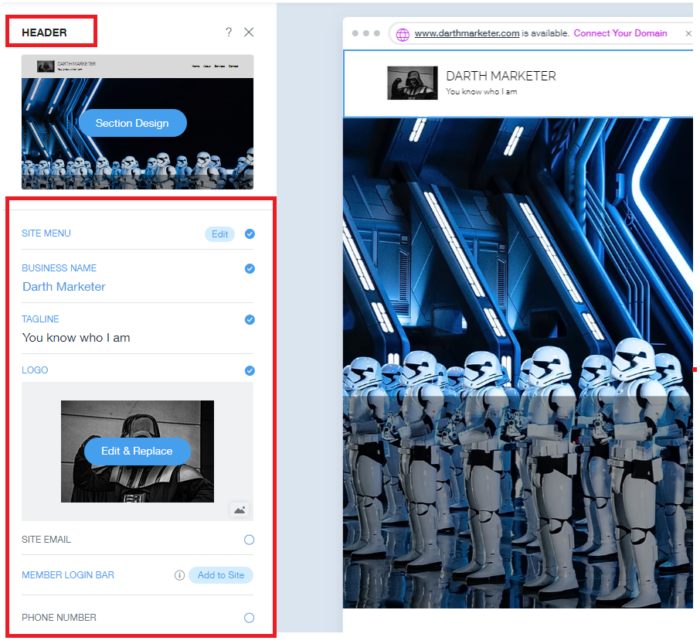
What differentiates the editor, though, is its user-friendliness. The builder will guide you through every step of the process and provide valuable advice.
Here, the smart microcopy warns us that the text isn’t readable.
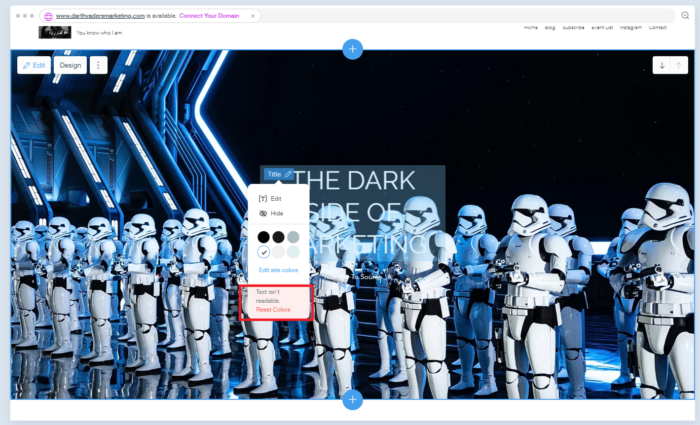
This editor feature will help you save time and avoid some of the most common website design mistakes that will result in poor conversions. One small detail for you, one giant leap for your website conversions!
Built on Wix – Maapilim
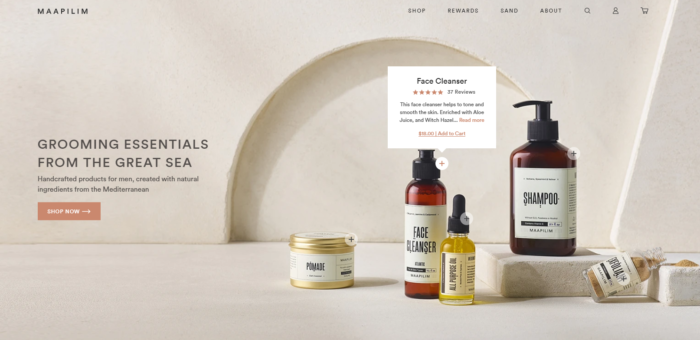
Maapilim is a grooming product brand that used the builder to create a fantastic website. Furthermore, the company used the builder to create a clean, easy-to-navigate design via the pop-up menu.
One of the best things about this website is that when you hover over a product, you’ll see a short description and its star rating.
Key Features
- Drag-and-drop site builder (Wix Editor)
- Template library and customization controls
- App Market integrations
- AI site creation tools
- SEO tools settings
- eCommerce and bookings options for higher paid plans
Pros & Cons
Pros
- Low barrier to entry with guided setup and inline controls
- Extensive App Market that covers marketing, bookings, payments, reviews, etc.
- Wide variety of AI-powered capabilities
- Built-in SEO management
- Extensive template library
- 24/7 customer care
Cons
- Difficulty switching between templates
- Beginners might find the plethora of features overwhelming
- Free plan includes Wix branding/subdomain
Pricing
Wix offers a free plan that includes branding and subdomain options. Paid plans typically remove branding, allow a custom domain, and unlock more storage/bandwidth and business features. Wix’s official plans list paid starting at $17/month.
2. WordPress.com
Pricing: Free plan available; paid plans start at $9/month
Unique feature: WordPress block editor
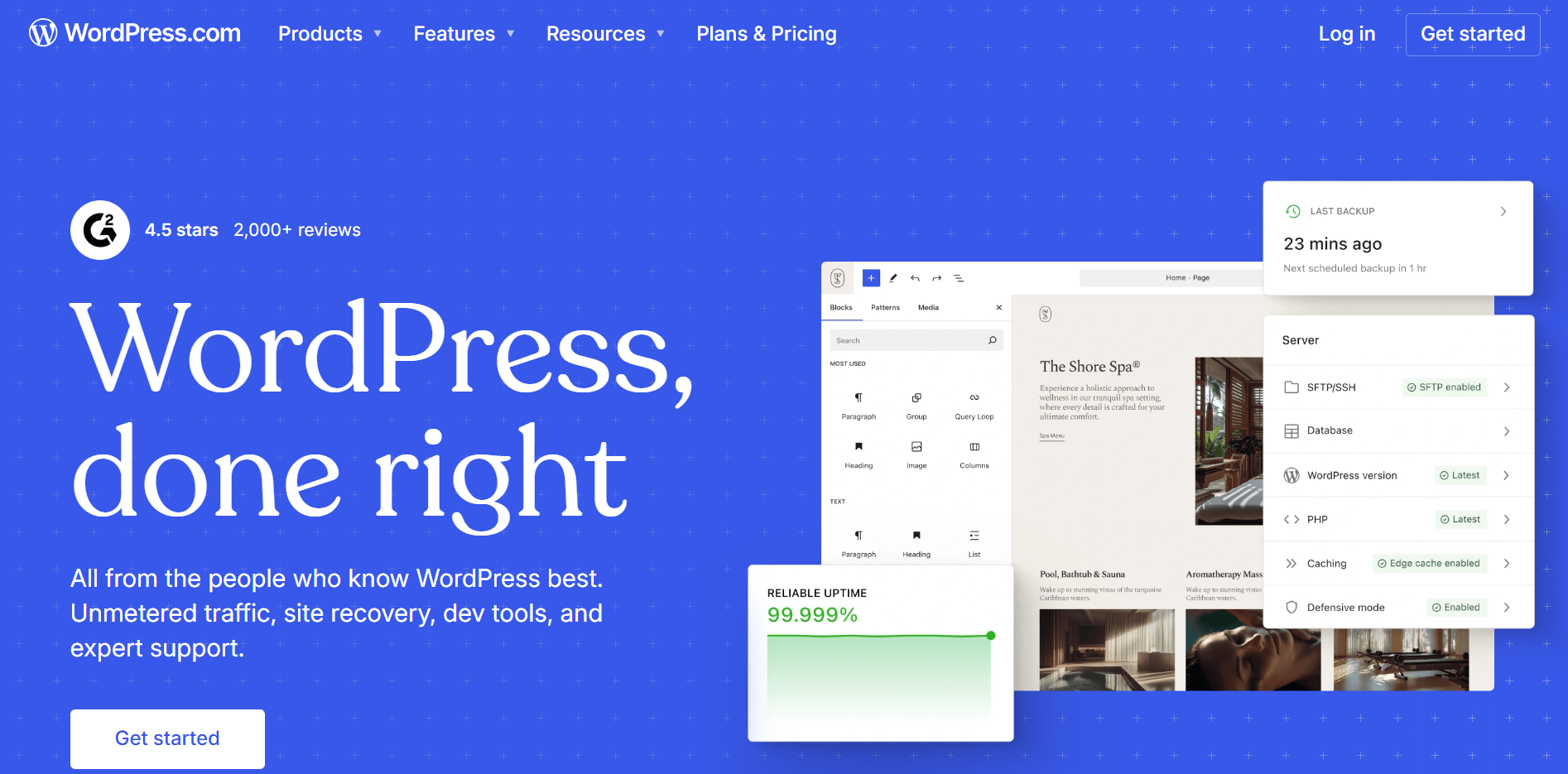
WordPress.com is another popular free website builder. However, you shouldn’t confuse it with WordPress.org, the famous self-hosted platform.
According to Scott Chow from The Blog Starter, while it feels like a traditional free website builder, it is a blogging platform with builder add-ons. Despite that, WordPress is famous for creating small business websites and online stores with its simplified editor.
While the builder isn’t too complicated to use, some technical expertise can help leverage its full capabilities. If you want a simple blog and you’re willing to learn some basic coding, then WordPress is perfect for you.
Editor Features
The platform has an advanced block editor with each element having its own set of controls. Each block lets you customize the color, width, and alignment of your elements using the advanced sidebar on the right.
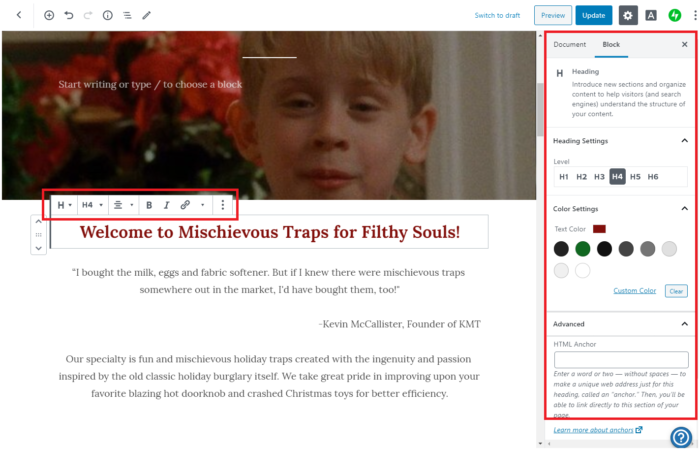
While it has a classic drag-and-drop editor, you can also move your blocks up and down by clicking on the arrows located on the left side of each block.
When it comes to customizing the visual elements of your page, the editor offers you a wide variety of tools to achieve the best result. For instance, you have full control of your cover’s appearance, from the style of your image to the overlay and background opacity.
Adding new blocks is also easy. To insert a new one, click the add block option at the top of the page.
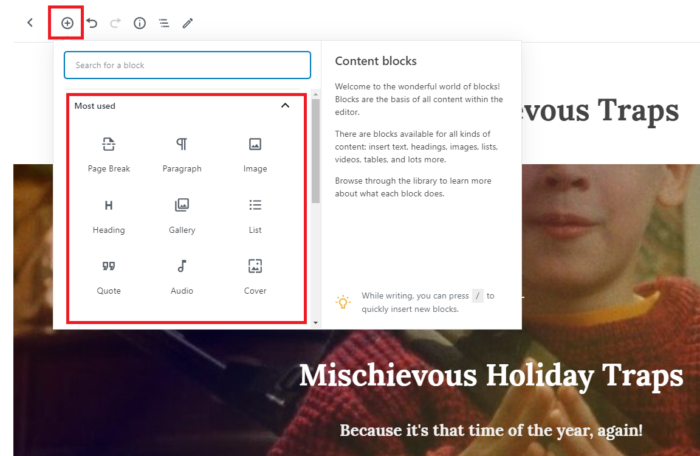
You can now use the sidebar to customize your new block as you wish.
Built on WordPress.com – A Year of Reading the World
Ann Morgan’s blog combines simplicity and elegance. Hence, her posts are neatly placed one after the other, making them easier to explore and interact with.
The detail section on the left side certainly provides the readers with valuable information that enhances their overall experience.

Key Features
- Block editor for pages and posts
- Wide variety of themes and layout patterns
- Dedicated WooCommerce extension for eCommerce stores
- Built-in hosting and security
- Built-in blogging and newsletter-style publishing
- Media management and basic site analytics
- Monetization and payment options for higher-tier plans
Pros & Cons
Pros
- Best-in-class blogging and publishing workflows
- Block-based editor makes layouts structured and consistent
- Managed hosting included
- Strong security and platform stability
- Easy to start for free
Cons
- Some advanced capabilities depend on the plan tier
- A steep learning curve can still exist if you want deep customization
Pricing
WordPress offers the opportunity to start for free. The builder offers four paid solutions, starting at $9/month. These will give you access to advanced customization, extra storage space, and premium themes.
3. Webnode
Pricing: Free plan available; paid plans start at $4.50/month
Unique feature: Fast AI website builder with inline editing capabilities
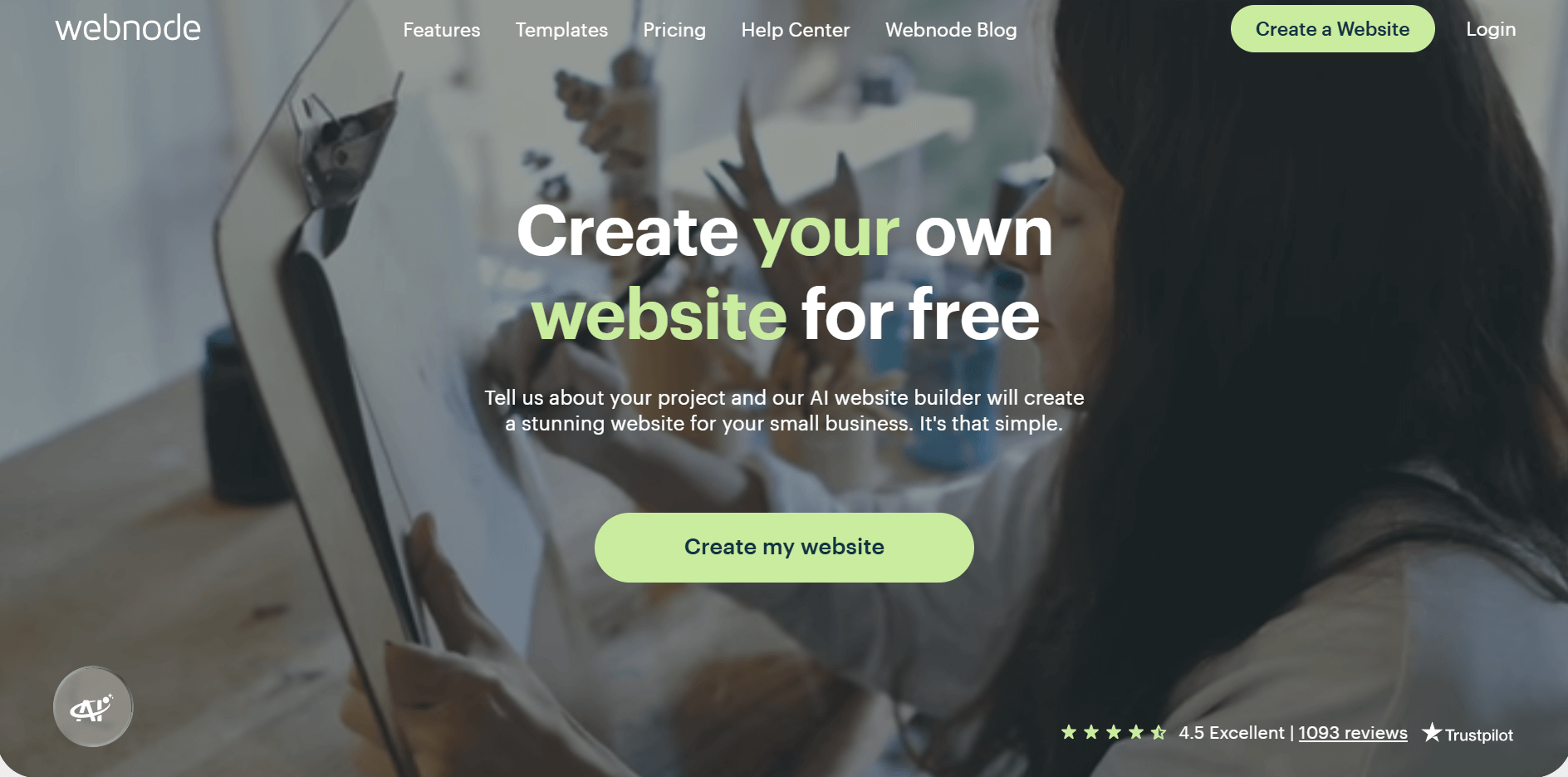
Webnode is a free website builder that continues to improve, with over 40 million installations. The new additions have given its users a new editor and a wide variety of new themes.
This new version gives users a more direct building experience, simplifying the design process.
Since time is essential, the website builder lets you modify every element by clicking it and seeing the changes in real time.
What makes it attractive, though, is the variety of features the free plan offers.
Compared to other builders, it has fewer element limitations. Background video, for instance, is the only element you need to pay for.
Editor Features
Webnode is as simple as it sounds. To be honest, it’s so straightforward that you can master the editor in a few minutes.
The editor has a simple principle: click it, then customize it. To achieve that, the builder has dropped the sidebar found on other free website builders.
Consequently, you can change everything on your new website without going through numerous steps.
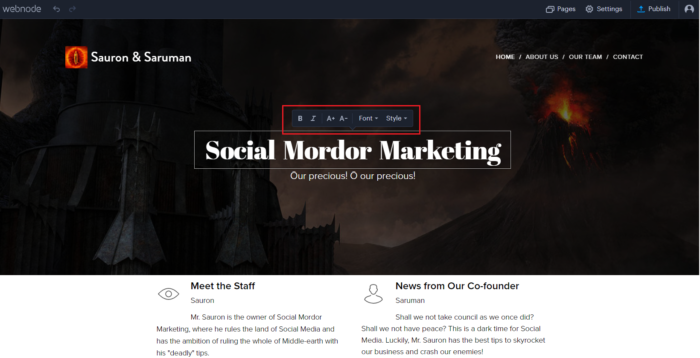
Adding new elements through Webnode’s improved editor is also a piece of cake.
To add a new section, click Insert Line, then choose the element you need.
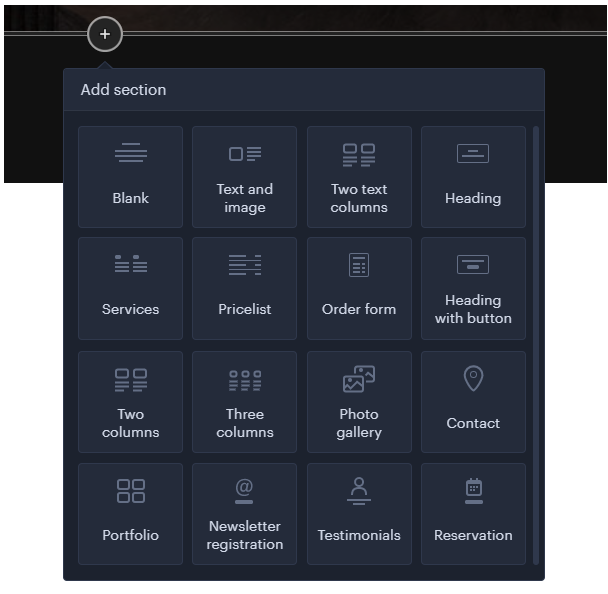
This easy-to-use feature makes the editor a robust tool for beginners to take web design to the next level.
Built on Webnode – Neil Bixby Photography
Webnode is an excellent choice for anyone looking to create a website for personal or professional use.
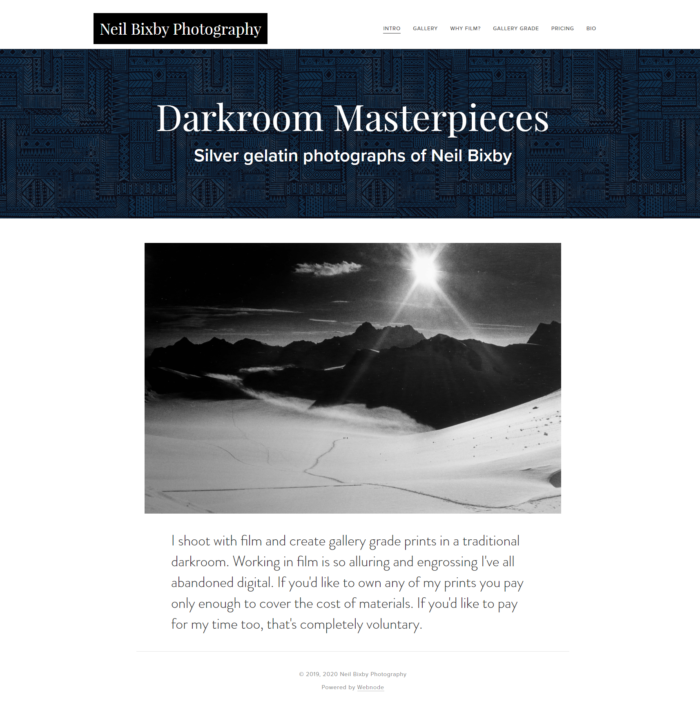
Neil Bixby, for instance, took advantage of the builder and created a simple website that reflects his black-and-white photographs.
Key Features
- AI website builder
- A variety of templates for business or personal sites
- Inline element editing and real-time preview
- Basic SEO tools
- eCommerce options (depends on the pricing plan)
- Domain and premium plan upgrades
Pros & Cons
Pros
- Edits happen directly on the page, with instant visual feedback
- AI site builder option for a quick first draft
- Good for basic business websites and small projects
- Real-time editing makes it beginner-friendly
- Often priced competitively compared to heavier builders
Cons
- Less advanced design flexibility compared to top-tier builders
- Some features are gated behind premium tiers
- Smaller ecosystem than competitors with fewer extensions
Pricing
The builder offers paid options starting at $4.50/month. The premium service provides additional storage, bandwidth, video elements, and website statistics.
4. Webstarts
Pricing: Free plan available; paid plans start at $25/month
Unique feature: Beginner-friendly drag-and-drop editing with smart alignment and style tools
As a free website builder, Webstarts provides you with all the essential features you’ll ever need to create your website.
Despite offering only the basics, it is great for someone with no technical expertise who wants a comprehensive builder to create their first website.
What gives the builder a place in our list is its customization flexibility and well-designed templates. Selecting one will help you design a simple yet beautiful website to amaze your audience.
Editor Features
Upon entering the editor, the builder displays a video tutorial to help you become familiar with website creation.
However, the real fun begins when you start using it. Compared to other builders, it has a guideline system to help users align their elements. Then, you can customize your text and colors using the pop-up menu.
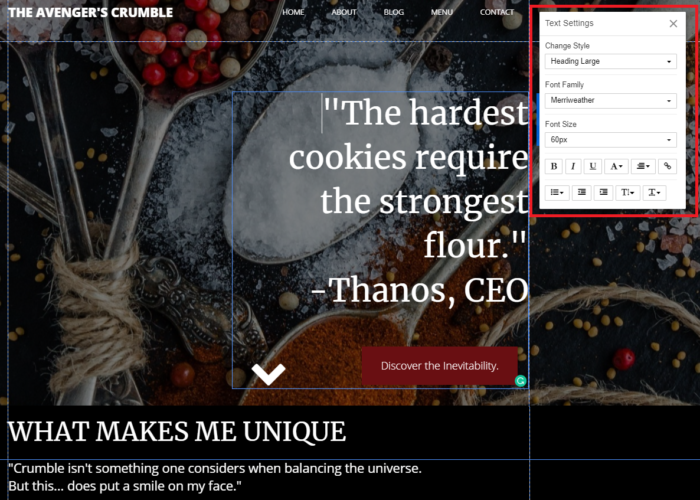
Moreover, the builder offers an advanced color system that lets you experiment with different color combinations, set gradients, and even pull colors from images.
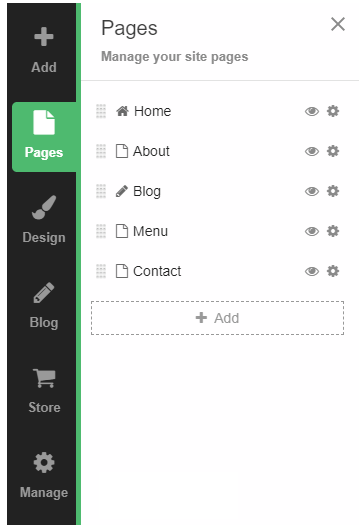
To get the most out of it, the editor includes a simple sidebar that helps you manage your page and add various new elements.
Built on Webstarts – Budo Ryu
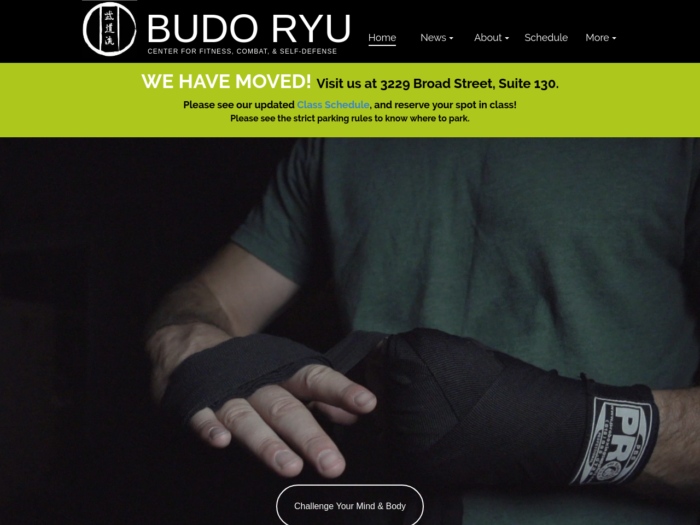
Budo Ryu, a fitness center, has used the website builder to create a professional-looking website for their business. The fitness center leverages the builder’s video elements to create a unique website.
The clean newsletter design allows visitors to navigate the page and access the center’s schedule, news, and newsletter signup form.
Key Features
- Visual drag-and-drop editing for no-code page building
- Pre-designed templates and sections to get started faster
- Simple blogging tools for sharing content
- Custom domain support on paid plans
- Ad removal with premium upgrades
- Hosting included for easy publishing
Pros & Cons
Pros
- Free plan for testing and basic publishing
- Visual editor that’s easy to use for non-technical users
- Quick setup built for first-time creators
- Plug-and-play templates that help you get started quickly
- Ad-free sites with a custom domain and email on paid plans
Cons
- Smaller template library and integrations ecosystem than competitors
- Free tier includes limitations and branding
- May feel less “modern” than other free website builders
Pricing
The website builder lets you get started for free. Paid plans start at $25/month. Going premium will give you a custom domain name, live chat support, and exclusive features.
5. Weebly
Pricing: Free plan available; paid plans start at $13/month
Unique feature: Section-based drag-and-drop editor
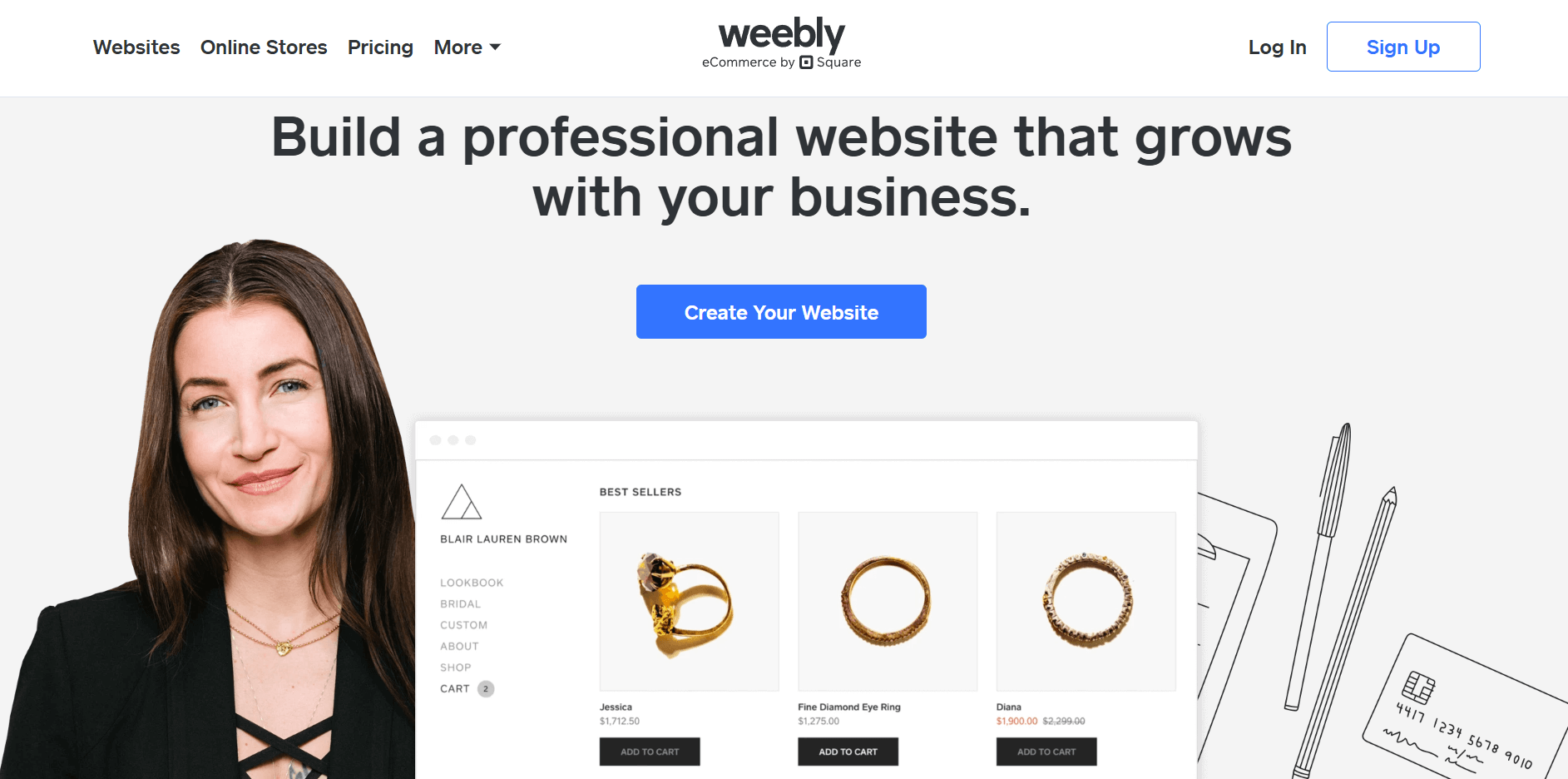
Weebly has a place among the best eCommerce website builders you can use to create your online store. While this is its strong suit, you can also use it to create websites and blogs that will stand out.
Despite not having many themes to choose from, the ones available will still help you.
The number of elements also compensates for the lack of templates, allowing you to create a website with great functionality.
Editor Features
The builder offers a powerful drag-and-drop editor that lets you create a professional-looking website in no time. As we mentioned earlier, the builder offers a range of advanced features, including slideshows, surveys, and contact forms.
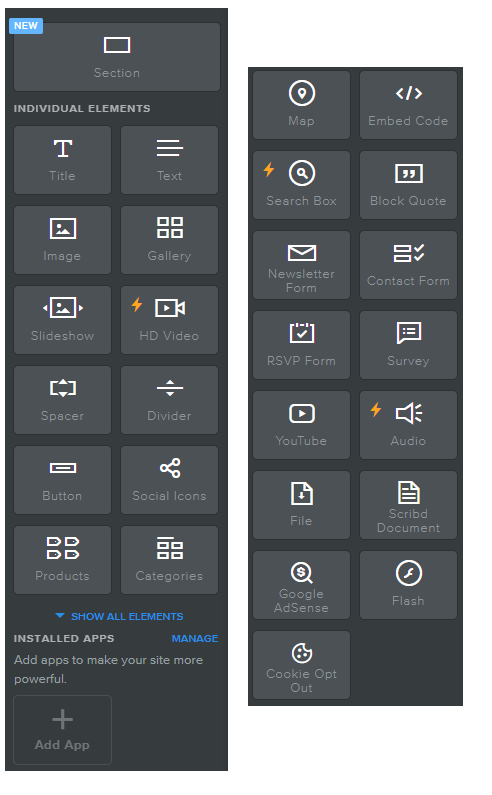
When adding these elements, you can simply grab the one you need and place it on your page.
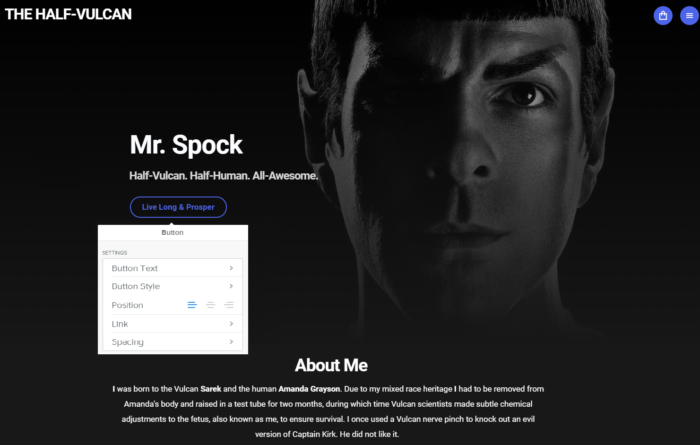
That’s not the only thing that makes the builder’s editor a great tool. Its ability to edit every element by clicking on it makes it more user-friendly.
For instance, you can customize your calls-to-action (CTAs) in the pop-up menu and see the changes take effect immediately.
Built on Weebly – Classic Cuts Barber Shop
The Classic Cuts Barber Shop has leveraged the builder’s themes to create a unique website for their business. The website is easy to navigate and informative, providing visitors with an engaging experience that helps them take action.
The business also leverages advanced features, such as the newsletter signup form, to engage its users and increase lead generation. 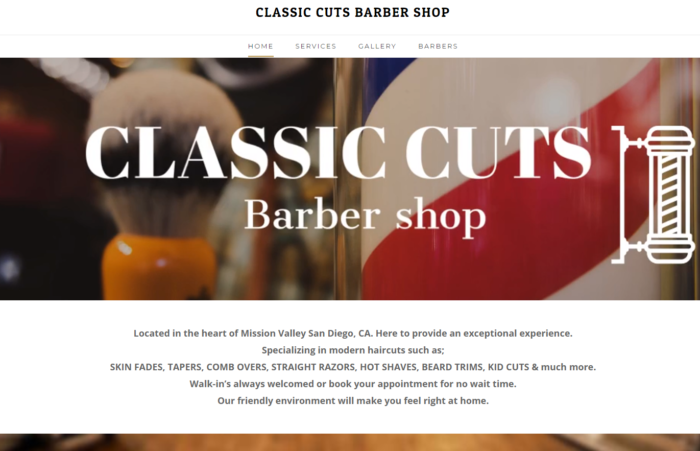
Key Features
- Visual drag-and-drop editing for building pages without technical skills
- SSL security is included to protect your site and visitors
- Integrated Square payments for simple online selling
- Built-in blogging and SEO tools to support content and visibility
- An app center for adding extra features as your site grows
- Site analytics to track performance on paid plans
Pros & Cons
Pros
- Structured drag-and-drop editor with clean and organized layouts
- Gentle learning curve for beginners
- Built-in eCommerce tools to sell products from day one
- Tight integration with Square for payments and checkout
- A generous free plan for launching a basic website or small store
Cons
- Limited design freedom compared to more flexible builders
- Templates and editor experience can feel dated
- Advanced features and customization require upgrading to paid plans
Pricing
Weebly offers a free plan for building and publishing a basic website, with hosting included but clear limitations. Paid plans start at $13/month and remove ads, allow custom domains, and unlock more storage, analytics, and eCommerce features.
6. Mozello
Pricing: Free plan; paid plans start at $12/month (billed quarterly)
Unique feature: Native tools for creating and managing multilingual websites
Whether you need to build a blog, website, or an online store, Mozello has got you covered. This free website builder lets you create a professional-looking website in just a few clicks.
The editor also makes it easier to manage and build your website, leveraging a minimalist design to enhance functionality.
One advantage of choosing Mozello is that it lets you create multiple versions of the same page in different languages. This can be extremely useful when you need to optimize your content for a multilingual audience.
Editor Features
Like the rest, Mozello favors simplicity over complexity. To customize the elements on your new website, click each one to start editing.
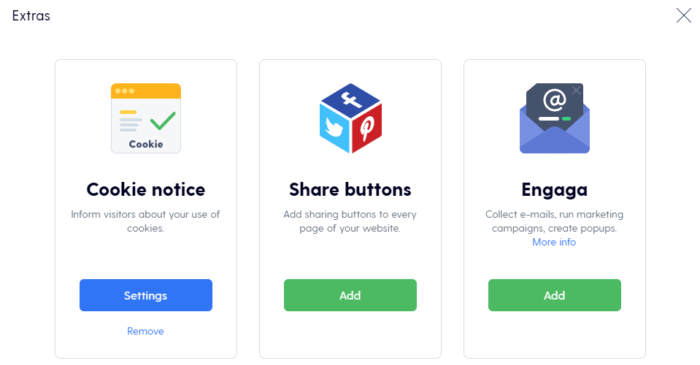
Mozello’s frontend live editor lets you edit elements and see how your changes affect your layout as you build. The sidebar makes it easier to insert extras, preview your page, and add HTML code.
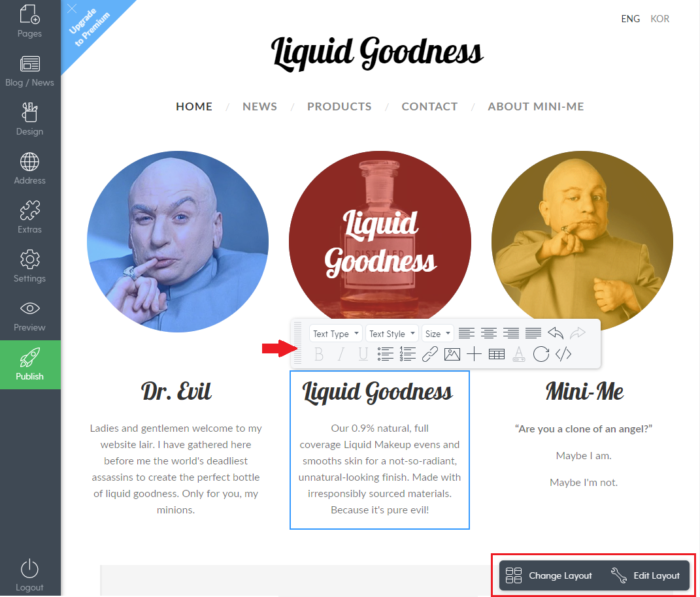
When it comes to fonts, colors, and images, you can customize everything by enabling the layout editing option at the bottom of your page.
If you aren’t happy with the layout, the editor also gives you the option to select a new one by clicking on the change layout option.
Built on Mozello – Riga Premium Offices
While Mozello has limited features, it’ll give you all you need to get the hang of website design.
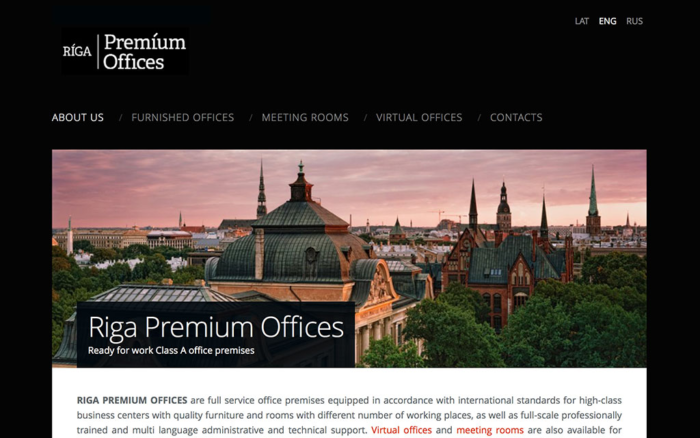
Riga Premium Offices used Mozello’s capabilities to create a professional-looking website for their real estate business.
The company also used the builder’s multilingual page feature to create two extra language versions of their page.
Key Features
- Click-to-edit page elements with real-time preview
- Built-in language switcher for managing multiple site versions
- Product management with inventory and order handling tools
- Support for common payment methods like PayPal and card payments
- Custom domain connection and branded email on paid plans
Pros & Cons
Pros
- Fast website setup for beginners
- Native multilingual website support
- Simple built-in online store
- Essential SEO and analytics tools
- Hosting included
Cons
- Limited design flexibility compared to more advanced website builders
- Smaller template selection that can feel restrictive
- Basic eCommerce features that may not scale well for larger stores
- Fewer integrations and extensions than bigger platforms
- Advanced customization requires upgrading to paid plans
Pricing
Mozello offers a free plan that lets you publish a multilingual website with SSL security, basic SEO tools, analytics integrations, and a small online store with up to five products and zero sales commission.
Paid plans start at $12/month, billed quarterly, and remove Mozello branding, add a custom domain, and provide more storage. Higher tiers unlock unlimited storage and products, along with advanced eCommerce features like product variants, reviews, and shipping tools.
7. Jimdo
Pricing: Free plan available; paid plans start at $11/month, billed annually
Unique feature: Guided, small-business-focused website setup
Compared to the other free website builders we’ve seen so far, Jimdo has a completely different approach to designing the ultimate website.
Jimdo offers two different builder versions: Jimdo Creator and Jimdo Dolphin. Depending on your technical expertise and the type of website you want to build, you can choose the builder version that suits you.
Creating a blog is only possible through the Jimdo Creator. However, if you want to design a website or a shop, you can choose either the Creator or Dolphin.
Editor Features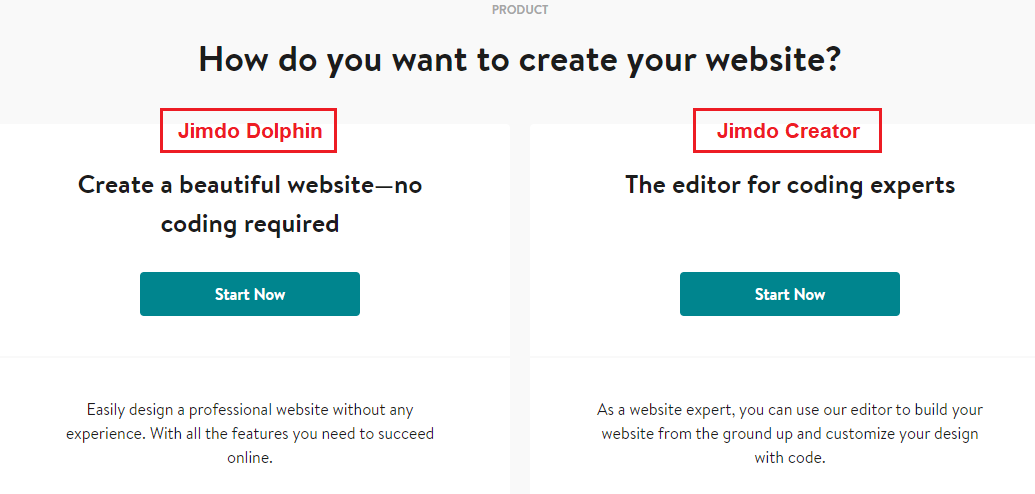
Jimdo Creator
When you click on the Creator, Jimdo redirects you to the theme page where you can choose a template. Then it redirects you to the editor, where you can add and edit your website elements.
To do that, use the paint roller under the style option in the sidebar. Through the paint roller function, you can change the fonts, alignment, and size of your captions.
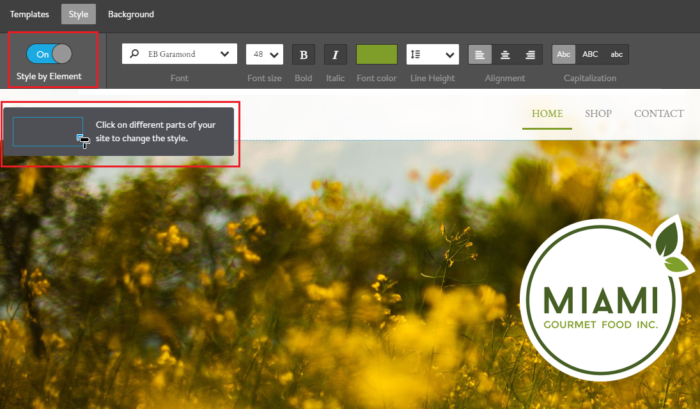
The builder also lets you add images by dragging them into the relevant block. At first glance, Jimdo Creator seems easy to use. Nevertheless, it will take some time to familiarize yourself with the editor.
If you already have the technical knowledge, feel free to start designing your website using HTML, CSS, or JavaScript. If not, then let’s take a look at Jimdo Dolphin.
Jimdo Dolphin
Dolphin is part of the next generation of intelligent website builders that help you create a website without any technical skills.
When you click it, Dolphin will show you a series of questions to gather information about your website idea.
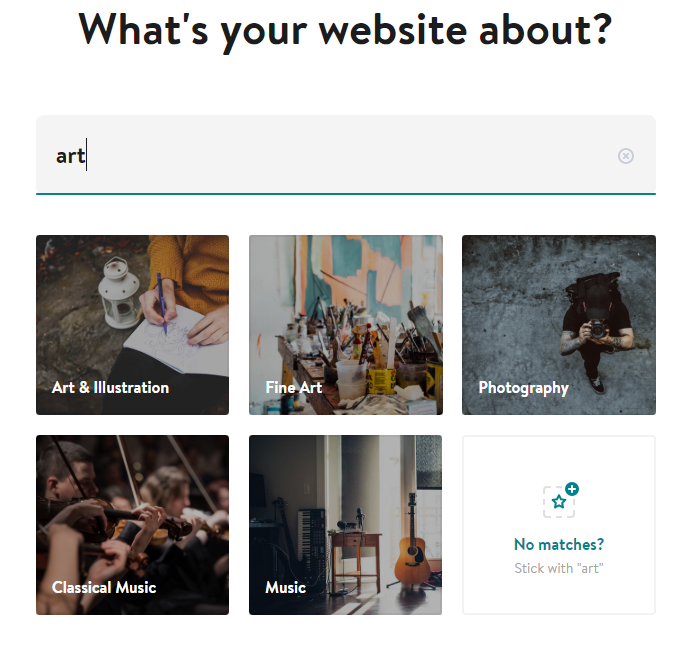
These questions will help Dolphin generate personalized suggestions for your next website. Compared to Jimdo Creator, you have an expanded sidebar that lets you add new blocks by clicking on the insert button.
You can customize your elements by selecting the block design feature on the left side of each block.

The editor’s flexibility and personalization make Dolphin the ultimate free tool for website design beginners. Keep in mind, though, that Jimdo Dolphin’s free plan is limited to 5 pages only.
Built on Jimdo – Janik Schnyder Fotografie
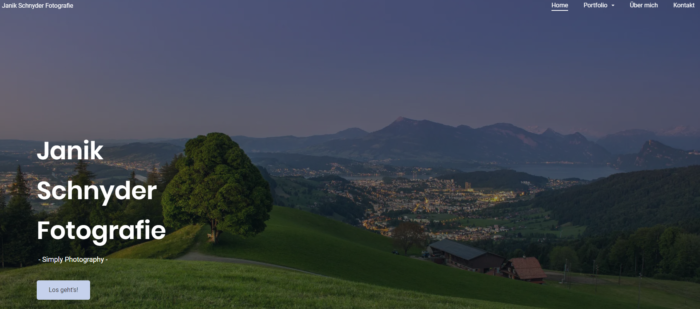
Janik Schnyder’s website is the perfect example of Jimdo Dolphin’s true capabilities.
The minimalist design makes it easier to explore the page and click on the various links. The incredible visuals cover most of the homepage, showcasing the photographer’s work and making the website memorable.
Key Features
- Mobile-optimized website templates built for responsive viewing
- Contact forms and a built-in image library for quick page building
- Built-in tools for business listings on platforms like Google and Facebook
- A Legal Text Generator add-on that creates and updates GDPR-ready legal pages for EU sites
- Social media integration is designed to connect your site with channels like Facebook and Instagram
Pros & Cons
Pros
- Very fast to launch a basic small-business site
- Built-in SEO and marketing positioning tools for small businesses
- Clean, minimal interface that’s good for non-designers
- Ad-free paid plans that include HTTPS
- Easy upgrade path from free to paid plans
Cons
- Limited free plan
- Limited app ecosystem and fewer advanced features than competitors
- Can feel restrictive if you want “big site” flexibility
Pricing
Jimdo offers a free plan that’s best suited for testing the builder or putting up a very simple site, as it uses a Jimdo subdomain and includes ads. Paid website plans start at $11 per month and remove branding, allowing you to connect a custom domain.
They also unlock essential features like contact forms, image libraries, and mobile optimization. Separate plans are available for online stores, with added selling tools and no platform sales commission, depending on the tier you choose.
8. Strikingly
Pricing: Free plan available; paid plans start at $20/month
Unique feature: One-page website builder focused on smooth scrolling and simple navigation
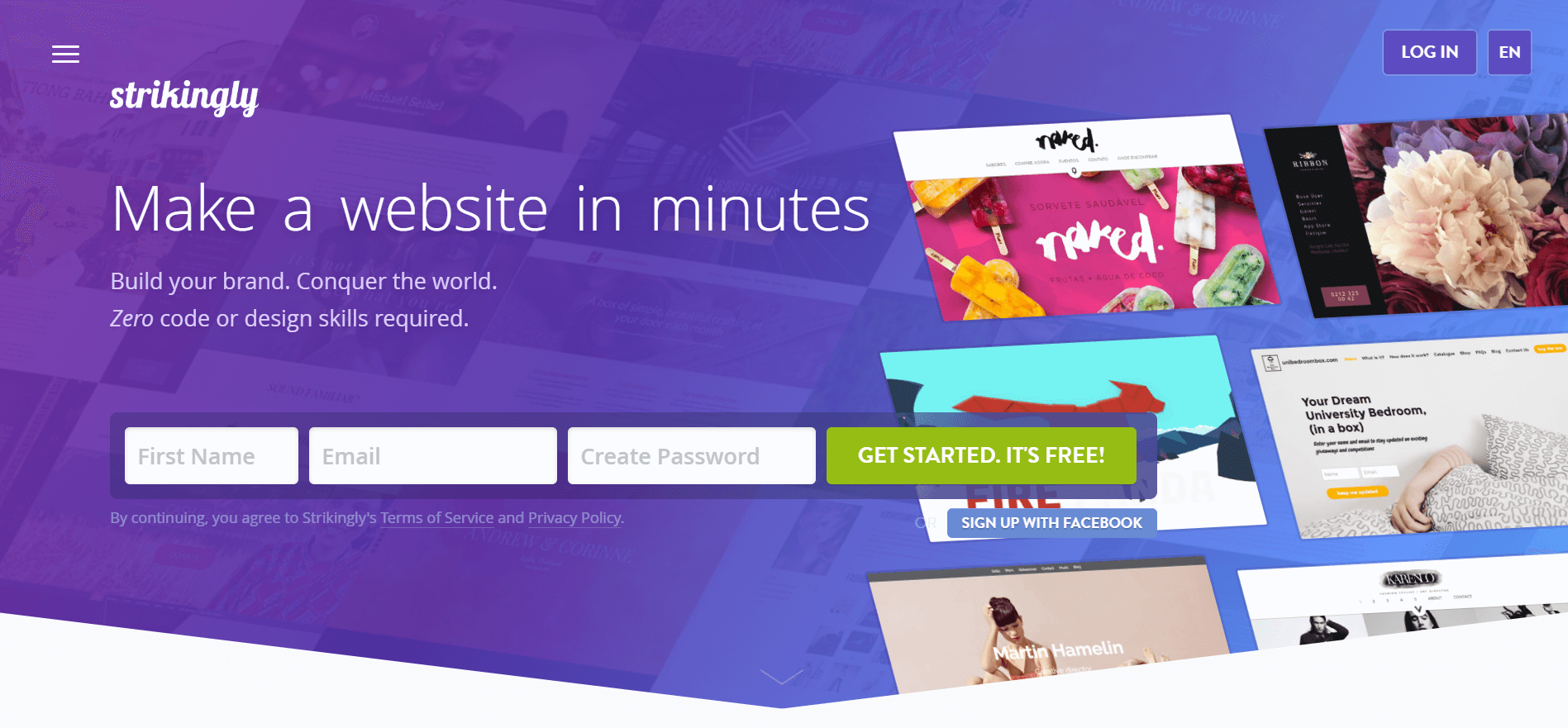
Strikingly is a builder that, according to its website, will help you build your brand and conquer the world.
Of course, to do that, you need a free website builder with the best templates and tools to customize it. In this case, the builder has everything a rookie needs to create the perfect mobile-optimized website.
The builder is ideal for both designers and developers who need to launch a website in a few hours. Using it lets you create incredible single-page websites that are easy to explore.
The famous single-layout will give your visitors a continuous experience on your site. However, if you want to create multiple pages, then you’ll have to upgrade your plan.
Editor Features
The builder has a responsive editor to design your single-page websites fast and easily. To use it, you don’t need any coding knowledge, as the drag-and-drop editor is beginner-friendly.
One of the best features is the style editor, which gives you full creative control over your website design.
However, you can also customize your color scheme, fonts, and buttons by clicking your elements and seeing the changes happen in real time.
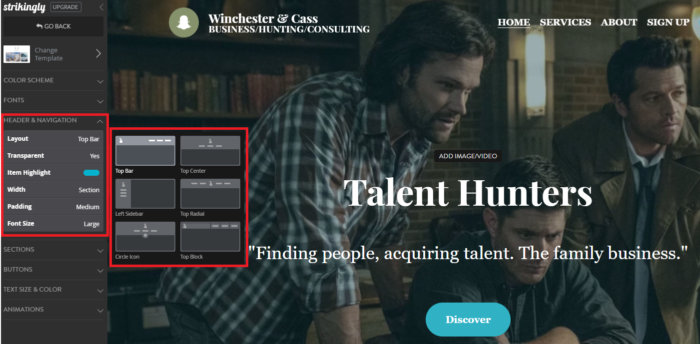
Furthermore, another advantage of using the builder is that you can change between templates without losing your changes.
The editor also includes two quick-access buttons you can use to edit your headline layout and change your background image.
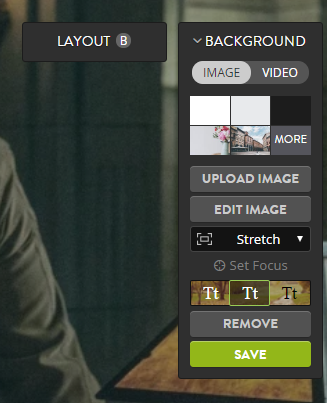
This way, you can test different backgrounds without uploading numerous images.
Built on Strikingly – Elemental Magazine
Elemental Magazine leverages the power of the single-page layout to make an incredible one-page website.
From the visuals to the choice of font and colors, Elemental has created a website that resonates with its target audience.
Using Strinkingly’s editor, the magazine created a website that’s both informative and modern.

Key Features
- A dedicated one-page website builder that organizes content into vertical sections
- Templates designed with mobile viewing as the default
- Built-in hosting and publishing, so there’s no need to manage servers or updates
- A simple online store feature for selling a small number of products
- Integrated blogging and contact forms for basic content and lead collection
- Custom domain connection available on paid plans
Pros & Cons
Pros
- Extremely simple to use
- Ideal for landing pages, portfolios, and link-in-bio style sites
- Templates optimized for mobile-friendly one-page experiences
- Free plan that is genuinely usable for simple sites
- Users often praise ease and “clean output” in reviews
Cons
- Basic eCommerce capabilities compared to competitors
- Custom domain requires a paid plan
- Can feel limiting if you want complex multi-page structures
Pricing
Strikingly offers a free plan for publishing a simple one-page website on a Strikingly subdomain, making it useful for testing ideas or launching personal projects. Paid plans start at $20/month and remove branding, allow custom domains, and unlock features like multiple pages, higher bandwidth, and expanded store options.
9. Spectra
Pricing: Free plan available; paid plans start at $69/year
Unique feature: WordPress-native builder that extends the Gutenberg editor with more layout and design options
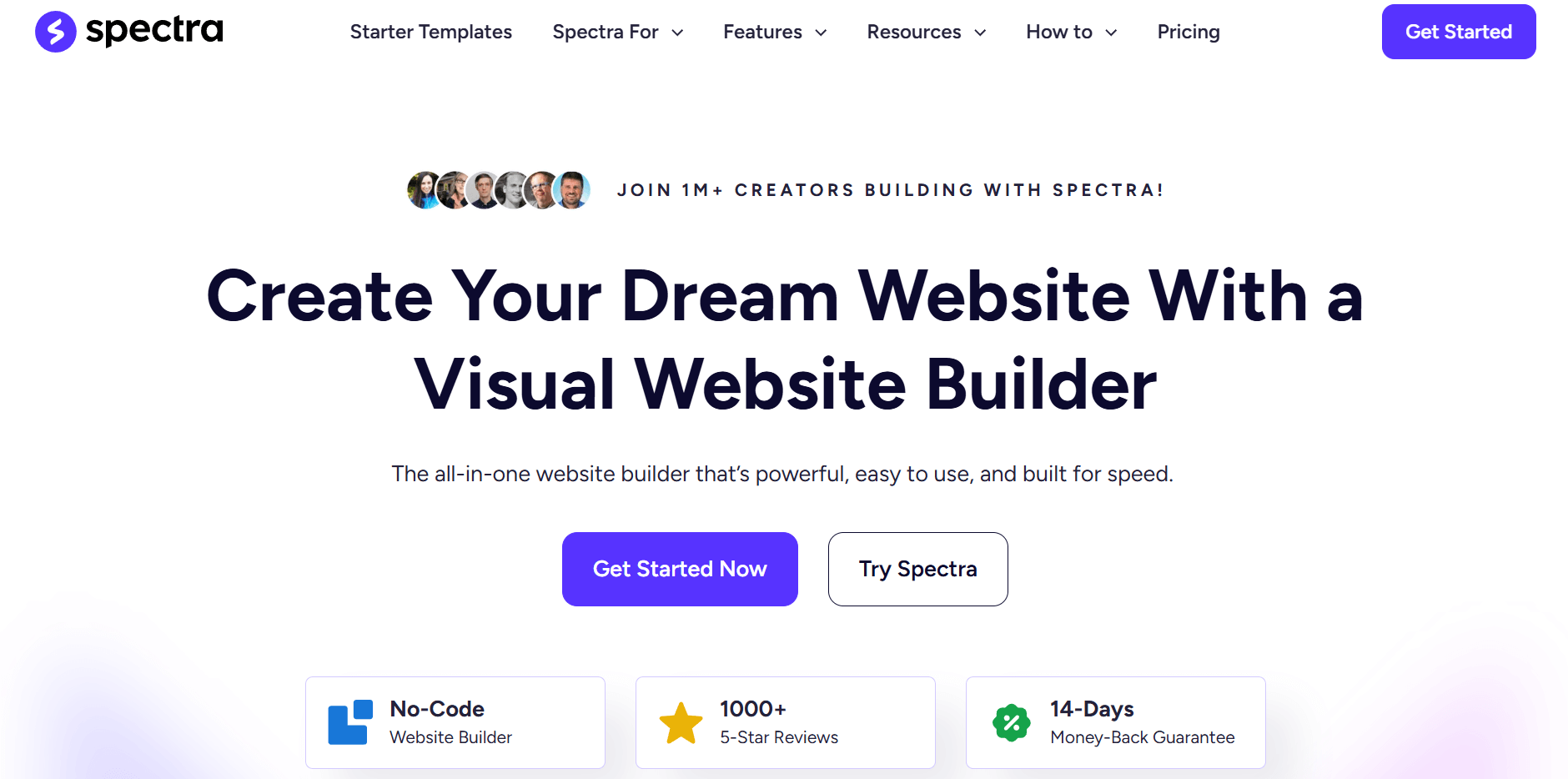
Spectra is a newcomer to the page builder scene. It’s a free visual builder offered by Brainstorm Force, the guys behind the Astra WordPress theme and many other innovative products.
Spectra is designed to offer full compatibility with the WordPress editor (Gutenberg) but also supports container layouts. It has been designed to be very easy to use, ideal for beginners, yet powerful enough to deliver for more experienced users, too.
The builder includes a number of pre-built templates you can import and customize in WordPress. Import a template, open a page, and use the existing interface to create or customize with ease.
Editor Features
Open a page with Spectra, and you’ll see the familiar WordPress editor screen. If you have used WordPress before, you’ll feel right at home as it uses the standard editor, just with a few extra options.
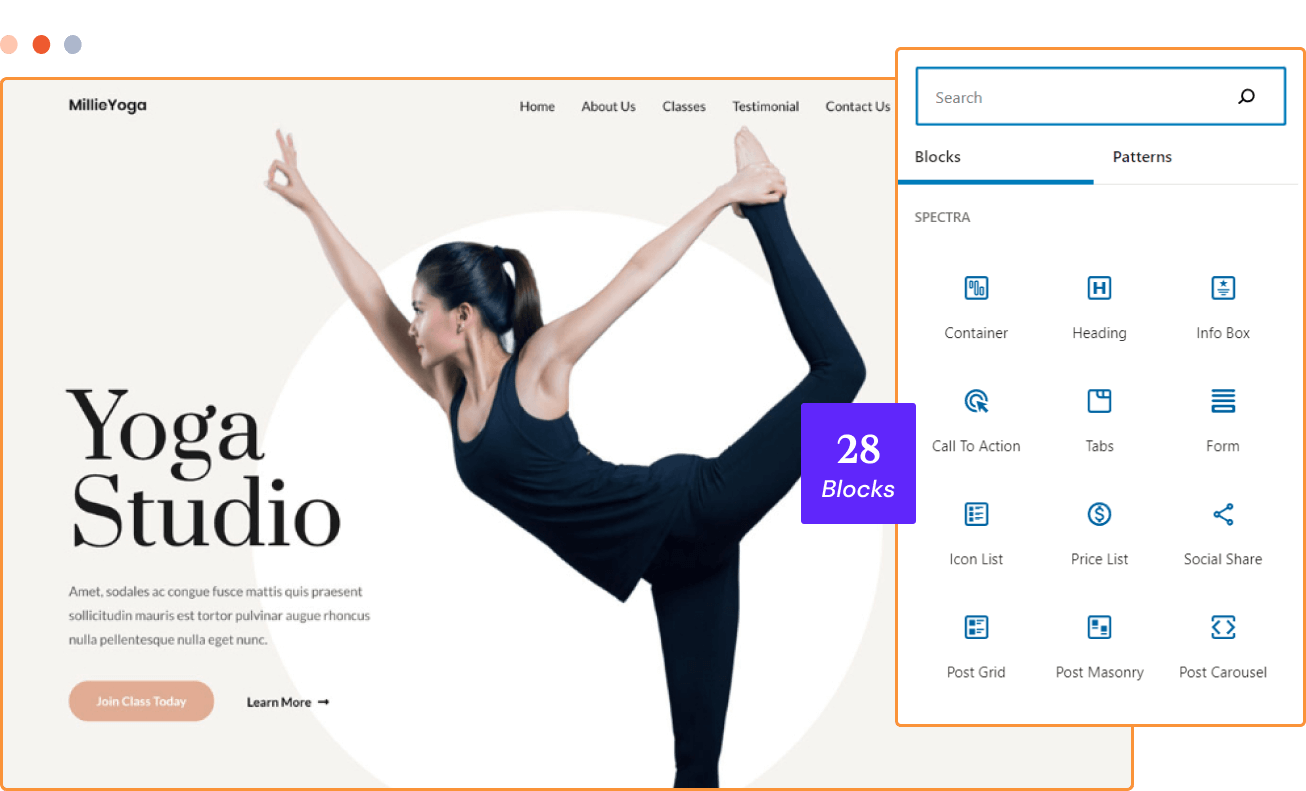
There’s a bunch of new blocks, including containers, calls to action, forms, tabs, and more. There are 28 extra blocks right now, with more planned. There are also templates for creating full websites, block templates, and wireframes. Each import can be quickly and fully customized within Spectra.
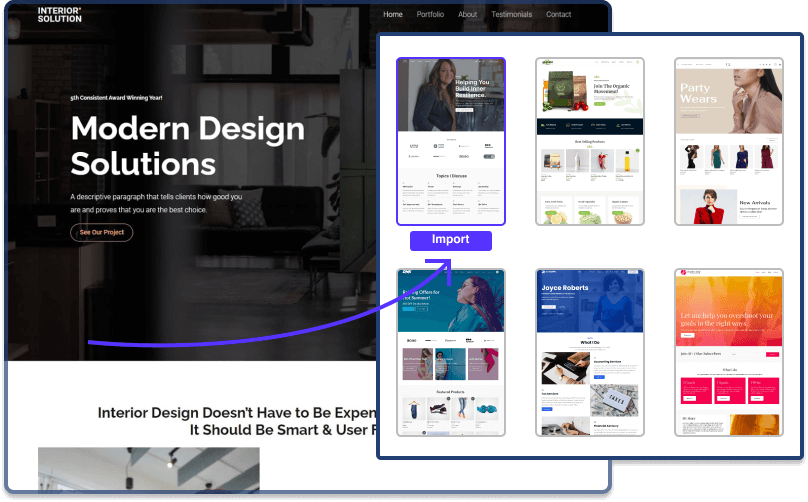
The UI integrates with WordPress, so it utilizes the same menu options as you’re already used to. This adds extra benefit to anyone who doesn’t want to learn a new page builder or waste time figuring out where all the commands or blocks are.
Built on Spectra – Deli Restaurant
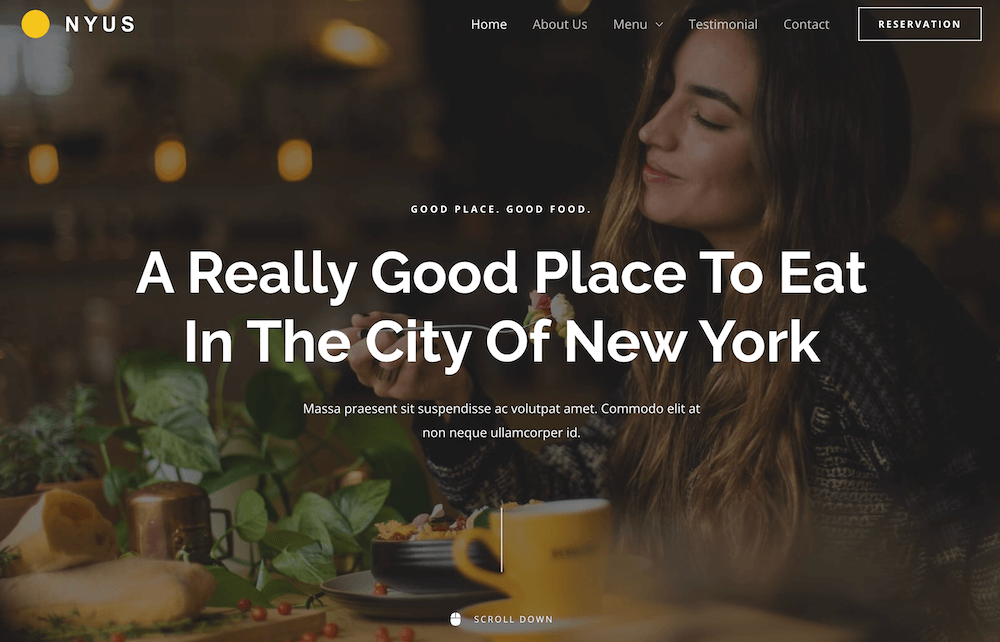
With Spectra, you can build just about any kind of website. One such example is a website built for a restaurant. Customize the colors, typography, and just about any other element of your website using the builder.
In addition to having all the right elements on the website, such as an online menu, customer testimonials, photos of the ambiance, and the team behind the restaurant, you can also make online reservations.
Key Features
- Additional WordPress blocks for layouts, calls to action, and forms
- Responsive layout controls for mobile and desktop views
- Visual drag-and-drop building inside the native WordPress editor
- Starter templates and section layouts for faster page creation
- Advanced layout and dynamic features are available in the Pro version
Pros & Cons
Pros
- Great for WordPress users who want faster building inside Gutenberg
- Adds lots of blocks and layout tools
- Keeps you in the WordPress workflow
- Strong for responsive layout systems and containers
- Clear upgrade paths for agencies
Cons
- Not a standalone hosted builder, as it requires a WordPress environment
- Premium pricing can be confusing due to bundles/toolkits
- Inherits “WordPress complexity” due to themes, plugins, and hosting decisions
Pricing
Spectra is free to use and already adds a solid set of extra blocks and layout tools to the WordPress editor. For more advanced design controls and dynamic features, Spectra Pro is available as a paid upgrade, typically priced at $69 per year. It’s also included in larger Astra bundles aimed at agencies and frequent site builders, making the free version a good starting point and the paid plans more of a scale-up option.
10. Pixpa
Pricing: 15-day free trial; paid plans start at $9/month
Unique feature: An all-in-one website builder tailored to creative professionals
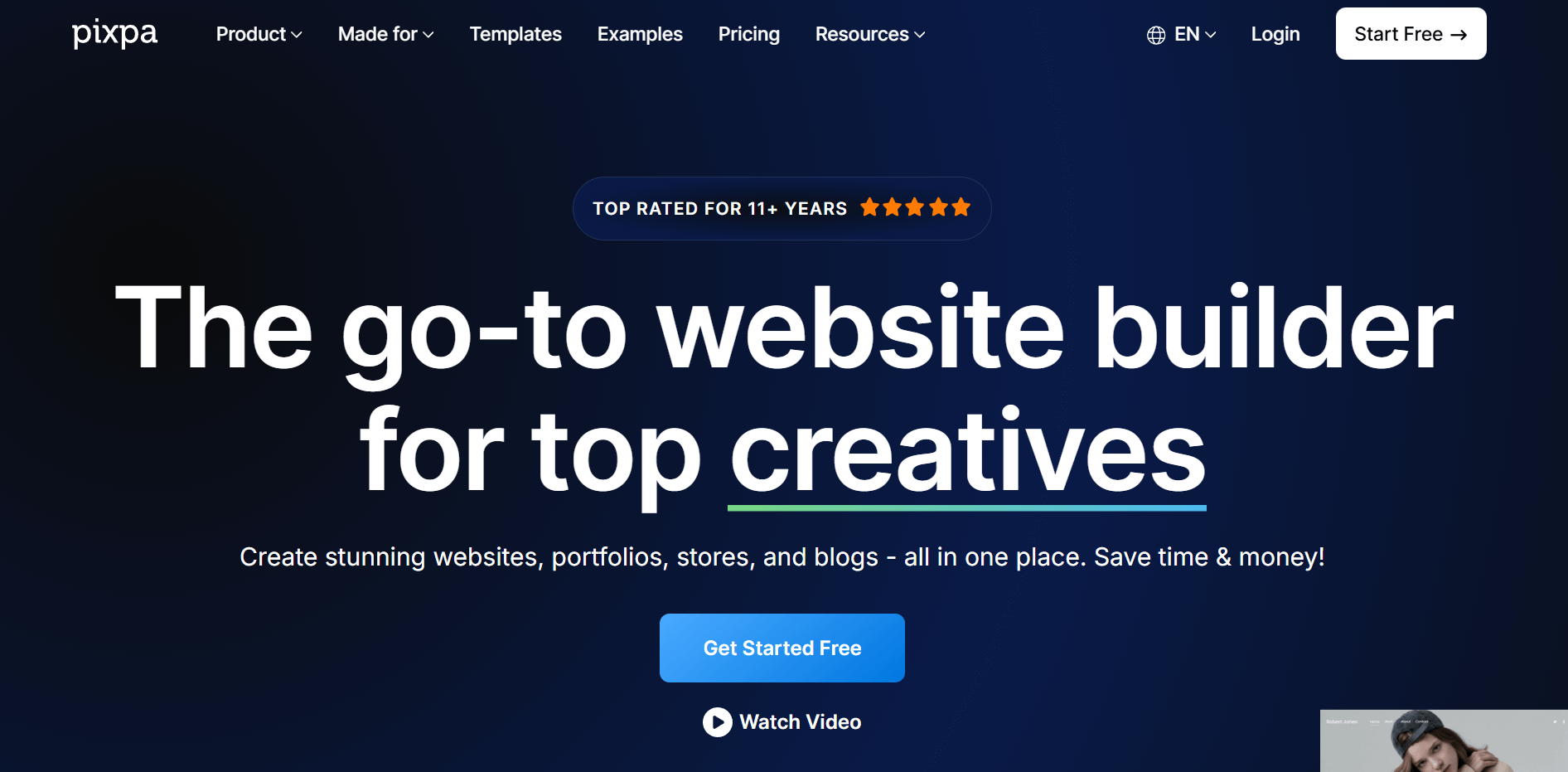
Pixpa is the leading no-code website and store builder for photographers, artists, and designers. This website builder empowers creatives to easily build and manage a beautiful, professional website with a built-in online store, blog, and client galleries. Pixpa’s all-in-one platform has everything you need to showcase, share, and sell your work online and grow your business.
Editor Features
You can build your professional website easily without touching a single line of code with Pixpa’s intuitive drag-and-drop builder. Choose from a range of professionally designed website templates that are modern, mobile-friendly, and customizable. You can add stunning galleries, videos, forms, and pages to structure your website the way you want. The simple interface makes it easy to create any page on your website. Add, sequence, and edit pre-built blocks and snippets on your page, and present the content as required.
You can easily integrate popular apps into your Pixpa website to expand its capabilities and access all your tools in one place. Connect with leading payment, social media, and marketing tools to promote and grow your business online. It’s really that easy!
Whenever you need any help, Pixpa’s website experts are there to help you 24/7 via email or live chat support.
Built on Pixpa – Andre Ormset
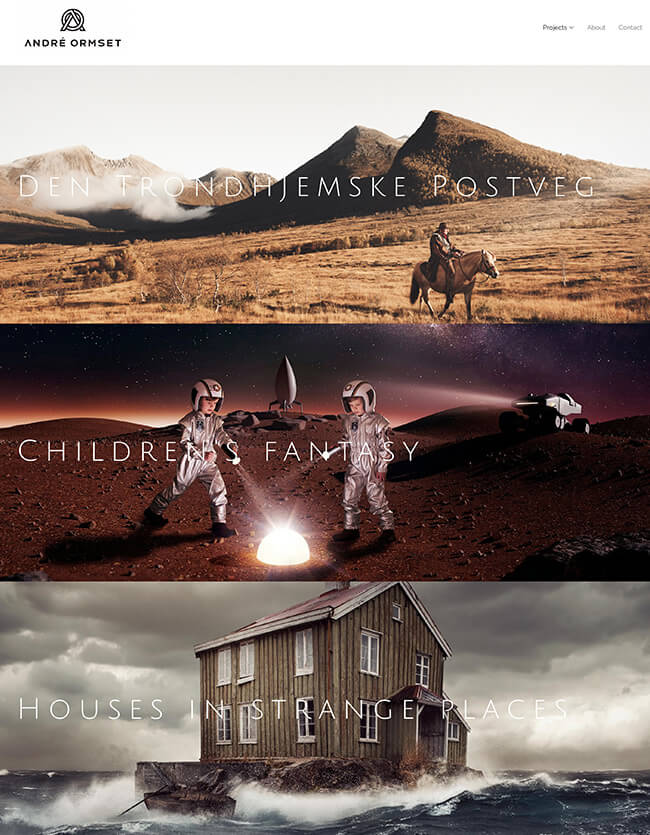
Andre Ormset is a photographer and digital artist based in Norway. His love for portraits, commercial images, and surreal fantasy is beautifully showcased in his stunning photography portfolio website built with Pixpa.
Key Features
- Two hundred plus responsive templates built for portfolio-style sites
- Client galleries with private access controls, proofing, favorites, and downloads
- Built-in selling for physical products, services, and digital downloads, with zero platform commission
- Section-based page builder with ready-made content blocks, including newer section types
- Built-in SEO tools, including SSL support
- Custom styling controls at the block level using Pixpa’s editor and style settings
Pros & Cons
Pros
- Built specifically for photographers and designers
- Client galleries and proofing tools included
- Easy drag-and-drop editor for non-technical users
- Strong value for money compared to similar tools
- Responsive and helpful customer support
Cons
- No permanent free plan beyond the trial
- Smaller ecosystem for advanced integrations
- Higher tiers are needed for more complex selling needs
Pricing
Pixpa offers a 15-day free trial. It also provides a 30-day money-back guarantee for new subscriptions. Pricing starts at $9/month and scales by plan based on limits and advanced options. All plans include essentials such as a custom domain, fast, secure hosting, templates, and 24/7 support.
11. OneHour
Pricing: paid plans start at $9/month
Unique feature: Turn a Notion page into a live portfolio site in under an hour
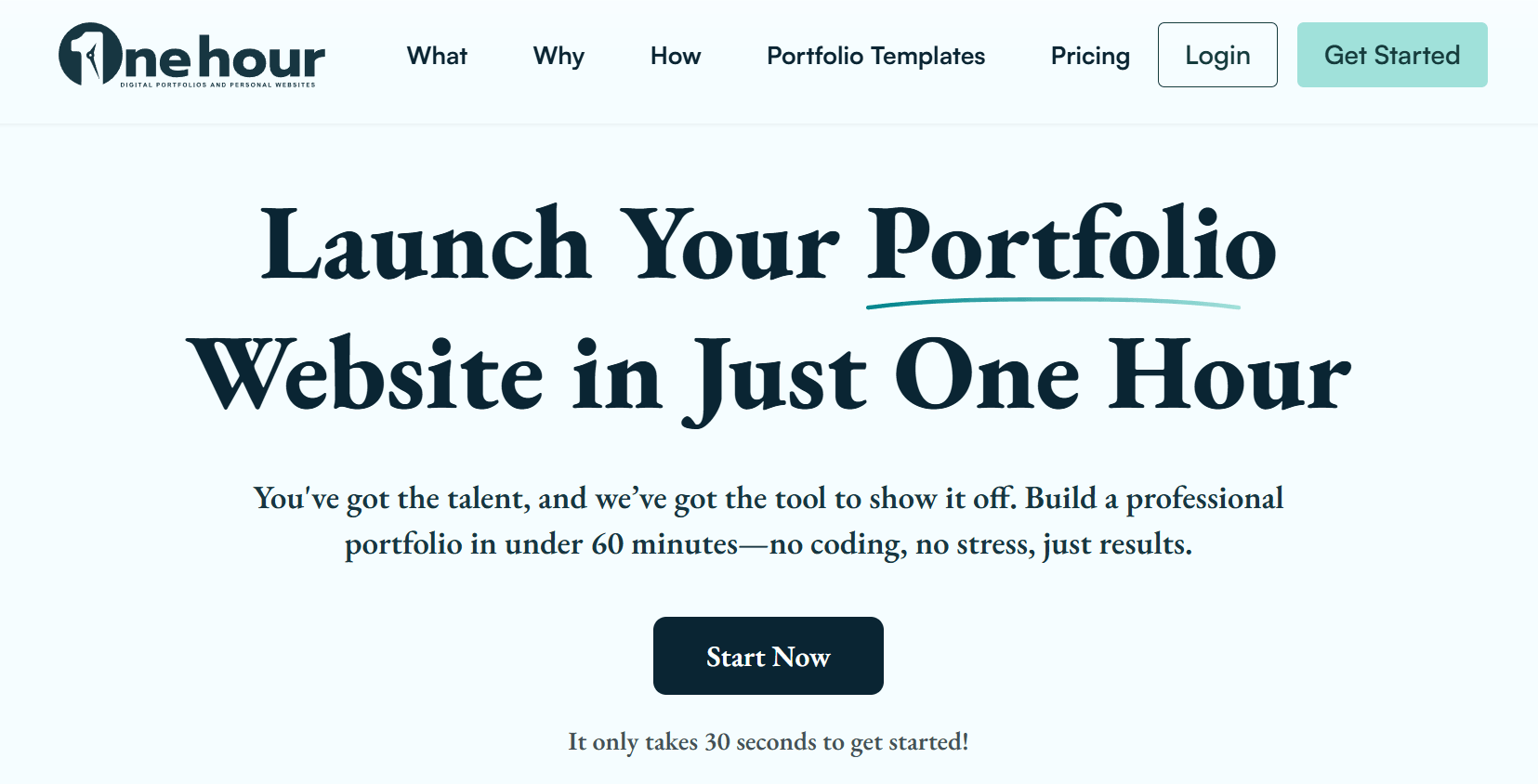
OneHour is a portfolio website builder, not a general-purpose website platform. It’s built specifically for students, graduates, freelancers, and entry-level professionals who want to publish a clean, credible portfolio online fast.
Instead of building from scratch, you use Notion as your CMS. Connect a page, choose a template, and publish your site, often in under an hour. This makes it especially appealing if you already organize your work in Notion or want a simple, low-maintenance setup.
Editor Features
OneHour’s editor is built for speed rather than flexibility. Instead of a traditional builder, you create and manage your site directly inside Notion.
That means there’s almost no learning curve. If you can structure a Notion page, you can build your website. You simply update text, images, and sections in Notion, and your site syncs automatically.
The experience is template-driven. Layout, spacing, and styling are pre-defined, so you don’t need to adjust design elements manually. For example, adding a new project is as simple as duplicating a section and updating the content.
You won’t find advanced customization options here, but that’s intentional. The editor removes design complexity so you can focus on showcasing your work.
Overall, it’s less about building from scratch and more about publishing quickly, ideal if you want a clean portfolio live with minimal effort.
Key Features
- Notion-powered CMS for easy content updates
- Library of plug-and-play portfolio templates
- Fast setup with minimal technical knowledge required
- Clean, professional layouts optimized for portfolios
- Custom domain support
- Responsive design across devices
Pros & Cons
Pros
- Built specifically for portfolio websites
- Extremely fast setup (ideal for quick launches)
- Affordable pricing compared to traditional builders
Cons
- Limited flexibility beyond portfolio use cases
- Fewer customization options than full website builders
- Requires Notion familiarity for the best experience
- Not suitable for complex sites (eCommerce, blogs, etc.)
Pricing
OneHour lets you create a free account and access the platform. To create a site, you need a paid plan starting at $9/month.
Imagine It, Then Build It
Free website builders are indeed everywhere! But, how do you find the best one to make your website dreams come true?
Well, your website builder should have an easy-to-use editor that lets you create a professional site without any technical expertise.
Time is also important, so if you manage to create your website in a reasonable amount of time, then congratulations! You just found the one and only website builder for you!
The sky’s the limit, so what are you waiting for? It’s time to shine!
FAQs
Here are some of the most common questions about website builders (and their answers).
1. What is a website builder?
A website builder is a tool that lets you create and publish a website without coding. It uses a visual editor and ready-made templates, while handling hosting, security, and updates so you can focus on your content and design.
2. What should you look for in a website builder?
When choosing a website builder, focus on the editor’s ease of use, the flexibility and responsiveness of the templates, and whether the features match your goals (blogging, ecommerce, multilingual support, or integrations). How the free plan works is also important in terms of limitations and easy upgrades for more storage, bandwidth, or advanced features. Finally, make sure the builder supports custom domains and offers reliable support or learning resources to help you build and manage your site confidently.
3. Do I need technical skills to use a website builder?
Most website builders are designed for non-technical users and don’t require coding knowledge. They rely on visual editors, templates, and on-page controls that let you build and customize a site through clicks rather than code.
4. Can I use my own domain with a website builder?
Yes, but usually only on paid plans. Free plans typically publish your site on a branded subdomain, while upgrading lets you connect a custom domain and remove platform branding.
5. What’s the difference between a website builder and a CMS like WordPress?
A website builder is an all-in-one solution that includes hosting, security, and a visual editor, while a CMS gives you more control but requires you to manage hosting, themes, and plugins yourself. Builders prioritize speed and simplicity over technical flexibility.
Similar Posts

 Published by



Create, send and optimize your email marketing campaigns