














Zoho Campaigns Vs Mailchimp: A Side-By-Side Comparison [2026]
Published By John Desyllas
January 30, 2026

30/01/26
If you’re comparing Zoho Campaigns with Mailchimp, chances are you’re not just looking for “features” but for the right fit. And that’s exactly what this comparison is designed to help you find.
After testing both platforms extensively, one thing became clear. While both platforms have evolved significantly over the years, there are notable differences in how they approach email creation, automation, audience management, ease of use, and pricing.
In this Zoho Campaigns vs Mailchimp comparison, we’ll break down how the two platforms stack up based on their features, workflows, and day-to-day usability.
Looking for an alternative?
Save $$$ of your marketing budget by switching to Moosend today!
Zoho Campaigns Vs Mailchimp: Feature Comparison
Let’s break down how Zoho Campaigns and Mailchimp compare feature-by-feature so you can decide which platform better fits your email marketing goals.
| Zoho Campaigns | Mailchimp | |
| Free plan | ✔️ | ✔️ |
| Pricing | $4/month | $13/month |
| Best for | Small businesses, B2B companies | Small businesses, eCommerce, Marketing teams |
| Ease of use | 4/5 | 4/5 |
| Email editor | Drag-and-drop | Drag-and-drop |
| AI content generator | ❌ | ✔️ |
| Marketing automation | Advanced automation triggers (based on CRM activity, website behaviour, or email engagement) | Advanced workflows with conditional logic and segmentation, sophisticated journeys |
| Forms | ✔️ | ✔️ |
| Landing pages | ❌ (needs integration with Zoho LandingPage) |
✔️ |
| Reporting & analytics | Real-time analytics, heat maps, and ROI tracking (with Zoho CRM) | Detailed analytics with campaign insights, predictive analytics |
| Integrations | 60 | 329 |
| Customer support | Chat and phone during business days and hours, 24/7 email | 24/7 chat and email, phone on the Premium plan |
Setup & ease of use
Zoho Campaigns:
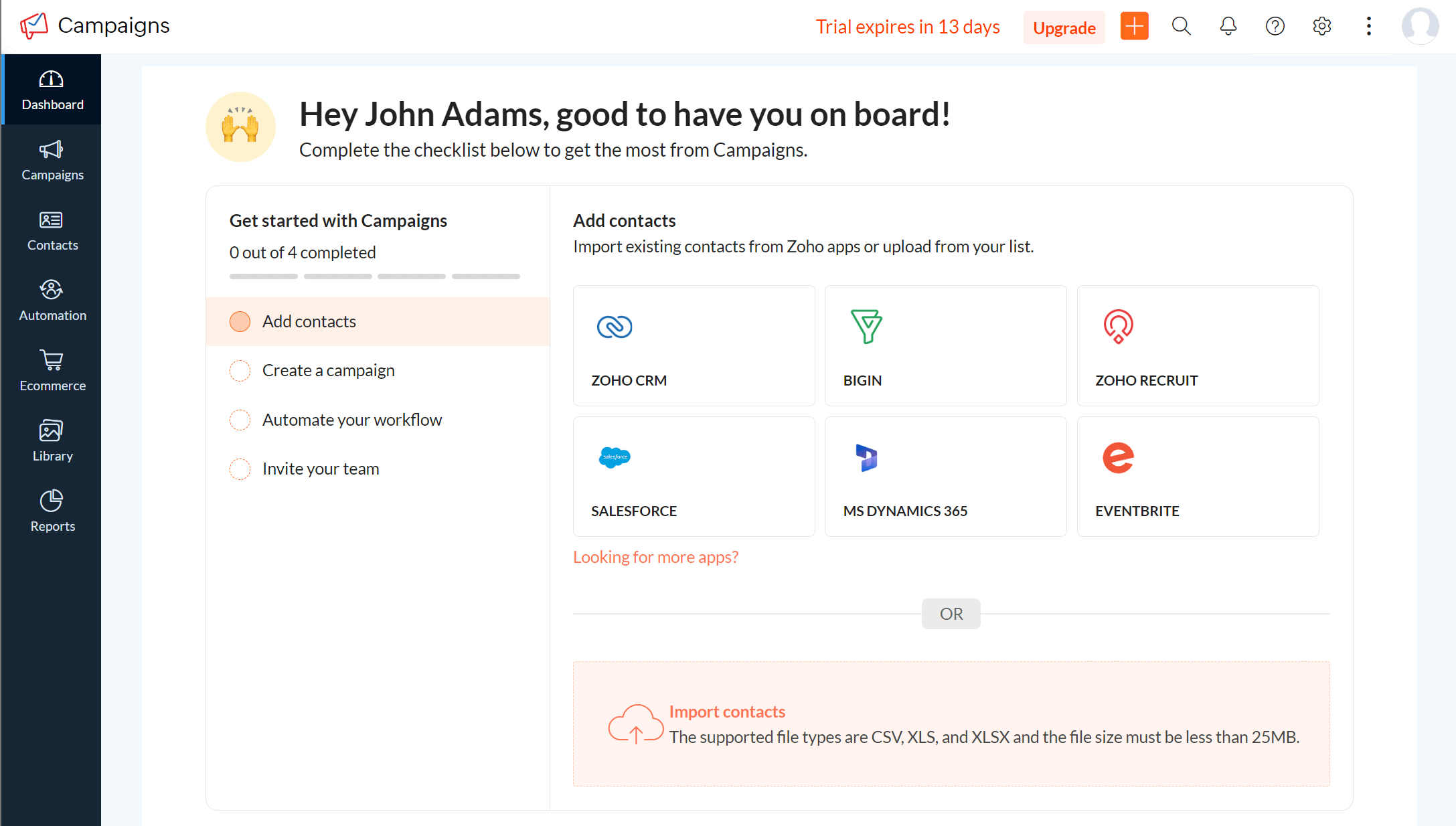
The setup experience with Zoho Campaigns is structured and well-guided, but not entirely frictionless out of the box. The platform walks users through account creation, basic configuration, and domain authentication, clearly explaining why each step matters, including SPF, DKIM, and sender details.
Getting started is more straightforward for teams already using other Zoho products, as many settings and concepts feel familiar. However, if Zoho Campaigns is your first Zoho tool, the initial setup can feel slightly heavier than expected, with more decisions required upfront compared to other email marketing platforms.
Once inside the platform, the interface is clean, albeit not as modern as Mailchimp’s. Everything you need is there (campaigns, automation, lists, reports), but it’s not immediately obvious where new users should start.
This matches feedback we’ve seen across recent Capterra and G2 reviews, where users often describe Zoho Campaigns as logical after a few sessions rather than instantly intuitive. In our experience, there’s a learning curve, but it flattens quickly once you understand Zoho’s structure.
After spending some time with the platform, we also noticed the orange (+) button at the top of the screen. This handy button lets you jump straight into creating a new email campaign, SMS, automation workflow, signup form, etc.
Mailchimp:
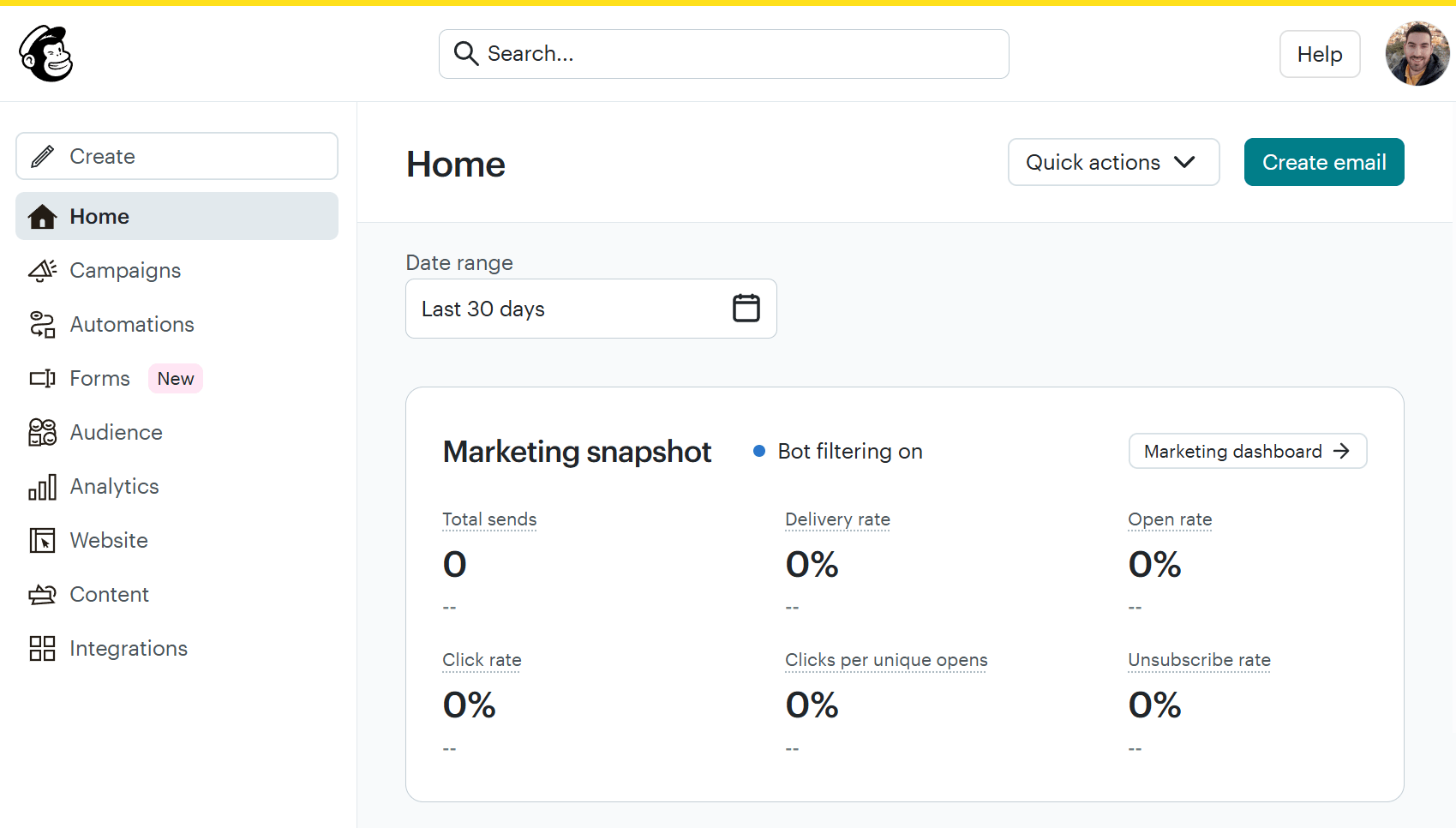
With Mailchimp, the setup process is fast, guided, and intentionally optimized for users who may have never used an email marketing service before.
Account creation takes only a few minutes, and Mailchimp immediately walks you through the essentials like audience setup, sender details, and basic compliance. Domain authentication and brand details are encouraged early on, but they’re framed as optional steps rather than hard blockers, which lowers friction for beginners.
From a usability standpoint, navigation is simple, labels are clear, and the platform does a good job surfacing “next steps” through prompts, checklists, and contextual tips.
During our testing, it rarely felt unclear where to click next, even when exploring features for the first time. This is one of Mailchimp’s strongest advantages and a recurring theme in user reviews. Like Zoho Campaigns, Mailchimp has a “Create” button that lets you quickly craft an email, automation, survey, ad, or even social post.
Winner: Based on setup speed and overall approachability, Mailchimp takes the lead. While it offers more features than Zoho Campaigns and may feel more complex at first, it’s still easy to explore, even for complete beginners. The modern interface and guided experience make it faster to get up and running, with deeper functionality revealed gradually as needs grow.
Email builder
Zoho Campaigns:
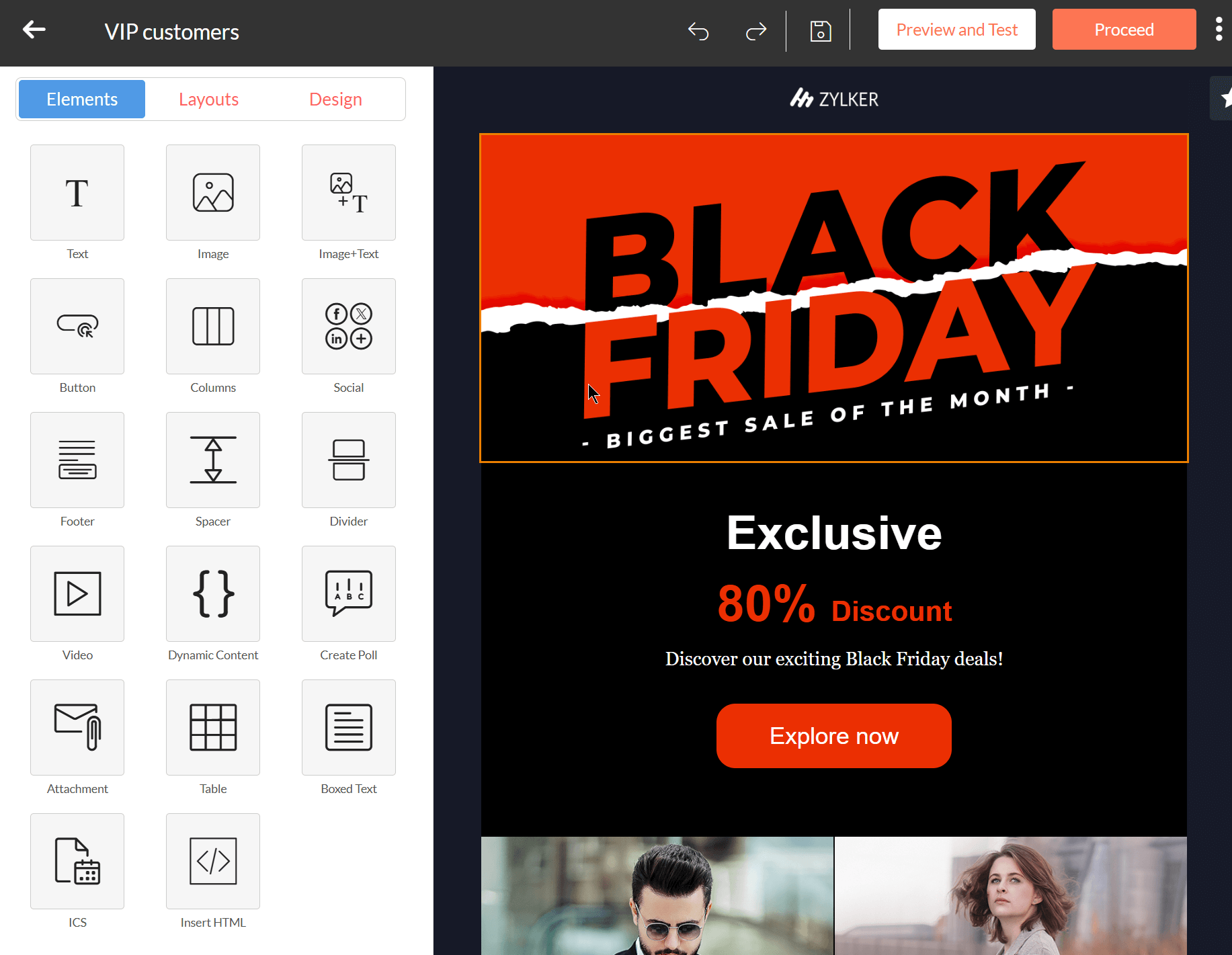
Zoho Campaigns uses a drag-and-drop editor supported by a library of customizable templates. You can adjust layouts, add content blocks (buttons, tables, polls, videos, etc.), and fine-tune spacing and formatting with reasonable precision. Small edits may take an extra step/click or two, and the editing experience can feel slightly rigid compared to more modern builders.
Despite that, we found that elements behave consistently, designs render accurately across clients, and there’s little guesswork once you understand how Zoho structures its emails. If you’re sending regular campaigns, you will likely appreciate this reliability. It’s also surprisingly easy to add dynamic content (show content to specific users based on conditions you set).
Beyond drag-and-drop email creation, Zoho Campaigns supports HTML editing, which appeals to more technical users who want full design control or custom layouts. What we didn’t find in the Zoho Campaigns editor was an AI generator tool for email copy or subject lines. This means you’ll have limited help when crafting your promotional messages or proofreading your copy.
Mailchimp:
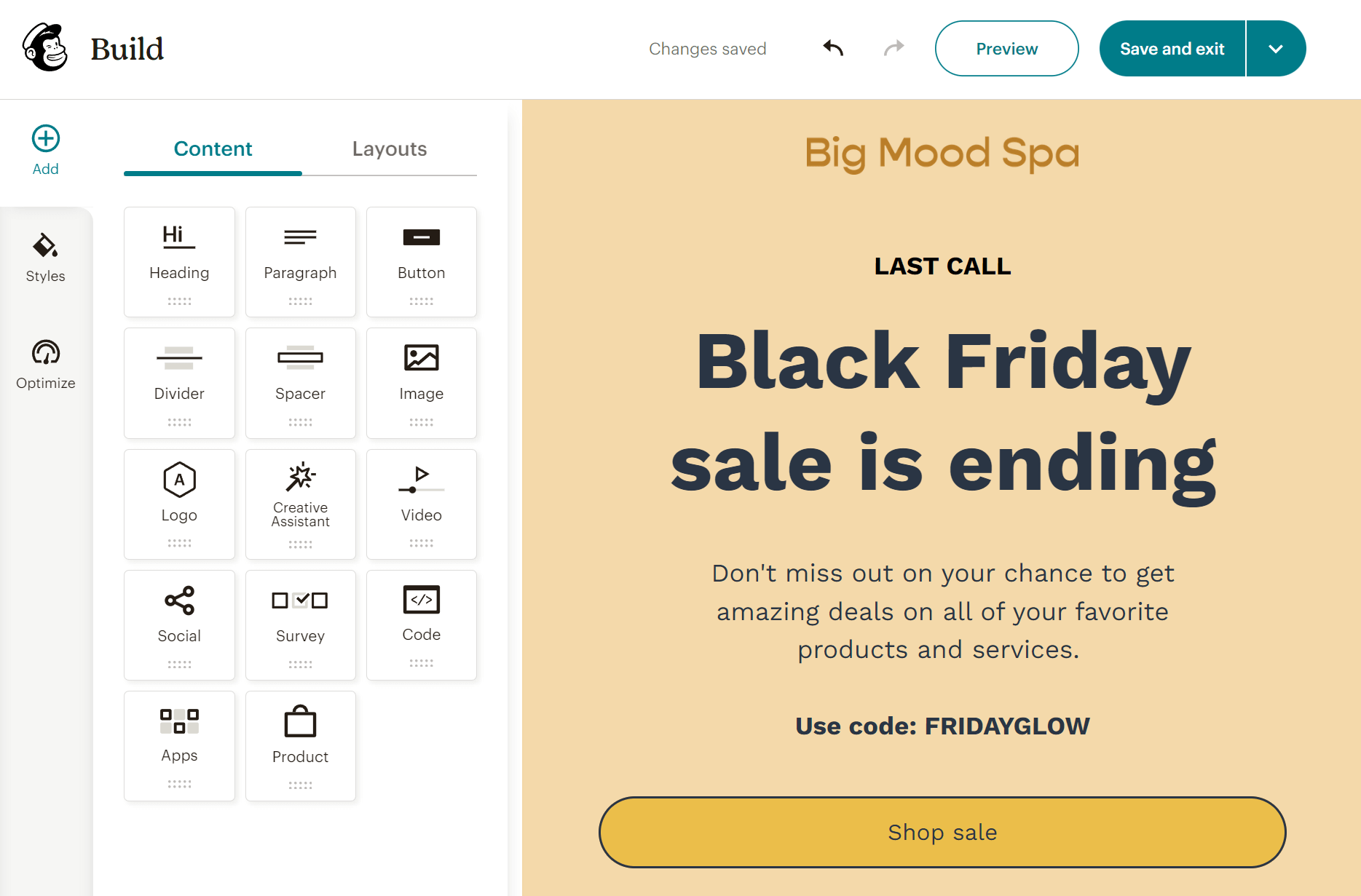
Mailchimp’s email builder is one of the platform’s strongest selling points. It is fast, intuitive, and includes a range of beautiful templates. You can drag and drop various content blocks in your campaigns, including images, videos, products, surveys, and more. Rearranging content and making visual tweaks feels smooth and fast, with minimal friction. What’s more, you can effortlessly personalize your emails for different contacts in one go through the visibility options.
Mailchimp caters to users of all experience levels. As such, advanced users can insert custom HTML code to create unique email designs. Unlike Zoho Campaigns, Mailchimp’s generative AI can save time by crafting email copy and offering suggestions. However, this is only available on more expensive plans.
Another feature that stood out during our testing was the “Creative Assistant.” This lets you “grab” visuals from your website to use in your email campaigns or to create branded templates.
Through the “Optimize” tab, Mailchimp checks for missing links, typos, and layout issues before you send your campaign. Finally, Mailchimp does a good job guiding users as they build. Inline tips and visual cues help prevent common mistakes without feeling intrusive. Even first-time users can produce a professional-looking email without frustration.
Winner: Mailchimp wins this category thanks to its more intuitive editor, modern templates, and faster path from idea to finished email.
Templates
Zoho Campaigns:
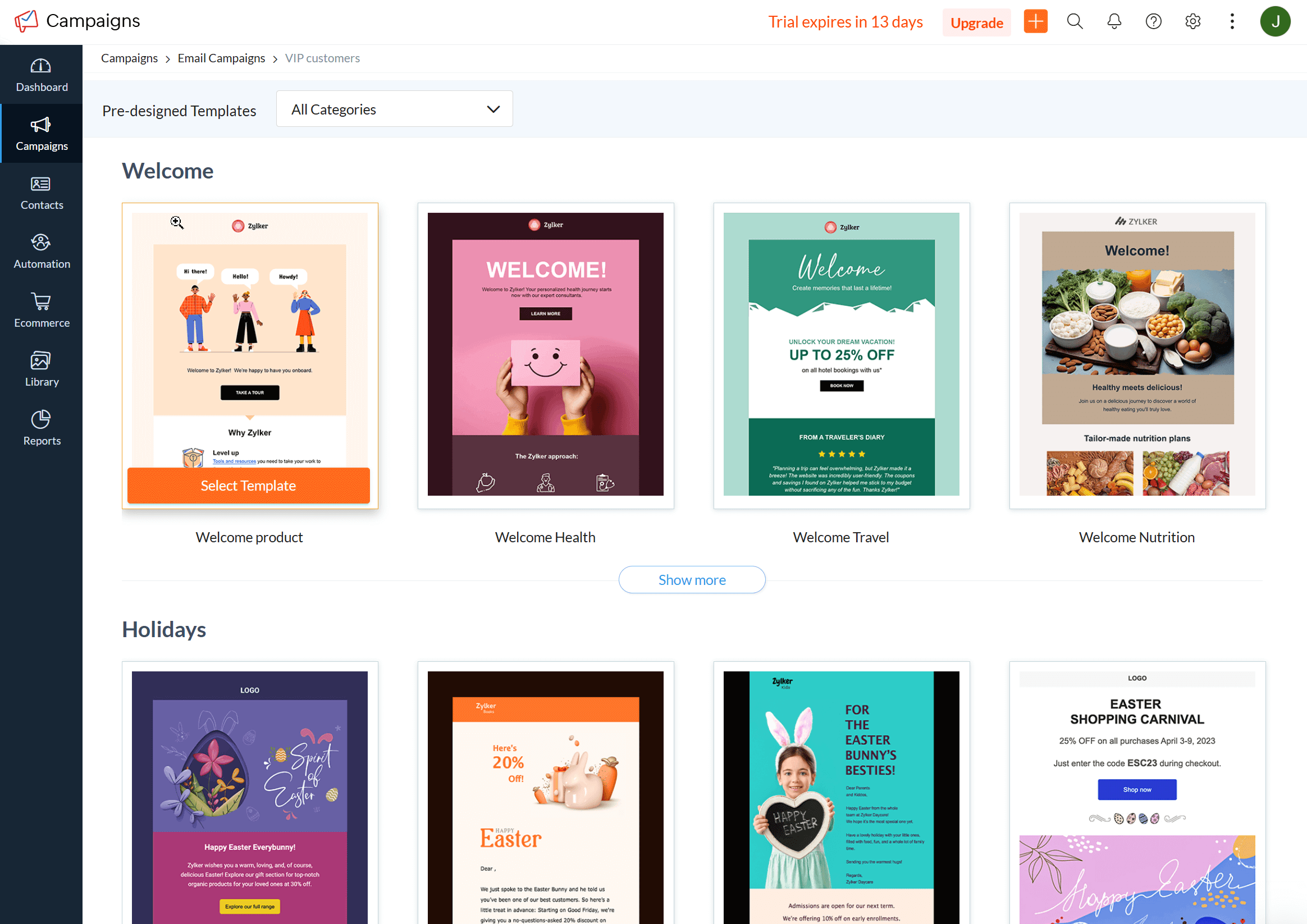
Zoho Campaigns offers a solid selection of pre-built email templates (283 in number) covering common use cases such as newsletters, announcements, promotions, and onboarding emails. The layouts are clean and responsive, but visually, they are more “conservative” than Mailchimp’s templates.
While the templates don’t look as sharp, the platform offers flexible customization. Templates are easy to modify, allowing you to adapt layouts, sections, and content blocks to better fit your brand.
Additionally, the platform lets you build your own template by manually adding HTML code, upload a custom-coded template, or send plain-text emails.
Mailchimp:
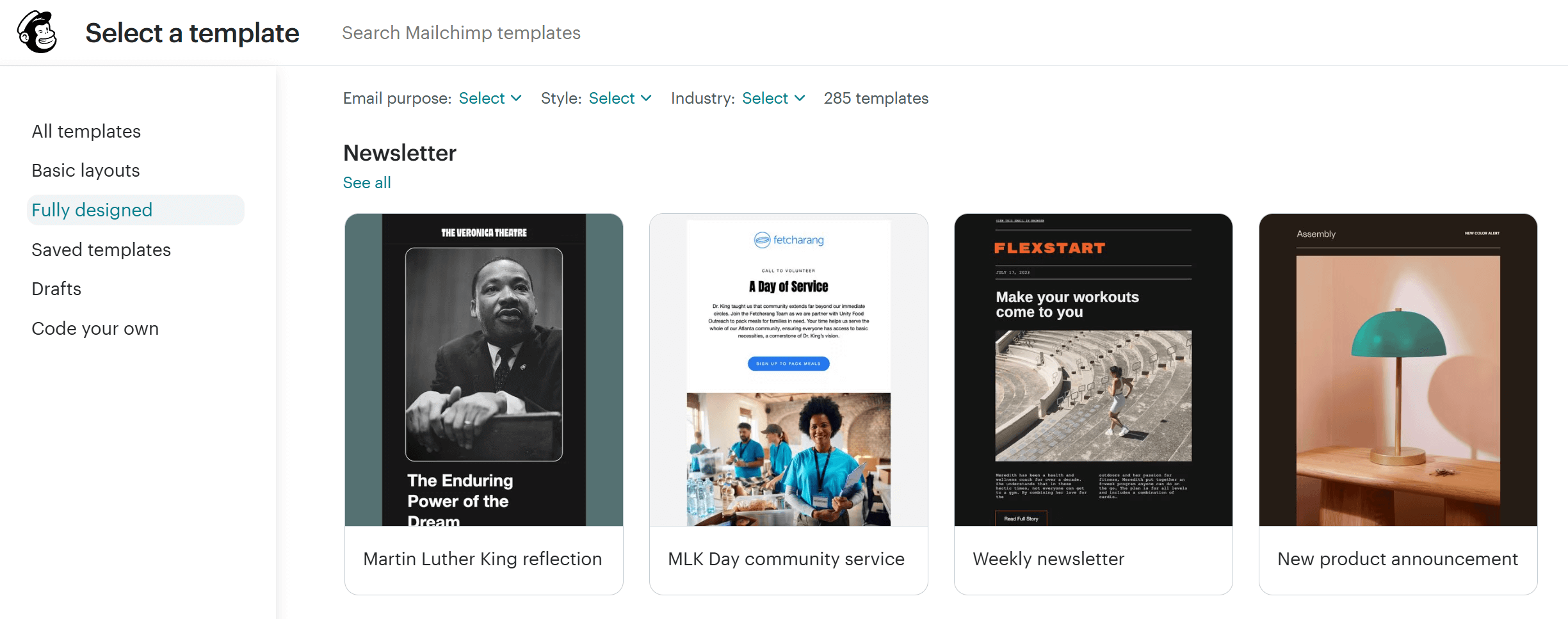
Like Zoho Campaigns, Mailchimp features a robust library of 285 email newsletter templates. These are well-designed and fully customizable, allowing you to adjust colors, add branding elements, or save your own layouts for future use.
To find the template you need, you can filter them by email purpose (e.g., newsletter, welcome, announcement), style (e.g., minimalist, playful, dark), and industry (e.g., eCommerce, education, travel).
If you’re on one of the higher-tier plans (Standard, Premium), you can also use your own custom-coded HTML templates or import designs you’ve created with other email template builders.
On the other hand, free plan users can only access 7 basic designs.
Winner: Even though Mailchimp’s templates are more aesthetically pleasing, this is a tie. You can find great designs to build your campaigns on both email platforms.
Marketing automation
Zoho Campaigns:
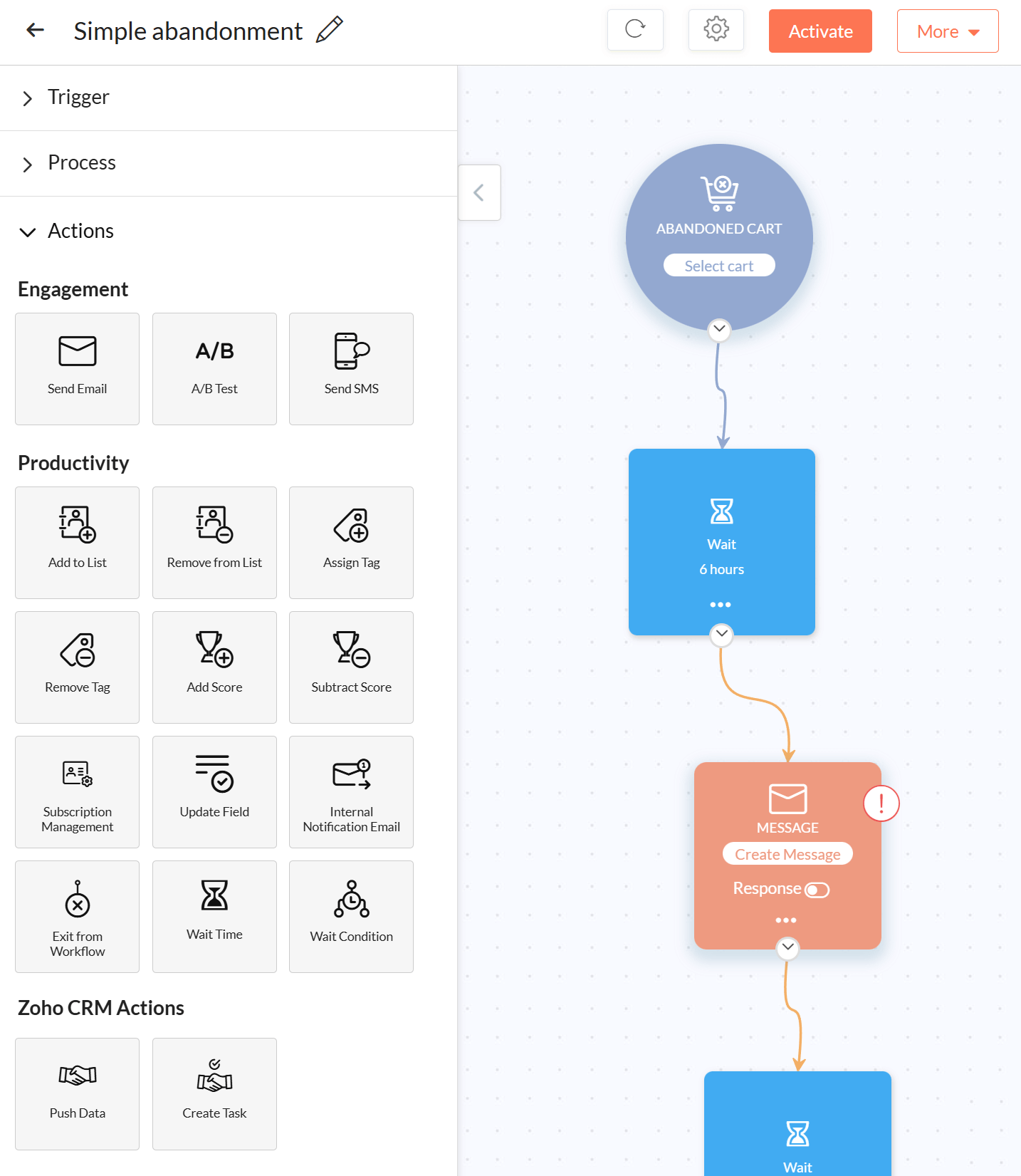
Zoho’s platform offers a logic-driven visual workflow builder that lets you design automated journeys using triggers, conditions, and actions.
You can trigger automations based on common email events such as signups, email opens, link clicks, list entry, and date-based conditions. Actions include sending emails, SMS messages, updating subscriber fields, applying tags, or moving contacts between lists.
Where Zoho Campaigns really gains power is through its native integration with Zoho CRM. This connection allows you to build email automations using CRM data such as lead status, deal stage, industry, or custom fields. For example, you can automatically send a tailored email sequence to leads that move from “Contacted” to “Qualified,” or re-engage contacts when a deal stalls for a set number of days.
Things get a bit complicated if you want to run multi-channel campaigns. To do that effectively, you need a separate product called Zoho Marketing Automation.
Zoho Campaigns only allows you to use SMS, while Zoho Marketing Automation includes WhatsApp campaigns, social media marketing, and the ability to trigger campaigns based on web page views. The latter will be hugely beneficial for eCommerce stores wanting to target contacts with recommendations based on products they’ve viewed.
Mailchimp:
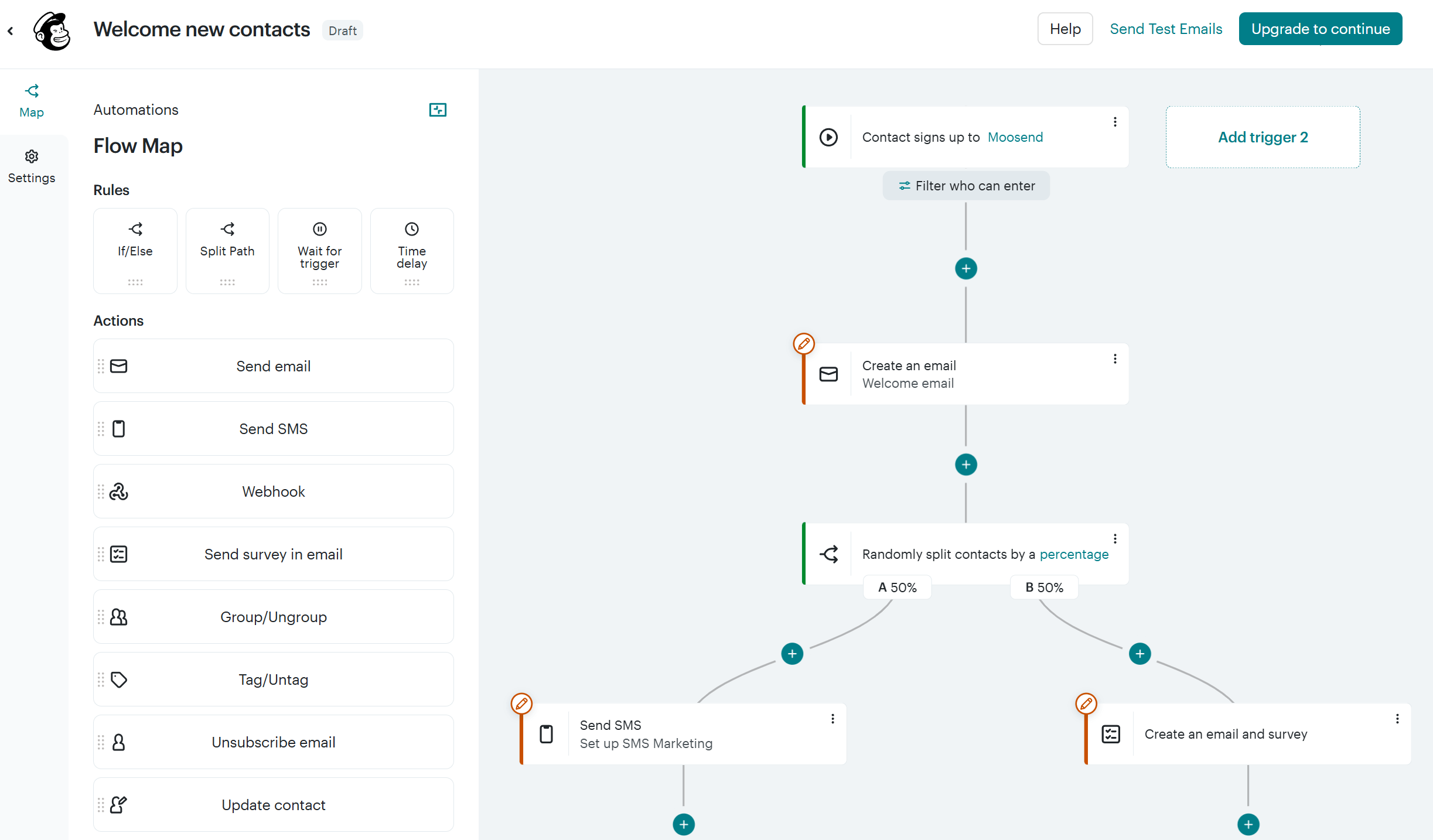
Mailchimp incorporates a user-friendly visual workflow editor that lets you create multi-step workflows and use branching logic. There’s a wide range of triggers, including signups, purchases, email engagement, audience changes, and time-based conditions. Actions mainly revolve around email sends, delays, tagging, and basic audience updates.
You also get numerous automation flow templates for nurturing subscribers, re-engaging them, or sending transactional messages.
Mailchimp’s automation strength lies in how quickly you can launch it. Journeys are easy to visualize, edits are simple to make, and the overall experience feels less technical than Zoho Campaigns.
To access advanced automation options or multiple starting points, you need at least the Standard plan. As for free plan users, they have access only to a free preview of the feature.
Winner: Mailchimp takes this win because the experience feels more intuitive and effortless. However, if your business relies on CRM data to deliver personalized campaigns, Zoho Campaigns’ automation will be a better fit.
List management
Zoho Campaigns:
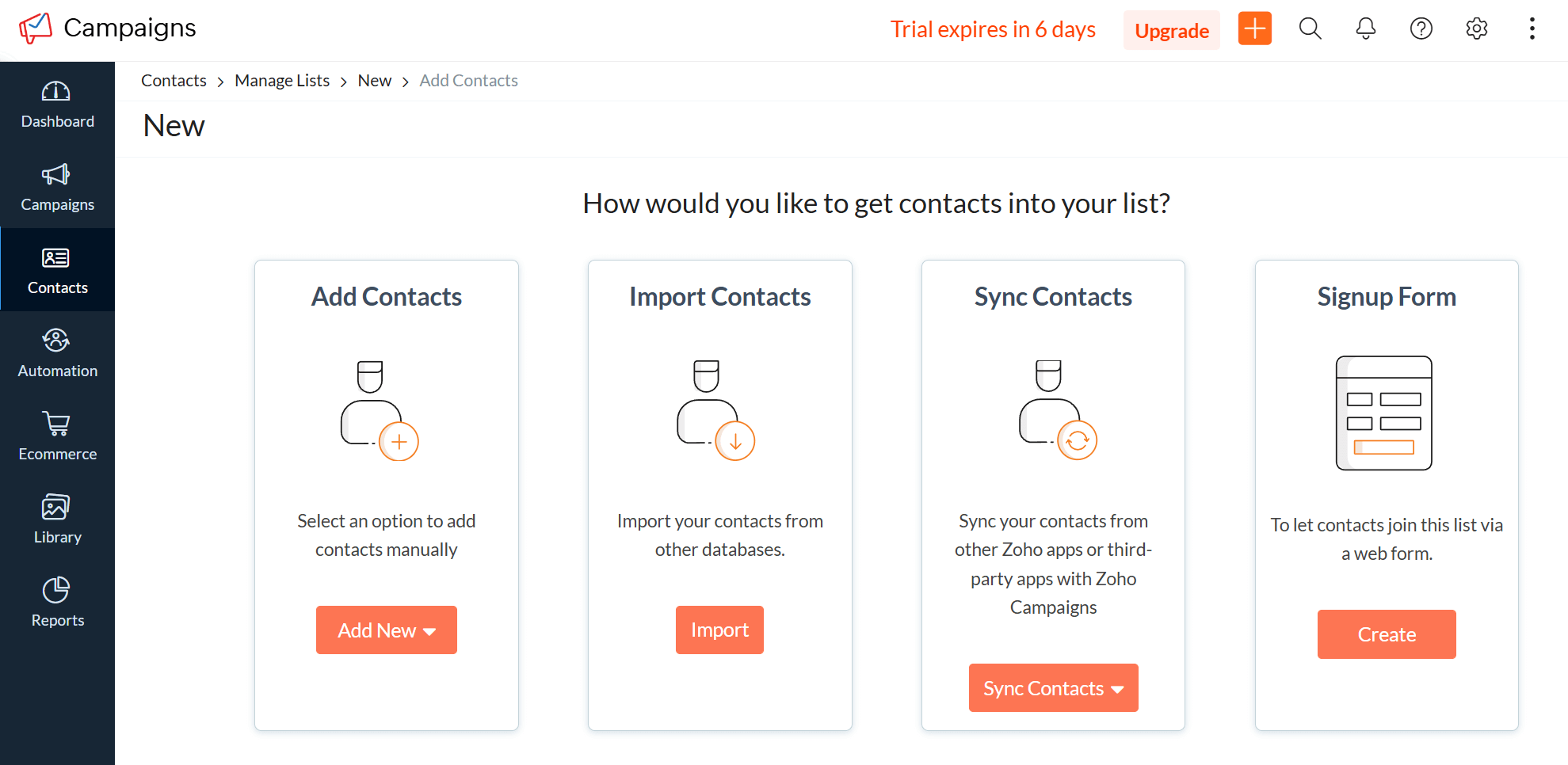
The way Zoho Campaigns approaches contact management is entirely different from Mailchimp’s. Zoho encourages users to think in terms of lists, segments, tags, and sync rules working together.
The platform allows you to create multiple lists based on acquisition source, purpose, or lifecycle stage, and then layer dynamic segments on top using subscriber attributes, engagement data, or CRM fields. Segments update automatically as contact data changes, which is especially useful for ongoing campaigns and automations.
Zoho Campaigns becomes more powerful when connected to Zoho CRM. In that setup, contacts can sync bi-directionally, and list membership can be driven by CRM data such as lead status, deal stage, industry, or custom properties. For example, you can maintain a list that always includes leads marked as “Qualified” in the CRM, without manual updates. This makes list management feel more centralized and aligned with sales activity rather than isolated inside email marketing
Another benefit is that it automatically overwrites duplicate emails, preventing multiple entries for the same contact. However, managing multiple layers (lists, segments, andCRM syncs) can feel heavy if your needs are simple, and it requires a clearer upfront structure to avoid complexity later.
Mailchimp:
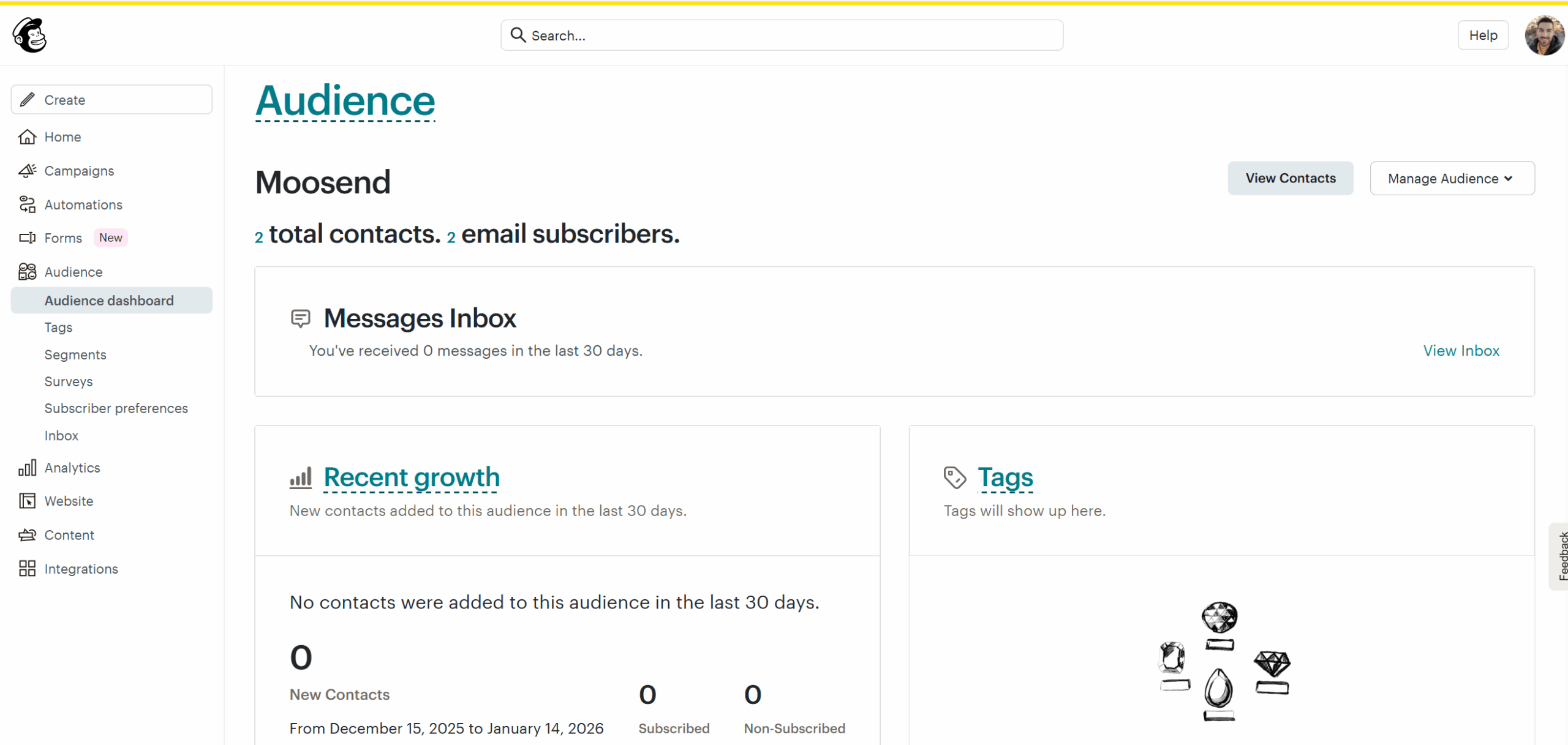
List management remains one of Mailchimp’s strongest weaknesses. Here,lists (called Audiences) are separate entities, meaning you can’t include different lists in the same campaign.
What’s even more frustrating is the way subscribers are counted. For example, if a subscriber exists on more than one list, you’re charged for that same subscriber as many times as they appear. As such, costs can rise very quickly.
Within an audience, you can segment contacts using engagement data, signup source, purchase behavior (with integrations), tags, and custom fields. Segments can be saved and reused, making it easy to target specific groups without maintaining multiple standalone lists.
Mailchimp also lets you build dynamic segments using multiple conditions, such as combining engagement behavior, signup source, and purchase frequency. More expensive plans offer predictive insights to target specific groups more effectively.
Winner: Zoho Campaigns wins thanks to its more flexible segmentation model and deep CRM-driven list control.
Reporting & Analytics
Zoho Campaigns:
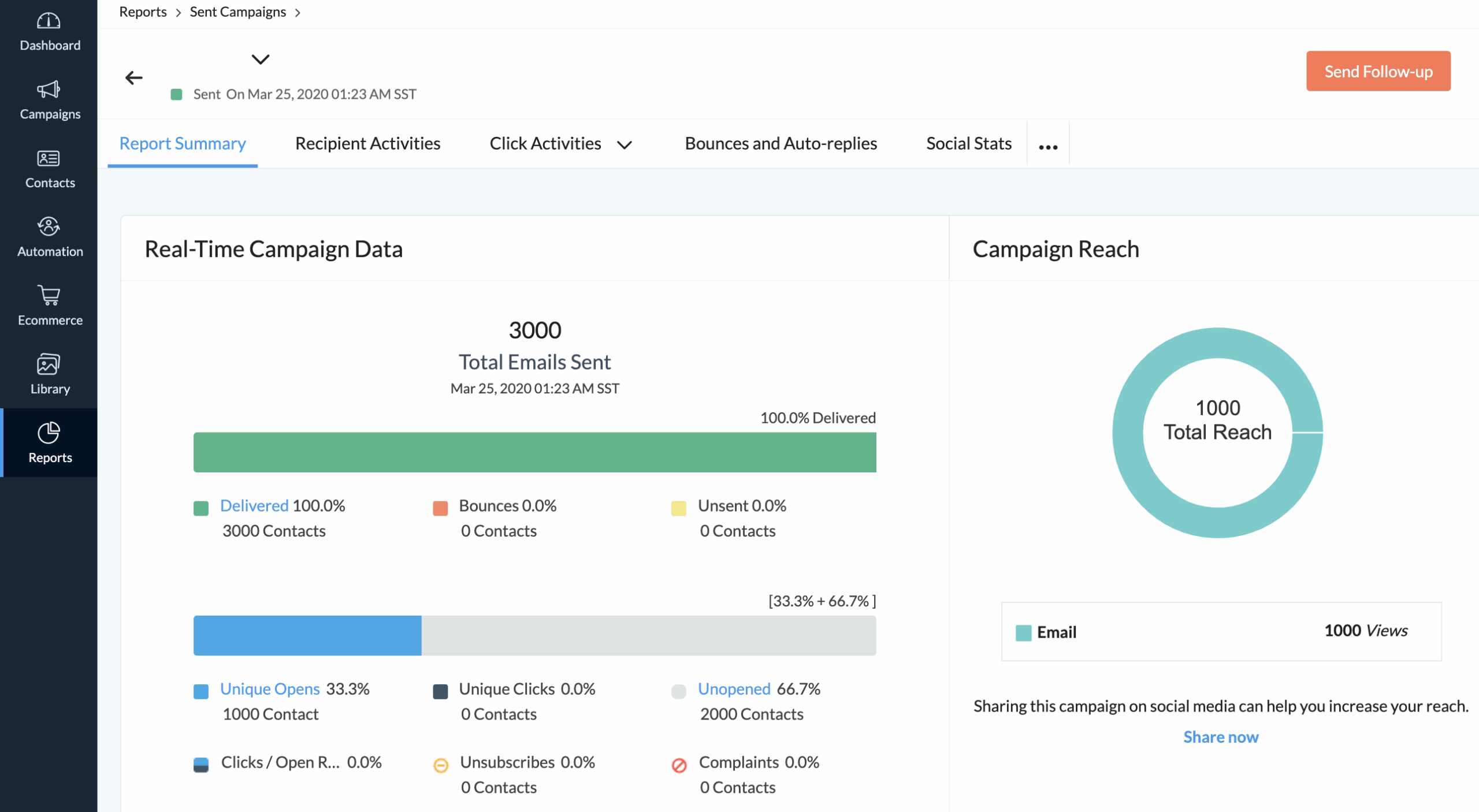
The platform provides clear visibility into campaign metrics, including opens, clicks, bounces, unsubscribes, and spam reports, all accessible through a centralized reporting dashboard.
Where Zoho Campaigns adds depth is in how reports can be broken down by audience attributes and behavior. You can analyze performance based on lists, segments, tags, and even CRM-related data when connected to Zoho CRM. This makes it easier to see how different lead types or lifecycle stages respond to your emails.
Another strength is the ability to track engagement over time. Zoho lets you see how contacts interact with campaigns across multiple sends, helping you identify consistently engaged or inactive subscribers. These insights can then be used directly in segmentation or automation.
Overall, Zoho Campaigns’ analytics provide enough clarity into your performance, even though the interface isn’t the most visually polished.
Mailchimp:
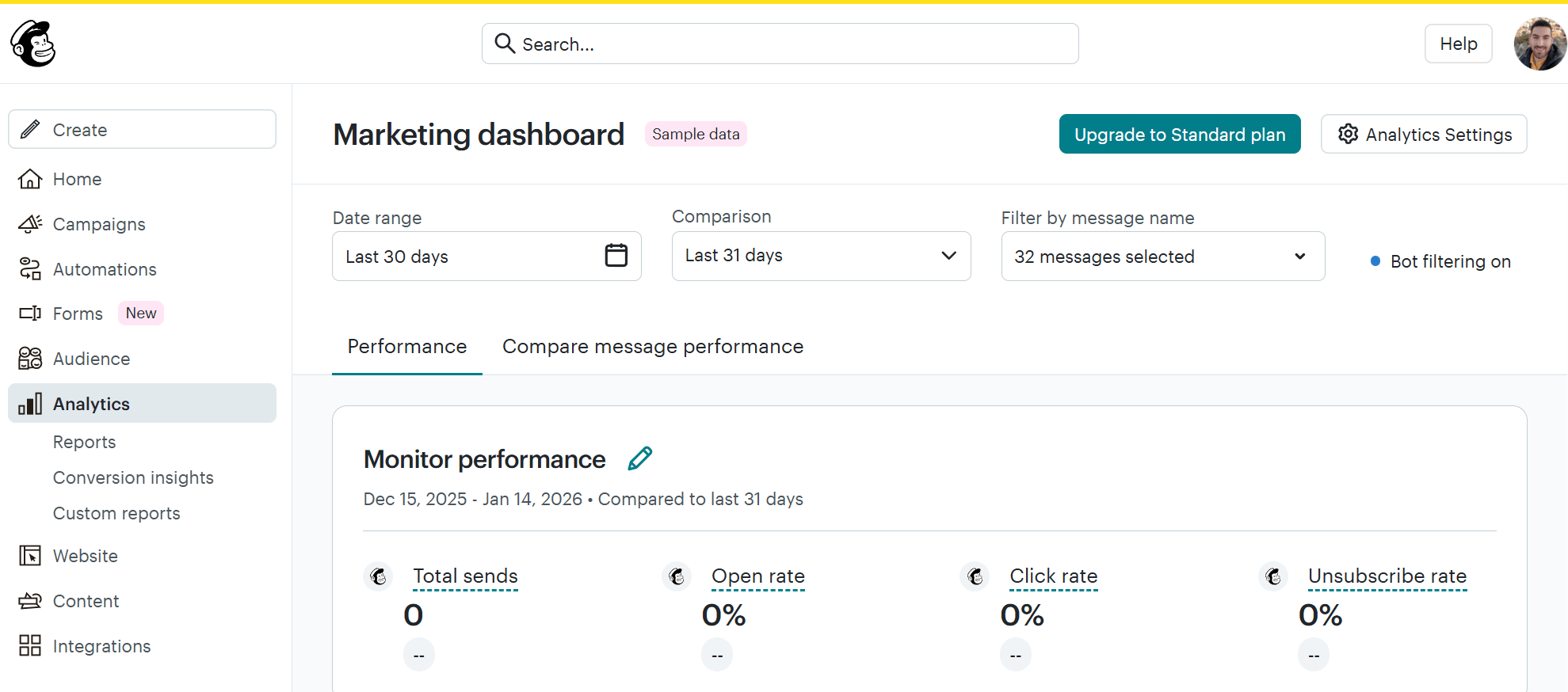
Mailchimp offers a robust set of analytics tools, ideal for data-driven email marketing. The platform tracks key email metrics, including open, click, and unsubscribe rates, as well as engagement over time.
You can also track more advanced metrics like subscriber lifetime value, revenue attribution, and predicted demographics. But it doesn’t stop there. You can run Comparative Reports and benchmark campaign performance against past sends or account averages. This is available on more expensive plans, though.
The platform also highlights audience-level insights, such as engagement trends, growth patterns, and subscriber activity over time. These views are useful for spotting shifts in performance or audience behavior without having to dig through multiple reports.
All in all, we found Mailchimp’s visual reports to be detailed and easy to read.
Winner: It’s a tie. Both Zoho Campaigns and Mailchimp perform well, but they excel in different ways. Zoho Campaigns offers deeper, more flexible insights for users who want detailed analysis and CRM-aligned reporting, while Mailchimp presents performance data in a clearer, more actionable format.
Integrations
Zoho Campaigns:
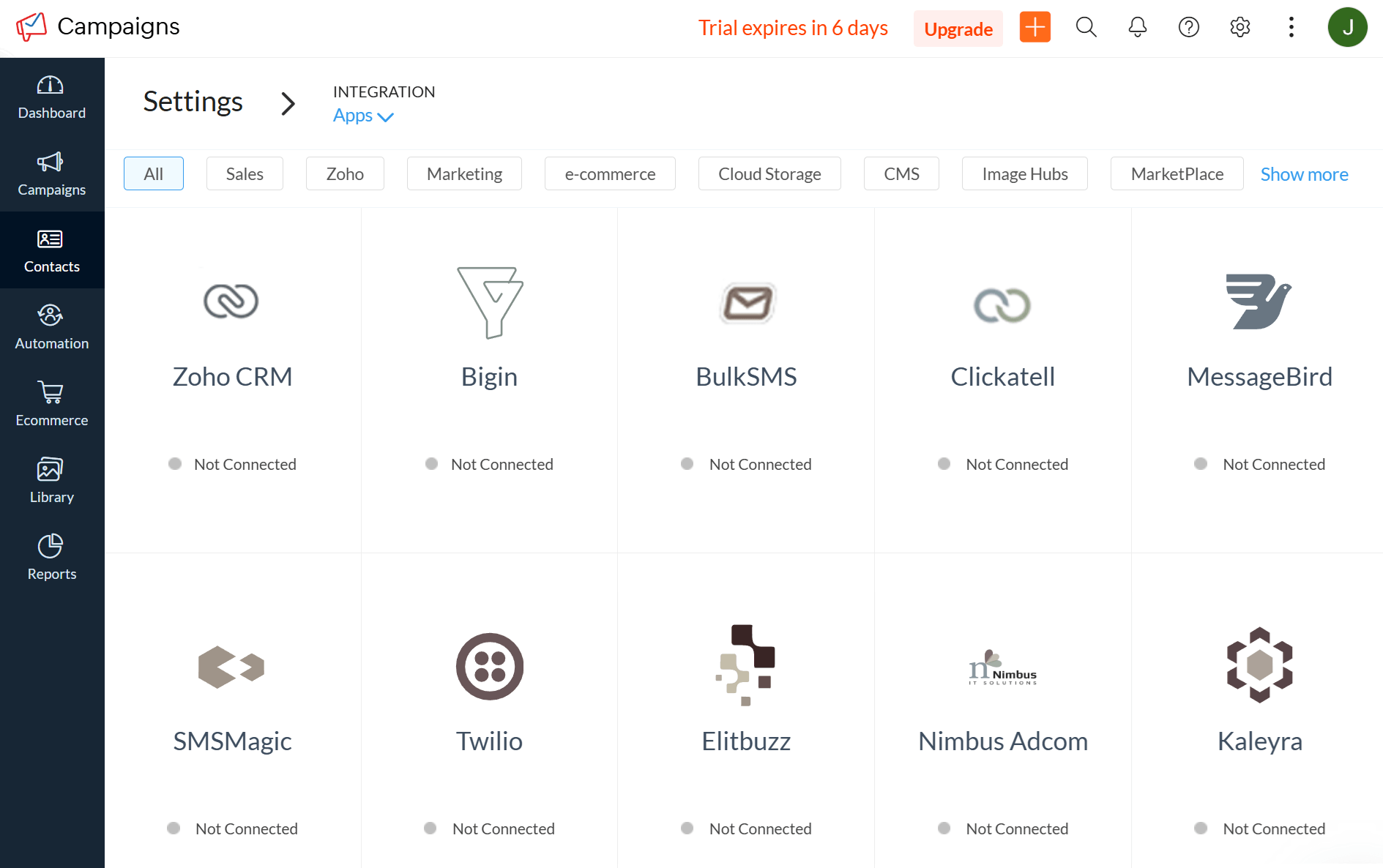
Zoho Campaigns is built to work best inside the Zoho ecosystem. It integrates natively with apps such as Zoho CRM, Zoho Forms, Zoho Analytics, and Zoho Desk, allowing contact data, engagement activity, and campaign insights to flow between tools with minimal setup.
The Zoho CRM integration is the most important one. It enables two-way data sync, CRM-based segmentation, and campaign triggers based on lead or deal updates. This makes Zoho Campaigns a strong choice for teams that rely on CRM data to drive targeting and automation.
Outside of Zoho’s products, integration options are more limited. The tool connects with select third-party tools for eCommerce, lead capture, and data sync, and it also supports integrations via Zoho Flow or Zapier. However, setting up non-Zoho integrations often requires additional configuration.
In short, Zoho Campaigns is well-suited if you’re already using Zoho tools, but less flexible if you depend heavily on a broad third-party tech stack.
Mailchimp:
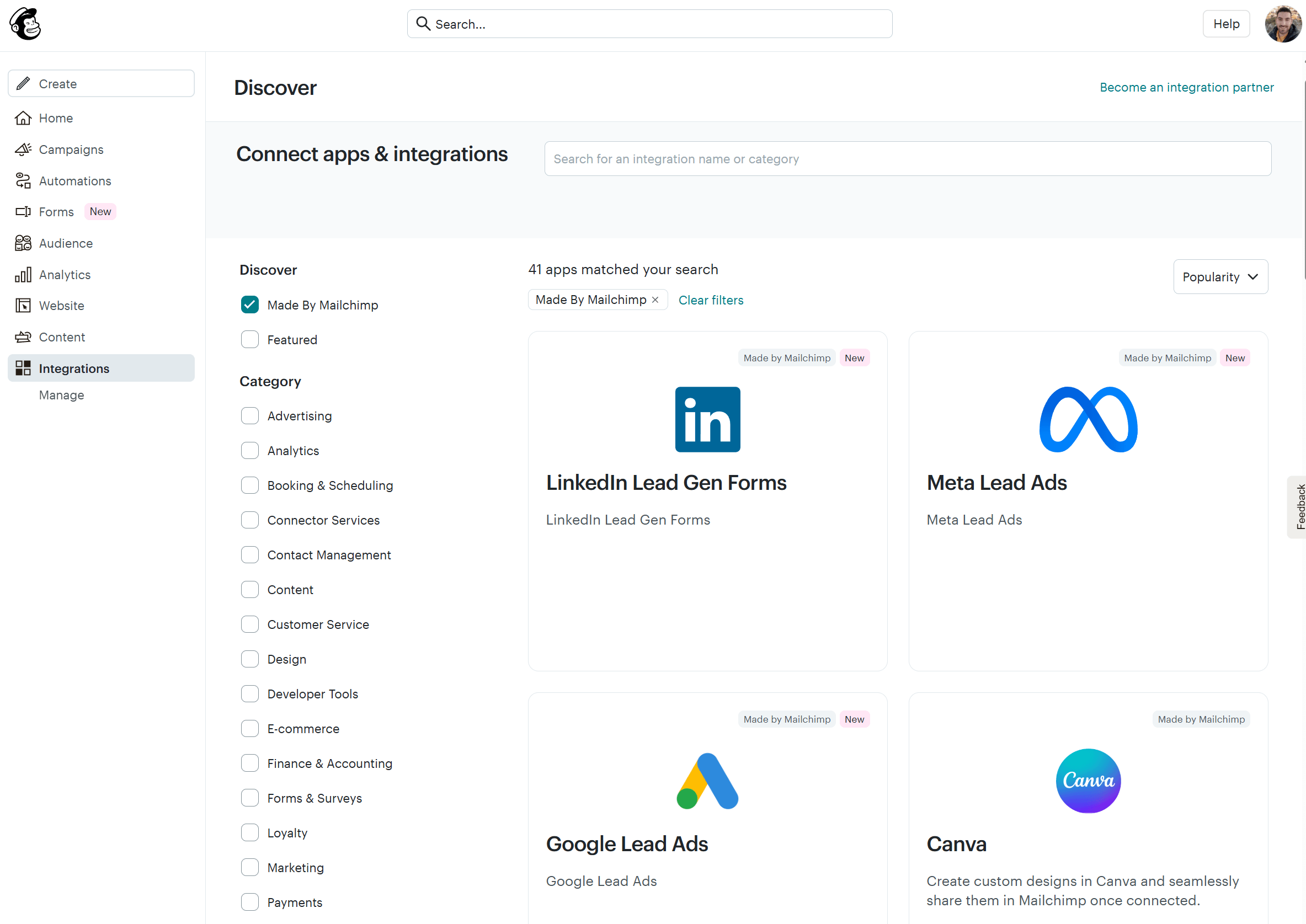
Mailchimp offers a much wider range of native integrations across eCommerce, CRM, CMS, analytics, and advertising platforms (300+ integrations). Popular tools can be connected directly from the integrations marketplace, often with minimal setup.
Mailchimp integrates easily with eCommerce platforms, enabling purchase data, customer behavior, and revenue tracking to feed directly into campaigns and automation. It also connects with various CRMs, form builders, and website tools, making it easier to fit into diverse marketing stacks.
For tools without native integrations, Mailchimp supports API access and third-party connectors, expanding its compatibility without requiring extensive technical work.
Overall, Mailchimp’s integration ecosystem is broader and more flexible.
Winner: Mailchimp wins the Integrations category due to its broader native integration library and greater compatibility with a wide range of third-party tools.
Customer support
Zoho Campaigns:
Based on official documentation and information we received from Zoho representatives, customer support is the same across its plans. The only exception is the free plan, which limits chat support to the first 14 days of the trial.
Specifically, you can contact Zoho support via in-app chat and phone from Monday to Friday during business hours. There is also 24/7 email support.
Regarding the quality of support, we got satisfactory answers from both the AI chatbot and the human representatives.
However, some users on review sites mention inconsistent response times, especially on lower-tier plans. They report waiting longer than expected for initial replies, even if the final resolution is solid. Documentation is extensive, but finding the right article can be challenging due to the sheer volume of Zoho resources.
Mailchimp:
Mailchimp’s support depends on the plan you’re on. Free plan users get email support only for the first 30 days. The Essentials and Standard plans include 24/7 live chat and email support. The top-tier Premium plan adds phone and priority support.
Reviewing Mailchimp’s help center and onboarding resources, we found them clear and easy to follow. For common questions or setup issues, you can find answers quickly without contacting support directly.
While all this looks great at first glance, we noticed that Mailchimp’s support receives mixed feedback in recent reviews. For example, response times can be slow, and support interactions are sometimes described as scripted or less personalized. Nevertheless, whether you find a solution quickly depends on your pain point.
Winner: Mailchimp takes the win due to its round-the-clock support coverage. Through its 24/7 live chat and email support, it can reduce the risk of leaving customers without help during weekends or critical campaign moments. This may be a decisive factor for businesses running time-sensitive email programs.
Mailchimp vs Zoho Campaigns: Pricing
Now, let’s compare the two email marketing services in terms of their pricing.
Zoho Campaigns:
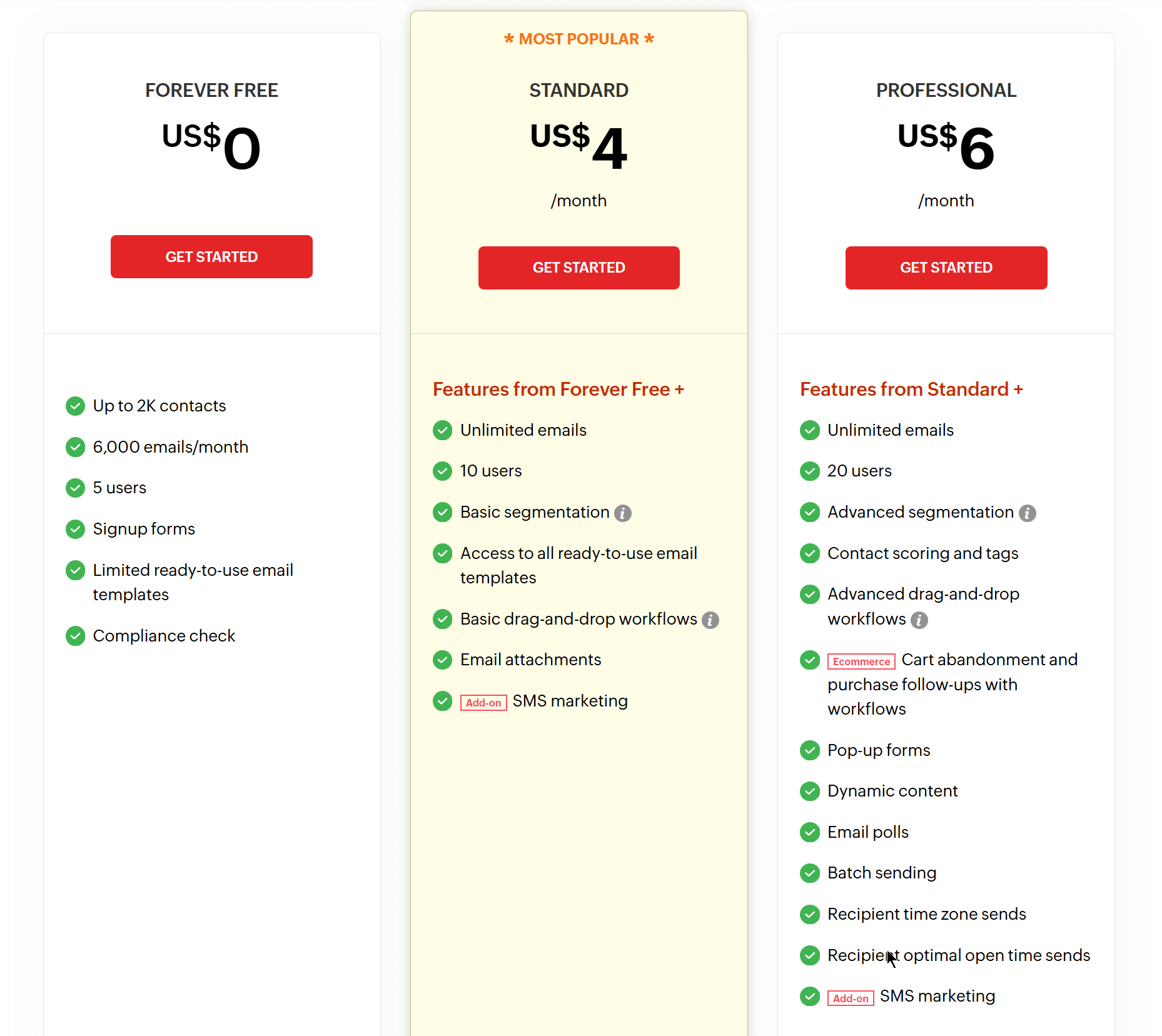
Zoho Campaigns offers a Free Forever plan and two paid plans.
The free plan includes up to 2,000 contacts and 6,000 email sends per month, making it a generous free tier for small businesses or those getting started with email marketing.
The platform’s paid plans start at an affordable pricing point:
- The Standard plan starts at $4/month (or $3 with annual billing) and unlocks unlimited emails, basic segmentation, templates, and basic automation.
- The Professional plan (starting at $6 per month) adds advanced capabilities, including enhanced segmentation, contact scoring, advanced workflows, dynamic content, time zone sending, and expanded user access.
Zoho Campaigns also provides a “Pay-as-You-Go” option, ideal for occasional email senders. This plan doesn’t require a monthly or annual commitment.
Overall, Zoho Campaigns’ pricing is very budget-friendly, especially at the entry level, and scales predictably based on features and contact count.
Mailchimp:
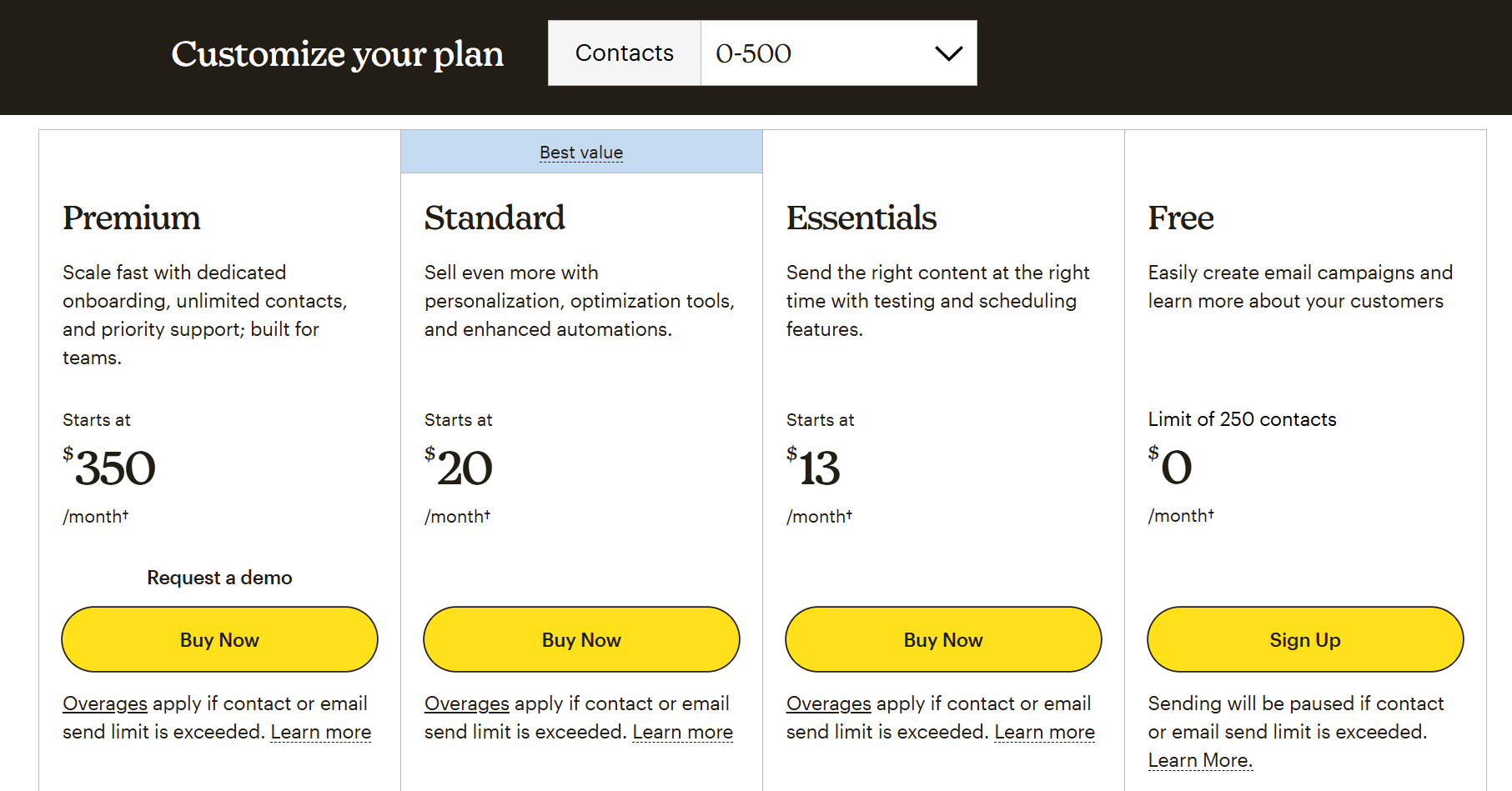
Like Zoho Campaigns, Mailchimp offers a free plan, but it’s more limited. You can have up to 250 contacts and send 500 emails per month, which is suitable for beginners or micro lists.
There are three paid plans (Essentials, Standard, Premium) that unlock different functionality:
- The Essentials plan starts at $13/month for 500 contacts and includes core email marketing features, access to templates, limited automation, forms, and landing pages.
- The Standard plan starts at $20/ month and introduces advanced automations, send-time optimization, Generative AI, custom-coded templates, and enhanced reporting.
- At the top end, the Premium plan ($350/month for up to 10K contacts) includes Mailchimp’s most advanced functionality and unlocks phone and priority support, unlimited users, and unlimited audiences
Mailchimp’s pricing scales sharply as contact counts grow, and access to advanced automation and analytics is gated behind higher tiers, leading to significantly higher costs at scale.
Winner: Zoho Campaigns. It’s way more affordable, while its free plan is significantly more generous than Mailchimp’s.
Top Zoho Campaigns and Mailchimp Alternatives
If you’re still unsure about Zoho Campaigns and Mailchimp, or you want to explore other alternative solutions, here are the top tools to consider.
1. Moosend
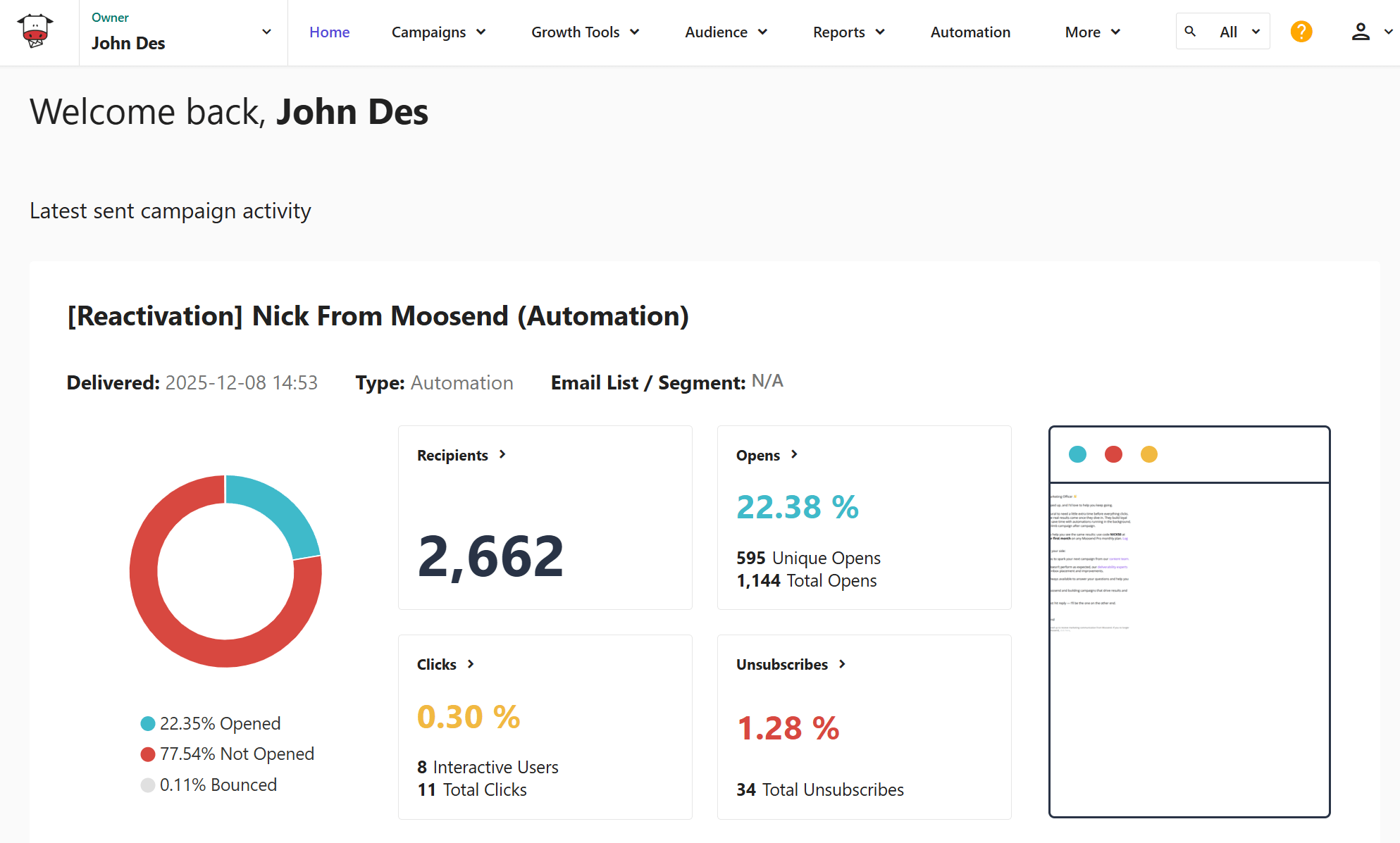
Pricing: Paid plans start at $9/month, 30-day free trial (Sign up here)
Best Feature: Advanced automation with real-time behavior triggers
Moosend is an affordable email marketing tool with an intuitive email builder, lead generation tools, and powerful automation that’s easy to implement. Its visual automation builder supports real-time triggers based on user actions, allowing teams to create personalized journeys that go beyond basic email engagement. It also includes eCommerce triggers (product viewed, abandoned cart, total cart value), ideal for online stores.
The platform comes with 130+ professionally designed email newsletter templates and prebuilt automation flows to kickstart your marketing. With Moosend, you also have an AI Writer that assists with copy generation, and a powerful eCommerce AI that helps you deliver relevant product recommendations and understand your customers’ behavior. Another key benefit of Moosend is its detailed analytics dashboard with real-time data, which enables you to make smart decisions and optimize your email marketing strategy.
Finally, the platform has a responsive customer support team available via live chat and email.
2. Constant Contact
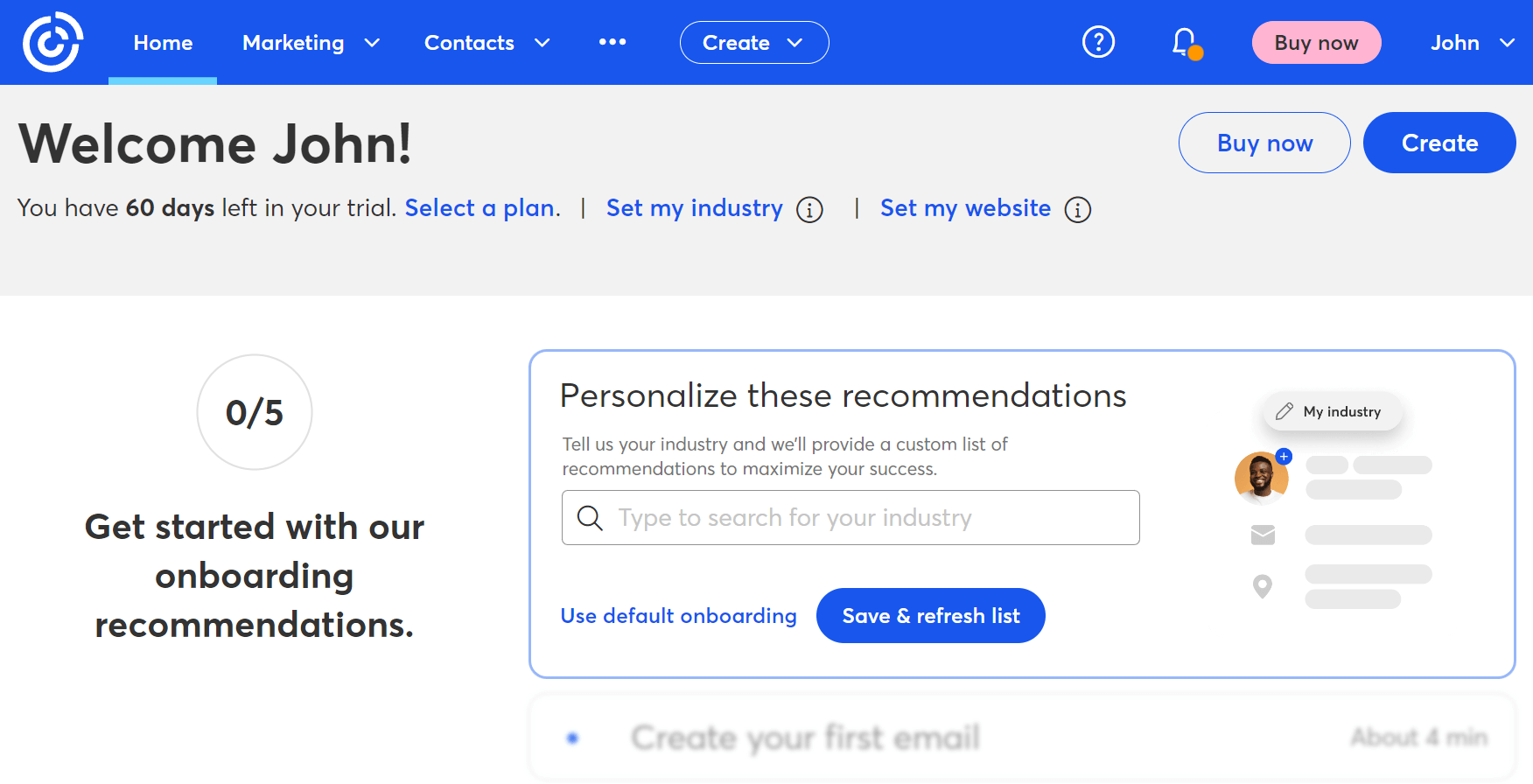
Pricing: Paid plans start at $12/month, 14-day free trial
Best Feature: Event invitation management
Constant Contact offers a complete set of tools for email marketing, list building, social media marketing, and events management. The platform offers a modern editor, well-designed templates, and intuitive automation options. Constant Contact aims to deliver a smooth marketing experience for small businesses, with its features connected to one another. For example, you can automatically tag contacts by clicks, purchases, or event attendance and deliver personalized campaigns that resonate with each subscriber.
Like Moosend and Mailchimp, Constant Contact incorporates AI for content recommendations. You also get web forms and social media ads management. Among the key reasons to select this alternative is its ease of execution compared to complicated functionality, which is essential for small businesses.
3. MailerLite
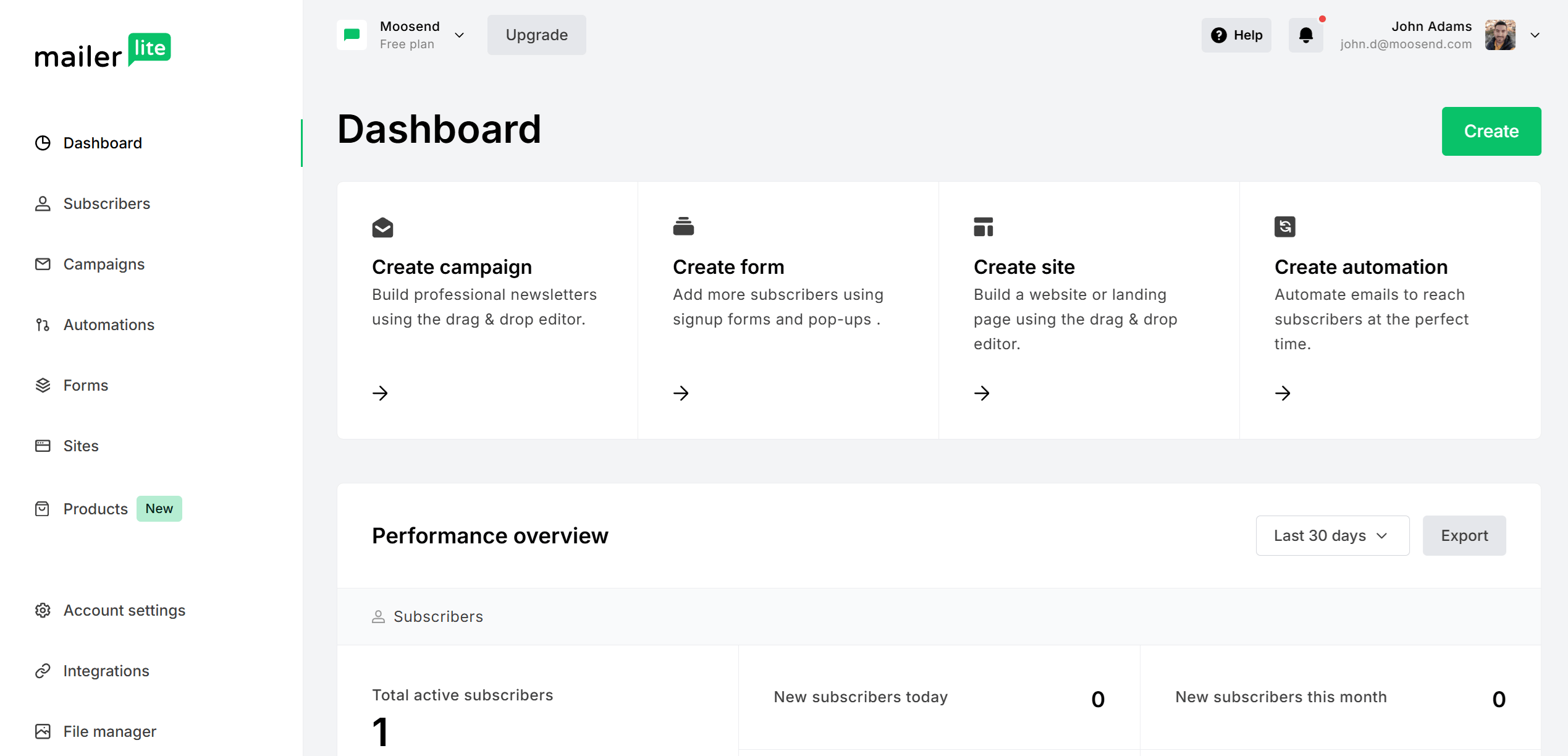
Pricing: Paid plans start at $10/month, free plan
Best Feature: Sell digital products and subscriptions
MailerLite is another great alternative to Zoho Campaigns and Mailchimp, standing out for its clean interface and balanced feature set. You can create stunning email campaigns with ease, set up robust automation paths, and build high-converting landing pages within a single platform. It’s designed for users who want flexibility without unnecessary complexity.
The tool also allows you to sell digital products and subscriptions. On top of that, you can integrate with eCommerce platforms and create tailored email campaigns based on your customers’ shopping behaviors.
Additional Resources to Check
Here are a few resources to expand your reading:
- Mailchimp alternatives
- Zoho Campaigns alternatives
- Best email newsletter software
- Cheap email marketing services
- Mailchimp review
Zoho Campaigns vs Mailchimp: The Verdict
Choosing between Zoho Campaigns and Mailchimp ultimately comes down to how you plan to use email marketing and what you expect from the platform long term.
Zoho Campaigns delivers strong value for businesses that prioritize CRM-driven personalization and cost efficiency. It’s a good fit for small businesses and B2B teams planning to build their marketing stack within the Zoho ecosystem, and especially those already using Zoho CRM. While it requires a bit more upfront setup and familiarity, it rewards you with deep automation and segmentation at a great price.
Mailchimp, on the other hand, is easier to set up, more intuitive from day one, and better suited for beginners or teams that want to move quickly without dealing with complex configurations. Despite being pricier, you benefit from its design flexibility, prebuilt automation flows, and “always-on” support availability.
Before committing to either platform, we’d definitely suggest taking advantage of their free plans and testing them firsthand.
Frequently Asked Questions (FAQs)
Here are some common questions and their answers.
1. Is Zoho Campaigns better than Mailchimp for small businesses?
It depends on how the business operates. Zoho Campaigns is often a better fit for small businesses that want affordable pricing, structured segmentation, and CRM-driven personalization, especially if they already use Zoho CRM. Mailchimp, on the other hand, works well for small teams that value quick setup, an intuitive interface, and broad third-party integrations.
2. Which platform is easier to use: Zoho Campaigns or Mailchimp?
Mailchimp is generally easier to use for beginners. Its interface is more intuitive from the first login, and most features are easy to discover without prior experience in email marketing. Zoho Campaigns has a steeper learning curve but becomes efficient once users understand its structure and workflows.
3. Is Mailchimp worth the higher price as your list grows?
Mailchimp can be worth the higher price as your list grows if you value ease of use, the ability to build sophisticated workflows, and having a broad list of integrations, more than cost-effectiveness. For businesses with simple email needs and tight budgets, though, it will be hard to justify the added cost.
4. Can I switch from Mailchimp to Zoho Campaigns (or vice versa)?
Yes. Both platforms allow you to export contacts, lists, and basic campaign data, enabling migration. However, automations and templates usually need to be rebuilt manually, so it’s best to plan the transition carefully, especially if you rely on complex workflows.
5. Should I choose Zoho Campaigns or Mailchimp?
Zoho Campaigns is better suited for businesses that rely on CRM data, run B2B or sales-led campaigns, and want predictable pricing as their list grows. Mailchimp is a stronger option for beginners, small teams, and businesses that prioritize simplicity, visual flexibility, and compatibility with a wide range of third-party tools, even if that comes at a higher cost over time.
Similar Posts
 Published by

Create, send and optimize your email marketing campaigns!