















SendGrid vs Mailchimp: Pros, Cons, Pricing & Features [2026]
Published By John Desyllas
March 19, 2025

19/03/25
SendGrid and Mailchimp are two of the most popular email marketing platforms. Both offer powerful functionality, but they cater to different needs. So how can you decide which one is the right fit for your business?
In this SendGrid vs Mailchimp comparison, we’ll break down their key features, pros and cons, as well as their pricing.
By the end of this, you’ll have a clear idea about which service can best cover your email marketing needs.
Exploring email marketing tools?
Moosend helps teams grow faster with powerful automation, scalable pricing, and fast support.
SendGrid vs Mailchimp: Feature Comparison
Here’s a quick overview of our comparison:
- SendGrid is known for its developer-friendly email API and high-volume sending capabilities.
- Mailchimp provides all-in-one marketing features and a user-friendly email newsletter design.
| SendGrid | Mailchimp | |
| Free plan | 60-day trial (100 contacts – 100 emails/day) | Yes (250 contacts – 500 emails/month) |
| Pricing | $15/month (5,000 contacts – 15,000 emails) | $13/month (500 contacts – 5,000 emails) |
| Best for | Developers, Enterprises | eCommerce, Publishers, SMBs |
| Email tools | 60 pre-made templates, A/B testing, spam testing, email rendering previews, link validation | 379 pre-made templates, Content studio, A/B testing, Subject line helper |
| Marketing automation | Basic | Advanced |
| Reporting & Analytics | Extensive | Extensive |
| Forms | 1-15 (depending on plan) |
Unlimited |
| Landing pages | ❌ | ✔️ |
| Deliverability | Great | Great |
| Integrations | 130 | 340 |
| Customer support | 3,5/5 | 3.5/5 |
| AI features | ❌ | Generative AI for email content and automations (beta), Send time optimization |
| Unique features | Powerful APIs, Deliverability reporting | Social posting and scheduling, Retargeting ads, Predictive analytics |
Now, let’s see more details about each category.
Setup & Ease of Use
SendGrid:
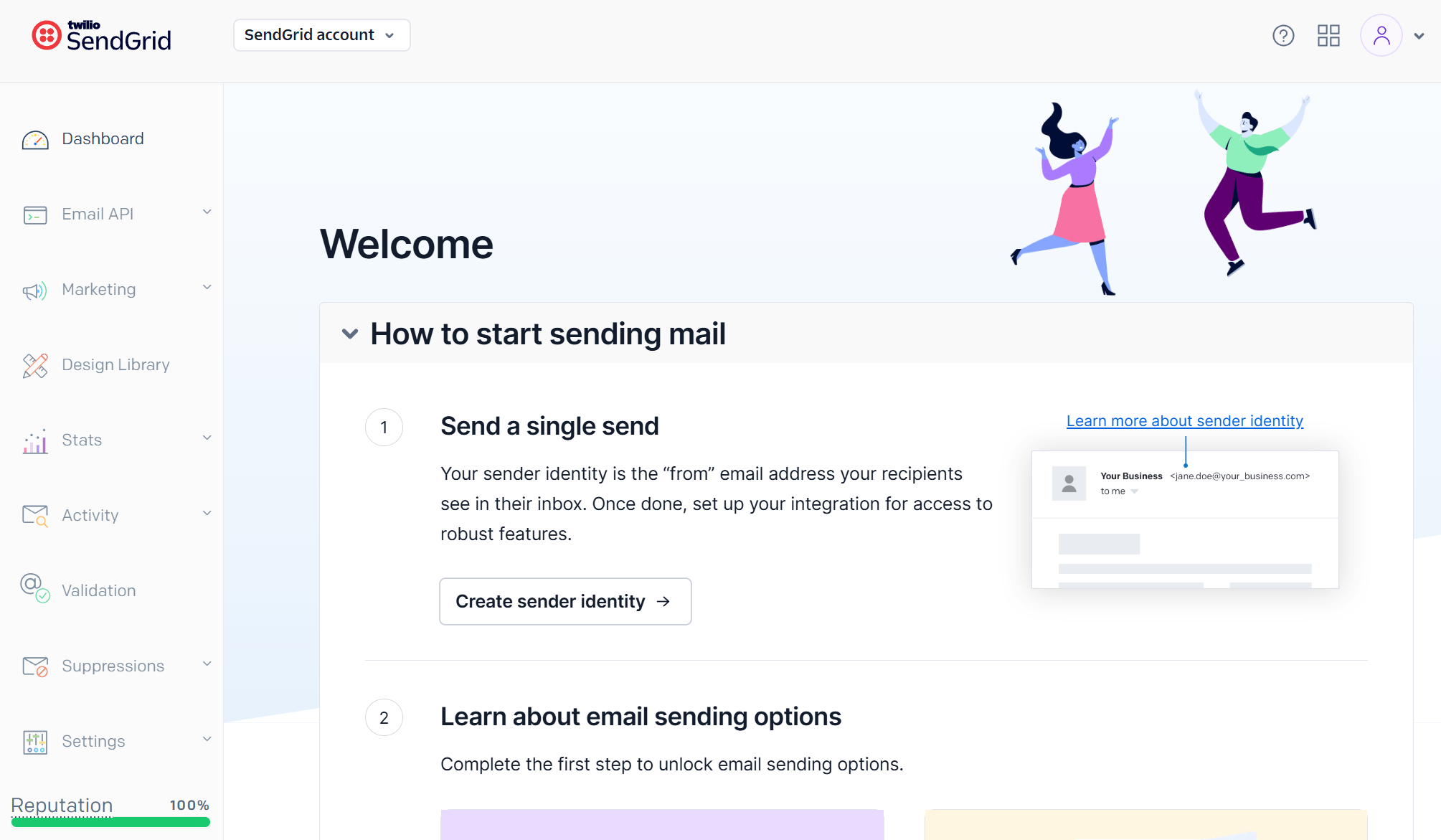
The first experience with SendGrid can be intimidating if you’re not tech-savvy enough. The platform’s setup process requires a few technical steps before you’re actually ready to send an email campaign. Specifically, you have to create a sender identity before delivering your first email campaign.
Navigation isn’t as easy as in Mailchimp, and you may need to spend some time exploring what you can do. You’ll also notice settings like inbound parse or IP access management in the main menu, which won’t make much sense to a beginner.
Nevertheless, using the platform’s features isn’t difficult since its functionality is simple and straightforward.
Mailchimp:
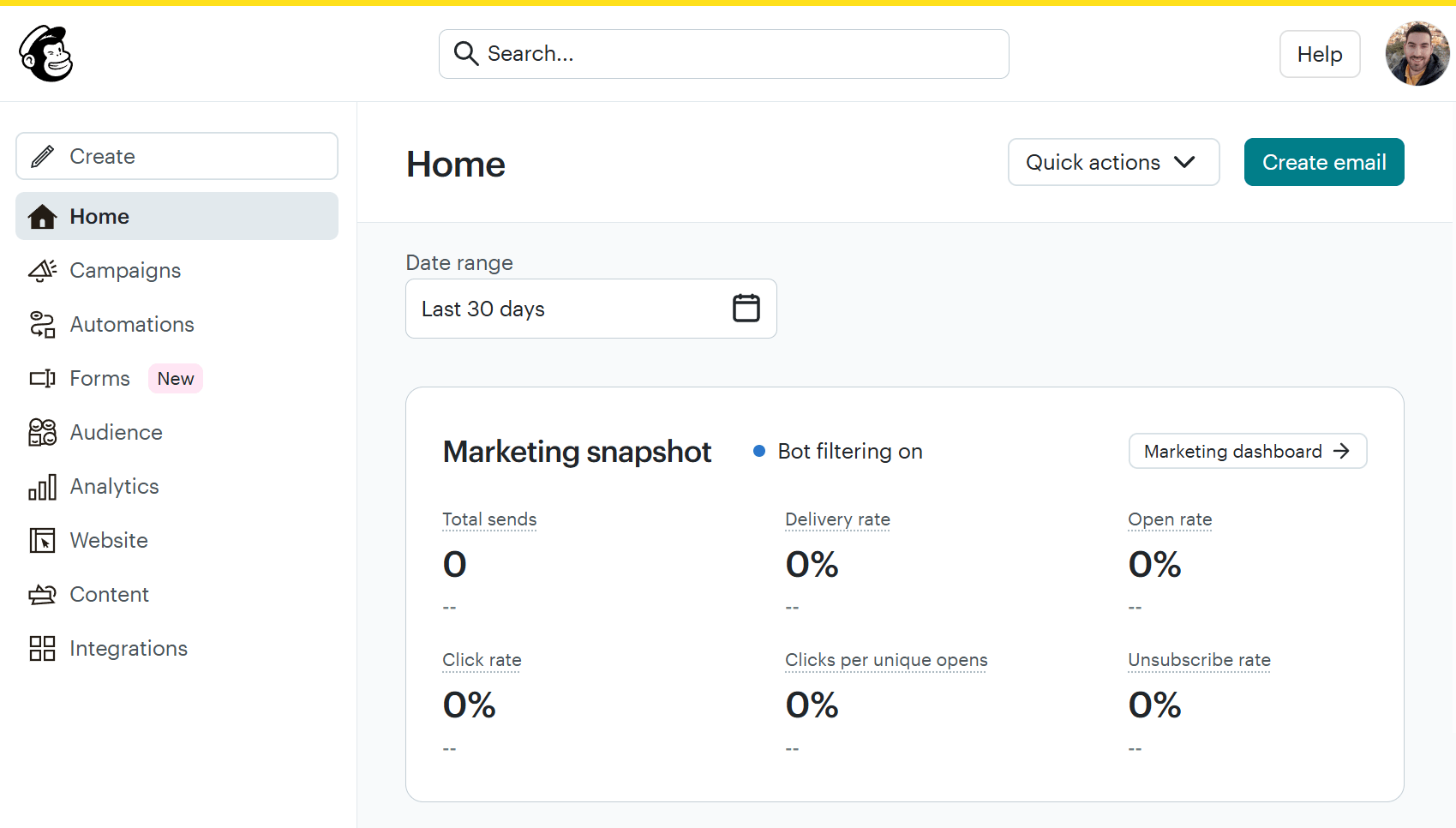
Setting up Mailchimp is easy, even for complete beginners. You’re ready to create your campaigns after just a few clicks.
The platform is user-friendly despite the abundance of features. We found that navigating the platform is easy via the left-side menu, except for landing pages. To avoid unnecessary frustration, Mailchimp has a “Create” button at the top of the menu that lets you build different types of campaigns (e.g., emails, forms, automations, surveys).
Overall, we had a great user experience and liked the tutorials and prompts Mailchimp provides for new users.
Winner: Mailchimp wins this one due to its intuitive interface and overall ease of use.
Email Builder
SendGrid:
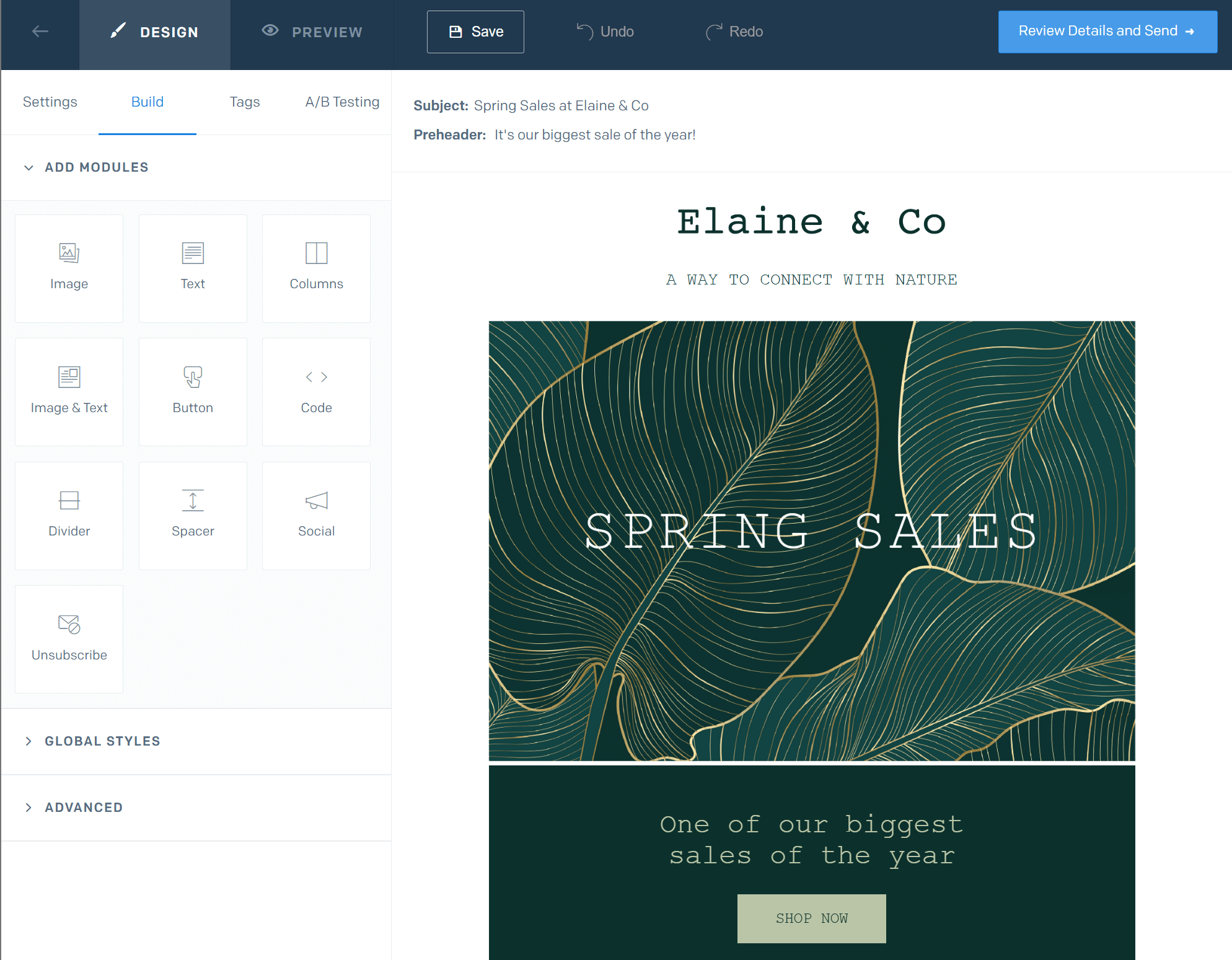
SendGrid has a straightforward, visual builder for users to craft their email marketing campaigns. You don’t have to know how to code or have advanced email marketing knowledge. The email builder offers basic design capabilities, but it’s built with simplicity in mind.
You can infuse your emails with text, images, buttons, and social icons to create professional campaigns without hassle. It’s also easy to personalize your email content by using tags, which are in a separate tab in the builder. On another tab, you’ll find the A/B testing options, allowing you to experiment with up to 6 variations of either your subject line or email content.
Compared to other SendGrid alternatives, it lacks advanced features such as product blocks or countdown timers. The tool’s focus is more on content rather than design elements.
Mailchimp:
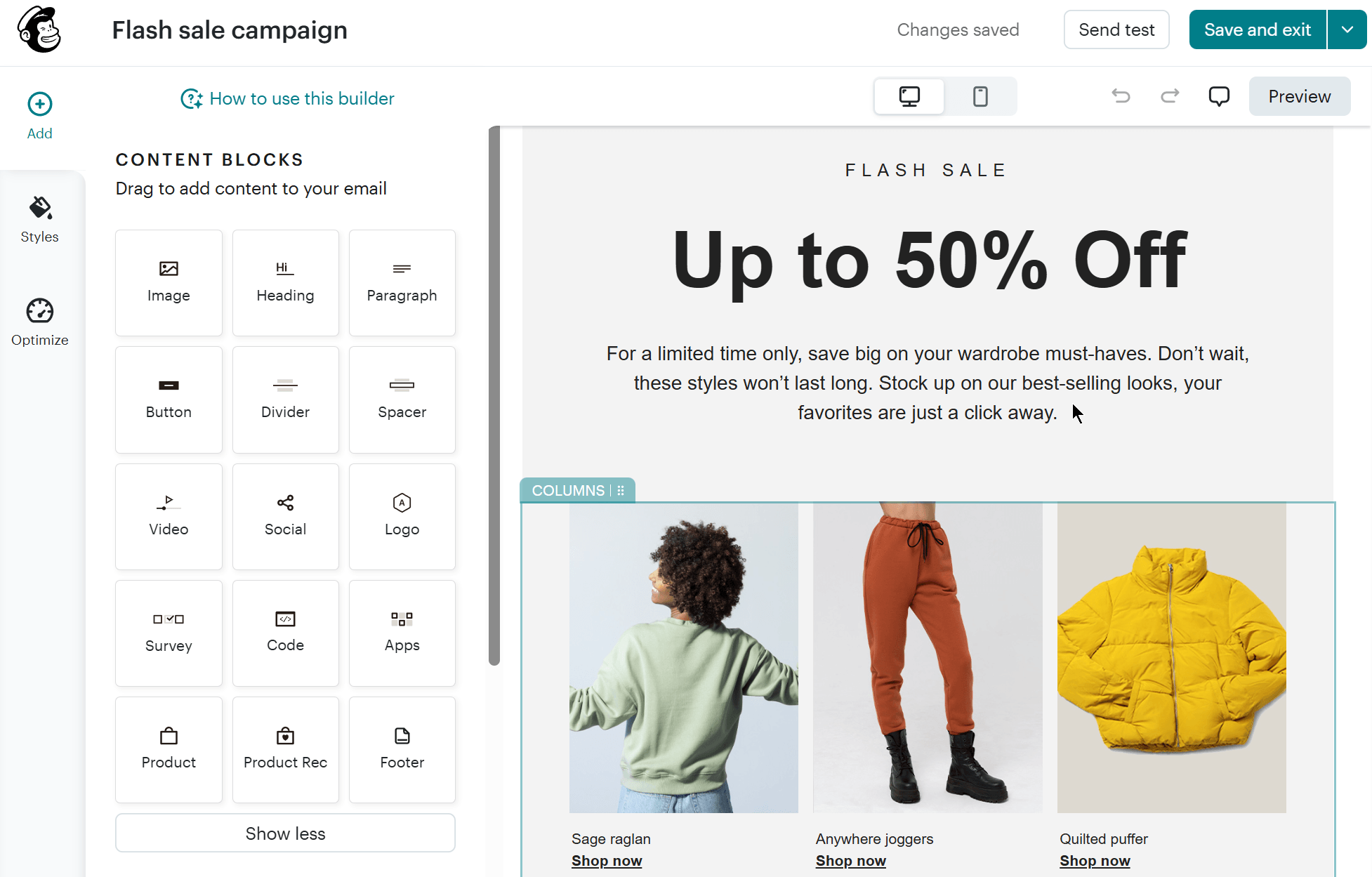
Mailchimp’s email editor is more advanced, providing more customization options. It is a user-friendly email builder that delivers an intuitive experience to both beginners and advanced users.
You can customize campaigns easily by editing each content block. Among others, you can add videos, products, recommendations, surveys, and custom HTML code. We also like the Creative Assistant feature. It creates a Brand Kit with your logo and other assets on your website, helping you save time and effort.
On the left side menu, you’ll also find an “Optimize” button. This scans your email campaign to identify errors and find opportunities to make your content more engaging.
Winner: Both editors can produce stunning email campaigns, but Mailchimp offers more flexibility and customization options. Mailchimp wins!
Templates
SendGrid:
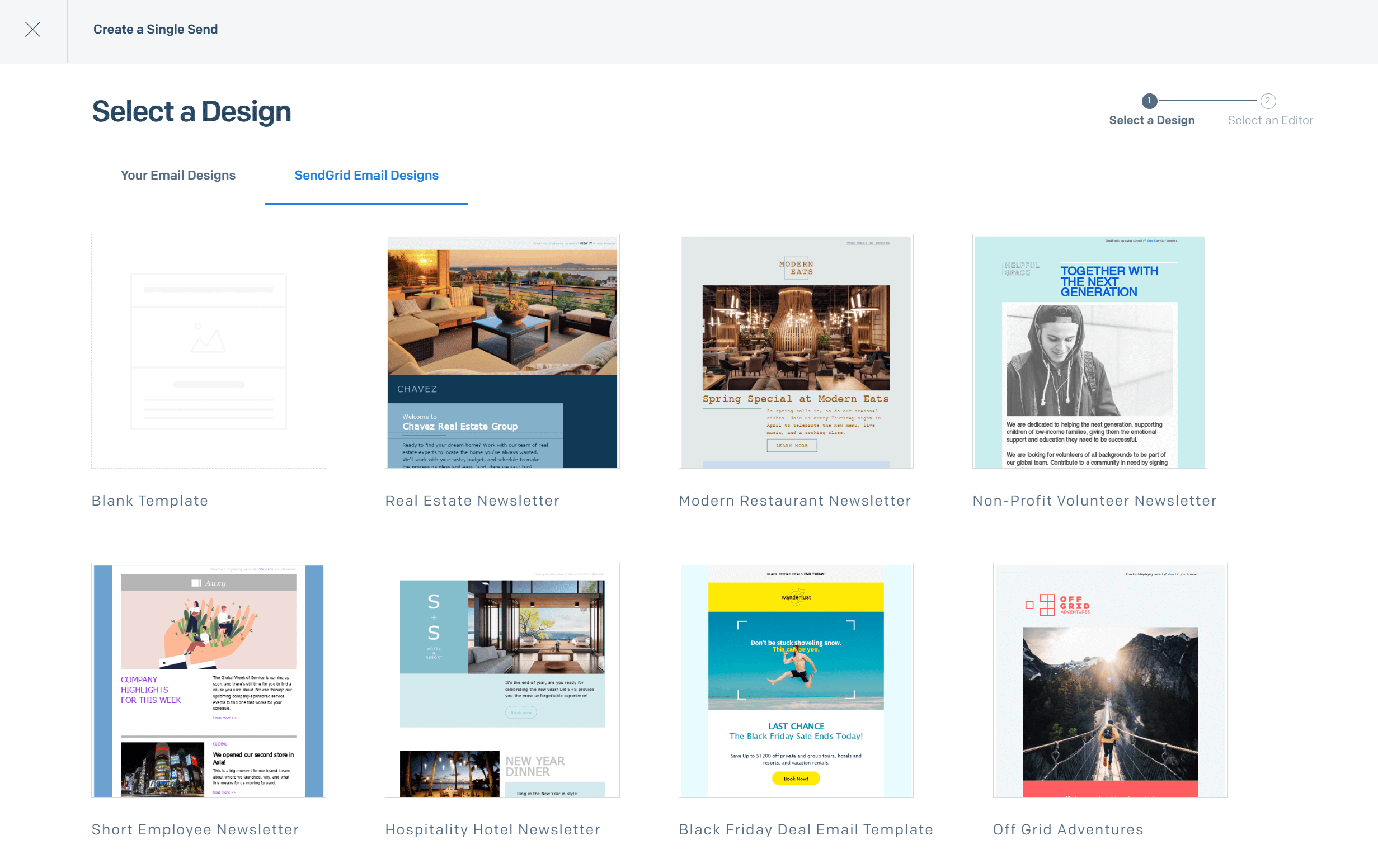
If you don’t want to start creating an email campaign from scratch, SendGrid has you covered. This email marketing service includes 60 responsive email templates, including welcome, order confirmation, event, and promotion templates.
The quality of the available templates is great, and they can be easily customized to match your brand. You can also create custom templates for future campaigns.
Mailchimp:
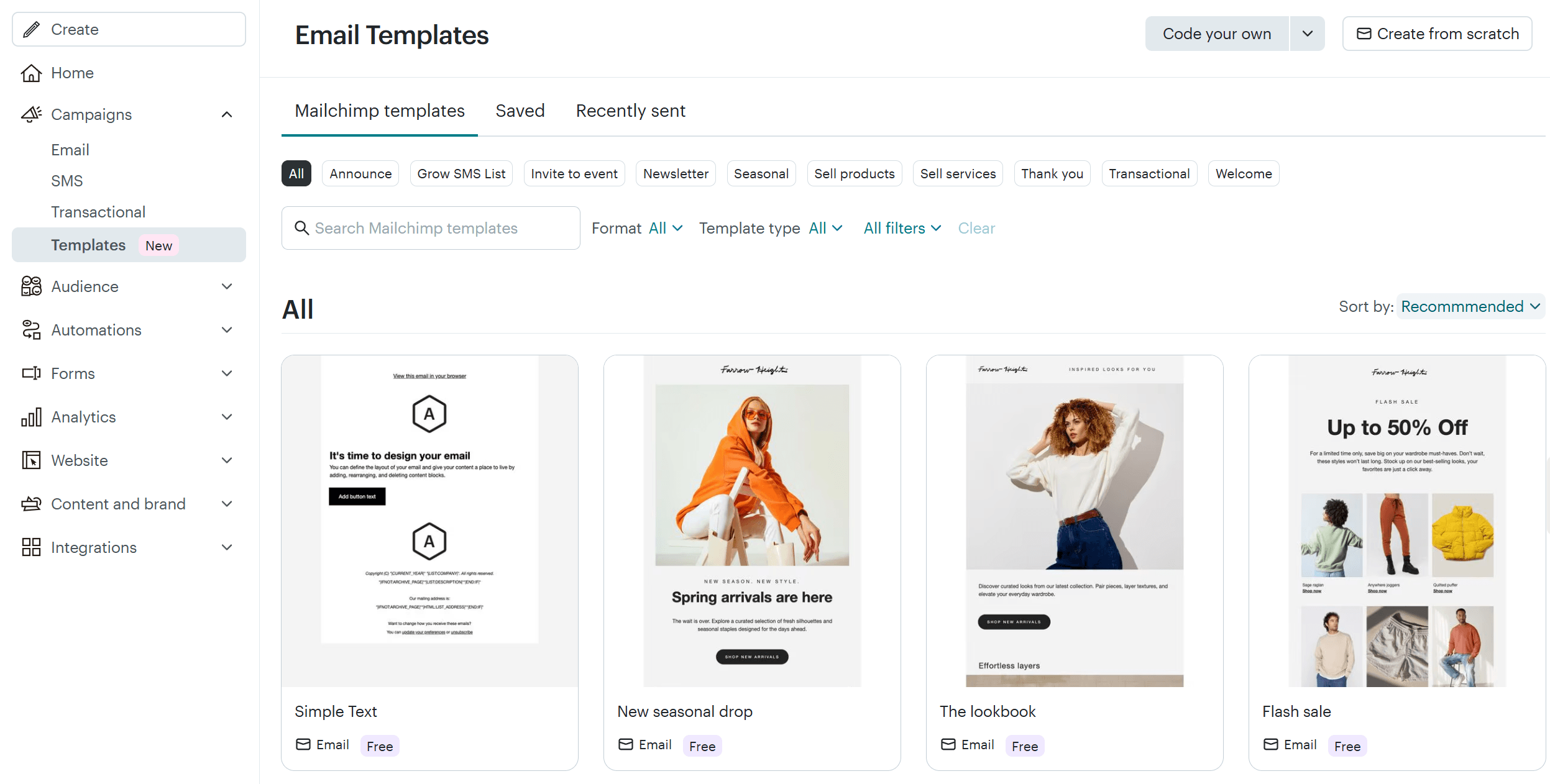
Mailchimp offers an extensive selection of email templates for various purposes. We found 316fully designed, responsive newsletter templates and 63 basic layouts that you can customize to your brand and needs.
What’s also great is that they are categorized based on their purpose, style, and industry to help users find the one they need quickly. You can find designs for customer onboarding, sales and promotions, announcements, seasonal campaigns, and more.
Users of Mailchimp’s free plan can only access 28 basic templates. Some of them, however, lack responsiveness, which isn’t great. Nevertheless, the available designs are aesthetically pleasing, helping you engage and convert your audience.
Winner: Mailchimp wins because it offers a wider variety of designs to help teams kickstart their email marketing strategy.
Marketing Automation
SendGrid:
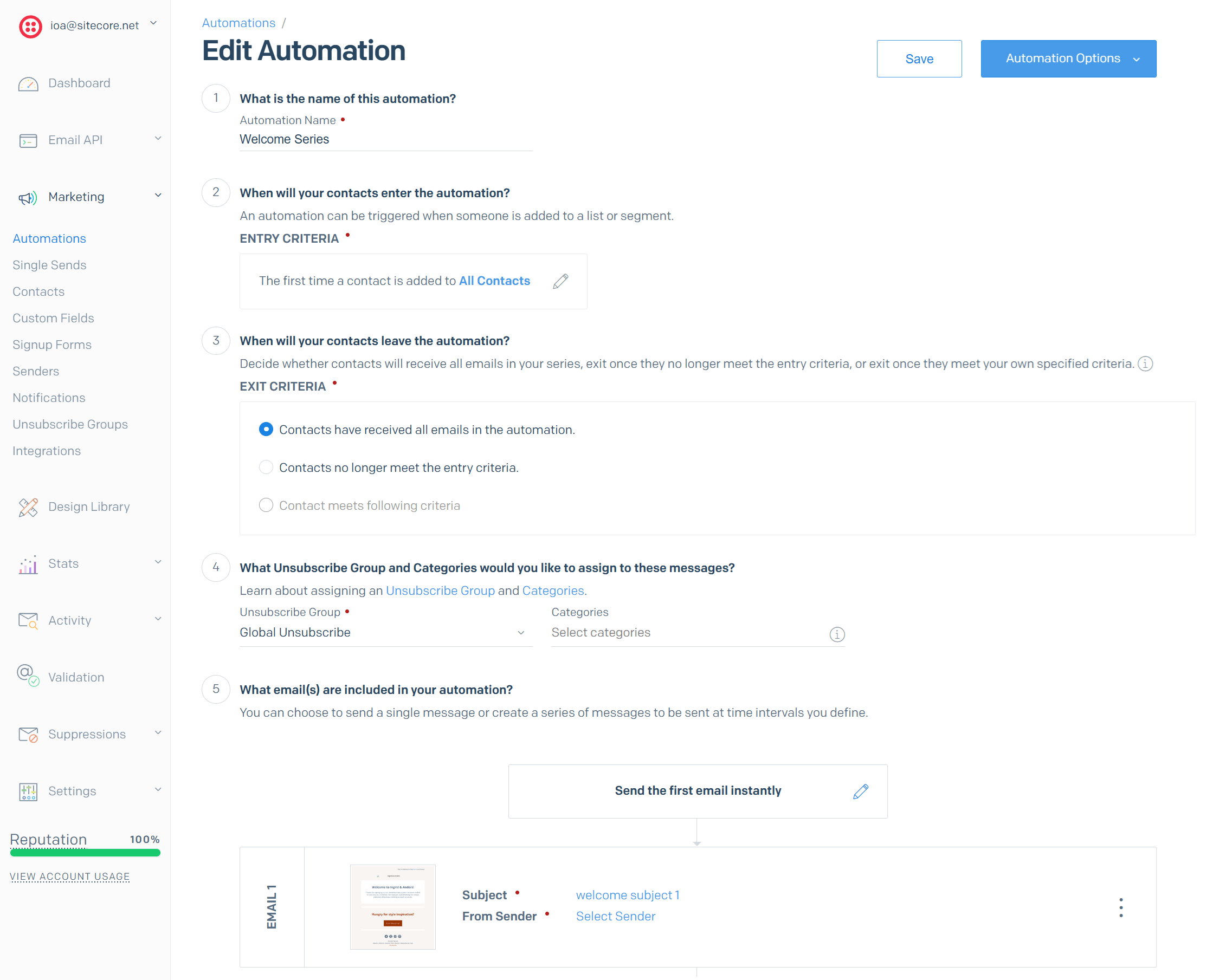
With SendGrid, you can set up basic automated messages and drip campaigns. Setting these up is very easy and you can customize each email in your automations fast.
You’ll notice that SendGrid doesn’t have a visual automation builder like other email automation solutions. However, users can create onboarding sequences, nurture leads after an event, and follow up with leads who interact with pieces of content.
SendGrid tracks the performance of your automations, letting you update your content and subject lines in real-time.
If your business has basic needs and you want to avoid complexity, SendGrid can be a great companion.
Mailchimp:
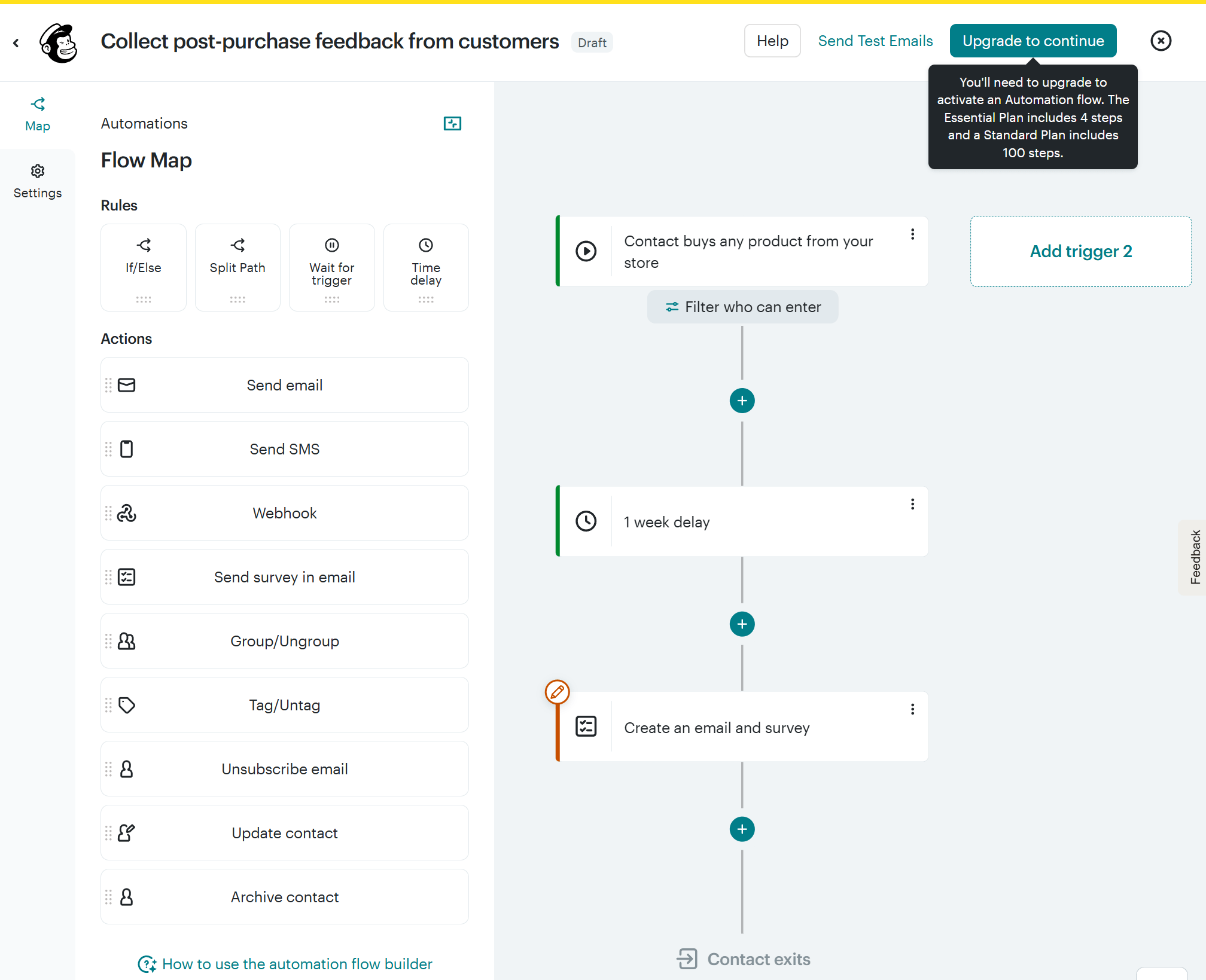
Unlike SendGrid, Mailchimp has a visual automation builder that lets you create both simple and more complex automations. The interface is intuitive, making the process of creating automated sequences a piece of cake through drag-and-drop functionality.
The Customer Journey Builder lets you set up thank you emails, welcome sequences, abandoned cart notifications, and many more. To create custom workflows, you get a wide range of triggers and actions.
On top of that, the platform has more than 100 pre-made journeys that can help you nurture, re-engage, or convert your audience on autopilot. Mailchimp provides a detailed explanation of each journey and what it hopes to achieve, thus helping beginners upgrade their digital marketing game.
Advanced users can use “if/else” rules to add flexibility to their messaging and conduct split testing. Finally, in Mailchimp’s automations, you can combine email and SMS (at an extra cost with the SMS add-on).
Winner: Mailchimp, since it offers superior automation options.
List Management
SendGrid:
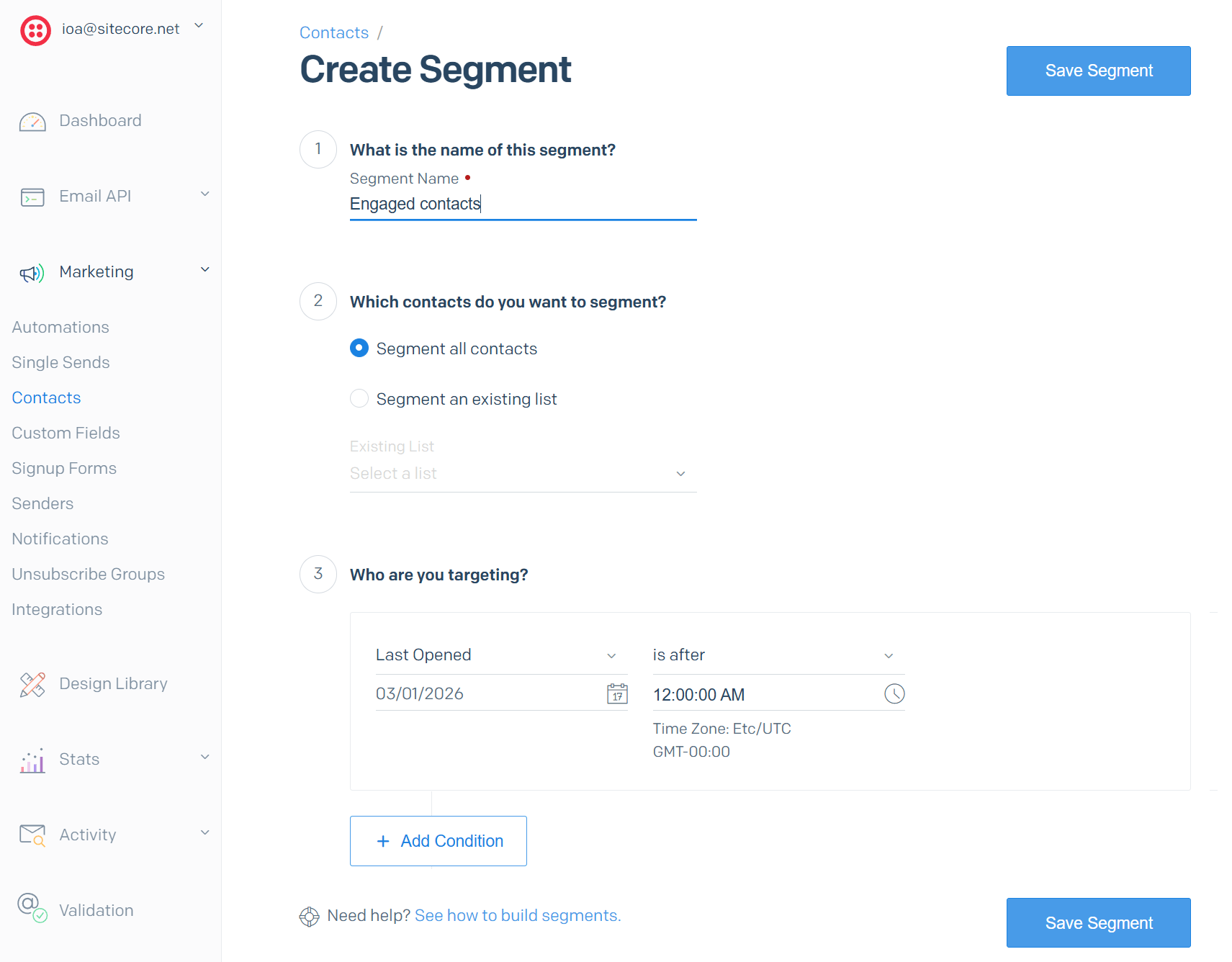
SendGrid offers decent segmentation options. It allows you to create email lists based on demographic and behavioral data. You can also use custom segmentation criteria to deliver more targeted email campaigns.
The platform also includes tools to maintain a healthy email list. For example, you can remove duplicate contacts, inactive subscribers, and invalid email addresses to ensure high deliverability rates.
Overall, list management is straightforward, but you shouldn’t expect advanced segmentation or CRM functionality.
Mailchimp:
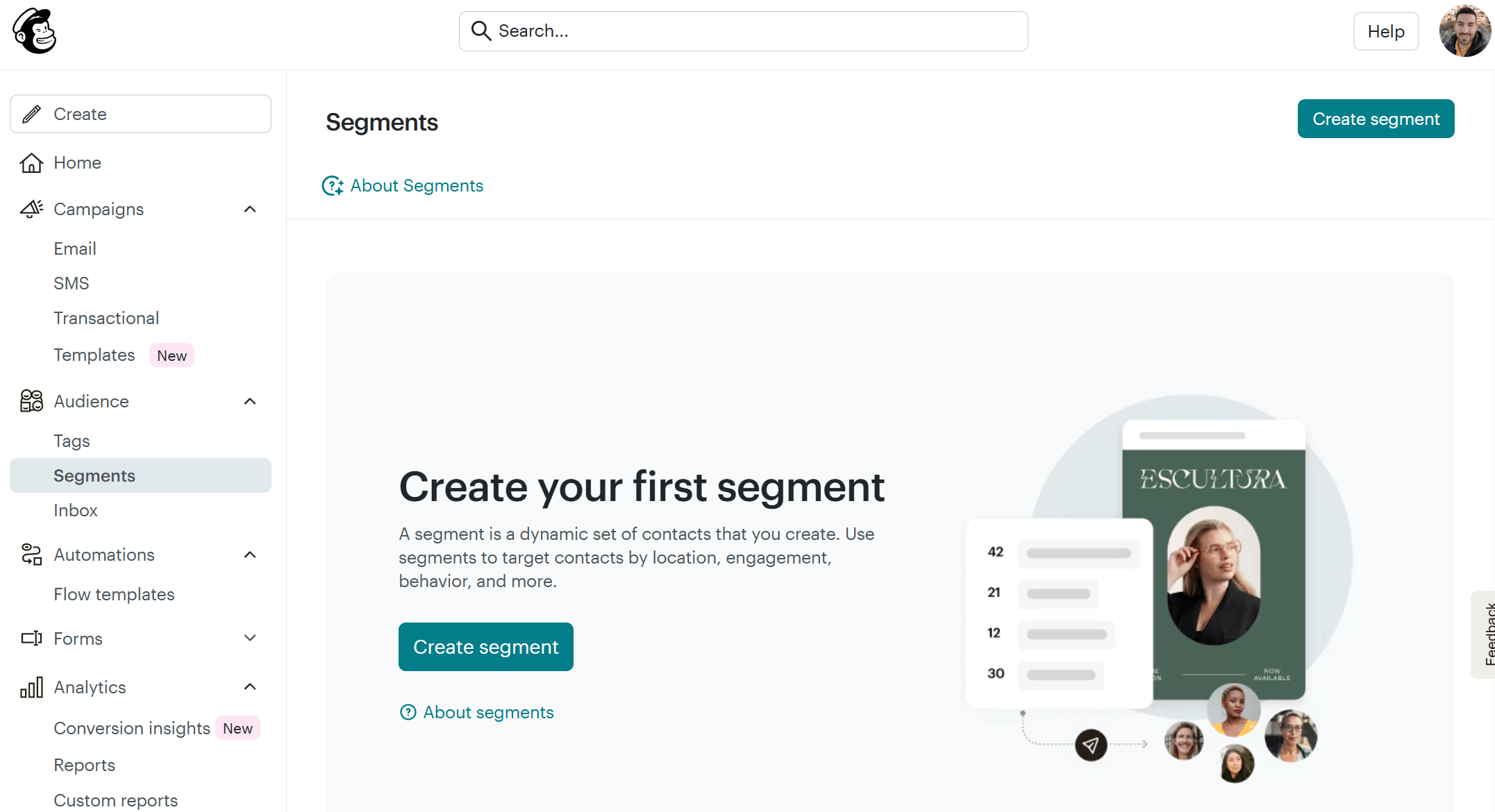
With Mailchimp, things are much better. Firstly, you get more flexibility since you can tag subscribers and create user segments as well as groups. This can be useful for some businesses, but at the same time, it adds complexity.
You can segment your audience based on demographics, engagement, and behavior on your online store. Mailchimp can identify and remove inactive subscribers automatically, too.
You can also create a preference center, allowing your subscribers to indicate how often they want to hear from you or what content they want to receive. With this, you can reduce unsubscribe rates and build a stronger relationship with subscribers.
Winner: Mailchimp. While SendGrid offers decent functionality, Mailchimp can meet both simple and complex needs, making it a safer choice for most businesses.
Reporting & Analytics
SendGrid:
SendGrid offers effective reporting and analytics tools for users who prefer a hands-on approach. Specifically, it tracks essential metrics such as open rates, click-through rates, bounce rates, and delivery rates in real-time. It also counts spam reports.
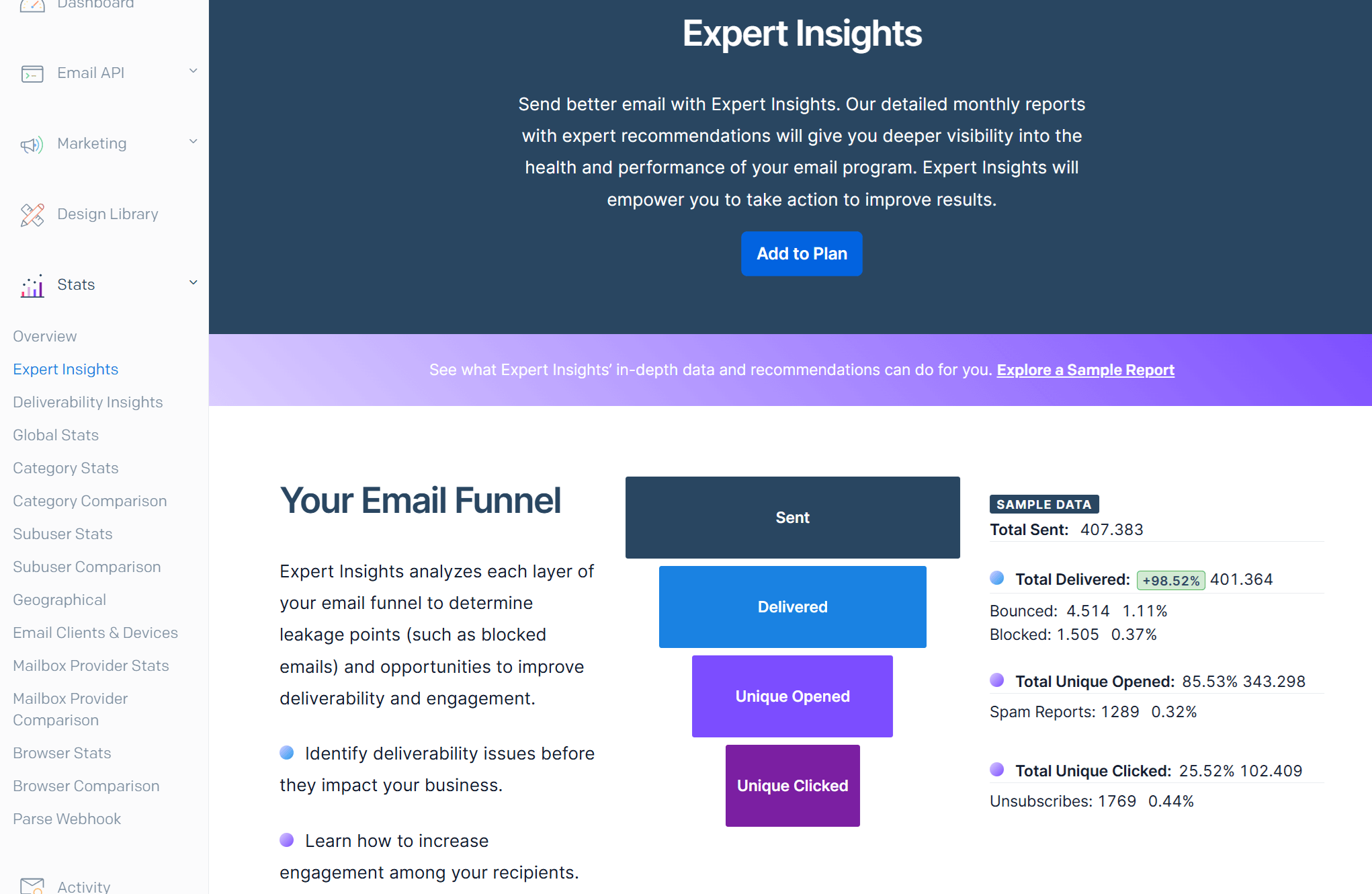
On top of these metrics, SendGrid does an excellent job of providing you with additional deliverability reports. There is an Expert Insights add-on feature that lets you drill down on the factors influencing the success of your email campaigns, while providing you with recommendations.
You’ll also be able to analyze engagement metrics based on location, email clients, and devices.
For people with high-volume sending, SendGrid’s detailed reports can help optimize their strategy and increase campaign efficiency.
Mailchimp:
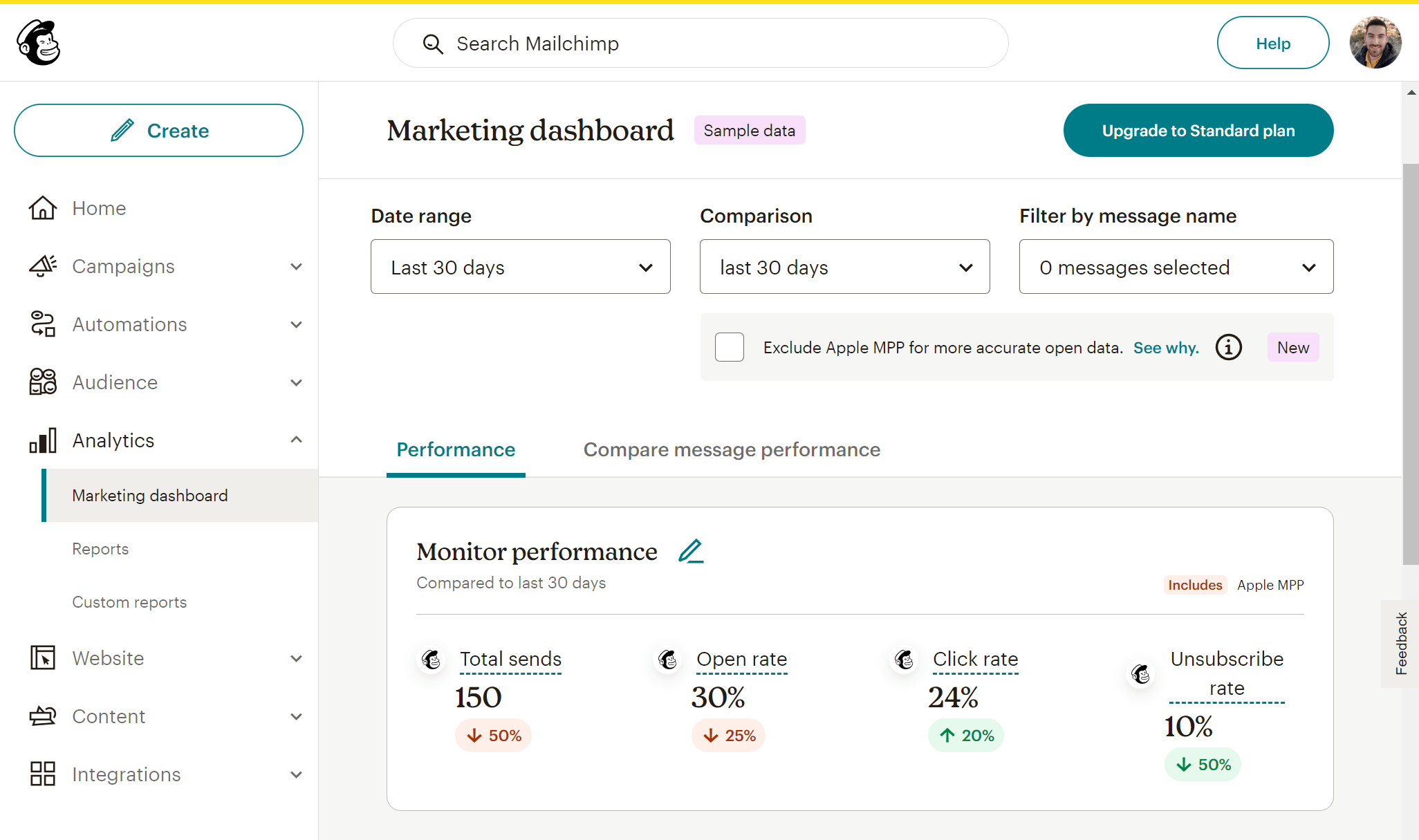
Mailchimp tracks key email marketing metrics about campaign opens, clicks, top links clicked, geolocation data, and more. Compared to SendGrid, they are easy to understand and utilize to improve your strategy.
Connecting your online store with Mailchimp will also give you revenue reporting about your eCommerce sales. Mailchimp can also track social media stats.
You can also integrate Mailchimp with Google Analytics and thus track your conversions more effectively.
Winner: It’s a tie.
Forms
SendGrid:
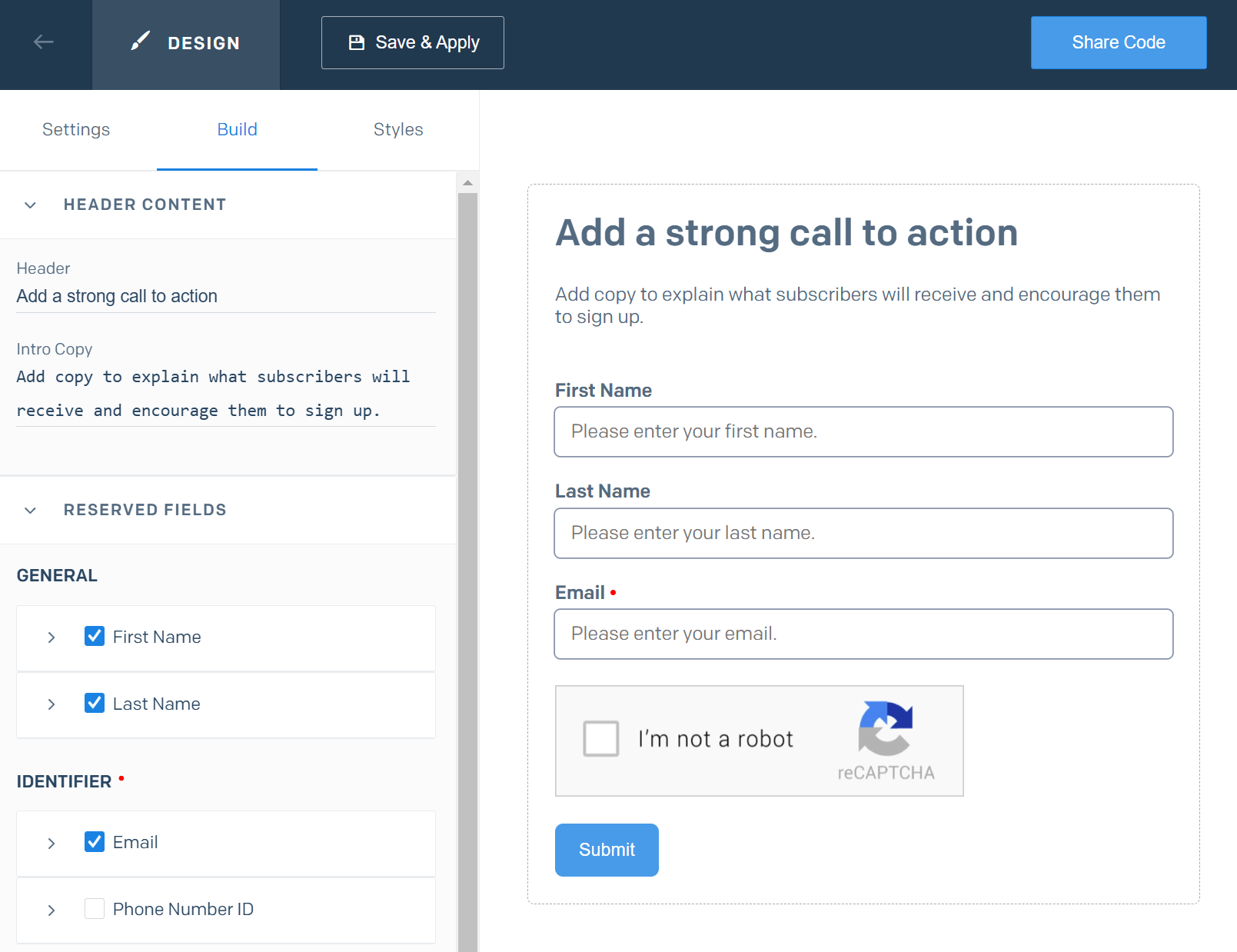
To capture new subscribers and grow your email list, SendGrid provides simple signup forms. These forms can be embedded directly into your website.
You can customize the appearance of signup forms (colors, styling, and form copy) to align with your brand. What’s more, you can gather essential subscriber information, such as email addresses, with the option to add fields for first and last names, enabling more personalized communication.
To protect against fake signups and spambots, SendGrid’s forms incorporate reCAPTCHA, ensuring that the collected email addresses are legitimate.
Subscribers who sign up through these forms are automatically added to designated lists within SendGrid. If the lists are linked to active automation workflows, new subscribers start receiving targeted messages immediately.
Mailchimp:
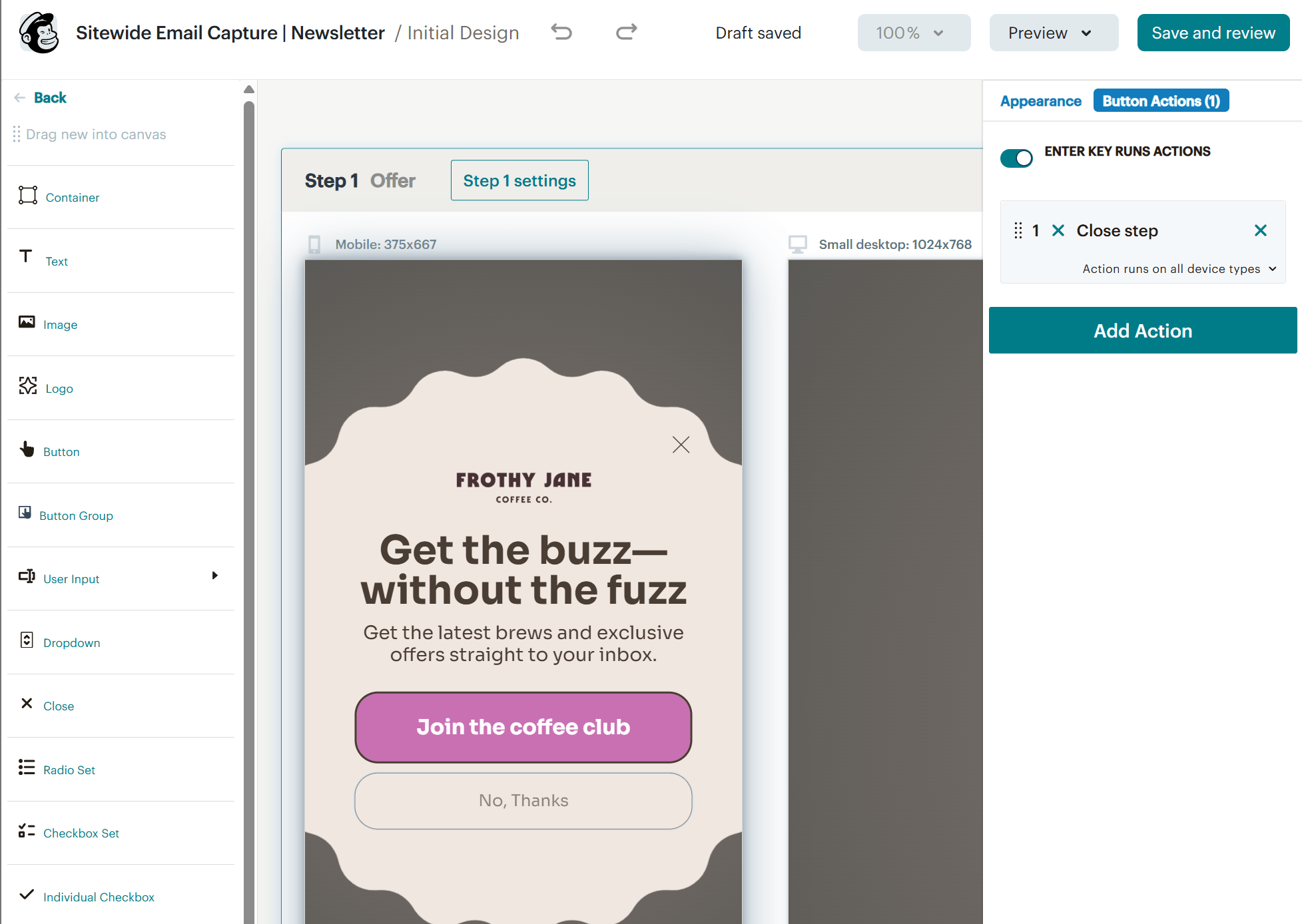
Mailchimp allows you to create embeddable forms, pop-ups, and signup landing pages. Setting up and customizing your forms is easy, and you can add your own custom fields.
Among others, you can add images, radio buttons, dropdowns, and countdown timers. To change the color of your form, you need to add the color code. Finally, you can have your forms auto-translated into the user’s language.
We were particularly impressed with Mailchimp’s new popup form editor (check image above), which lets you see each step that your form has. You can add/remove any steps you want, while the platform also provides you with 120 beautifully designed templates.
Winner: Mailchimp takes this win for its ability to create beautiful pop-ups and signup landing pages.
SendGrid vs Mailchimp: Email Deliverability
As we saw earlier, SendGrid offers tools that focus on email deliverability. You can run spam filter tests while the service continuously tracks your sender reputation. You can also monitor bounce rates and spam complaints.
On the other hand, Mailchimp provides basic spam filter testing and insights into bounce rates and spam complaints. However, the platform lacks the depth of SendGrid.
Now, if we want to compare these two services in terms of their actual deliverability, we can look at the following report:
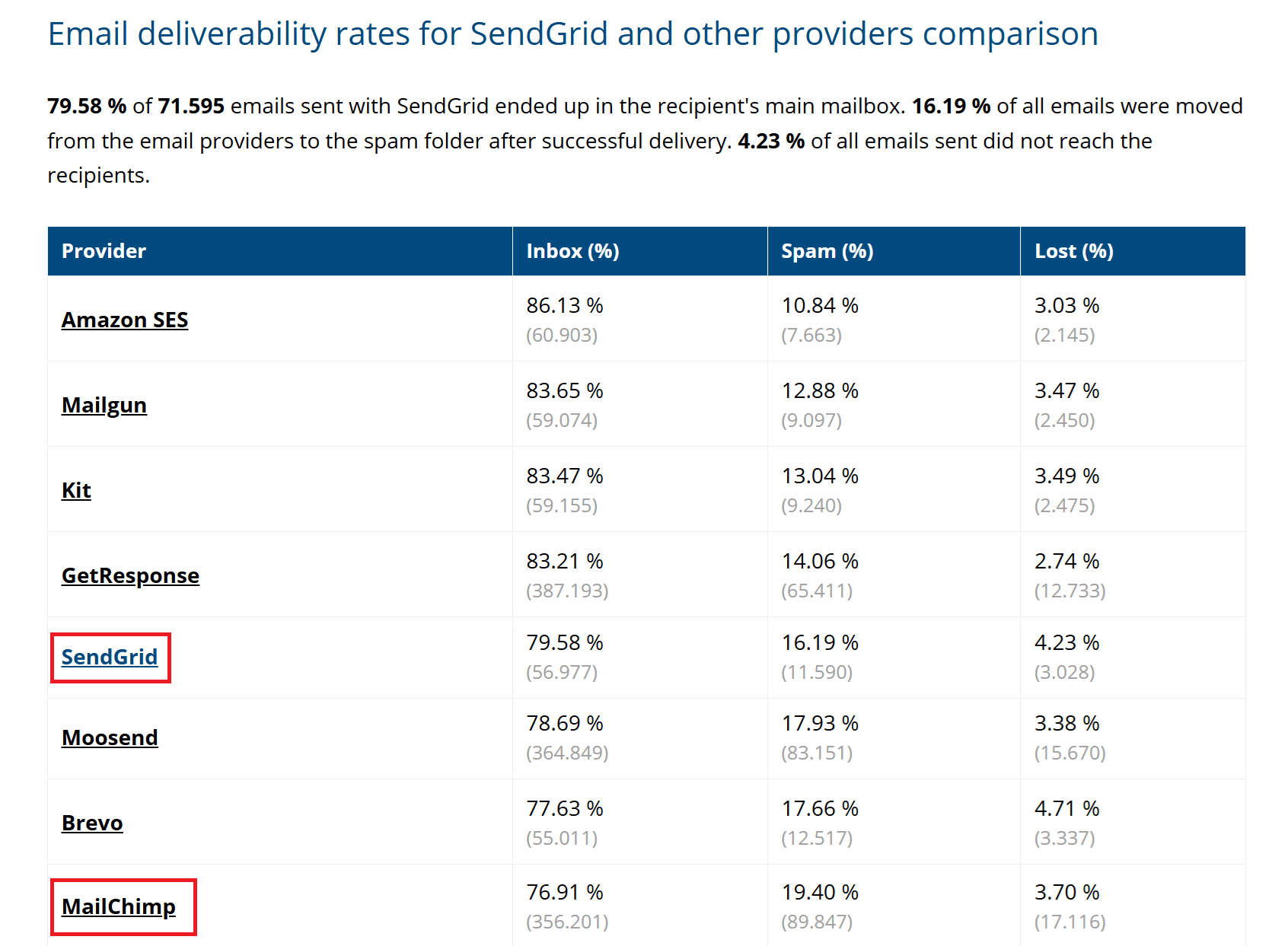
Both email marketing platforms boast similar deliverability rates, so you can be sure that your email campaigns land in subscribers’ inboxes.
Winner: SendGrid.
SendGrid vs Mailchimp: Integrations
SendGrid:
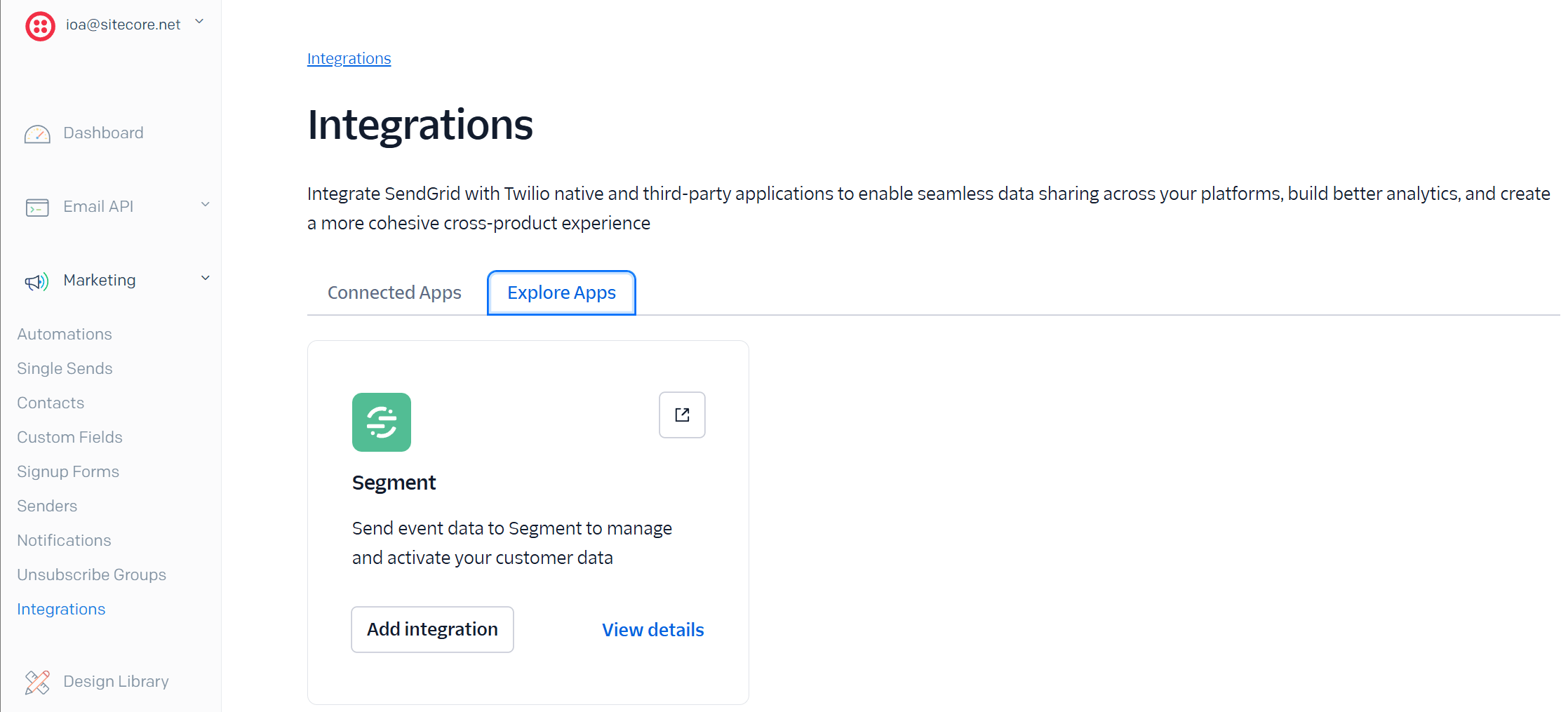
SendGrid has strong API capabilities as well as 130 integrations with third-party applications. These help you create a seamless experience among the tools you use.
Mailchimp:
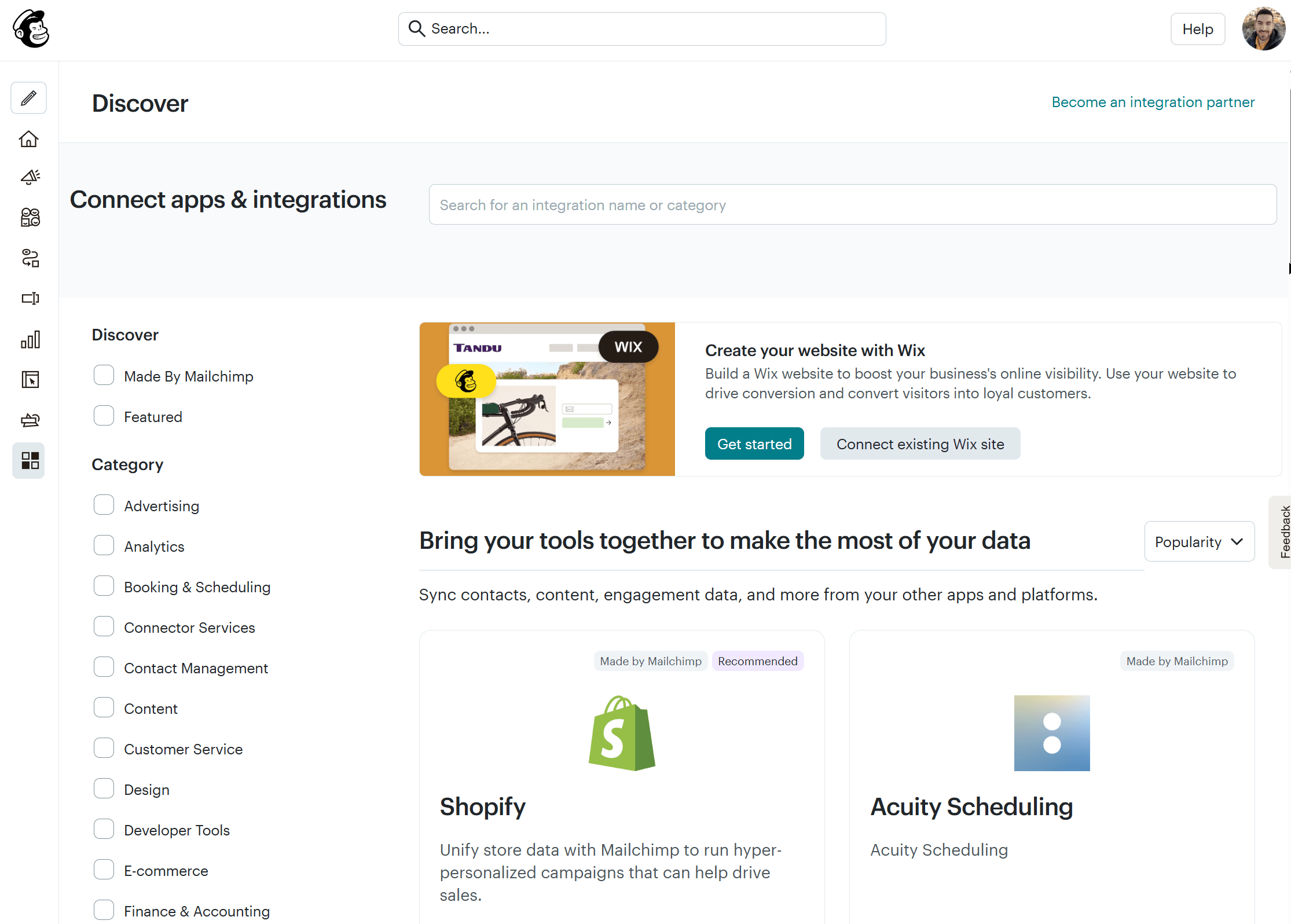
Mailchimp has three times the number of integrations SendGrid has (340 in total). The platform’s integrations include CRM software, eCommerce platforms, social media, lead generation tools, and more.
Winner: Mailchimp wins.
SendGrid vs Mailchimp: Customer Support
SendGrid:
You can reach SendGrid for support through tickets, live chat, and phone. If you’re on the free trial, you can only use the ticketing system, while paid plan users can contact support via chat and phone, too. More expensive plans (Advanced and Custom) have the added benefit of guaranteed support times.
Additionally, SendGrid offers a Knowledge Center with extensive documentation of its features.
You can also receive personalized technical support at an additional fee.
Mailchimp:
Mailchimp offers customer support via email, live chat, and phone. All paid plan users have access to 24/7 live chat and email support, while phone support is only available on the top-tier Premium plan.
Free plan users can access email support for the first 30 days.
There is also an extensive knowledge base, as well as tutorials explaining how to use the platform’s most important features.
Winner: Mailchimp. Although users on review sites have concerns about Mailchimp’s customer support, it is still more responsive than SendGrid’s.
SendGrid vs Mailchimp: Pricing
Now, let’s compare the pricing of the two competitors.
SendGrid:
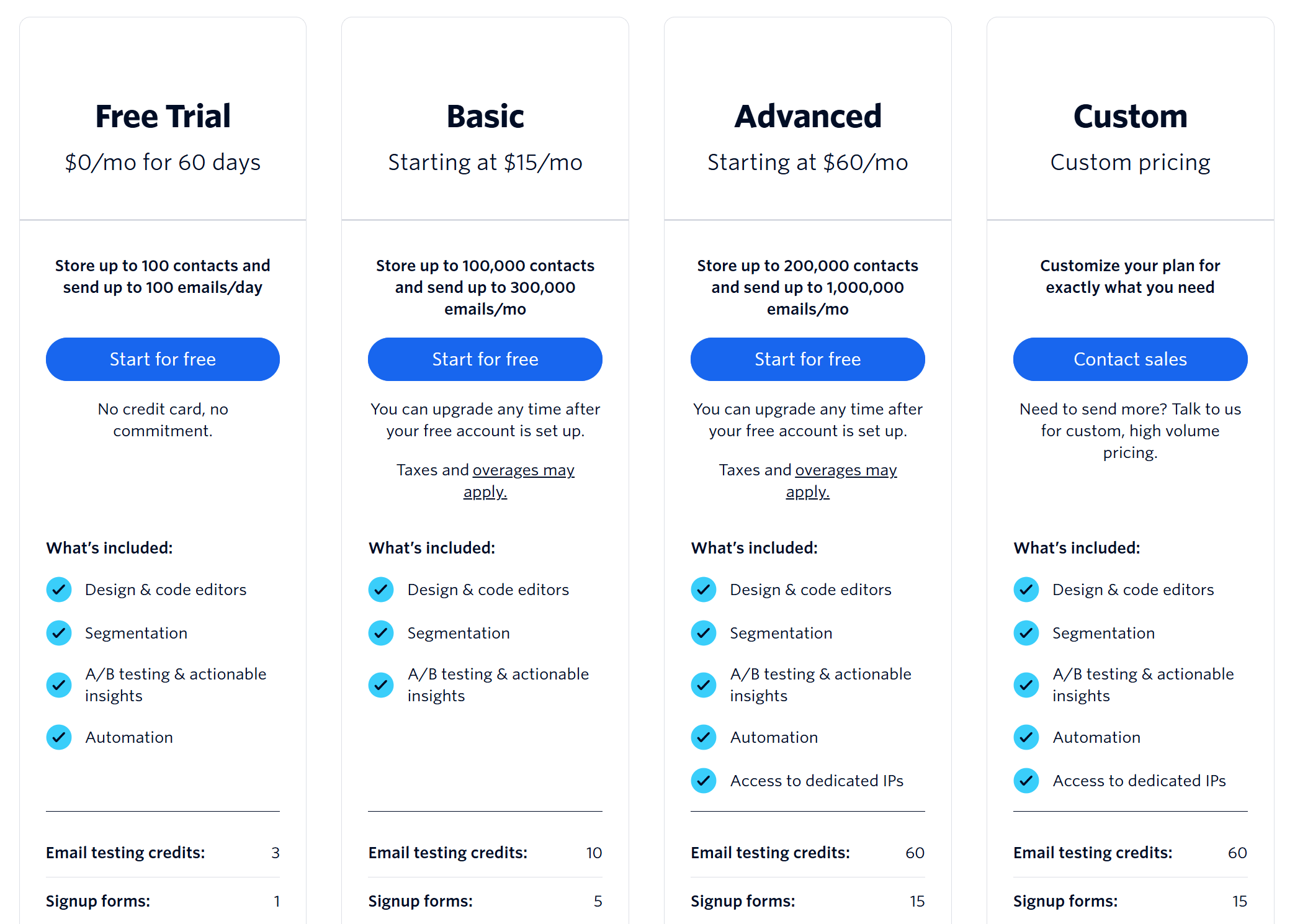
SendGrid offers a 60-day free trial for users getting started with email marketing. It allows you to manage up to 100 contacts and deliver up to 100 emails per day.
The first paid plan (Basic) offers decent email marketing functionality but no automation ($15/month). For advanced features and access to automation, you need the Advanced plan starting at $60/month.
Finally, there is a custom plan that is ideal for high-volume senders.
Mailchimp:
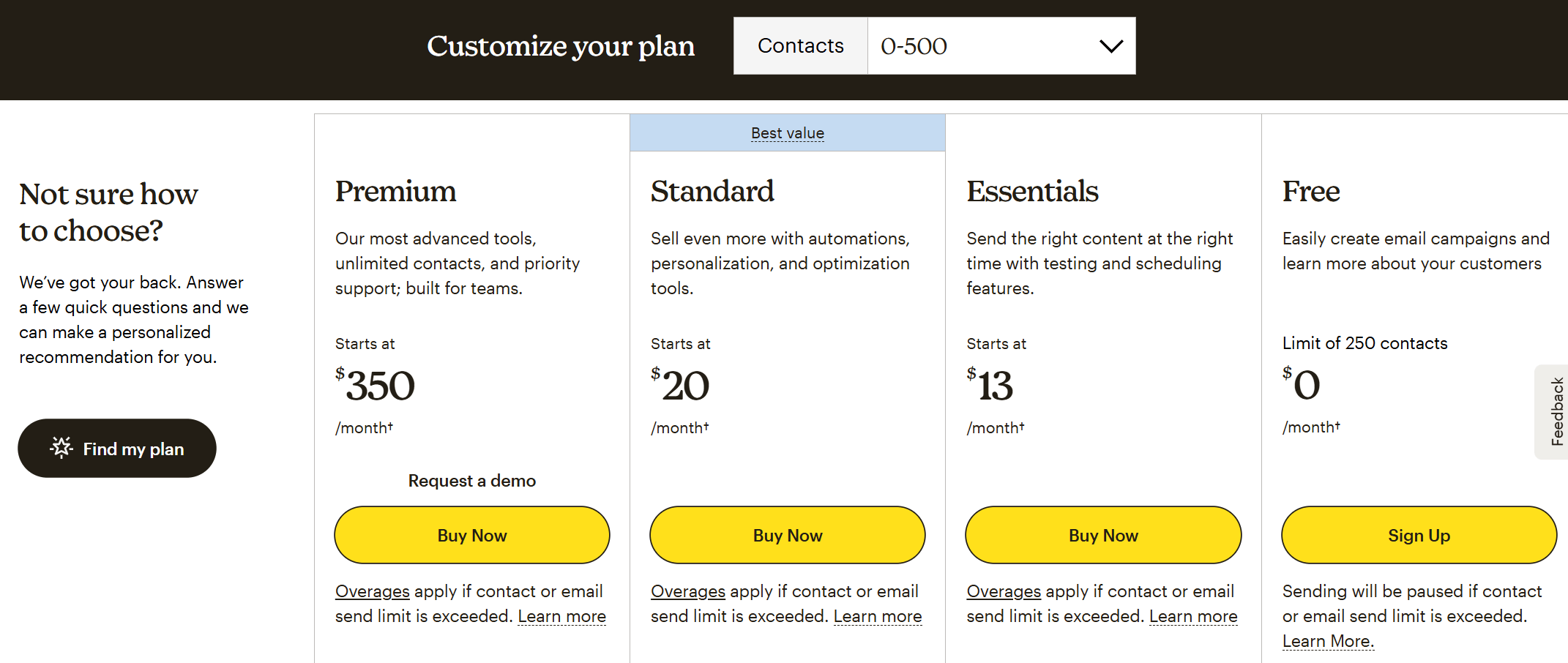
Mailchimp’s pricing starts with a free plan, allowing you to have 250 contacts and send 500 monthly email campaigns. This plan is ideal only for users with very small email lists.
The first paid plan called the Essentials plan ($13/month) offers basic email marketing tools, while the Standard plan ($20/month) unlocks advanced segmentation, multi-trigger automation, retargeting ads, and multivariate testing.
Mailchimp’s Premium plan offers even more advanced functionality, ideal for larger organizations with specific needs.
Winner: SendGrid. It is more affordable, but keep in mind that it comes with significantly fewer features.
Top SendGrid and Mailchimp Alternatives
If you’re unsure about Mailchimp and SendGrid or you want to explore more alternative options, here are the top solutions.
1. Moosend
Pricing: Paid plans start at $9/month, 30-day free trial (Sign up here)
Best Feature: Powerful and easy-to-implement marketing automation
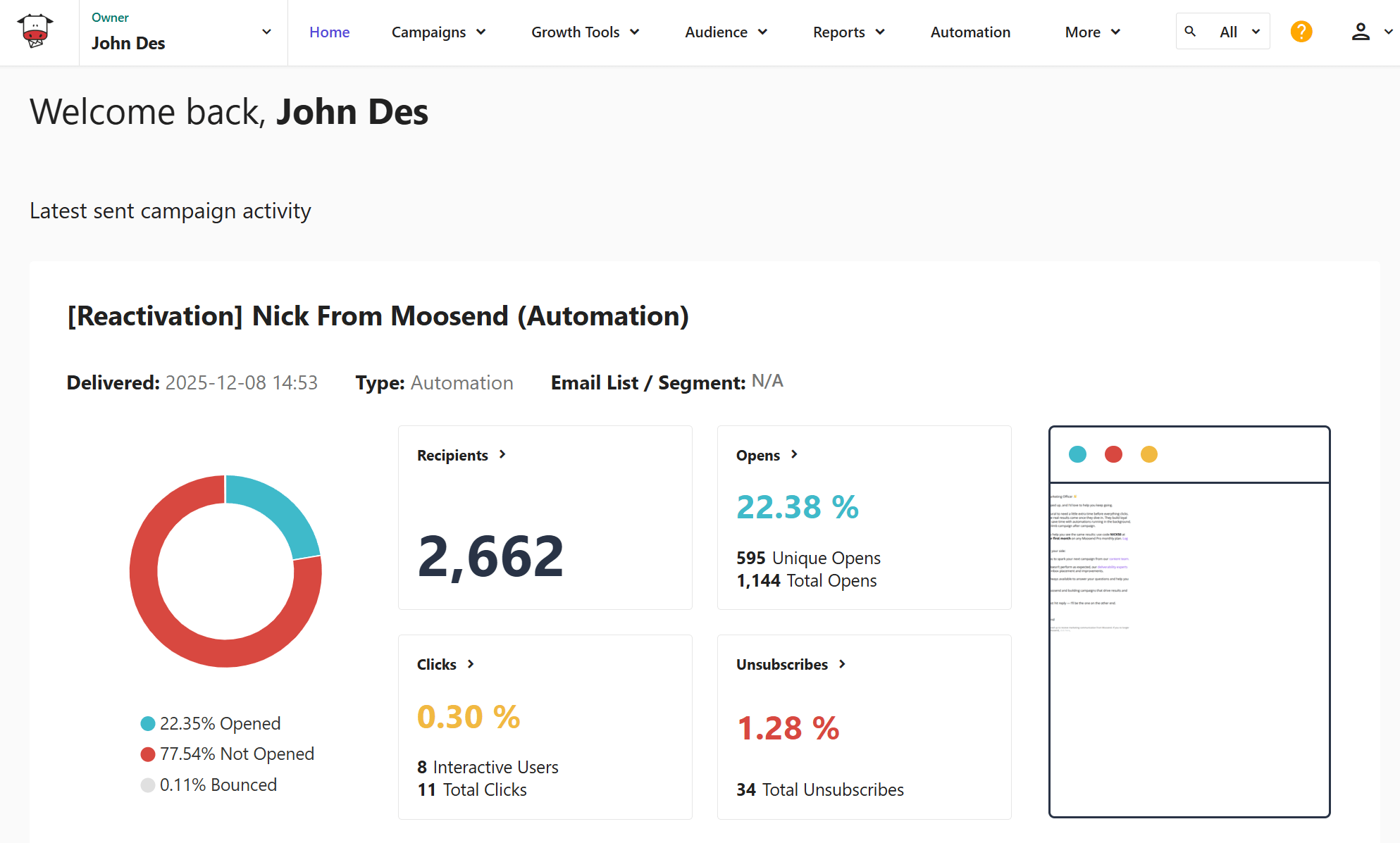
Moosend is among the best email marketing services for small businesses, known for its advanced automation features and responsive customer support. The platform has an intuitive email builder that makes campaign creation effortless, letting you add product blocks and countdown timers, among others. Users favor Moosend for its easy-to-implement automation as well as the vast range of triggers and actions. Moosend also incorporates AI functionality to assist with content generation. With the platform, you can also create signup forms and landing pages. Finally, Moosend offers a robust API capable of handling your transactional email messages.
Why prefer Moosend: Advanced functionality with scalable pricing plans.
2. Constant Contact
Pricing: Paid plans start at $12/month, 30-day trial
Best Feature: Event marketing tools
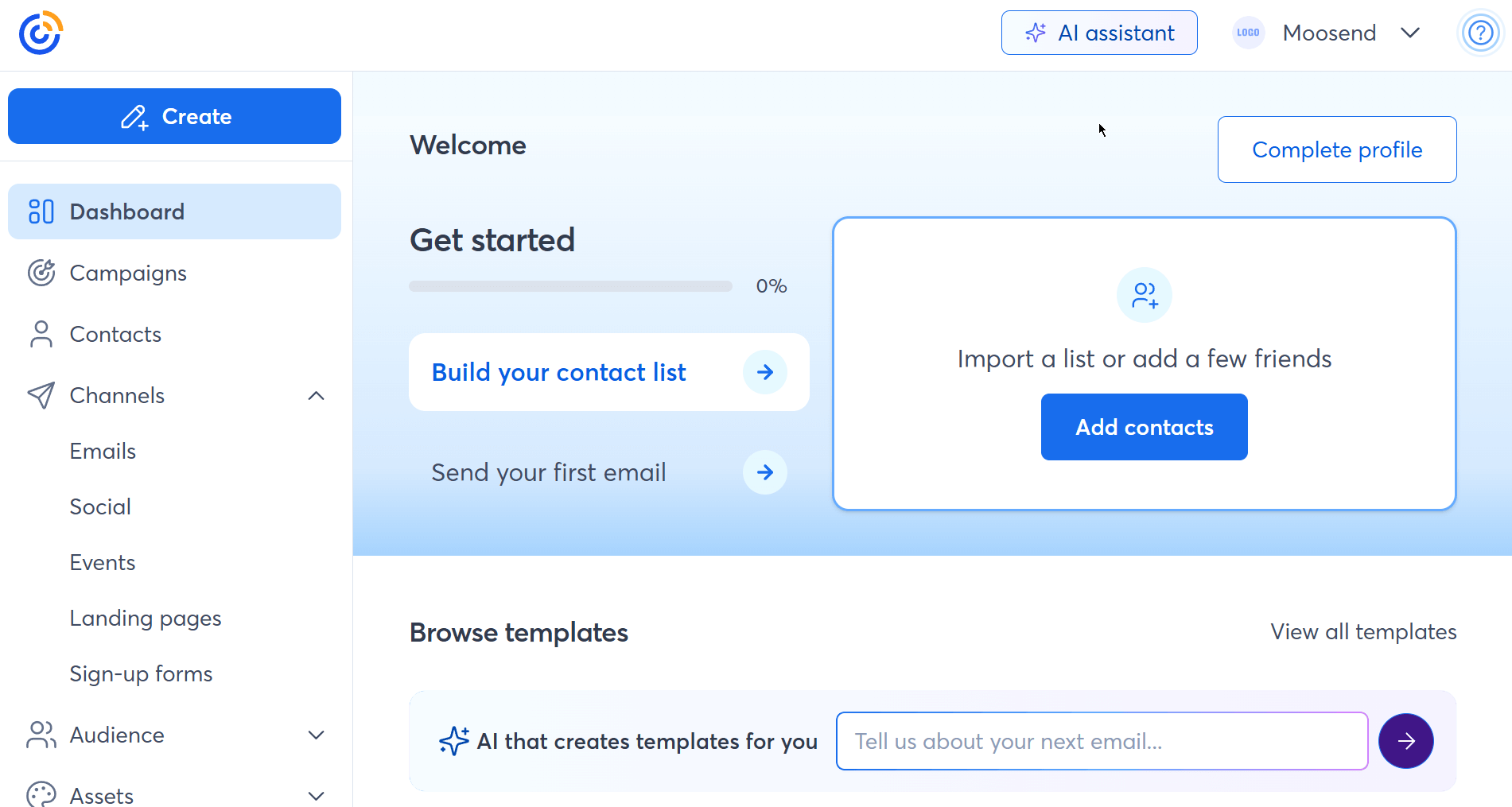
Constant Contact is a solid alternative to Mailchimp and SendGrid, offering robust email features and a user-friendly interface. This marketing solution can help you create beautiful campaigns, create polls and surveys, and manage your email list effectively through its marketing CRM. The platform also offers autoresponders, event marketing options, and revenue reporting in case you have an online store. Finally, Constant Contact offers SMS functionality, along with other useful tools such as social media marketing, ads, and SEO recommendations.
Why prefer Constant Contact: Feature-rich email marketing service with niche features.
Additional Resources to Check
Here are a few resources to expand your reading:
SendGrid vs Mailchimp: The Takeaway
The two popular email marketing competitors have distinct strengths and limitations, making them ideal for different target groups. Hopefully, after reading this detailed comparison of SendGrid vs Mailchimp, you have a clearer idea of which email service best suits your needs.
In case you feel that you want to explore more options or check out a more affordable alternative, you can create a free Moosend account and test the platform’s full functionality.
Similar Posts


 Published by


Create, send and optimize your email marketing campaigns