















Postmark vs SendGrid: Which Email Service Is Better? [2026]
Published By John Desyllas
January 9, 2026

09/01/26
Choosing between Postmark and SendGrid isn’t as simple as it looks. Both email services are leading players in transactional email, promising fast delivery and developer-friendly APIs. Yet they take very different approaches to how email should work.
If you’re trying to decide which service is better for your business, it comes down to more than sending a password reset or an order confirmation. You need to know which platform delivers faster, which is more reliable, how their APIs differ in practice, and whether either can support marketing campaigns when needed.
In this post, we’ll break down Postmark vs SendGrid across deliverability, API performance, templates, analytics, pricing, and marketing capabilities. By the end, you’ll know which service fits your stack, whether you’re building a product, scaling an app, or sending high-volume transactional emails.
Looking for an affordable yet powerful transactional API?
Deliver important transactional messages quickly and reliably.
Try MoosendPostmark vs SendGrid: Quick Comparison
Here’s a quick look at how the two platforms stack up:
| Postmark | SendGrid | |
| Free plan | Yes (100 emails/month) | 60-day free trial (100 emails/day) |
| Pricing | $15/month (10,000 emails) | $19.95/month (50,000 emails) |
| Ease of use | Easy | Easy |
| Email editor | Code editor | Visual + code editor |
| Templates | Yes | Yes |
| Testing tools | Spam score monitoring | Email preview, link validation |
| Analytics | Basic | Advanced |
| Email address validation | No | Yes |
| A/B testing | No | Yes |
| Deliverability | 82% | 78% |
Now let’s see more details about each category.
Setup & Ease of Use
Postmark:
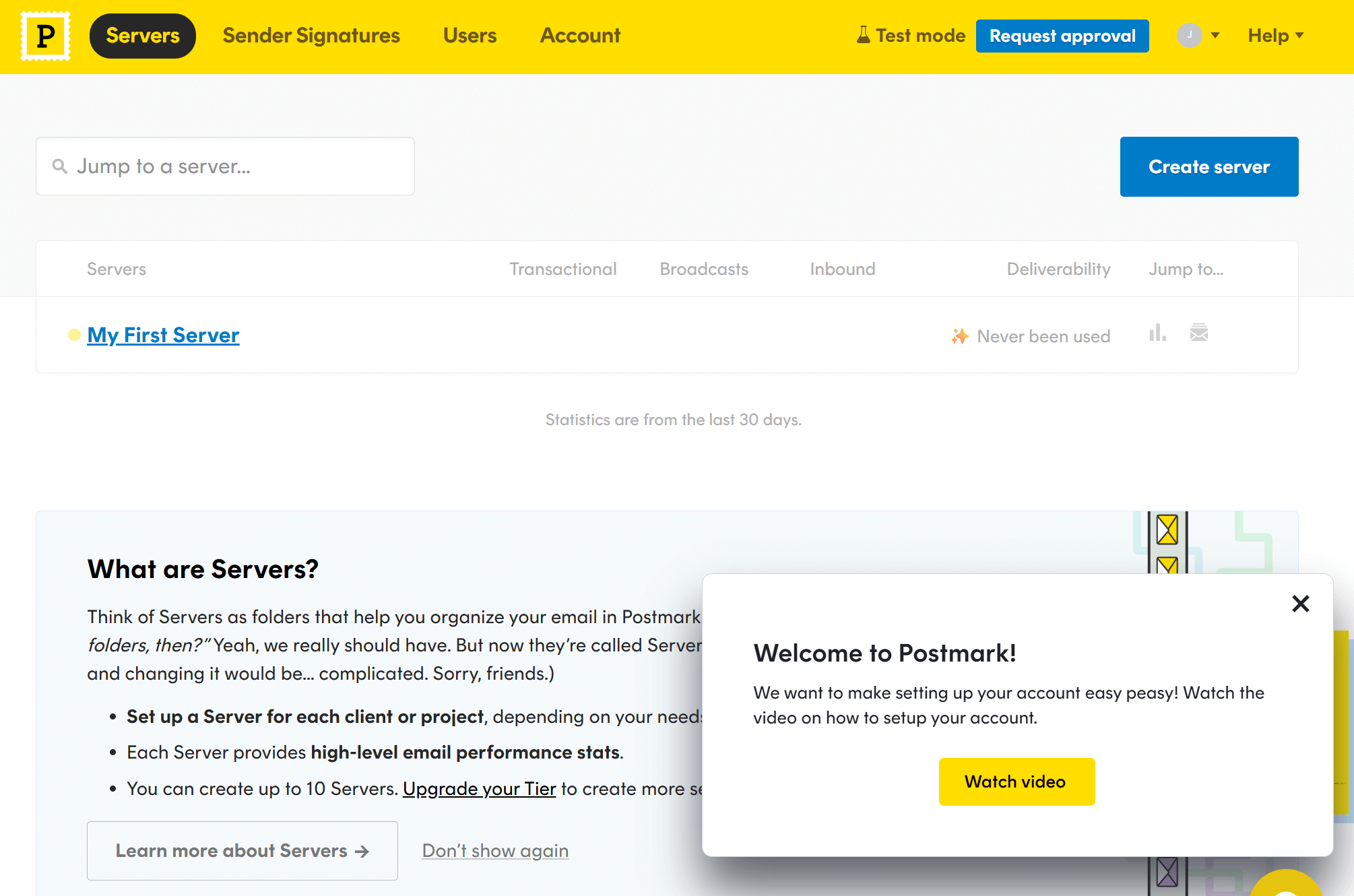
Setting up your Postmark account is simple and quick. The platform walks you through verifying your domain, setting up DNS records, and creating your first server. Upon entering your dashboard, you’re greeted with a welcome message prompting you to watch a quick setup video.
Postmark’s interface is intentionally simple, and you’ll notice the absence of unnecessary menus or complex settings right away.
Developers will appreciate the clear documentation, copy-ready snippets, and sample code in multiple languages to help you integrate the API or SMTP without friction. Everything feels streamlined, making the onboarding process fast.
Navigation is easy and almost clutter-free. If your goal is to send transactional messages reliably without managing a large marketing suite, the overall experience is refreshingly smooth.
SendGrid:
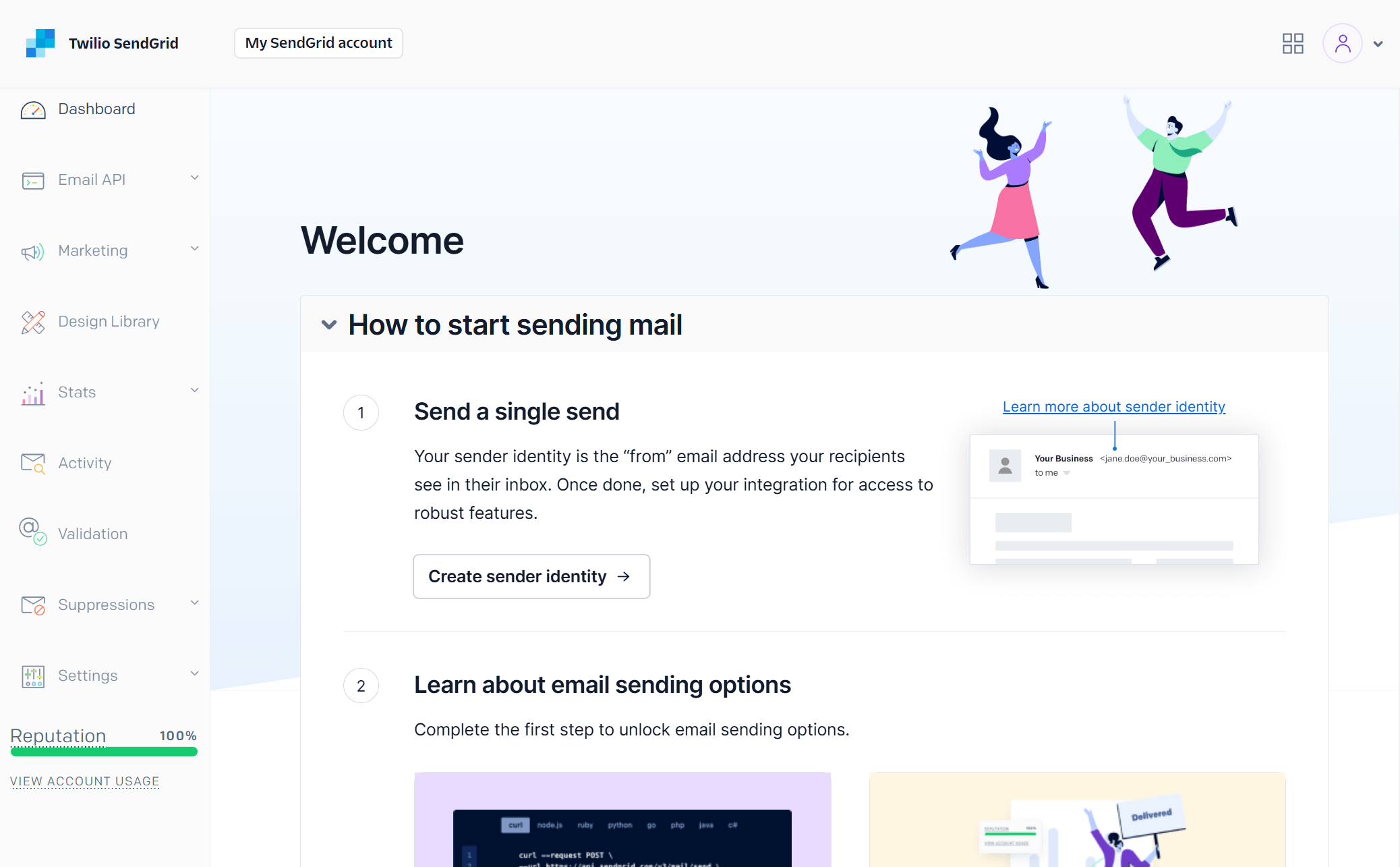
Creating an account with Twilio SendGrid is just as simple. The onboarding wizard provides step-by-step instructions for modifying your DNS records (including SPF and DKIM), IP warmup, configuring multiple senders, etc.
Compared to Postmark, SendGrid’s user interface is more cluttered since it includes more menus and settings. For example, you get a tab for your marketing emails, another for email validations, suppressions, and more.
Nevertheless, SendGrid provides guided setup paths for API integration, SMTP, marketing templates, signup forms, and automation. Everything in the platform is organized, so despite the learning curve, you’ll be able to navigate the platform well enough, whether you need to cover your transactional or marketing needs.
Winner: Postmark takes the lead here thanks to its cleaner interface, lightweight setup, and developer-friendly onboarding.
Email Design
Postmark:
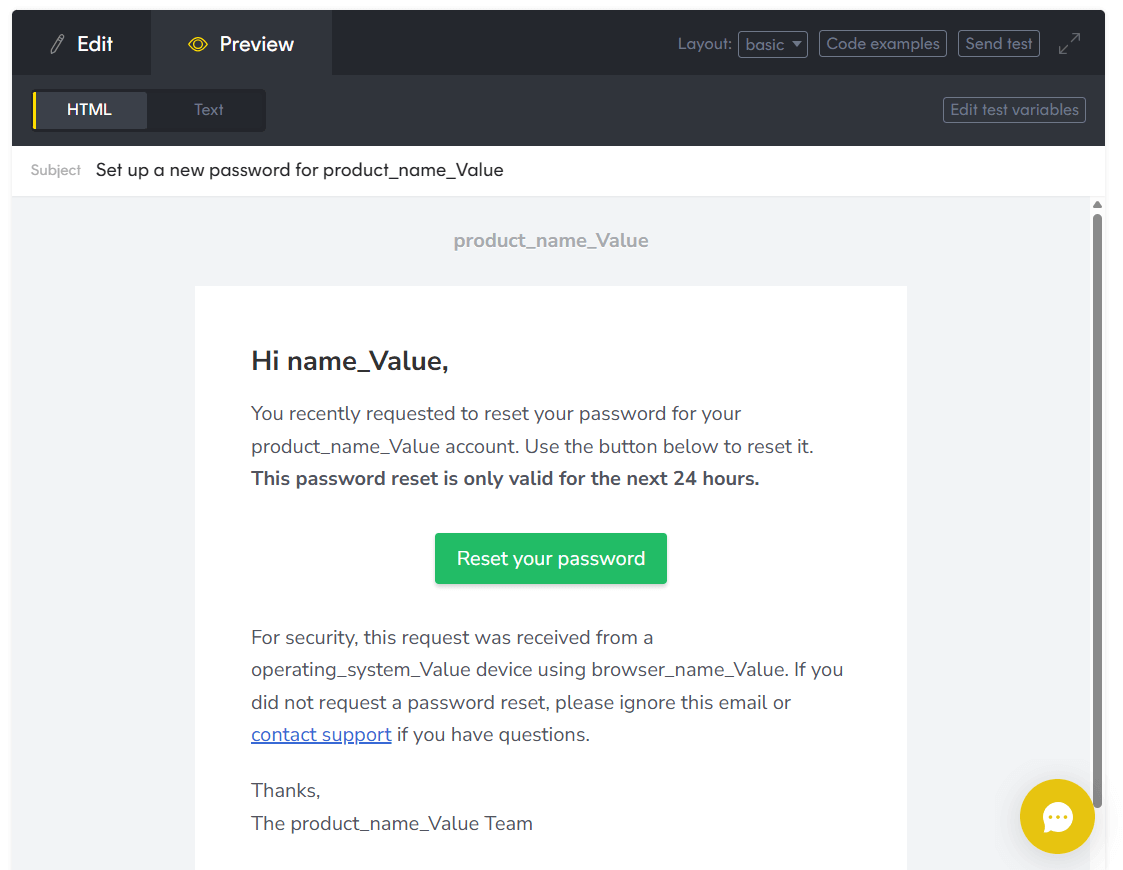
Postmark has a code editor (no drag-and-drop functionality) and a curated library of ready-made templates for common transactional messages such as password resets, welcome emails, invoices, and notifications. These templates follow best practices for deliverability and accessibility, and are easy to customize through HTML and CSS.
This editor is ideal for developers who prefer working directly with code, but less convenient for teams that want to create or modify emails without writing HTML. Overall, the editor keeps things simple, but it’s limited for more complex layouts or branding-heavy designs (e.g., marketing emails).
Note: If you want drag-and-drop functionality, Postmark lets you integrate with ActiveCampaign and use its visual editor to design your emails without writing HTML.
SendGrid:
SendGrid, on the other hand, lets you create email campaigns in two ways. You can use either a code editor with Handlebars syntax or the visual drag-and-drop design editor. Admittedly, the visual editor lets you customize your emails much faster.
Nevertheless, SendGrid makes email creation accessible for both marketers and developers. The latter can dive into raw HTML, while non-technical users can build templates using prebuilt blocks.

The visual editor allows you to insert images, buttons, social icons, and custom code into your campaigns. The platform also incorporates built-in version control for templates, which is helpful when testing different layouts.
Finally, SendGrid has a preview tool that lets you see how your email will appear on desktop and mobile devices.
Winner: SendGrid. It provides more out-of-the-box options for email design.
Templates
Postmark:
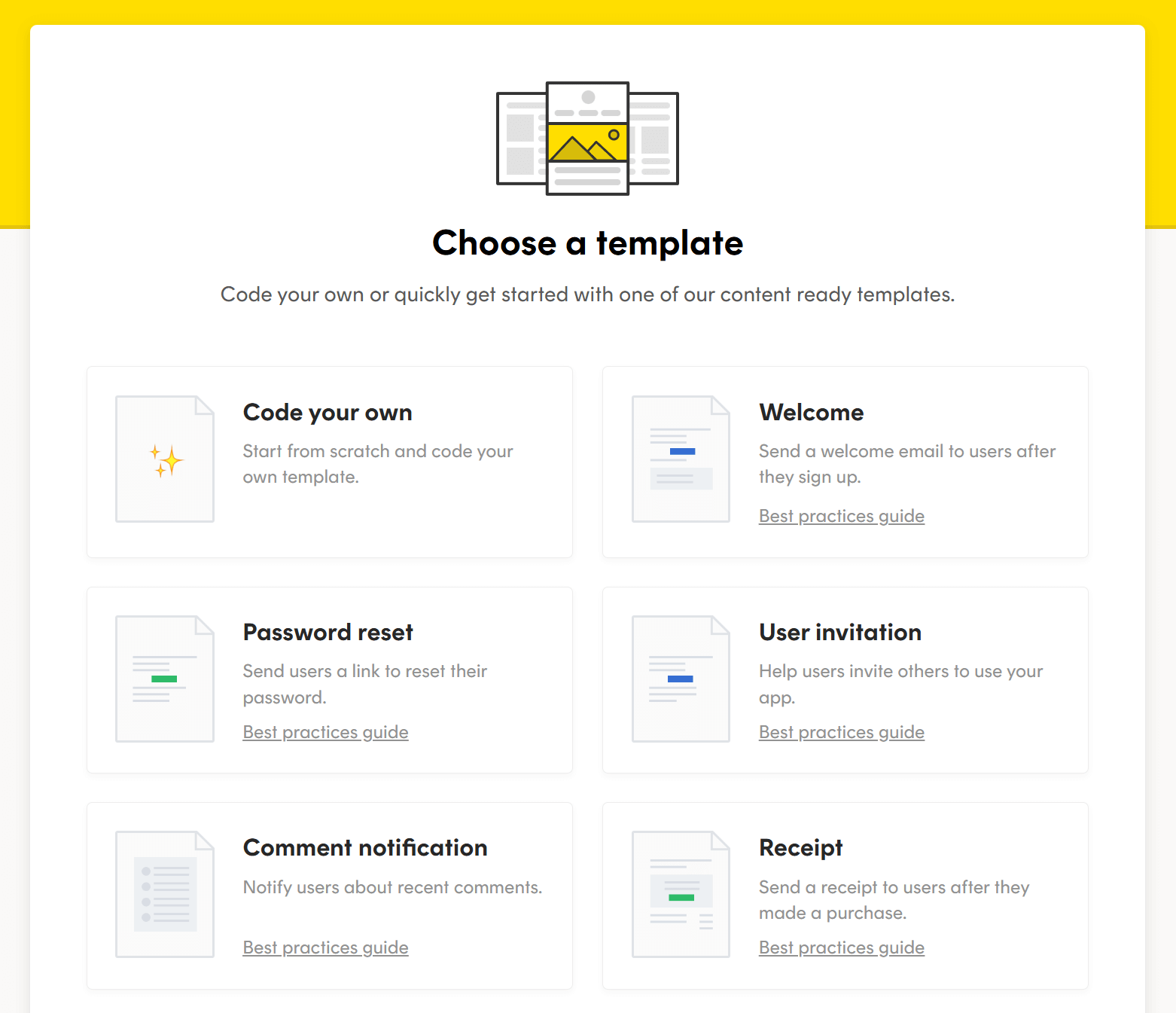
Postmark offers several ready-made templates, including welcome, password reset, order receipts, and comment notification emails. They cover all key transactional email use cases.
The templates are clean, lightweight, and optimized for deliverability. They follow modern HTML best practices and are easy to customize if you’re comfortable editing code. Postmark also offers template “layouts,” making it quick to reuse consistent branding across multiple transactional emails.
However, you won’t find any marketing-focused templates here.
SendGrid:

SendGrid’s library of pre-built templates is richer than Postmark’s, as it also includes templates for marketing purposes. You’ll find designs for use cases like order confirmations, password resets, account notifications, newsletters, promotions, and announcements.
These templates are fully customizable using either the code or the visual editor, giving teams flexibility based on their skills and workflows. You can save blocks and collaborate on these templates with your team, making it easier to maintain consistent branding across large campaigns.
Winner: SendGrid wins this category thanks to its extensive template library and dual editing options.
Email Testing & Previews
Postmark:
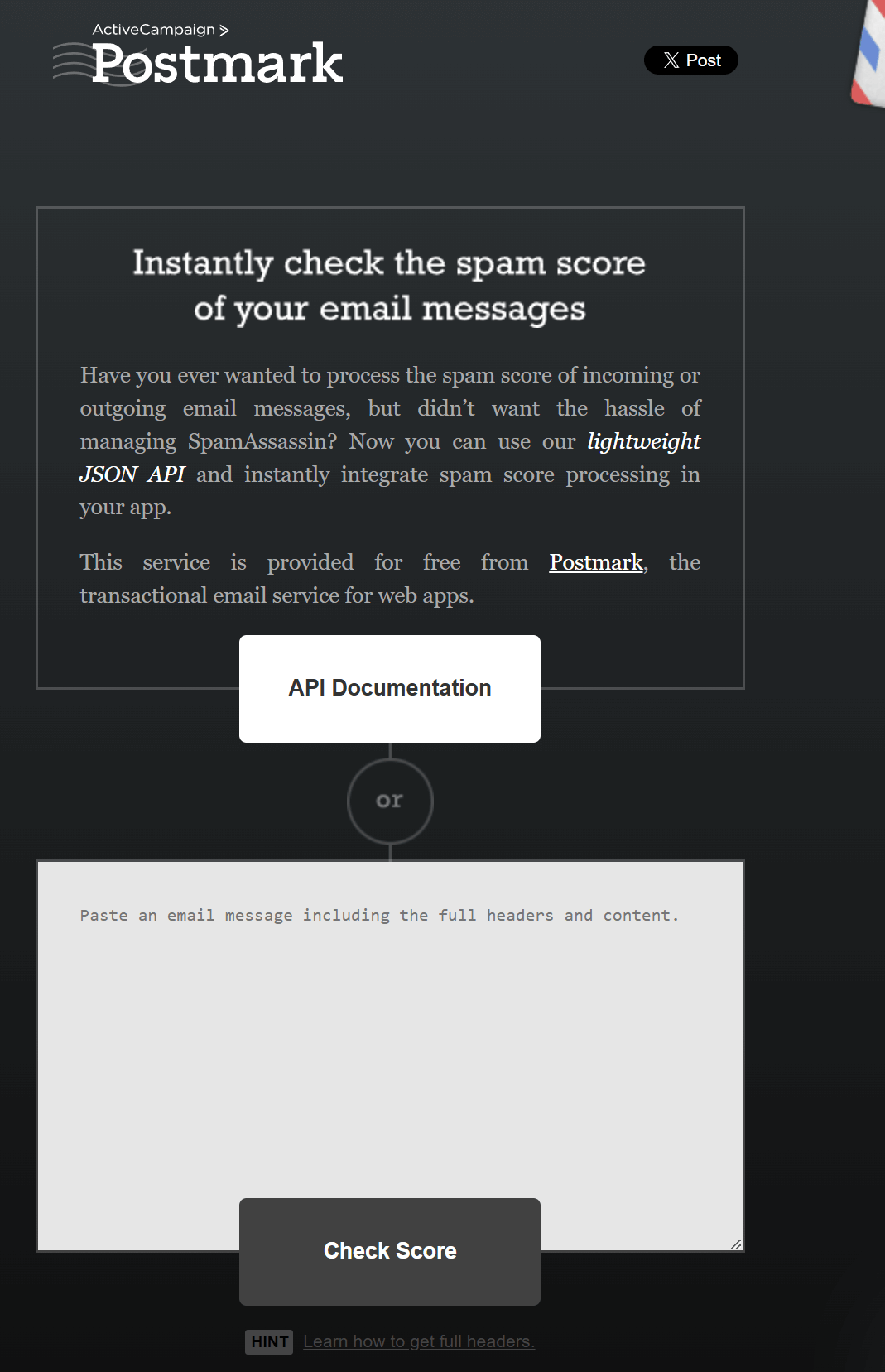
Postmark allows you to preview your templates directly in the editor and send test emails.
We also found that Postmark offers SpamAssassin-based spam score checks inside its template editor. Also, when you update or create a template, Postmark automatically runs a spam score evaluation and alerts you if any elements could affect inbox placement.
This feature is helpful for transactional email teams because it catches common issues early (phrasing, formatting, header problems, etc.) without requiring external testing tools.
SendGrid:
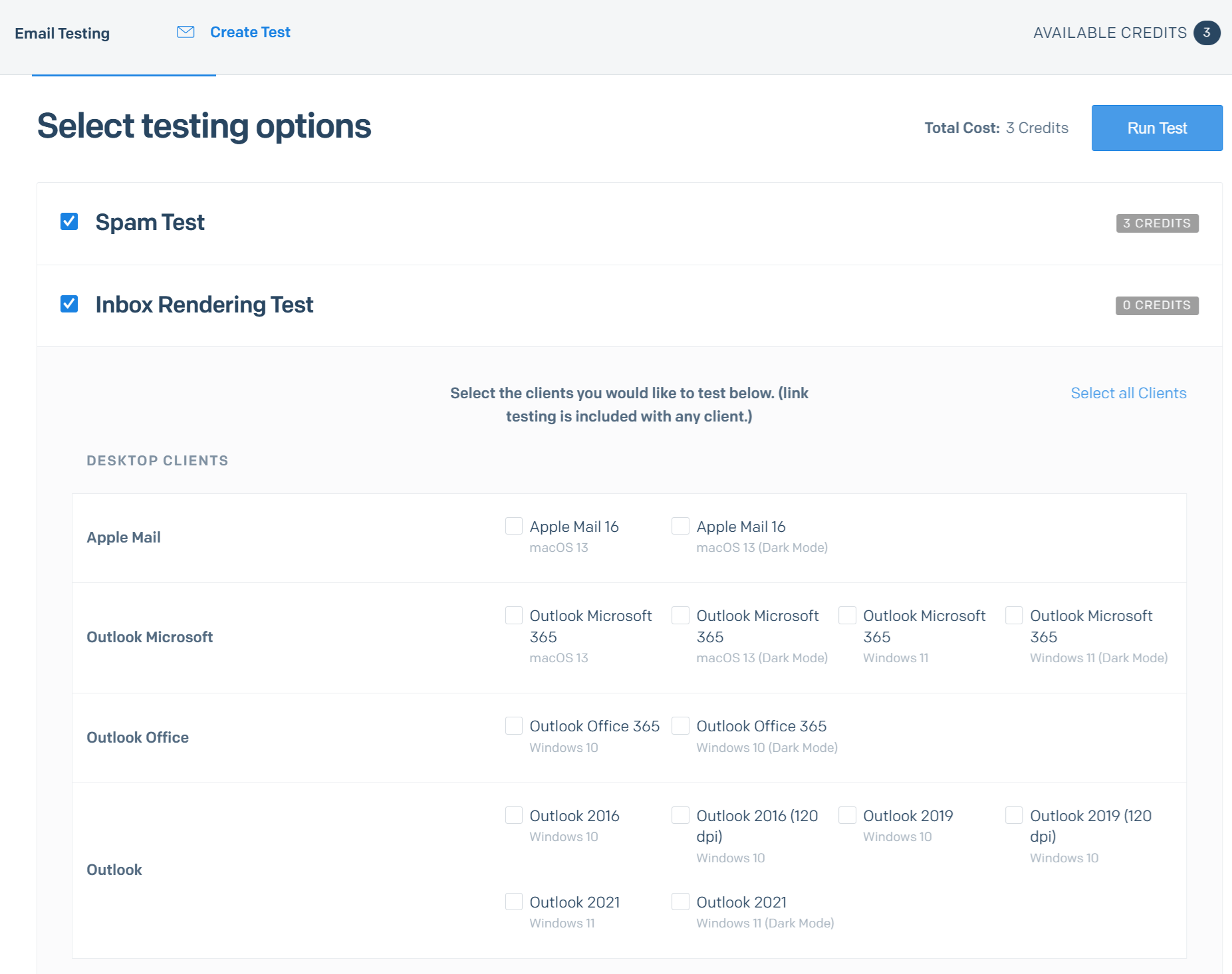
SendGrid, on the other hand, provides a more complete set of testing and preview capabilities, especially useful for businesses that send transactional emails across many device types and clients.
Specifically, you’ll find:
- Inbox rendering previews that allow you to see how an email appears in Gmail, Outlook, Apple Mail, mobile, dark mode, etc.
- Link validation to identify broken URLs
- Spam testing to detect issues that may impact inbox placement
These tools help teams catch design issues and deliverability risks early, particularly for transactional emails that must reach the inbox quickly and without formatting errors.
For developers, SendGrid also supports sending test emails via API calls or sandbox mode, which is useful during integration.
Winner: SendGrid wins this category thanks to its stronger built-in testing capabilities, making it easier to validate rendering, catch issues, and ensure transactional emails look correct in every user’s inbox.
Analytics
Postmark:
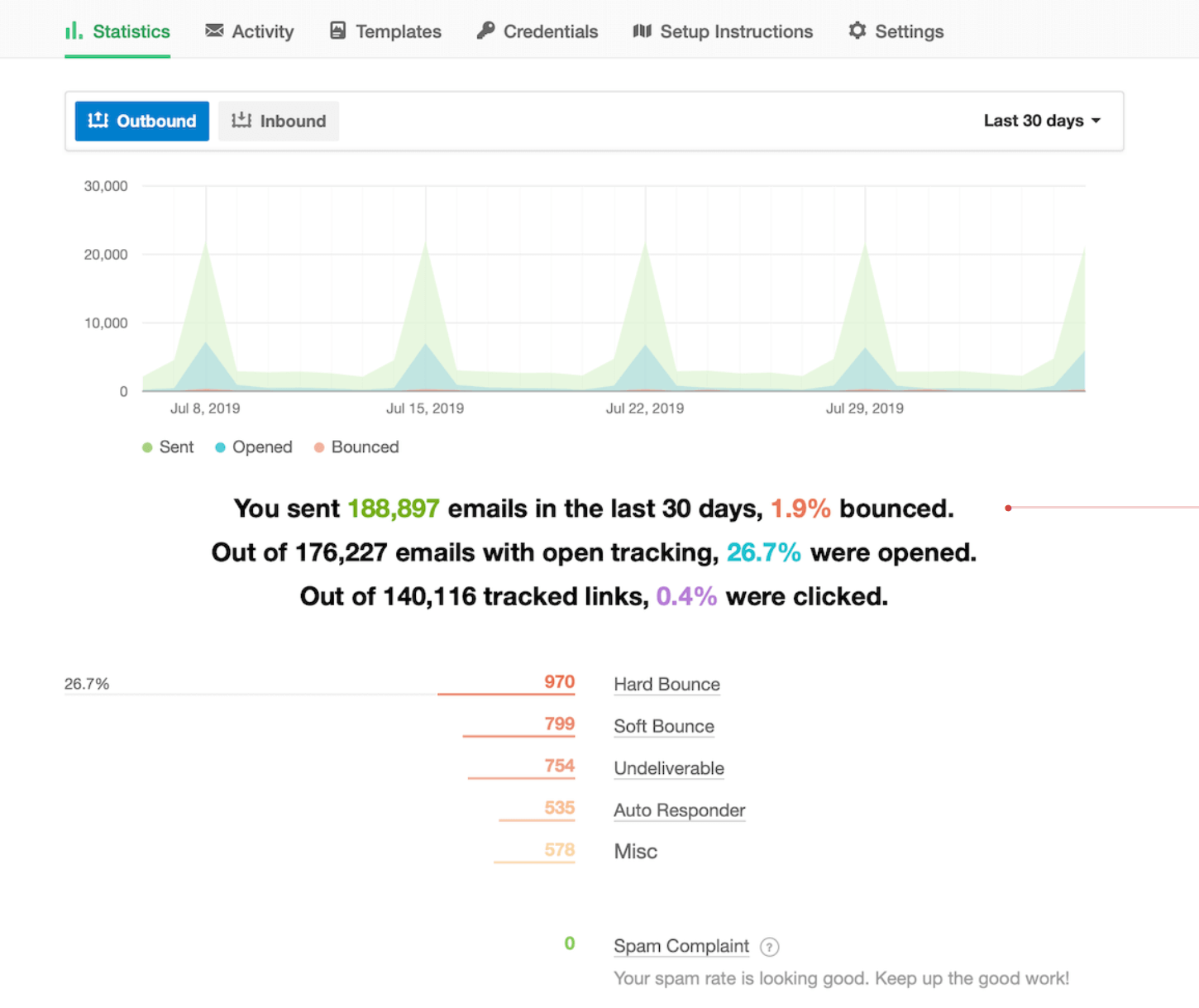
Upon reviewing Postmark, I found that it keeps analytics clean and focused on transactional performance. You won’t find marketing dashboards or overly complex reporting layers.
You get:
- Delivery and bounce tracking
- Open tracking (optional to protect user privacy)
- Link tracking for engagement
- Message-level event history
- Server-level activity dashboards
- Tag-based reporting to group related emails
One of Postmark’s strengths is its message activity view, which allows you to search, filter, and inspect individual email events with precision. Developers will love how transparent the logs are, especially when troubleshooting API issues.
SendGrid:

SendGrid offers a visual analytics dashboard with various key insights about your transactional email performance. You can see individual message-level events (delivered, bounced, opened) and how your emails are performing across specific mailbox providers.
The platform even lets you group and compare different transactional flows (e.g., your password resets vs. shipping alerts).
Compared to Postmark, the analytics dashboard is more robust but also more complex. Nevertheless, you get granular, real-time information about your email performance.
Winner: SendGrid, due to the depth of its analytics suite.
Postmark vs SendGrid: Email Deliverability
Deliverability is one of the most important factors when choosing an email service, especially for transactional messages where timing and inbox placement are crucial. Independent tests show noticeable differences between Postmark and SendGrid in inbox performance, spam placement, and overall reliability.
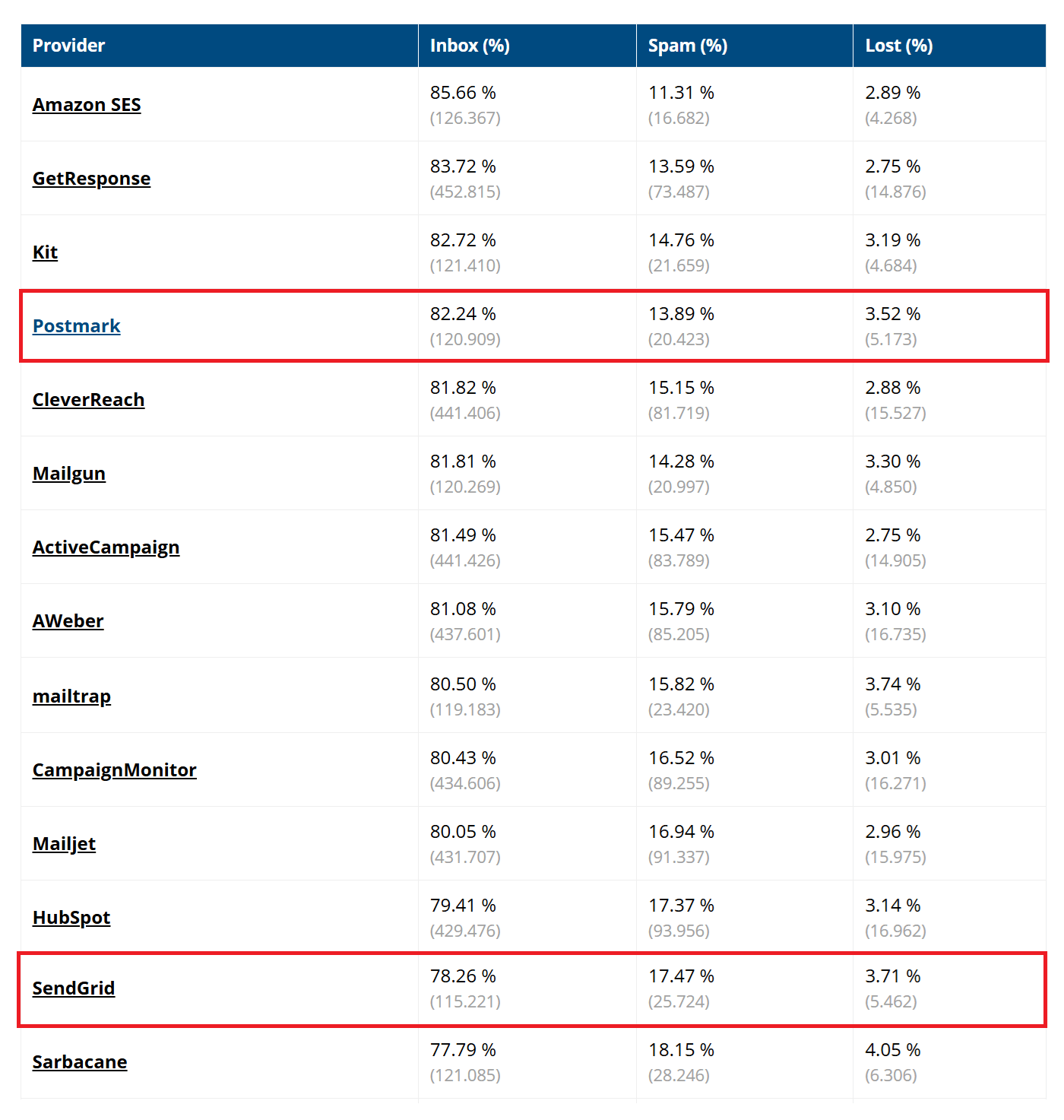
Postmark has built a strong reputation for excellent transactional deliverability, and the latest independent benchmarks support that. Its infrastructure is optimized for transactional traffic only, meaning messages are sent through clean, well-maintained IPs without marketing senders “harming” reputation. Postmark also pre-warms dedicated IPs to help you build trust with ISPs.
On the other hand, while SendGrid has a large, established sending infrastructure, its mixed-use environment (supporting both marketing and transactional emails at scale) affects its deliverability. Consequently, it ranks significantly lower than Postmark in inbox placement and has a higher percentage of emails getting caught by spam filters.
And while dedicated IPs and proper warm-up can improve performance, deliverability is less consistent compared to Postmark.
Winner: Postmark. For businesses where transactional reliability is non-negotiable, Postmark provides a more dependable sending environment.
Postmark vs SendGrid: Integrations
Postmark:
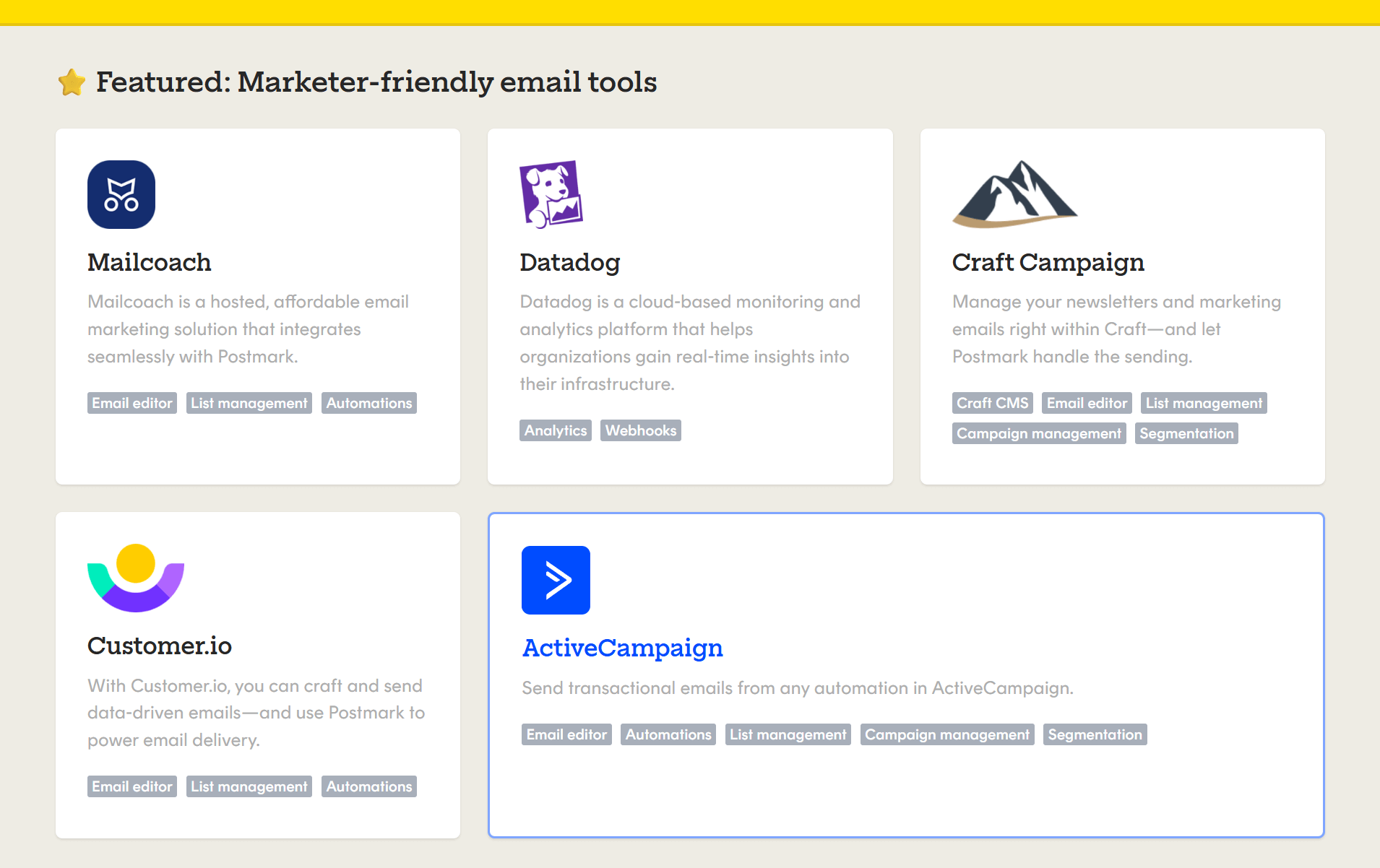
The platform offers 20+ native, first-party integrations covering popular apps such as WordPress, Slack, Stripe, GitHub, and Gravity Forms. However, using Zapier, you can connect Postmark with more than 300 other apps.
Despite the limited number of native integrations, developers report a 60% faster initial setup with Postmark based on comparison studies.
SendGrid:

Because SendGrid is widely adopted, many third-party platforms also offer prebuilt connectors for it, making it easy to plug into marketing stacks, ecommerce systems, and enterprise workflows.
We found 130 integrations available, including Shopify, Magento, WordPress, Salesforce, Segment, and HubSpot. The platform also integrates with Zapier.
The integration experience is streamlined, with clear docs, test environments, and sandbox modes.
Winner: Even though SendGrid offers more native integrations, you won’t have integration issues with Postmark, as it can connect with Zapier. So, we have a tie.
Postmark vs SendGrid: Customer Support
Postmark:
Postmark provides the same level of support to all customers. You can contact support via email during business hours. According to users, responses typically arrive quickly.
The platform also provides extensive documentation and code examples, clear API guides, and a transparent status page with uptime and incident history.
SendGrid:
The platform offers different levels of customer support based on the user’s plan.
If you are on the free plan, you have access to self-help resources like documentation, public tutorials, and community forums. You can also contact support via a ticket 24/7.
Paid plan users can contact support via live chat (24/7) or phone, Monday – Friday during business hours.
There is also the option to purchase Personalized Support, which is the highest level of technical support available. This starts at $5,000/month and includes guaranteed response times and a dedicated technical account manager.
User reviews paint a rather “mixed” picture of SendGrid’s support, suggesting that high-quality support will cost more.
Winner: Postmark wins this category thanks to its consistently well-rated support, quick response times, and equal service for all customers.
Postmark vs SendGrid: Pricing
When comparing Postmark and SendGrid, the biggest difference is how easily you can understand what you’re paying for.
Postmark uses a simple, volume-based pricing model that includes all features, while SendGrid splits pricing across API access, marketing features, and add-ons, which can quickly increase the total cost.
Postmark:
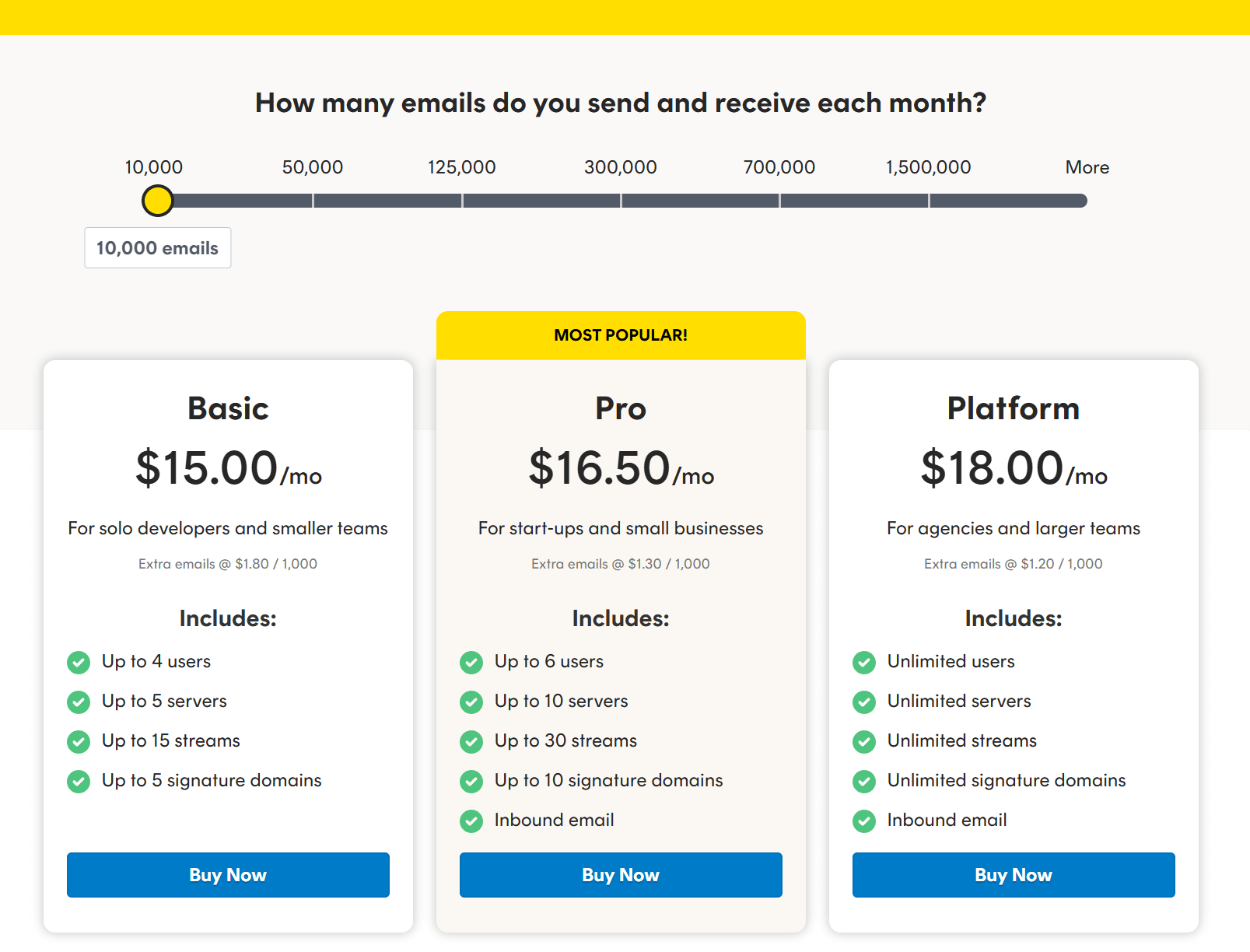
Postmark keeps pricing predictable. All features are included, and plans scale primarily based on monthly email volume. Prices start at $15/month for 10,000 emails and $55/month for 50,000 emails. The Pro and Platform plans also allow you to get some optional add-ons. These include dedicated IPs, custom activity retention, and DMARC monitoring.
Postmark also offers a free plan that lets you send 100 emails/month, making it ideal for testing and development.
SendGrid:
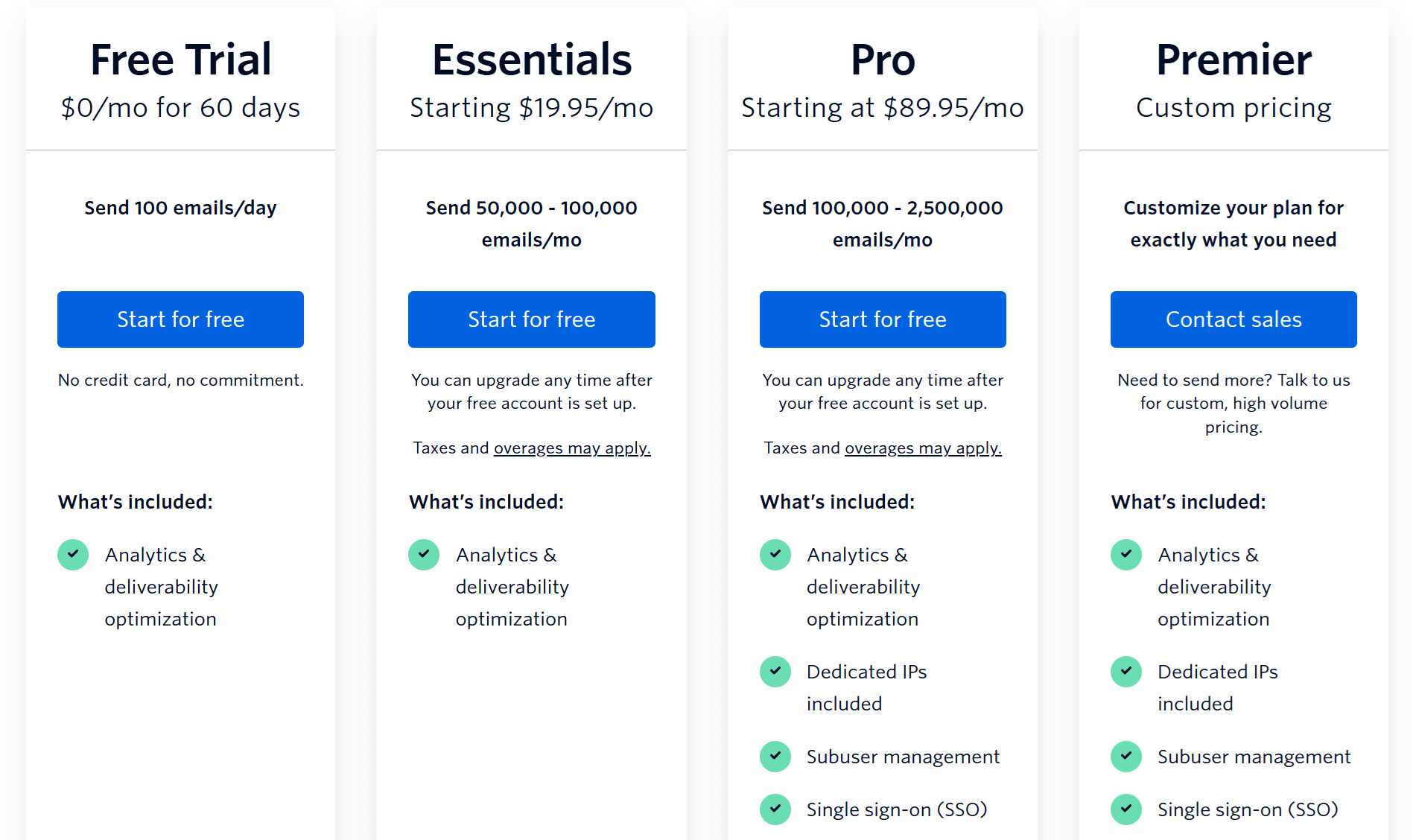
SendGrid’s pricing structure is more complex than Postmark’s. It consists of a free trial and three paid plans.
The Essentials plan starts at $19.95/month with 50K emails/month, deliverability tools, two webhooks, but no dedicated IP. The Pro plan adds a dedicated IP, subuser support, 7-day log retention, priority support, and email validations. Its pricing starts at $89.95/month. Finally, the Premier plan offers custom pricing for high-volume senders.
Unlike Postmark, SendGrid has no free plan. You can, however, use the free trial, which lasts for 60 days and allows you to send 100 emails per day. You get basic analytics, API/SMTP access, one teammate, and one webhook.
Winner: If you only need transactional email, Postmark is more cost-efficient and more transparent. If you need both transactional and marketing tools in one platform, SendGrid may be more convenient, but it comes at a higher cost.
Top Postmark vs SendGrid Alternatives
If you’re unsure about Postmark or SendGrid, or want to explore other alternatives, here are the top solutions.
1. Moosend
Pricing: Paid plans start at $9/month, 30-day free trial (Sign up here)
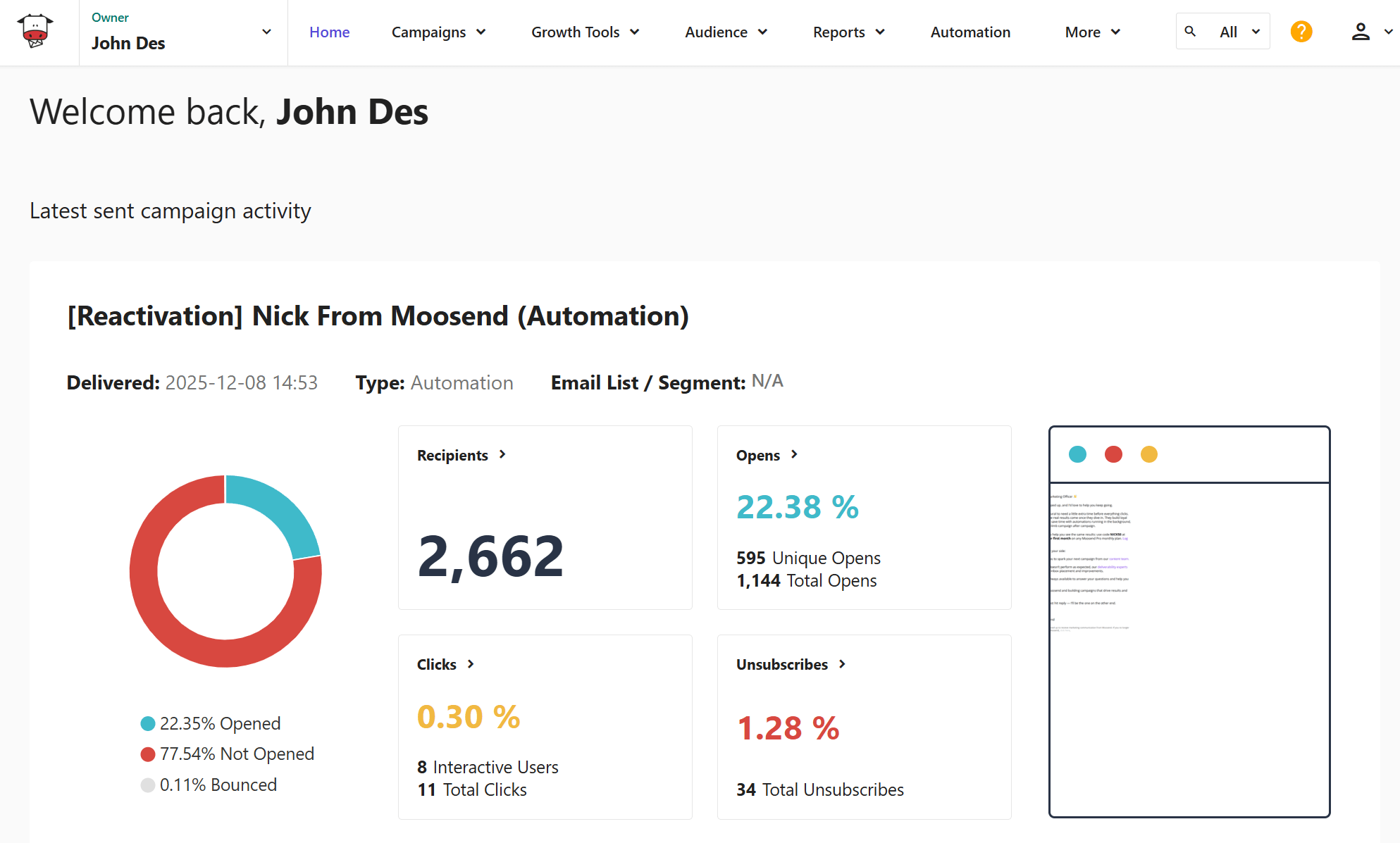
Moosend is a powerful, affordable alternative that combines transactional email, automated workflows, and marketing campaigns in a single platform. Its drag-and-drop editor, prebuilt automation recipes, and real-time analytics make it easy for businesses to manage both transactional and promotional emails without switching tools.
For API-driven use cases, Moosend offers a scalable transactional email API, SMTP relay, and detailed activity logs. Finally, Moosend has an email deliverability score of 98%, so you can deliver mission-critical email campaigns quickly and effectively.
2. Mailgun
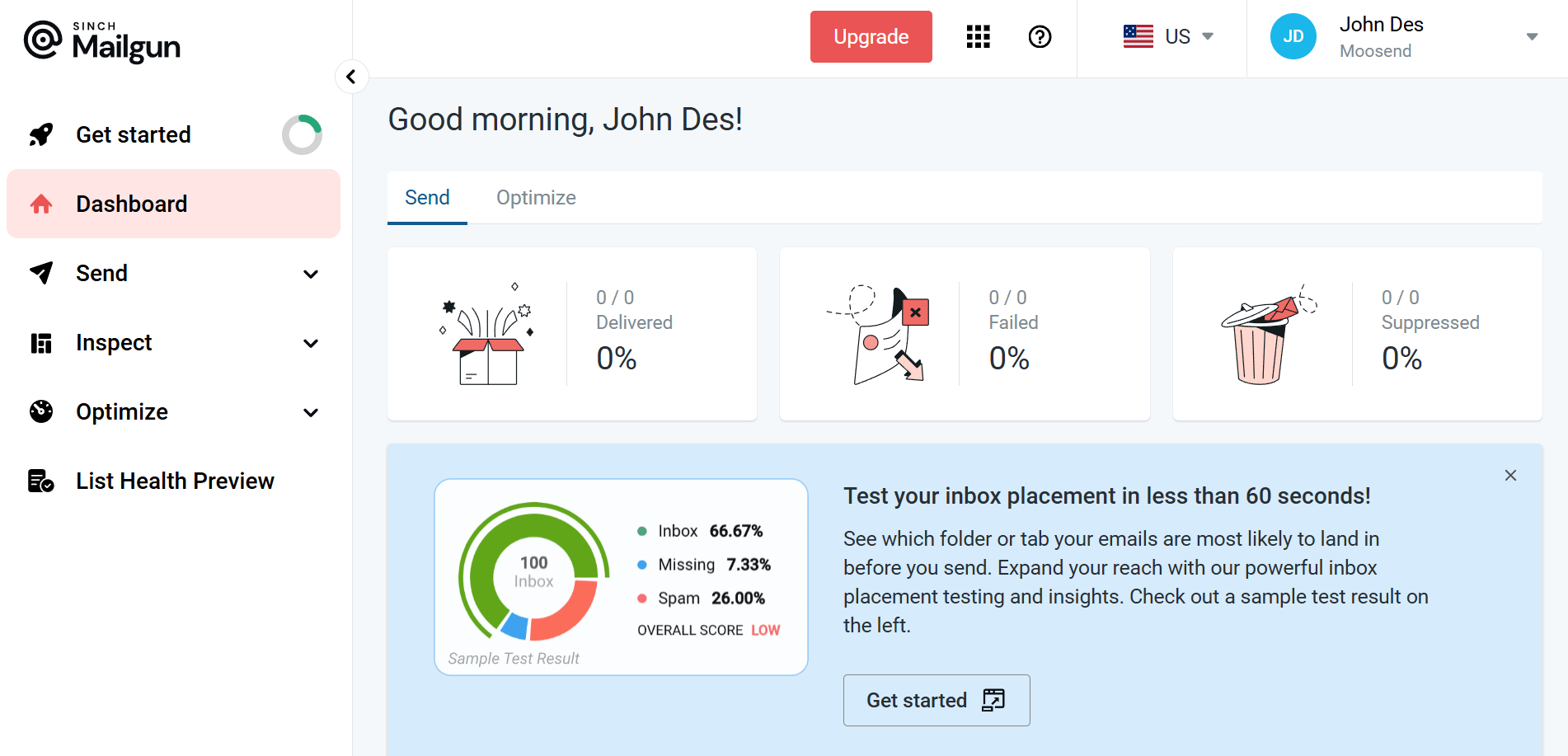
Pricing: Paid plans start at $15/month, free plan
Mailgun is a developer-focused email API service designed for high-volume transactional sending. It offers strong deliverability tools, detailed logs, inbox placement testing, and flexible API endpoints. Mailgun is ideal for SaaS platforms, apps, and engineering teams that want granular control over sending behavior and detailed tracking.
Compared to SendGrid, Mailgun offers more advanced analytics and inbox testing, while offering greater scalability than Postmark. However, marketing features are minimal, making it best suited for teams that want pure transactional functionality.
3. Amazon SES
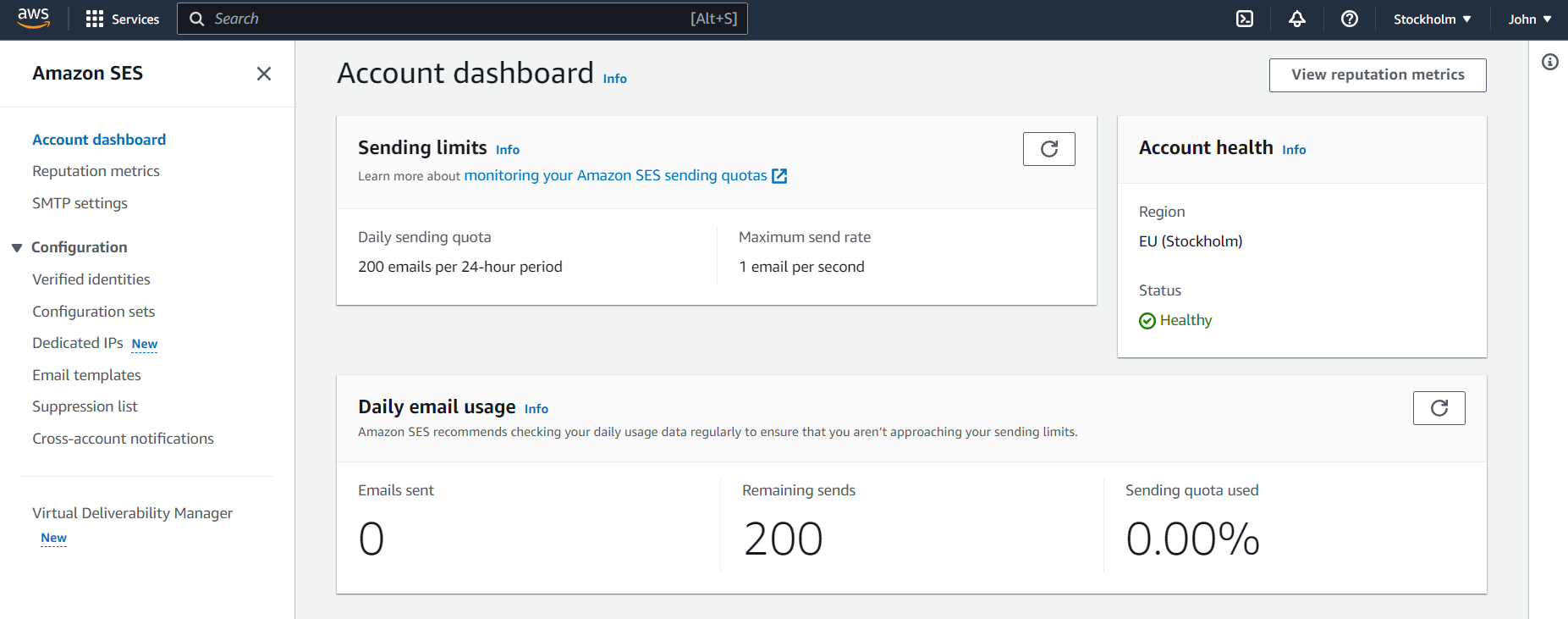
Pricing: $0.10 per 1,000 emails
Amazon SES is one of the most cost-effective transactional email services on the market. It’s highly scalable and integrates seamlessly with AWS infrastructure, making it ideal for developers already working within the AWS ecosystem.
However, Amazon SES is less beginner-friendly than Postmark or Moosend. Its setup requires technical knowledge, DNS configuration, and familiarity with the AWS console. It also lacks built-in templates, visual editing, and marketing tools, but offers unmatched scalability and exceptional deliverability when properly configured.
Additional Resources to Check
Here are a few resources to expand your reading:
Postmark vs SendGrid: The Takeaway
Choosing between Postmark and SendGrid ultimately depends on whether you value simplicity and transactional reliability or prefer an all-in-one platform with both marketing and transactional features.
Postmark is the stronger option for developers and teams focused on fast, reliable transactional email. Its clean interface, consistent inbox placement, straightforward pricing, and high-quality support make it ideal for SaaS products, apps, and businesses that prioritize deliverability above all else.
SendGrid, on the other hand, is better suited for teams that want a more comprehensive tool. If you need a visual email editor, A/B testing, advanced analytics, and both marketing and transactional capabilities in a single platform, SendGrid offers more flexibility at the cost of added complexity.
Frequently Asked Questions (FAQs)
Here are some frequently asked questions and their answers.
1. Which platform is better for transactional email?
Postmark generally performs better for transactional emails thanks to faster delivery, higher inbox placement, and a clean developer experience. SendGrid works well, too, but deliverability can vary depending on IP reputation and plan level.
2. Is Postmark more affordable than SendGrid?
For transactional use only, yes. Postmark’s pricing is simpler and typically cheaper at lower volumes. SendGrid can become more expensive, especially if you add marketing features, dedicated IPs, or higher support tiers.
3. Can I send marketing emails with Postmark?
Postmark is designed primarily for transactional email. While you can send broadcast messages, it cannot function as a standalone marketing platform. For marketing campaigns, SendGrid or a dedicated ESP like Moosend is a better fit.
4. Does SendGrid offer a visual email editor?
Yes, SendGrid includes a visual, drag-and-drop editor as well as an HTML code editor. You can use these to design transactional and marketing email campaigns. Postmark, on the other hand, offers only a code editor.
Similar Posts


 Published by


Create, send and optimize your email marketing campaigns