














Email Marketing Automation Best Practices For 2026
Published By Maria Fintanidou
January 12, 2026

12/01/26
You know that time of the evening when you have to cook for the next day? And do the same all over again the next evening? We’ve all been there.
Creating every email campaign manually feels similar to cooking meals seven nights in a row. That’s where email marketing automation best practices come into play.
You still choose the ingredients, mix them up, and decide when you’ll serve the food. But with the right meal prep done, you save time for the busy days ahead. The best part? You don’t have to be an experienced marketer to get started.
But before building your automated workflows, you need a clear roadmap. So, let’s explore everything about email marketing automation, including best practices, examples, mistakes, and tools to use.
Work with more intention and less effort
Simplify email communications with Moosend’s automated workflows.
Start freeWhat Is Email Marketing Automation?
Email marketing automation is the process of sending emails to your audience based on predefined rules. Basically, you put email sending on autopilot instead of having a team member hitting “send” every time.
To set up an automated workflow, you first need to choose the right email marketing automation software for the job. Then, you’ll define the triggers, conditional steps, and actions, and email automation will take care of the rest without you moving another finger.
The trigger event may be signing up for a newsletter, engaging with an email, or viewing specific products. You can also schedule your automated workflow to go out on a specific day, like in the case of a subscriber’s birthday.
Here are some occasions when you can use automated emails:
- Welcoming and onboarding new subscribers
- Delivering transactional messages like order confirmations
- Recovering lost sales with abandoned cart reminders
- Re-engaging dormant customers or subscribers
- Rewarding loyal customers
- Sending upsell and cross-sell promotions
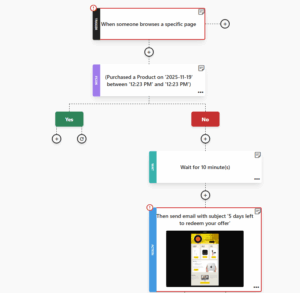
So if, for example, you want to target people who visited a page on your website but didn’t purchase, you can set up an automated workflow to reach them after a few minutes, with a special offer just for them. Simple as that.
What Isn’t Email Automation: Common Myths Debunked
Email automation has been a standard practice for quite some time, yet some marketers still don’t get it right.
With that in mind, let’s debunk a few common email marketing automation misconceptions.
Myth #1: Email automation is complicated
Many businesses stray away from email marketing automation because they think it’s difficult to implement. But is it really?
Automated campaigns aren’t for tech-savvy users only. They may be equally valuable for any business and marketer with minimal to no technical skills.
For example, as a marketing automation beginner, you may start with a few simple but targeted workflows like welcome or abandoned cart campaigns. As your list and expertise grow, you can try out more advanced workflows.
But this progression won’t become a challenge since most email automation platforms support users at every step. On the educational side, they typically come with onboarding documentation, such as FAQs, demos, or case studies to help you grasp how automation works.
When it comes to execution, you usually get tools like built-in automation templates, flexible builders, and intuitive interfaces to map out your workflows.
With a user-friendly editor, you can easily add triggers and conditions, duplicate steps, and customize a ready-made design. No coding required at any stage.
Myth #2: Email automation is costly
Another popular myth is that most email marketing tools are designed for enterprise use only. But while large corporations may use them, so can other companies.
Small and medium-sized businesses, solopreneurs, and any company on a tight budget can afford reliable email automation software. In fact, many tools in the market target SMBs, so they’ve adjusted their pricing to align with their needs.
There are many affordable email platforms with flexible pricing catering to different business types. Platforms like Mailchimp or Kit also offer freemium models to get started. However, make sure that they aren’t limited and let you access key automation features like a template library.
Alternatively, opt for solutions with generous free trials like Moosend or Campaign Monitor (30-days) so you can test their features before choosing a paid plan.
Myth #3: Email automation is an one-off tactic
Does set-it-and-forget it ring a bell? That’s not exactly the case. Email marketing automation saves you time so you can do a better job, but it doesn’t do it for you.
Its ultimate benefit is that it takes care of repetitive tasks like constantly monitoring audience actions to deliver the right message. As a result, you get more time to allocate on more creative or strategic tasks.
Meaning, you can dive into audience data, define pain points and engagement patterns, segment accordingly, and write and design emails that resonate.
You also have to monitor and analyze campaign performance and subscriber engagement. This is how you’ll understand what brings results and where you have to make changes.
Myth #4: Email automation feels impersonal
“Automated emails sound impersonal and cold.” Popular opinion, but not true.
As we pointed out, effective email automation requires you to gather and manage audience data, create relevant content, and define when you want to reach subscribers.
And if you put enough effort into email segmentation and personalization, automated emails will feel highly relevant. That’s because the trigger is usually a subscriber’s action, while the marketer’s work is to match the content to their behavior.
On top of that, with the right personalization tags, you can send tailored recommendations that change based on each subscriber’s characteristics and interests. And let’s not forget the tone as long as you write your emails in a natural, human voice that reflects your brand’s identity.
Myth #5: Email automation is the same as AI
It’s not unusual to believe that automated emails are AI-generated, and that subscribers instantly understand that. If that’s what’s holding you back from incorporating email automation into your strategy, it’s time to let it go.
Email automation is about building workflows that rely on a set of rules to be triggered, ensuring your campaigns run automatically.
On the other hand, AI analyzes a plethora of data from various sources and uses these insights to make decisions and handle complex tasks in less time.
As opposed to email automation, which requires manual optimization tweaks, AI may learn from new information and get better without human intervention.
What do they have in common? Both automation and AI in email marketing take on several tasks of our hands so we can focus on:
- Creating unique, conversation-like content
- Monitoring and interpreting outcomes
- Using critical thinking and a personal angle
- Building genuine relationships
Myth#6: Email automation is spam
Automated campaigns are often associated with spam. But spam emails have more to do with what and how often you send, and where you send from. It also has to do with the tactics you use.
So, if you neglect email deliverability best practices such as using email authentication or warming up your IP address, your emails will probably land in the spam folder. The same goes for delivering irrelevant or generic emails in bulk, or going overboard with your email frequency.
On the flip side, with the right email automation practices in place, you’ll send targeted, timely emails subscribers will expect or appreciate.
Or you may deliver content on a specific schedule when you have something important to share that will resonate with your subscribers.
Email Automation Best Practices for a Winning Strategy With Examples
Email automation requires some effort on your side. Let’s see which email automation best practices you should follow for optimal performance.
1. Choose an email automation tool
It all starts with the email automation solution you select. Unfortunately, not all tools serve all business needs.
For example, a startup might need (and afford) basic features at first. For this reason, it wouldn’t make sense to pick a platform that offers advanced tools at a high cost. Instead, they should look for one with essential features at a reasonable price.
So, how can you ensure you make the right choice? Here are the key factors to consider:
- Ease of use: Pick a tool with a short learning curve and a user-friendly interface to easily navigate through features. Look for simple tools, ready-to-use templates, and drag-and-drop functionality.
- Automation features: The must-haves are a flexible automation builder and built-in templates you can customize in a few clicks. You’ll also need several trigger options, conditional logic, plus A/B and spam testing.
- Powerful email editor: A powerful yet user-friendly editor is a prerequisite for hassle-free creation. You should be able to build appealing emails, for instance, by changing colors and fonts or adding your branding assets, even with no HTML skills.
- Best-in-class deliverability: To engage your audience, your emails must reach inboxes. For this, you need a tool with excellent deliverability. Plus, it should offer features like spam testing, IP reputation management, and detailed reporting to monitor and improve deliverability rates over time.
- Integrations: A unified strategy requires your tools to work well together. Therefore, your email platform must have a list of integrations to sync and manage audience data. You should connect it with tools like your CRM, social media platforms, and web analytics.
- Scalable pricing: You may start small in terms of budget and features, but you also need pricing that scales as your list grows, without hurting your budget. You could review software with alternative pricing options like credit plans that charge you only when you send.
Now, how can you know that everything a platform promises really works? Try out options offering free trials to find out if a tool is a good fit. For example, Moosend gives you a 30-day free trial that lets you test most core features.
2. Decide which automated workflows you need
The types of automated campaigns you can choose for your audience depend on your industry and specific objectives.
In eCommerce email automation, for example, you’ll probably build cart abandonment emails, product recommendations, and transactional messages. A SaaS company, on the other hand, might focus more on onboarding email sequences or re-engagement campaigns.
So, let’s review the most common automated emails and sequences to consider:
- Welcome emails: Give new subscribers a warm welcome, introduce your brand, products, or services, and set the tone for future emails.
- Onboarding series: Educate your audience on how your product or service works. Share helpful content like guides, demos, or templates to get them started.
- Transactional campaigns: Send emails during key transactions, such as password resets or order and shipping confirmations to keep recipients informed and reassured.
- Abandoned cart emails: Remind subscribers of the items left in their cart and persuade them to complete their purchase with incentives like free shipping.
- Post-purchase sequences: Set them up to thank your customers, offer tips on how to make the most of their purchase, or suggest complementary products to boost sales.
- Milestone emails: Use these automated emails to send your wishes and celebrate key moments in the customer’s journey by giving them a special discount or any other gift they’d enjoy.
- Re-engagement emails: Share updates on what you’ve been up to or tailored promotions to inactive customers or subscribers to win them back.
- Customer loyalty emails: Inform your loyalty program members about milestones reached, new products or features, point balance, and upcoming rewards.
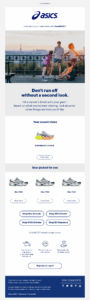
In this abandoned cart email, ASICS chooses not only to display the abandoned item, but also target subscribers with personalized product recommendations based on their browsing history.
Subject line: Come back and take another look.
Why it works:
- The simple, actionable subject line informs recipients on the next step.
- An image of the abandoned item serves as the email focal point.
- They rely on recipients’ browsing history to recommend these products.
- The free returns and shipping, along with the 24/7 customer service, remove some of the purchase-related pain points.
3. Use segmentation for better targeting
According to Constant Contact, 56% of users unsubscribe from email lists because the content doesn’t feel relevant. But if your automated emails feel tailored to recipients’ preferences and deliver value consistently, recipients are less likely to opt out or lose interest.
This is where segmentation takes charge, allowing you to group subscribers based on shared characteristics and send them relevant content.
Take lifecycle emails, for example. A prospect in the awareness stage usually expects an onboarding workflow to learn how your product or service works. But a customer in the advocacy stage could act on loyalty or referral program invitation emails so they can get more from their interactions with your brand.
Segmentation goes beyond lifecycle emails. There are more parameters you may use to divide your audience, including:
- Demographics like gender, age, and location
- Sources, such as a lead magnet or a social media ad
- Activity on your website or app, such as browsing products or adding them to a cart
- Engagement with your email campaigns like opens, clicks, or unsubscribes
With a reliable email marketing automation platform, you can also build dynamic audience segments that monitor subscriber behavior in real-time and update accordingly.
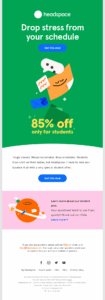
Here’s how Headspace uses segmentation to send a tailored discount deal to students:
Subject line: Headspace is 85% off for students
Why it works:
- The persuasive subject line states the offer and who it’s for.
- The headline highlights the result, addressing a common pain point for students.
- They use short phrases, straightforward language, and a conversational tone to make the email scannable and engaging.
- The prominent email CTA is repeated to improve chances of conversion.
- They link to relevant FAQs so subscribers can learn more about the deal.
4. Personalize your automated emails
Using these insights allows you to craft automated emails that speak directly to each segment’s unique interests. If you’re new to email automation, you can start with simple triggers like account creation or the recipient’s anniversary with your brand to set workflows in motion.
As your needs grow, you can nail personalization through dynamic emails that show tailored content to subscribers based on characteristics like their gender, location, or behavior.
For example, a food blogger may suggest blog posts or videos with simple vegetarian recipes to subscribers who regularly view this kind of content.
Similarly, an eCommerce business may deliver product recommendations using their customers’ past purchases. For instance, if they’ve purchased a coffee maker, suggesting coffee blends would be a great option.
These personal touches remove the mechanical look and feel that’s (mistakenly) associated with automation. And once you get personalization right, subscribers will look forward to the email experiences you deliver.
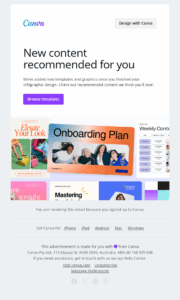
Here’s an example of effective list segmentation from Canva, informing recipients about new templates that may interest them based on their activity on the platform.
Subject line: New templates added for infographic
Why it works:
- The subject line informs subscribers why they should open the email.
- The reference to the subscriber’s action (signing up to Canva) highlights relevance.
- They surround the bold and branded CTA with plenty of white space to make it pop.
- The template images help subscribers visualize their next project.
5. Prioritize relationship-building
You want to offer tailored recommendations and solutions to your audience through email automation. What you don’t want is sounding pushy. Instead, think of your campaigns as conversations with a friend. The same applies to client calls: teams often use an AI note taker to capture genuine customer pain points and feed those insights directly into their email copy.
If your goal was to guide a friend, what words and tone would you use? Surely, you’d go for casual, natural, and helpful. Also, you wouldn’t make it about you but instead would focus on what they need and how they can get it.
Do the same for your subscribers. Create messages that remind them of that soothing feeling of catching up with someone you count on.
Here’s how:
- Showcase the benefits of your products or features.
- Offer value (e.g., educational content or a little treat) before going for the “ask.”
- Mention the pain point but focus on the outcome so they don’t feel stressed.
- Share use cases and success stories your subscribers can relate to.
- Use a conversational tone and free your content from jargon and salesy phrases.
- Take an empathetic approach, putting yourself in your subscribers’ shoes when writing email copy.
- Consider experimenting with humor, puns, or timely references if they match your brand voice.
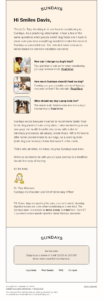
In this follow-up email, Sundays does everything right to address common concerns of customers who switch their dogs’ food.
Subject line: Checking in
Why it works:
- The subject line sounds more like a friendly nudge than a brand message.
- They use thoughtful copy and resources to ease customers’ fears during the transition.
- The PS note makes the email feel even more relatable.
- The helpful content comes from the co-founder, who also signs the email and shares the idea behind the brand.
- They include all customer support-specific details in case the email resources aren’t enough.
6. Set the email frequency
A key advantage of email automation is that it gives brands the opportunity to reach subscribers at the right moment.
Setting intervals between emails is an email automation best practice that prevents email fatigue, or worse, unsubscribes and spam complaints. Besides avoiding information overload, you also increase the chances of engagement.
That’s because when recipients have enough time to process the first message, they’ll probably be more receptive to the next one. The key is to keep them engaged and up to date without overwhelming them.
As a rule of thumb, you can send the first follow-up 1-2 days after the initial message to keep the action fresh in their mind. Then, wait for another 4-5 days for a final nudge.
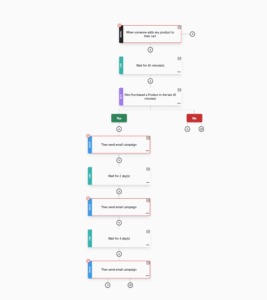
Let’s take an abandoned cart email sequence as an example:
- Send the first email within the hour of cart abandonment to remind subscribers of their items.
- Deliver a second campaign two days later, including customer reviews and testimonials to build up FOMO.
- Wait four days before sending a third email with a small incentive like a promo code as a final persuasion tactic.
Here’s what it would look like with Moosend’s cart abandonment automation recipe:
Keep in mind that it will take some trial and error to get it right. But the ultimate indicator of whether your email frequency works is subscriber engagement.
7. Make room for unscheduled emails
Email automation needs the human touch. This often comes in the form of an unscheduled communication due to a bump in the road.
When something unexpected happens, nothing makes your brand feel more mechanical than sending automated emails that fail to acknowledge the situation. So, embrace the change and send that email that breaks the rhythm.
The one that says “we messed up, but we’ll try to fix it.” Or the one that shows you understand what your audience is facing and highlights the specific ways in which you can help or the actions you’re taking.
Does the issue have to do with your supply chain or a reputation crisis? Then send an email campaign that says you’re sorry and inform recipients of the upcoming measures. And if it’s a natural disaster or any critical incident, you can deliver a thoughtful message that brings hope.
In either case, you should consider pausing any automated promotional campaign. If the crisis doesn’t call for drastic changes, consider removing any email element that feels inappropriate (e.g., flashy visuals or humorous copy).
These thoughtful campaigns aren’t just for nonprofits. Here’s how Red Clay Hot Sauce handled it when Hurricane Dorian struck:
Subject line: Join us in supporting relief efforts for Hurricane Dorian.

Why it works:
- The email objective is crystal clear right from the subject line.
- The informative copy describes the impact of the disaster.
- The founders sign the message while committing to contributing.
- It may sound like a promotion, but it isn’t, since the profits will be donated to the affected communities.
8. Use A/B testing
You’ve set up an email marketing automation strategy, segmented your list, and built the right workflows. So, is it time to hit “send” yet? Not before testing things first.
With A/B testing, you create two email variants and send them to different list segments. Make sure you check one element at a time so you can clearly identify what to keep. The winning version lets you know which approach resonates best with your audience.
Now, what can you A/B test? Here are a few ideas:
- Sender names
- Subject lines and preview texts
- Email copy
- Visuals
- Incentives
- CTAs
- Sending times
Most email marketing automation platforms let you create and automate sequences while offering A/B testing features so you can compare different email versions and optimize performance.
Some of them also come with spam testing tools to check if your emails render properly before delivering them to your subscribers.
9. Monitor your metrics consistently
Email automation isn’t about creating the emails and letting them run on autopilot forever. Instead, you should keep a close eye on your email metrics to ensure everything’s working as it should and recipient engagement remains high. Monitor opens, clicks, conversions, and ROI, as well as unsubscribes, bounces, and spam complaints.
If the performance of your automated emails drops, it’s a signal telling you to slow down and analyze the insights to understand what went wrong. Based on the findings, you can take action to improve current and future workflows.
For example, you can
- Optimize underperforming copy, visuals, and designs
- Remove any element that doesn’t feel relevant or doesn’t render well
- Try new email tactics (that your competitors may also use)
- Refine email personalization
- Revisit your sending time or frequency
Make sure you do this process regularly. Consistent performance monitoring ensures your campaigns stay engaging and timely as audience needs and industry trends change.
Email Automation Mistakes You Should Avoid
Besides following email automation best practices, you also need to avoid common mistakes that may cost you in the long run.
So here’s what you shouldn’t do.
1. Getting creepy instead of personal
84% of consumers appreciate brands that offer personalized experiences. The same research shows that 41% of them expect their personal information to remain secure and safe during customer service and sales interactions.
Subscribers value their privacy, so how you leverage their data shouldn’t be an afterthought.
There’s a thin line between personalization and “creepy”, and you should make sure you don’t cross it. Be transparent about data collection and management, clarifying why you need their information and how you’ll use it.
Also, be careful what you ask for and how it can serve your emails. Personalization isn’t about showing off how well you know subscribers. Rather than that, it’s about putting what you know into context.
2. Not giving subscribers control over their email preferences
Sometimes you can refine audience targeting without checking reports, testing tactics, or asking for feedback, simply by allowing your prospects and customers to adjust their email preferences.
Whether it’s during account creation or through a targeted email preference center inside your campaigns, let them select which promotions and content they want to receive and how often.
With a preference center, you can:
- Improve your subscribers’ email experience by serving them only with content they need.
- Show you invest in transparent tactics to build customer trust.
- Refine segmentation based on your subscriber’s choices.
- Collect valuable zero-party data you can use in more touchpoints.
- Reduce unsubscribes since you won’t risk spamming subscribers with unwanted messages.
If you want, you can also create an automated email campaign to ask subscribers to change their preferences. You could deliver such a campaign in the early stages of your relationship to collect more data about your subscribers’ needs.
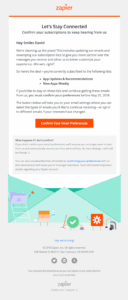
Or make it part of your re-engagement series, just like Zapier does in the example below, prompting subscribers to confirm their preferences. If they don’t, the brand will remove them from its email list. Essentially, the campaign also serves as a list-cleaning tool, so Zapier kills two birds with one stone.
Subject line: [Action Required] Confirm your email preferences
3. Making timing your only priority
Most marketers constantly search for that optimal email sending time. When they find it, they could obsess over sending every email on Tuesdays at 12 am.
The thing is, your subscribers are human, and their routines can change unexpectedly. It might be a doctor’s appointment running long, their coworkers or children interrupting their workflow, or a sudden power outage.
Simply put, your “perfect timing” won’t work every single time. But even if it does, always keep in mind that it won’t get you far if subscribers open the email only to find irrelevant, lengthy, or dull content.
Most of the time, your recipients will think “This is useful,” not “This arrived at the perfect moment.” So, it’s key to match the right time with helpful content that addresses their needs.
4. Neglecting list hygiene
Email service providers use spam filters to sort out unwanted emails. However, there are instances where trustworthy senders are flagged as spammers. One of the most common examples is when you keep sending emails to addresses that no longer exist.
Holding onto invalid or inactive email addresses affects the quality of your list and, ultimately, your sending reputation. This is why you shouldn’t neglect database hygiene.
So, set up list cleaning at least twice a year, ensuring you use a dedicated tool that identifies and removes problematic addresses.
You could also prevent these emails from entering your lists in the first place by setting up double opt-in. This way, spam and misspelled addresses won’t make it in and you’ll save time from list cleaning down the line.
Last but not least, keep a close eye on disengaged subscribers. If you send a win-back workflow and they don’t act on two or three emails, it’s time to remove them. In case they don’t want to opt out, send an email campaign to confirm before taking action.
Best Email Automation Platforms to Consider
We already checked the must-have features to look for when in search of the ideal email marketing automation tool.
Below we’ll list the best email platforms to review and test before picking a winner.
1. Moosend
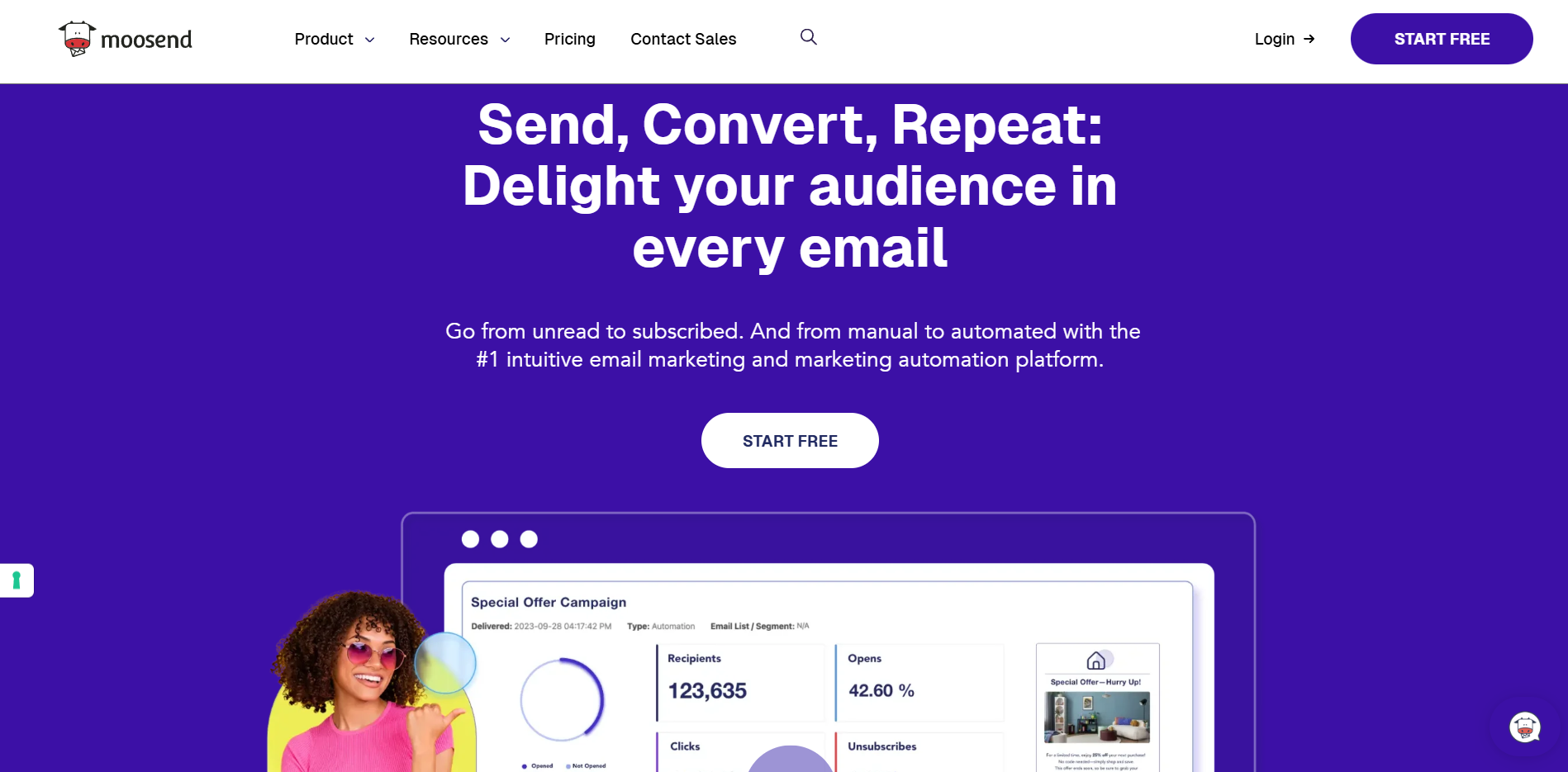
Moosend is an email marketing tool with a user-friendly interface and top-notch automation features that are also easy to implement. It comes with a visual drag-and-drop automation builder and predesigned recipes to create workflows with minimum effort.
Best features:
- Ready-made, customizable recipes to use as foundation for several scenarios, such as onboarding prospects, thanking customers, and upselling/cross-selling.
- Granular segmentation, including Audience Recovery, which uses AI technology to automatically create audience segments based on their real-time behavior.
- Option to tailor a professionally-designed email template, build your own, and save it for future use, or import a ready-made template.
- Transactional email functionality using the platform’s API.
- Integrations with popular third-party apps like eCommerce platforms, CRMs, and list validation tools.
- In-depth email analytics that display campaign performance in real-time, plus custom report creation.
Pricing: The Pro plan starts at $9/month with unlimited emails. You can test the platform through a 30-day free trial that offers access to most features.
2. Active Campaign
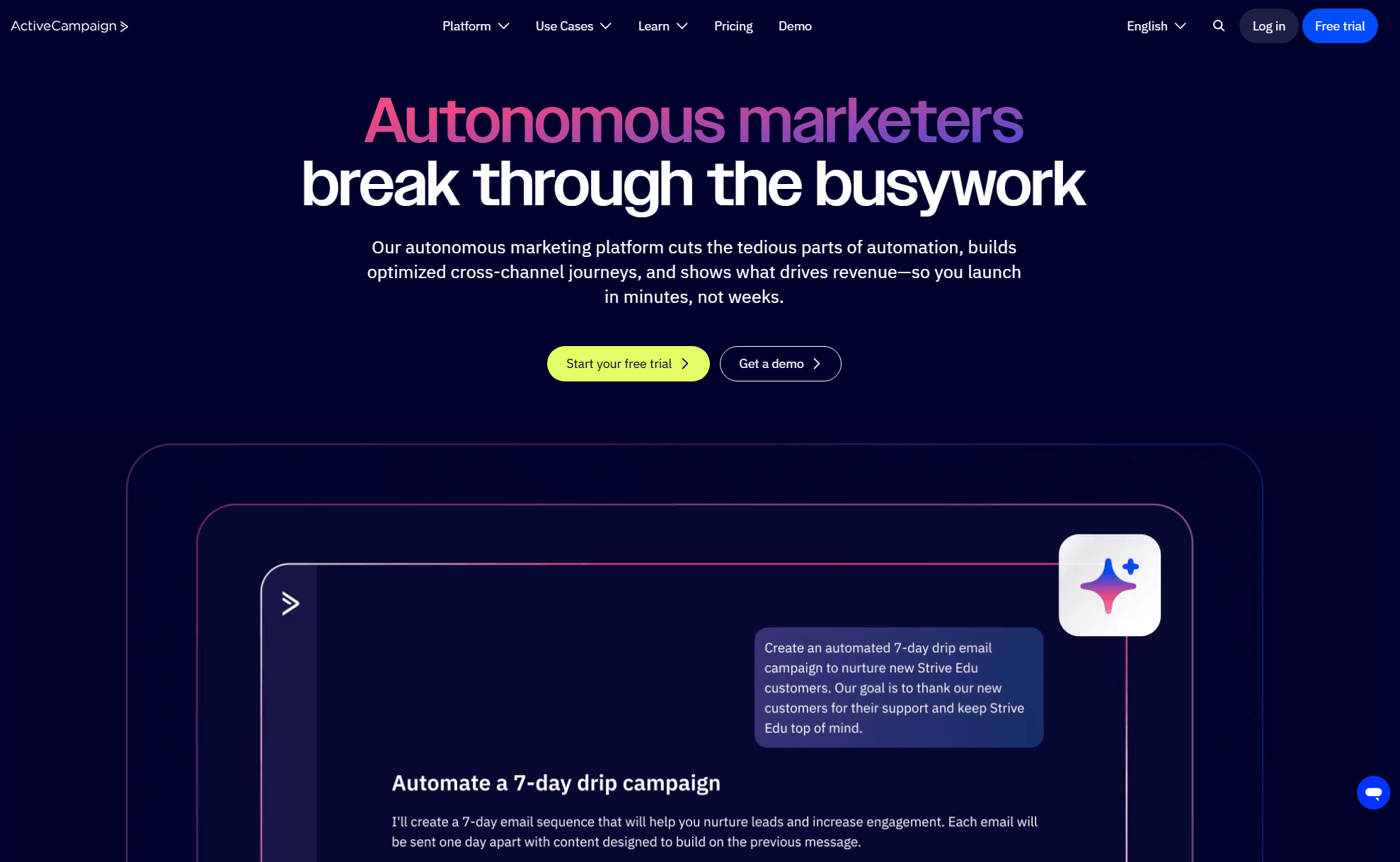
Active Campaign is an email platform that’s known for its sophisticated marketing automation tools. Besides email, it allows users to build cross-channel customer journeys, including touch points like social media, SMS marketing, and WhatsApp campaigns.
Best features:
- Powerful automation designer with drag-and-drop functionality to build complex customer journeys, selecting from a variety of triggers or actions.
- More than 1,000 ready-to-use automation templates for every industry and use case.
- Option to add multiple touch points in a single workflow (e.g., email, SMS, or WhatsApp).
- Transactional email functionality with ActiveCampaign Postmark.
- Real-time lead scoring that identifies qualified leads so you can focus your efforts.
- More than 1,000 integrations with tools like eCommerce, loyalty, and content creation platforms.
Pricing: The Starter plan starts at $19/month (different pricing if you want to include WhatsApp). There’s a 14-day free trial to check some basic features.
3. Mailchimp
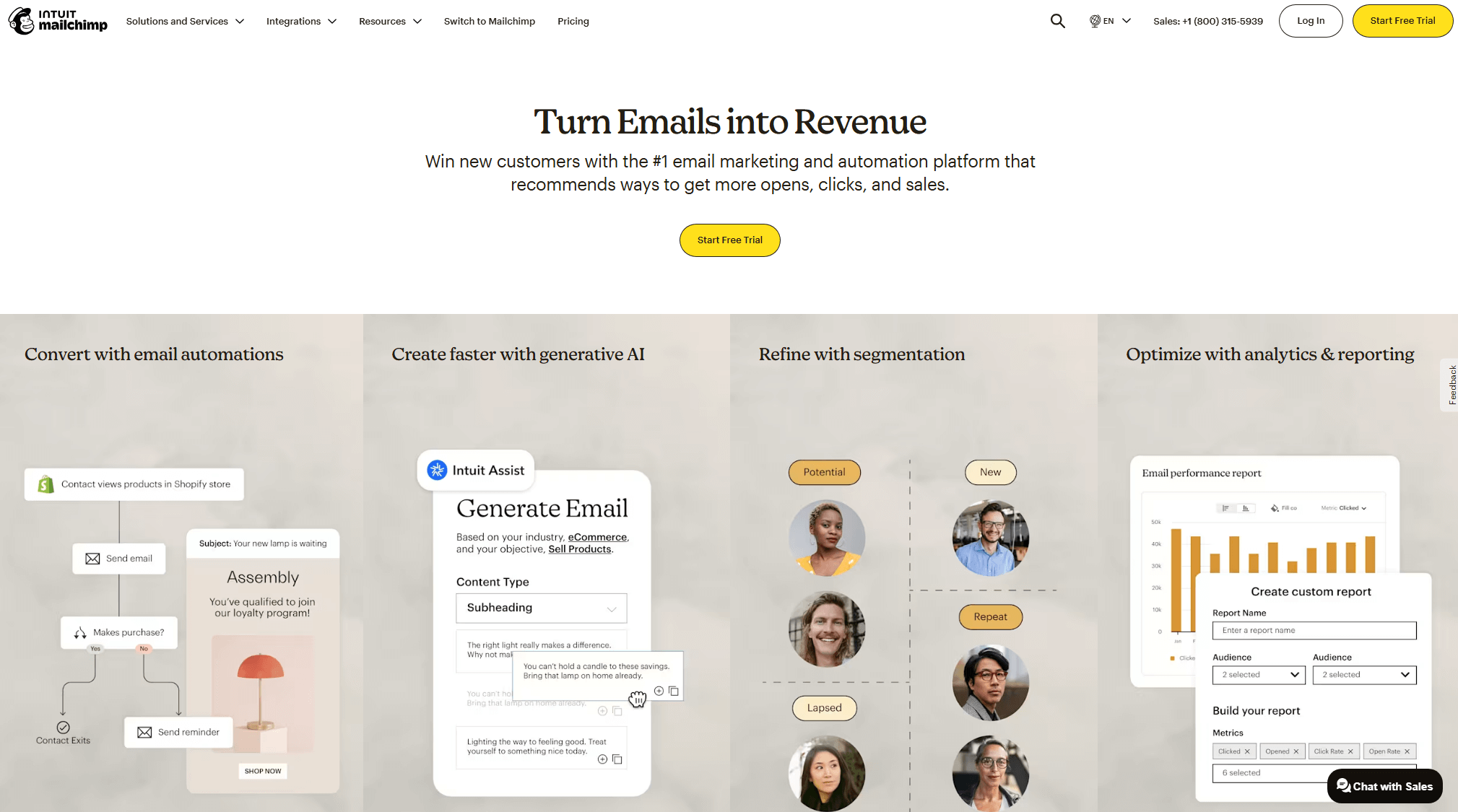
Mailchimp started out as a newsletter platform but is now known as a full marketing suite. As such, it offers robust email automation, social media marketing, and a built-in CRM. You can also use the solution for website creation and lead generation.
Best features:
- Drag-and-drop Campaign Manager that makes automation creation and customization effortless.
- Pre-built automation workflows to reach customers on several channels like SMS and social media.
- An extended library of email templates designed for a range of industries and occasions.
- Advanced segmentation, including pre-built segments for common targeting scenarios.
- Option to gather audience insights directly through your emails using a survey content block.
- More than 300 integrations with eCommerce, customer service, and payment tools.
Pricing: The Essentials plan starts at $13/month. To understand how it works, you can either use the free version (basic tools only) or the 14-day free trial.
Automation Takes Charge, You Take Initiative
With email marketing automation, you optimize subscriber experience, all the way from email signup to customer loyalty. You choose the workflows, design them as you see fit, and let them run, with no manual work involved.
But remember, the time you save should be invested in other essential tasks, all aiming at maximizing the performance of your email workflows.
So, stay on top of your automated campaigns, ensuring you plan ahead, spot bottlenecks, and learn from your wins and failures. Combined with email marketing automation best practices, it’s all you need to achieve more revenue and better connections with less effort.
Email Marketing Automation Best Practices FAQs
Here, you can find answers to email automation frequently asked questions:
1. What are the benefits of using automated emails?
Automated emails help marketers save time that they can allocate to more creative or strategic tasks without compromising email quality. They reinforce personalization and maximize the impact of your messages since you reach subscribers with tailored content at the right time. Most importantly, email automation helps you build deeper relationships at scale without worrying about the extra effort.
2. What’s the difference between automated campaigns and other marketing emails?
Automated campaigns are triggered by certain subscribers’ actions or specific events (e.g., reaching a specific date and time). In contrast, other emails like newsletters or seasonal promotions are usually delivered based on a predefined schedule that doesn’t depend on the subscriber’s behavior.
3. Can you automate emails for free?
Yes, several email marketing automation solutions offer free versions with basic automation features. However, free plans may also come with limitations, such as restricted monthly email sends or a lack of must-have tools like A/B testing. So, it’s usually better to choose a platform with scalable pricing and in-depth automation for when you need it. This way, you’ll avoid having to switch tools later.
Similar Posts
 Published by
 Published by

Create, send and optimize your email marketing campaigns