










8 Best Keap Alternatives in 2026 (Features & Pricing)
Published By John Desyllas
March 12, 2025

12/03/25
Key takeaways
- Businesses seek alternatives to Keap (formerly Infusionsoft) due to its expensive pricing, complexity, and platform glitches, making it less suitable for many small businesses.
- Competitors like HubSpot, Pipedrive, and ActiveCampaign offer robust features, including AI tools, multi-channel marketing, and advanced automation, often at a lower cost.
- Many alternatives provide free plans or trials, allowing businesses to test platforms like Moosend, Brevo, or Zoho CRM before committing financially.
Keap has been a popular go-to CRM and automation platform for many small and medium-sized businesses. However, it isn’t the best fit for every business due to its steep price tag and complexity.
The acquisition by Thryv has also left many users starting to rethink their options. The good news is that there are plenty of alternatives offering similar or even better (and more flexible) features at a lower cost.
Whether you’re looking for email marketing automation, lead management, or an intuitive platform suitable for small businesses, we’ve gathered the best Keap alternatives to help fuel your growth without straining your budget.
Disclaimer: The information below is accurate as of February 2026.
Why You Should Consider a Keap Competitor
Despite its popularity, Keap has certain limitations that you need to consider. Here are the most common pain points that Keap users experience:
- Expensive pricing: Keap used to have pricing plans that catered to different user needs. Now, there’s a single, contact-based plan with a high price tag that many SMBs will find hard to bear, especially as they add contacts to their lists.
- Complexity: The platform’s feature set can be overwhelming for small businesses, inexperienced users, or anyone who wants to save time with easy-to-set up solutions. It also has a steep learning curve to get the most out of its features.
- Bugs in payment features: A common reason why some of Keap’s clients have turned away are the mishaps with recurring payments and repeat charges.
- Glitches in the platform: Often, the platform feels very slow, search doesn’t yield accurate results, and customer support takes quite some time to resolve issues.
- Lack of scalability: Many users switch to a Keap alternative when they start to have advanced CRM needs since the platform’s features are usually insufficient or expensive for scaling businesses.
What to Look for in a Keap Alternative
Before searching for the perfect tool, these are the key factors to consider:
- CRM functionality: You’ll need effective lead management, behavioral tracking, and scoring to organize audience data and identify qualified and at-risk contacts.
- Ease of use: Businesses need a tool simpler than Keap, with quick navigation and intuitive features that support the early adoption by every team member.
- Marketing automation: With it, you can automate welcome emails, cart abandonment, and birthday messages based on each customer’s activity without any manual work.
- Customization tools: You want your CRM software to adjust to your needs. For this, the right platform should offer customizable templates and design tools to build branded emails, forms, and workflows.
- Lead generation: Every business needs to get in front of more people, which is why you should search for tools like landing pages, signup forms, and retargeting ads to reach new audiences.
- Cost-effectiveness: It’s essential to evaluate whether the pricing plans suit your budget and how much could extra features cost once your business starts growing.
- Integrations: The Keap alternative of your choice should smoothly connect with your existing tools, such as eCommerce platforms, social media, analytics tools, and more.
- Customer support: When you come across issues, you’ll need access to high-quality support on more than one channel to ensure minimal disruption and quick resolution.
Best Keap Alternatives by Use Case
- HubSpot – Best all-in-one AI-powered platform
- Pipedrive – Best for lead and deal management
- Moosend – Best for advanced email automation
- Brevo – Best for multi-channel marketing
- ActiveCampaign – Best for powerful marketing automation
- Zoho CRM – Best for simple CRM functionality
- Freshsales – Best AI-powered CRM solution
- Mailchimp – Best for businesses relying heavily on email marketing
1. HubSpot
Pricing: Paid plans start at $20/month, free version
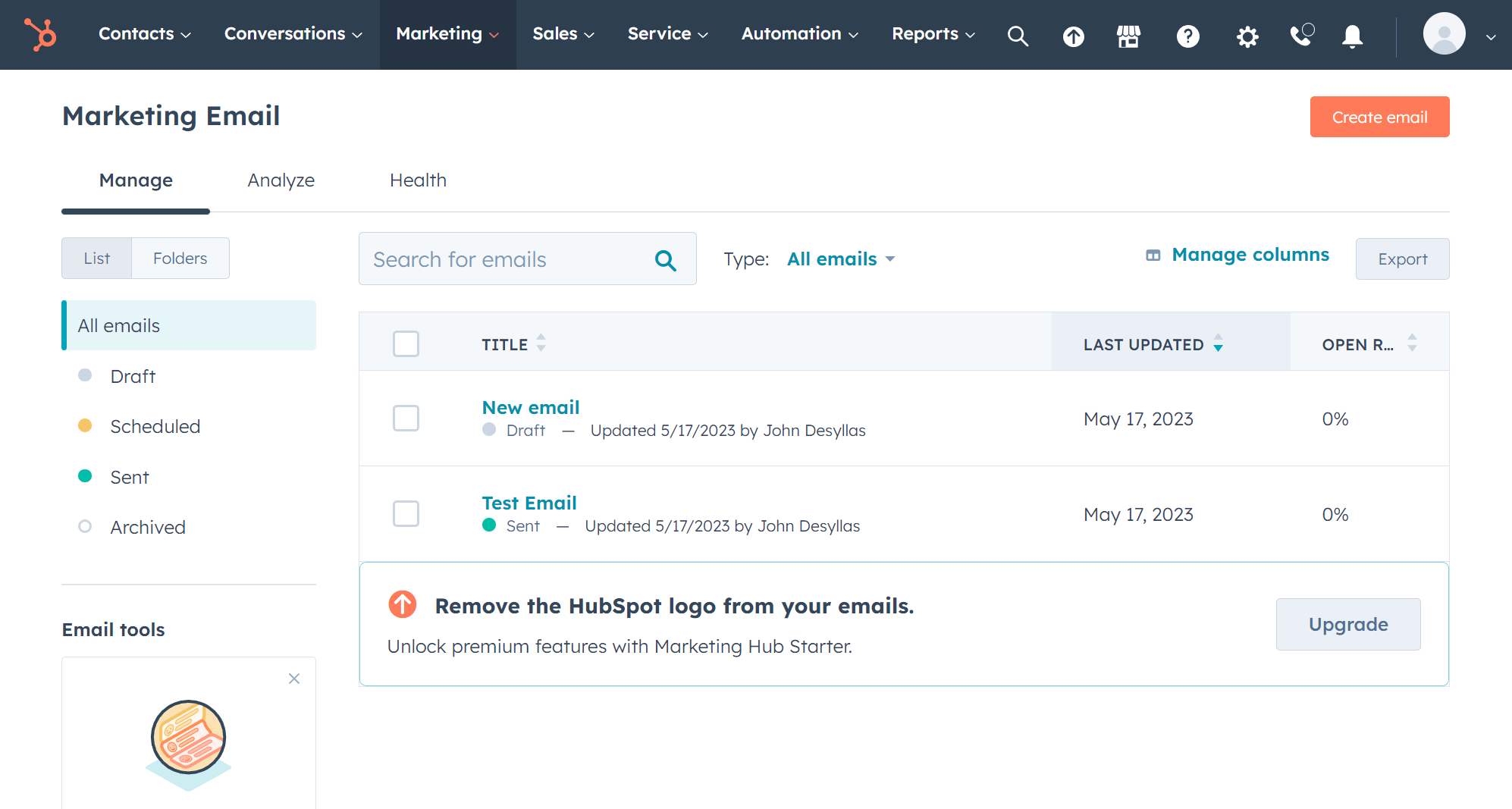
HubSpot is among the top alternatives to Keap, offering a robust platform to streamline your marketing, sales, and customer service. Unlike Keap, HubSpot has a free plan that’s ideal for startups and small businesses looking to get started.
With HubSpot, you get to create email newsletters with drag-and-drop functionality, build landing pages or websites, and generate leads through popups and forms.
The best part is that you can use the software’s free AI Content Writer to generate emails, blogs, social media posts, or repurpose content in minimal time.
The platform is also known for its powerful marketing automation capabilities, allowing you to automate lead nurturing, customer segmentation, and deal pipeline.
To optimize your digital marketing strategy, HubSpot equips you with real-time analytics that go more in-depth than Keap’s, making it easier to identify what you can improve.
HubSpot can be a great fit for larger businesses, too, since it has a wide range of integrations and scales alongside your business.
However, its strong automation and premium features are locked behind more expensive plans. So, besides matching your budget, make sure the selected plan includes the features you need before committing. Otherwise, it could get seriously expensive.
HubSpot Features
- Advanced marketing automation
- Lead scoring and lead nurturing tools
- AI tools for content generation
- Payment management
- Live chat and chatbots to streamline customer relationships and interactions
- Integrations with 2000+ tools
Pros
- More intuitive and user-friendly interface than Keap
- Free CRM with effective contact management
- Comprehensive suite of marketing, sales, content, and customer service tools
Cons
- Higher cost for its advanced functionality
- Expensive onboarding fee in Professional and Enterprise plans
Pricing
HubSpot has a free plan including the CRM solution, email marketing tools, and forms, among others. Its starting price for basic customer service, sales, and marketing tools is $20/month for 1,000 contacts. For more advanced features like lead scoring, prices start at $890/month (Professional plan) and $3,600/month (Enterprise plan).
2. Pipedrive
Pricing: Starts at $24/month, 14-day trial

Pipedrive is a CRM built by salespeople for salespeople, making it one of the best Keap alternatives for businesses focused on lead and deal management. While Keap combines CRM and marketing automation, Pipedrive prioritizes sales pipeline visibility, helping teams track deals and automate lead nurturing to improve conversion rates.
Its user-friendly interface and drag-and-drop functionality helps you manage, customize, and monitor sales processes through every stage with ease.
Moreover, you can improve efficiency with the platform’s AI tools that analyze sales performance to provide personalized recommendations on the most profitable deals and next actions.
Regarding email creation, you have customizable templates (Growth plan and above) an AI-powered email generator that helps you create converting campaigns in no time.
With Keap, you don’t get the deep sales insights that Pipedrive offers. You also have the option to generate a custom report using your own words or one of the pre-written prompts offered. Later, you can train the platform’s AI through chat to optimize your reports along the way.
If you are a sales-driven business and need a simple CRM, Pipedrive’s visual sales pipeline will make tracking deals effortless. And, unlike Keap, which offers all features in one package, Pipedrive offers a lower starting price so users can add features like automation or email tracking as their needs grow.
Pipedrive Features
- Customizable sales pipelines with drag-and-drop functionality
- Sales automation and forecasting
- AI-powered sales assistant and email creation tools
- Smart Docs feature to easily create and manage documents
- Smooth collaboration with automated lead and deal assignment
- Built-in sales calling feature to close phone deals directly through the CRM
Pros
- More flexible pricing structure than Keap
- Integrations with 500+ tools
- Mobile app to access your CRM wherever you are
Cons
- Basic features missing from lower-priced plans
- Email marketing features available as add-ons
- Limited support in the cheapest plan (only via chatbot)
Pricing
Like Keap, Pipedrive doesn’t have a free plan, but it offers a 14-day trial. For essential tools without automation, pricing starts at $24/month while email campaigns also cost extra. For more advanced functionality like revenue forecast reports and automation, plans start at $49/month.
3. Moosend
Pricing: Starts at $9/month, 30-day free trial (Sign up here)
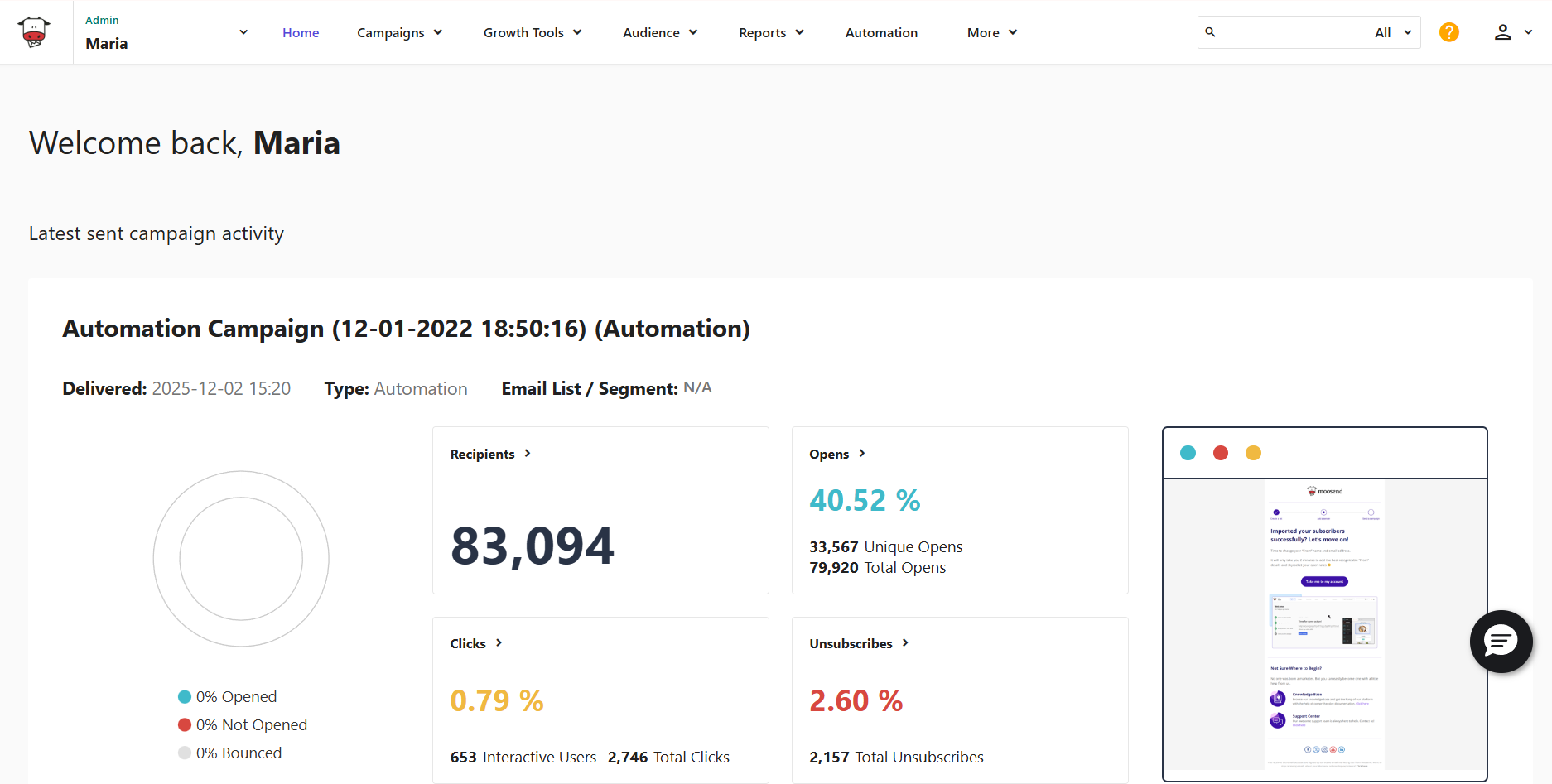
Moosend is a powerful email marketing automation platform with an intuitive user interface and minimal learning curve. This Keap alternative is a great choice for businesses looking for advanced email automation, effortless campaign creation, and straightforward list management.
With Moosend, you can create signup forms and landing pages to grow your audience. You can set up rules and actions that automatically tag subscribers and make segmentation easier and more effective.
Moosend’s visual automation lets you create sophisticated workflows to follow-up, nurture, and finally convert leads. There is also a wide range of pre-built recipes for common business scenarios to kickstart your strategy.
The platform offers AI functionality that assists with content generation, whether you need ideas for your subject lines and email copy or optimization suggestions. Also, Audience Discovery automatically creates list segments based on the funnel stage, purchase intention, and revenue potential to help you save time while improving your targeting.
Moosend comes with real-time analytics and custom reports, so you can optimize your efforts with actionable insights. Finally, the platform’s responsive customer support team provides quick guidance in case any issue arises.
Moosend Features
- Modern, customizable email templates for various purposes
- Advanced marketing automation with a vast range of triggers
- Powerful segmentation options with smart segments
- Landing pages and subscription forms
- Marketing and transactional emails
- Real-time analytics, plus custom reporting
- Integrations with CRM, eCommerce platforms, etc.
Pros
- Clean and intuitive interface
- Easy-to-implement email automation
- Extensive library of email newsletter templates
- Affordable pricing that scales with your business
Cons
- Not ideal if you want sales automation
- Not a dedicated CRM solution
Pricing
Moosend’s paid plans start at $9/month and include unlimited emails, advanced automation, lead generation, custom reports, and access to the SMTP server. There’s also a Moosend+ plan that allows you to select the enterprise-level features you need and add them to your plan.
If you want to try the tool, you can sign up for a free account and test all the features for 30 days.
4. Brevo
Pricing: Starts at $9/month, free plan
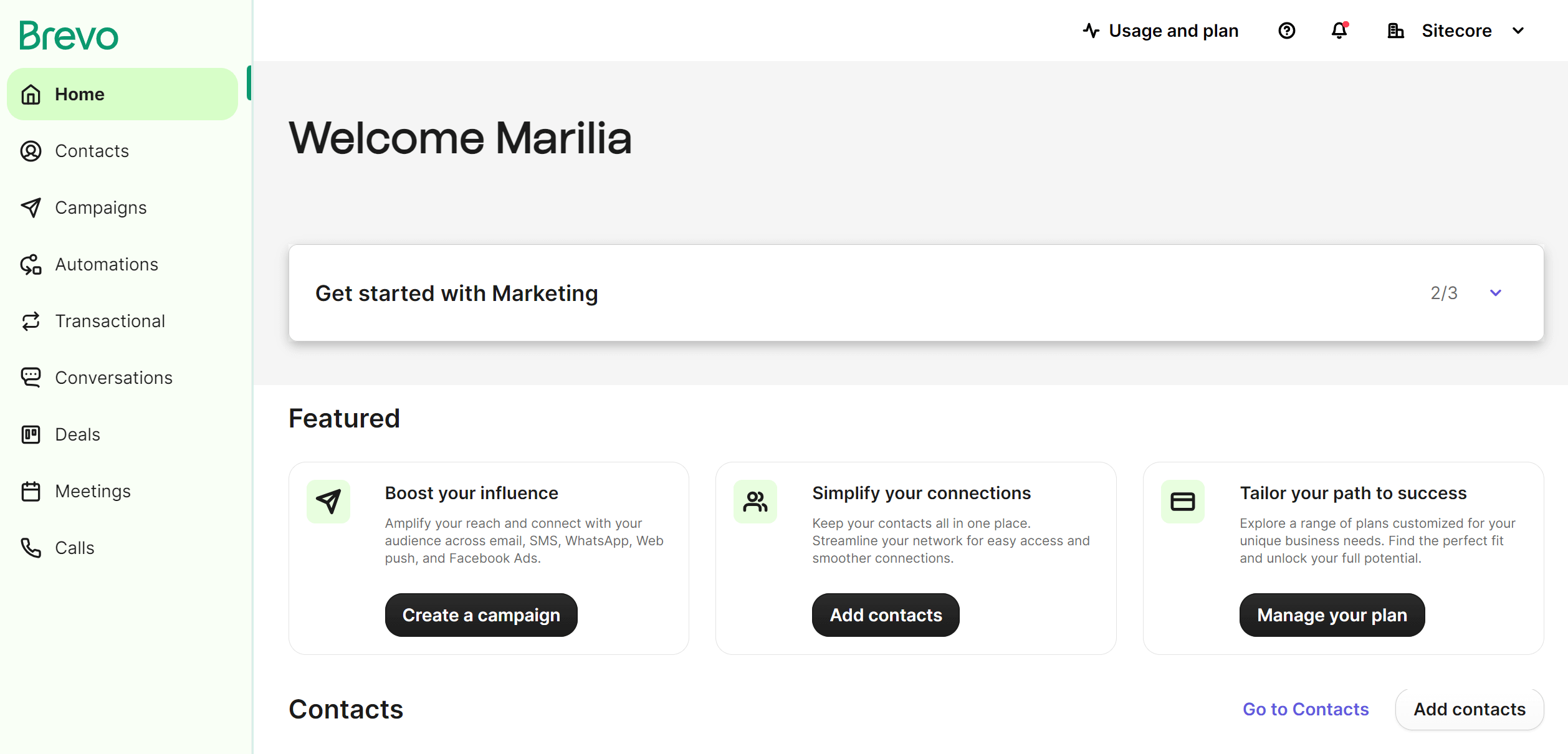
Brevo is an all-in-one CRM suite with multichannel marketing tools. It comes with a limited free plan that comes in handy if you want to test the platform’s functionality. With Brevo, you can manage customer engagement throughout the entire customer journey, from lead generation to transactional emails.
Overall, the platform is user-friendly and the features easy to set up. The drag-and-drop email builder has ample functionality, allowing you to build beautiful emails from scratch. This Keap alternative also comes with AI features to create targeted email subject lines and copy or optimize send times for engagement.
The visual automation builder feels easy to use with multiple triggers and actions, catering to both simple and more complex needs. Besides email, you can reach prospects and customers via automated SMS messages, WhatsApp campaigns, and push notifications.
Regarding segmentation, Brevo automatically groups contacts based on behavior, interactions, or interests. This helps you deliver content that resonates with subscribers and have higher chances of conversions.
In terms of CRM functionality, you can personalize your deal pipelines to reflect your sales cycle based on preferred deal stages. Finally, you get a great drag-and-drop landing page builder, Facebook ads, and signup forms.
Brevo Features
- Effective audience management
- Sales pipelines
- Transactional emails, plus SMS and WhatsApp campaigns
- AI-powered predictive sending optimization
- Live chat and chatbot
- Cloud-based phone system
Pros
- Free CRM software to get started
- Multi-channel automation, including SMS and WhatsApp
- Responsive customer support (email only for low tiers)
Cons
- Limited email design flexibility and template variety
- Additional $12/month to remove Brevo branding
Pricing
Brevo has a free plan allowing you to use the CRM and send 300 emails/day, plus SMS campaigns. Paid plans start at $9/month for up to 5K emails, while for unlimited multichannel automation and advanced email reporting you need at least the Business plan at $18/month. For enterprise email marketing needs, there is custom pricing.
5. ActiveCampaign
Pricing: Starts at $19/month, 14-day trial
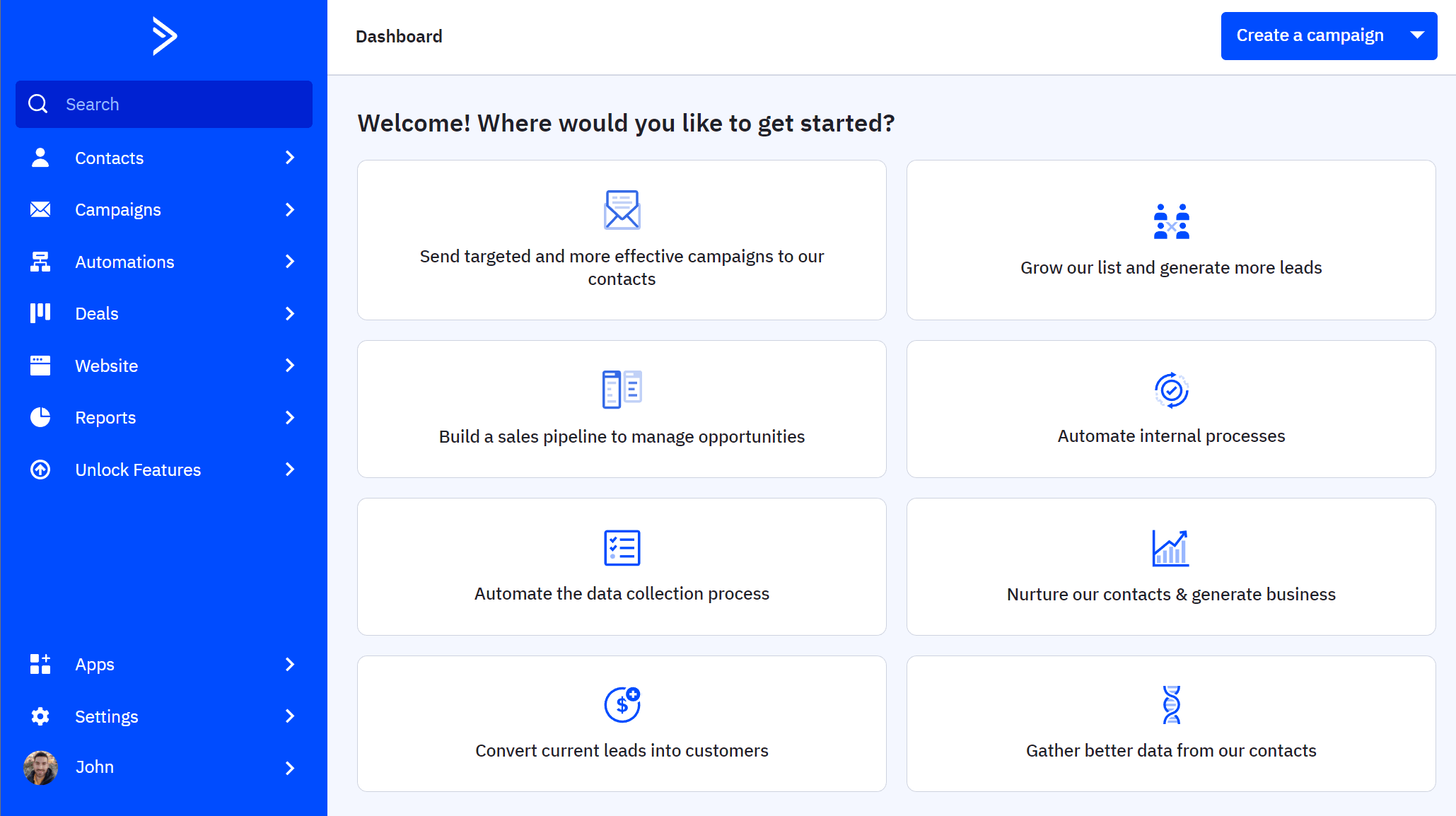
ActiveCampaign is a marketing automation platform offering industry-leading automation and customer journey mapping. This Keap competitor helps businesses of all sizes streamline customer interactions, increase conversions, and scale their marketing efforts.
If your business prioritizes lead nurturing, personalized communication, and data-driven decision-making, ActiveCampaign is a better fit than Keap, offering deep segmentation, multi-channel automation, and unified campaign reporting.
With its wide variety of pre-built automations (more than 900), businesses can automate workflows across multiple channels, from email and SMS to WhatsApp and social media. Also, the platform’s AI provides next-step suggestions based on your campaign objectives and industry insights.
ActiveCampaign has both a marketing CRM and sales CRM, depending on your needs. The sales CRM can be purchased as an add-on in the higher-priced plans, offering lead scoring, 1:1 automated emails, and pipeline management.
The main downside of ActiveCampaign is that its advanced functionality can be a barrier for businesses on a budget or inexperienced users. Nevertheless, it’s a decent option if you want to cover the needs of both marketing and sales teams and reach your audience across more touchpoints.
ActiveCampaign Features
- Advanced multi-channel automation
- Lead tracking and scoring
- Pipeline management (deal monitoring, interaction tracking, lead nurturing)
- AI tools to create email copy, visuals, and segments
- Powerful A/B testing options
- Transactional emails (add-on)
Pros
- High email deliverability rate
- Impressive library of pre-built automation sequences
- Integrations with 900+ tools (e.g., Salesforce, Slack, Zapier, Google Analytics)
Cons
- Entry-level plan lacks essential features (e.g., landing pages)
- Higher-tier plans can get very expensive
- Challenging feature set
Pricing
ActiveCampaign offers a 14-day trial to test the waters. Paid plans start at $19/month for core features and 1,000 contacts. For advanced segmentation and automation, you’ll need the Plus plan starting at $59/month. Sales automation and pipeline management are available as add-ons on top of your plan (Plus or above). Pricing also increases if you want to include WhatsApp campaigns.
6. Zoho CRM
Pricing: Starts at $20/month, free plan
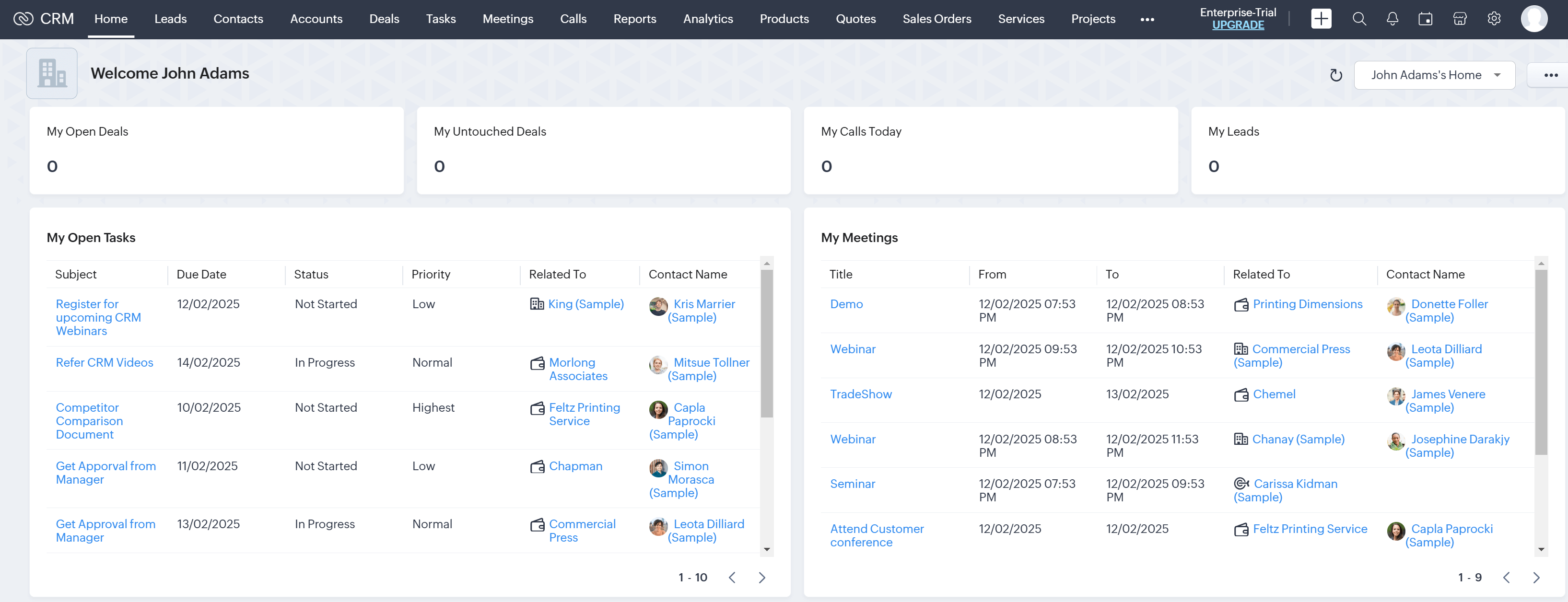
Zoho CRM is another great option if you’re looking for CRM software with flexible pricing and a user-friendly interface. With Zoho, you have several options to capture new leads for your sales funnel including signup forms, social media, or even in-person with the Card Scanner app.
Then, you can easily set up automated lead nurturing emails and use the solution’s AI functionality to recommend products, services, and solutions. Its predictive technology also allows you to score leads based on their engagement and identify high-potential or churn-risk customers.
Another great feature is the AI-powered assistant which gathers useful customer data like open rates and website visits, and suggests the best time to contact these leads.
The platform has drag-and-drop functionality, so sales reps don’t need to spend too much time designing the perfect email. You’ll also find ready-made email templates that you can customize through the email editor. To save you even more effort, the platform’s AI provides email subject line suggestions and summaries for your campaigns.
Zoho CRM also comes with analytics that help users track progress at every stage of the customer journey while providing actionable insights for improvement.
Unfortunately, bulk email sending isn’t as flexible as with other Keap alternatives (e.g., HubSpot and Moosend) since you can send or schedule up to 10 mass emails/module at a specific time.
Zoho CRM’s affordable plans make it a solid option for small businesses with simple needs. The free CRM plan is also ideal if you want to test the platform before paying for a plan.
Zoho CRM Features
- Customizable sales pipelines
- Cadences feature for automated follow-ups
- AI-powered sales assistant
- Multi-channel communication (email, social media, phone, and live chat)
- Powerful reporting and analytics tools
- Real-time notifications for quick collaboration
Pros
- Intuitive UI
- Easy integration with the Zoho suite
- Built-in email and call summaries
Cons
- Slow loading times and occasional lags based on user reviews
- Time-consuming setup and challenging learning curve for advanced features
Pricing
Zoho CRM has a free version for up to three users, with basic lead management, workflow automation, and 10 custom email templates. To unlock more advanced tools like sales forecasting, paid pricing starts at $23/month (per user). However, you’ll need an even more expensive plan to access most AI-powered tools (Zia AI) like churn prediction or subject line recommendations.
7. Freshsales
Pricing: Starts at $11/month, free plan
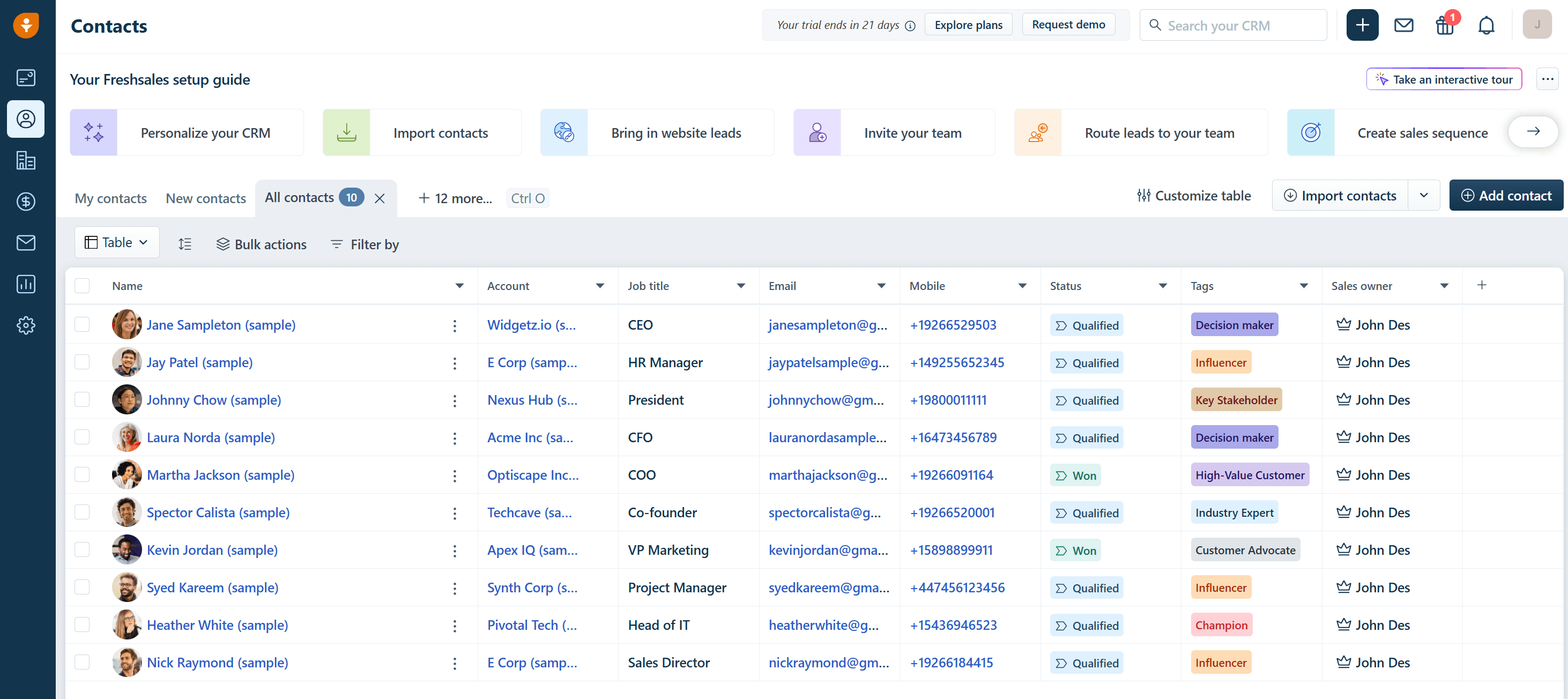
Freshsales, developed by Freshworks, is an AI-powered CRM designed to help businesses build and manage effective pipelines while guiding leads toward conversion.
While Keap offers a blend of CRM and marketing automation, Freshsales focuses on providing a robust sales-centric platform with advanced automation and AI capabilities. This makes it a compelling alternative for organizations prioritizing their sales processes.
The platform has a user-friendly interface and customizable workflows that adapt to various sales scenarios. With the help of Freddy AI, you can run smart sales campaigns to generate more leads through email, then capture, track, and qualify their behavior.
You can easily design responsive emails using the platform’s visual email builder. Regarding automation, all you need to do is choose from multiple triggers and set the entire customer journey on autopilot. This software also offers customizable automation templates to easily automate key sales sequences even without prior experience.
Compared to Keap, Freshsales offers a more affordable entry point. It also provides a free plan which includes core features like lead management, built-in phone and live chat, and email templates.
All in all, Freshsales is a great alternative to Keap if you need a platform with robust AI functionality to sell smarter and close deals faster.
Freshsales Features
- AI-powered lead scoring
- Visual sales pipeline
- Workflow automation
- Multichannel communication and tracking (email, phone, chat, and SMS within the CRM)
- Autoresponders
- Customizable reports and dashboards
Pros
- Affordable entry-level pricing
- AI functionality for lead scoring and sales forecasting
Cons
- AI isn’t included in free or the entry-level plan
- Fewer marketing automation capabilities than Keap
Pricing
Freshsales has a free plan for small teams of up to 3 users, plus access to email templates, an integrated phone system, and live chat. If you want to access the full CRM suite, you can do so through a 21-day free trial. Paid plans start at $11/user/month, ideal for startups and SMBs seeking efficient pipeline management and more features like basic automated workflows and SMS campaigns.
8. Mailchimp
Pricing: Starts at $13/month, free plan
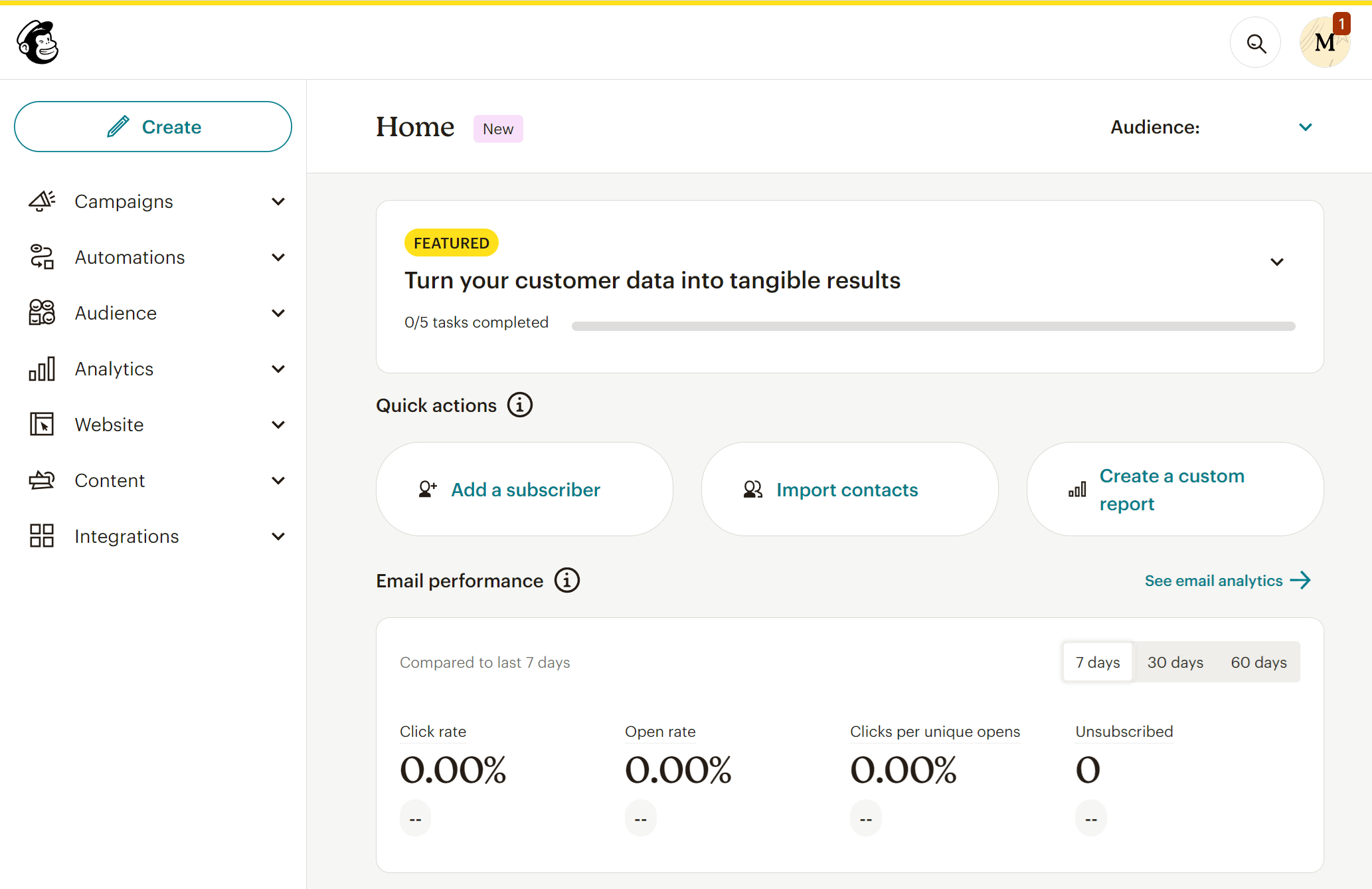
Mailchimp is a well-known email marketing platform that lets you create beautiful campaigns, automate your follow-ups, and manage your audience. It has a user-friendly builder that lets you customize your emails to match your branding and campaign goals in a few drag-and-drop actions.
What’s great about Mailchimp is the Customer Journey Builder. With it, you can create sophisticated workflows, from welcome campaigns to lead nurturing and re-engagement campaigns.
You can also target visitors based on their activity on your website. Besides email, Mailchimp’s automation allows you to engage your audience using SMS and social media.
The platform’s marketing CRM makes contact management easy with pre-built segments. You also get an audience dashboard to analyze customer behavior and respond to it with relevant follow-ups via email, phone, or text. The platform incorporates an easy-to-use website builder, plus signup forms and landing pages to grow your email list.
Finally, Mailchimp has an extensive integration library, making it a strong alternative to Keap, especially for those seeking flexibility in their marketing strategies.
Mailchimp Features
- Drag-and-drop email builder
- Multi-step automated workflows
- Audience segmentation and behavioral targeting
- AI tools for email content and send time recommendations
- Large list of integrations
- Detailed reporting and analytics
Pros
- User-friendly interface
- Multivariate A/B testing
- Mobile app to use the tool’s CRM on the go
Cons
- Limited CRM features (focus is on marketing automation)
- Advanced features locked behind expensive plans
- Transactional emails cost extra
Pricing
Mailchimp offers a limited free plan, allowing 500 emails/month and 250 contacts but you can’t remove Mailchimp branding or access all the email templates. So, if you want more, pricing starts at $13/month for 500 contacts and essential marketing functionality like A/B testing and lead generation (no advanced segmentation, though).
How We Selected The Tools
All of the tools in this list have been tested by our team to provide an unbiased description of its features and capabilities.
We spent hours setting up new accounts and trying each software to provide an accurate experience and show users exactly what they will come across when they sign up. Find more information about our software selection methodology on how we choose tools to feature on the Moosend Blog.
Additional Resources
If you’re looking for resources to make an informed decision, check out the following posts:
Find a Keap Alternative that Suits your Needs
To select the right Keap alternative for your business, it’s important to consider your specific needs. You can also leverage any free plans or trials available to test the platforms more suitable for your business before committing to a paid plan.
If you want a scalable solution to generate and manage leads, nurture them, and gently lead them to conversion, give Moosend a try by signing up for the 30-day free trial.
Frequently Asked Questions (FAQs)
Here are some common questions we’ve been getting regarding Keap alternatives.
1. What is Keap (formerly Infusionsoft)?
Keap (formerly known as Infusionsoft) is a CRM platform specializing in automating your marketing, sales, and operations. The software is designed primarily for small businesses, aiming to help them manage their contacts, automate follow-ups, and streamline both sales and marketing workflows.
2. Is there a free alternative to Keap?
Yes, there are several free Keap alternatives like Brevo, HubSpot, and Mailchimp. However, their free versions are somewhat limiting, lacking features like sophisticated automation or deep segmentation. This is why you should also consider affordable tools like Moosend that relies heavily on email automation and segmentation, offering key features even in the lower-tier plan.
3. Which Keap competitor offers the best automation features?
ActiveCampaign is widely considered the top Keap competitor when it comes to automation. It offers advanced workflows, conditional logic, and behavior-based triggers. It’s a great choice for businesses looking to scale with sophisticated email and CRM automation. For less complex needs but equally effective, Moosend is a great option for businesses with budget constraints.
4. What is the best alternative to Keap for small businesses?
The best alternative to Keap for small businesses depends on your needs. However, if you’re looking for an affordable solution with powerful features but without the steep learning curve, you should consider tools like Moosend, Brevo, and Mailchimp.
Similar Posts



 Published by